
DOWNLOAD THE APP


Customer Services
Copyright © 2025 Desertcart Holdings Limited
DOWNLOAD THE APP
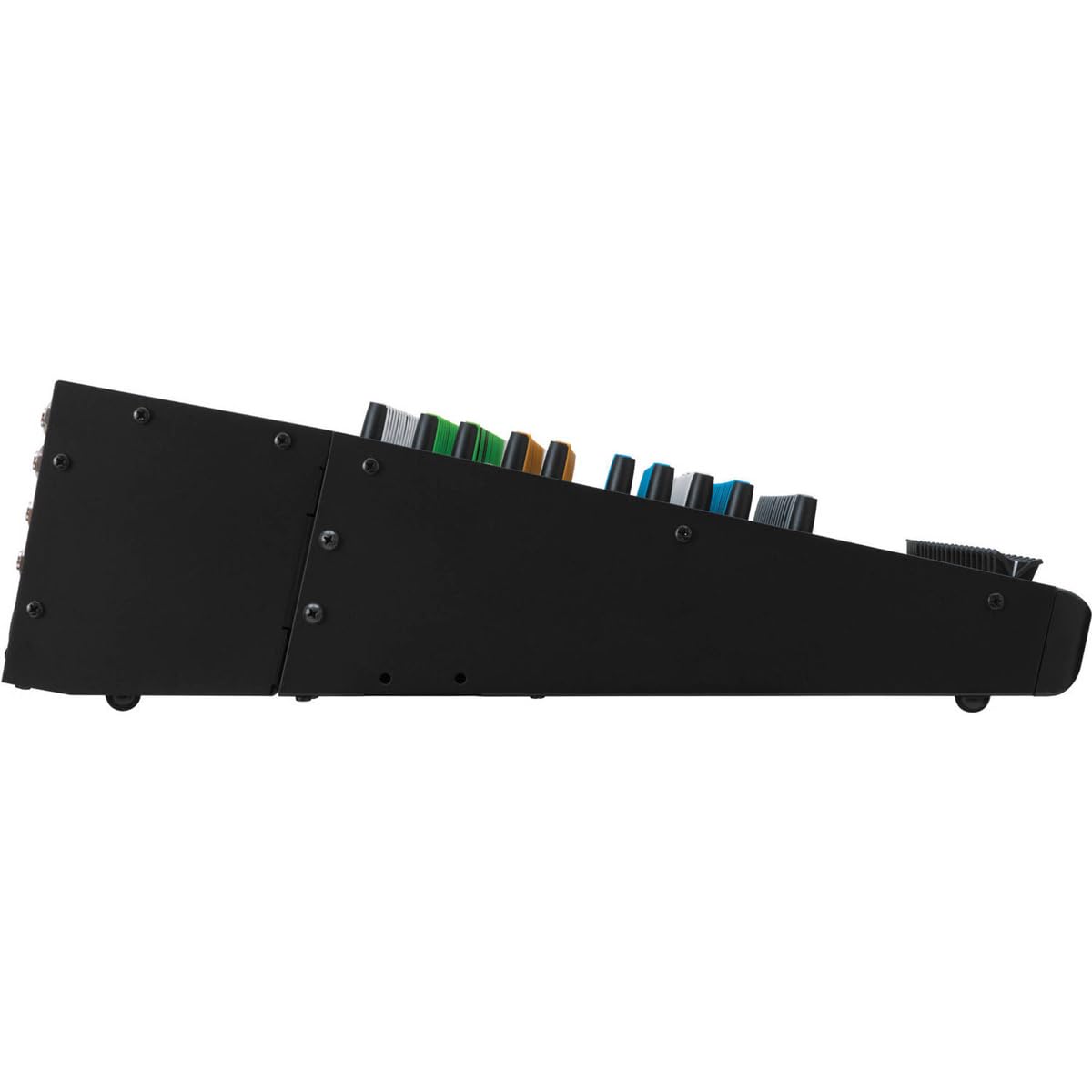
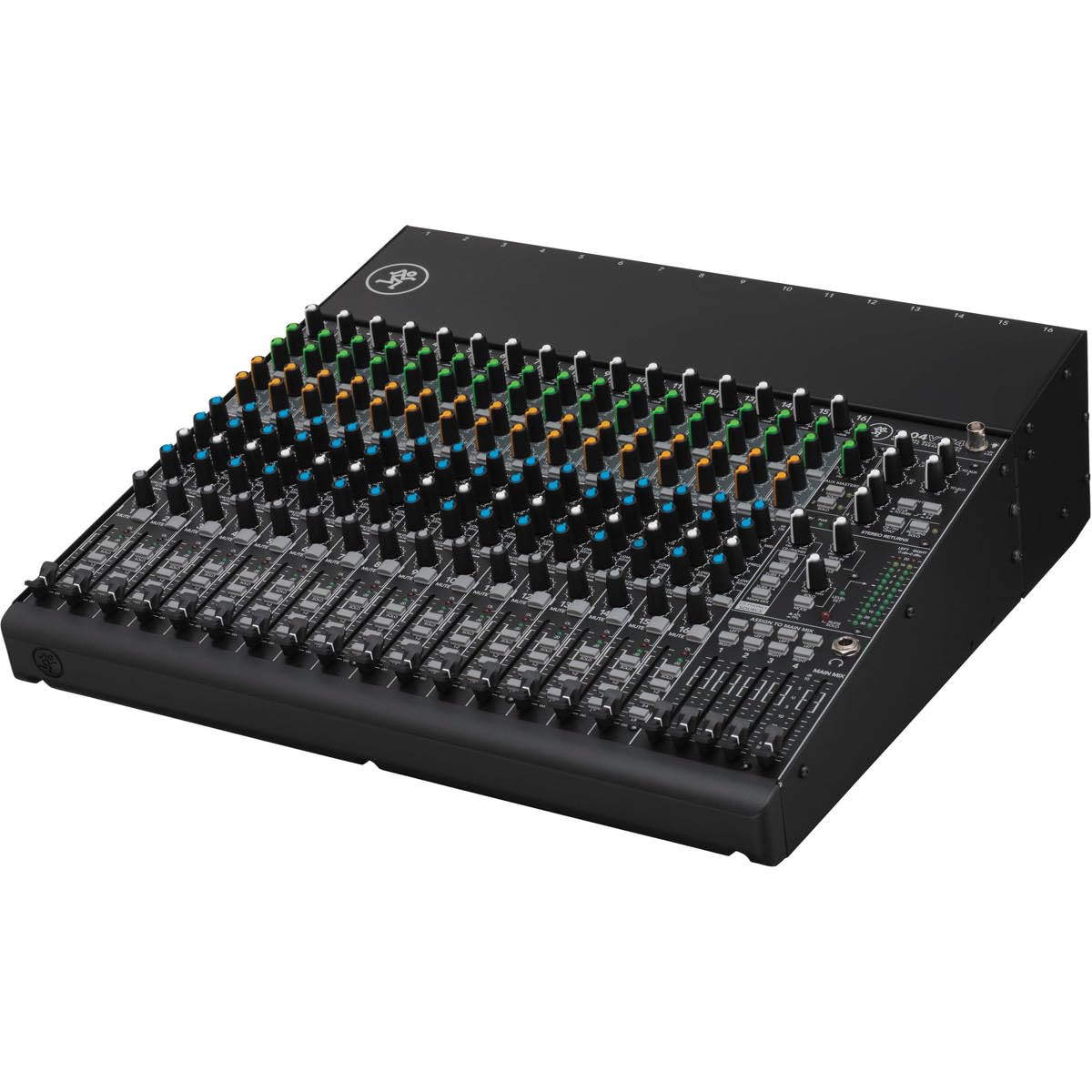
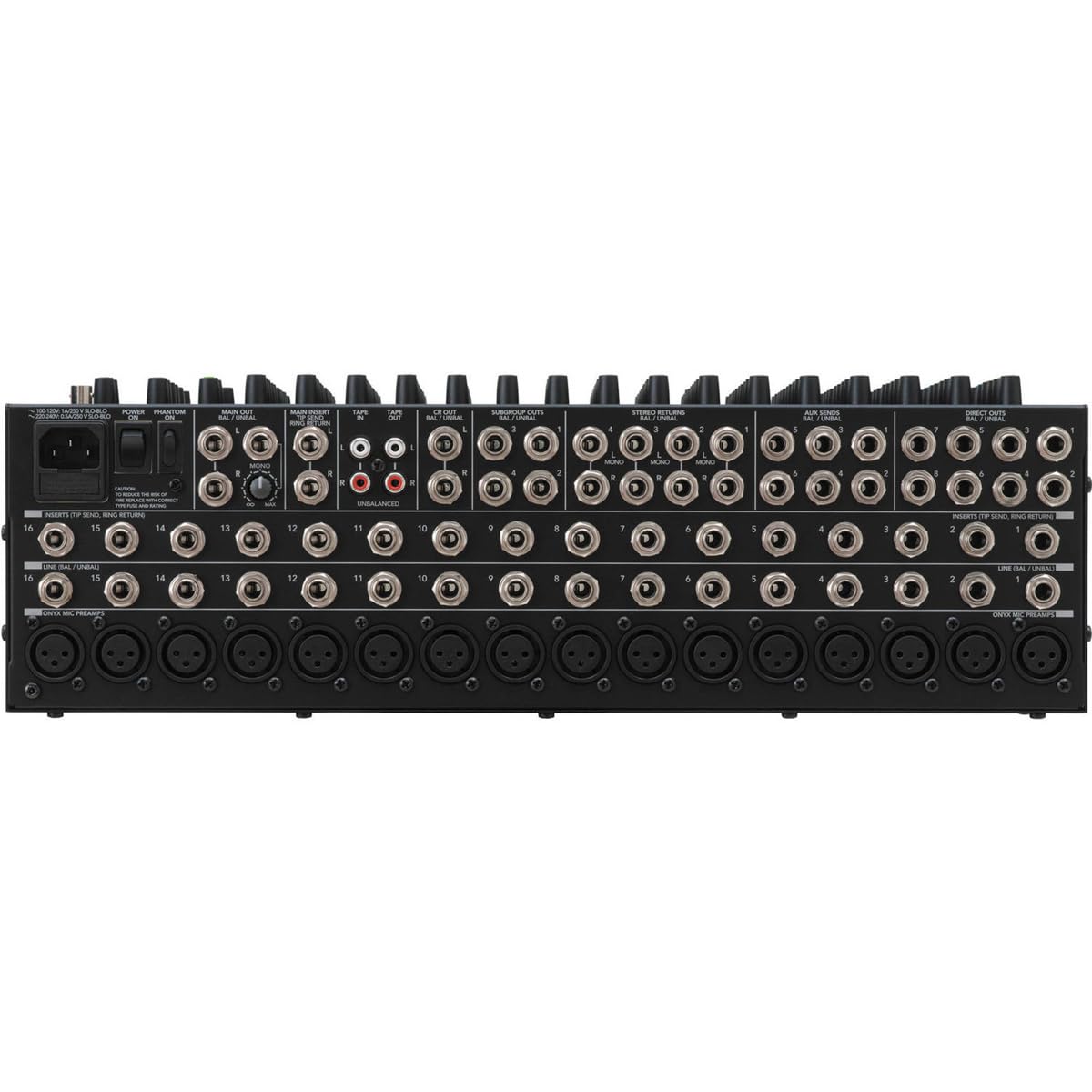
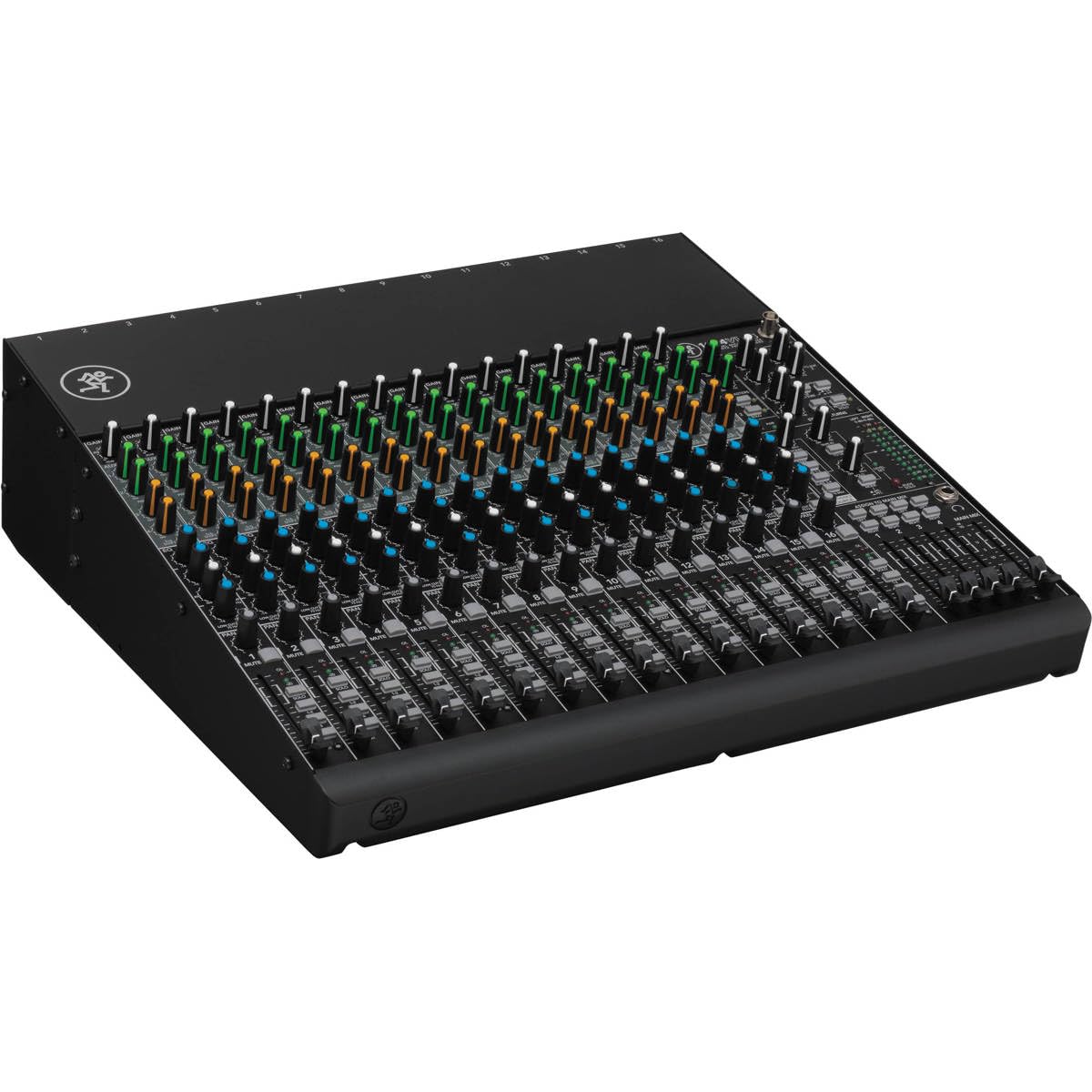
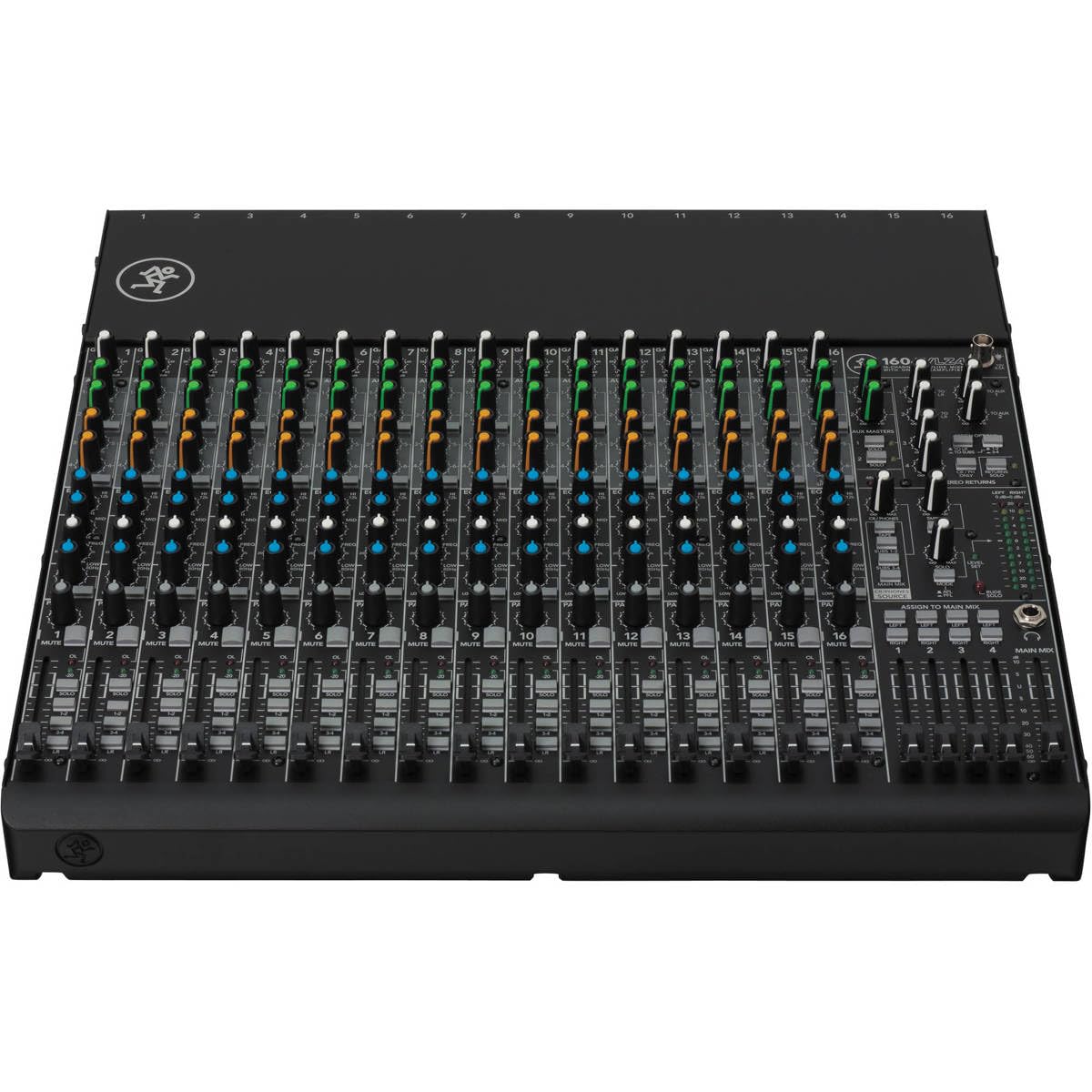
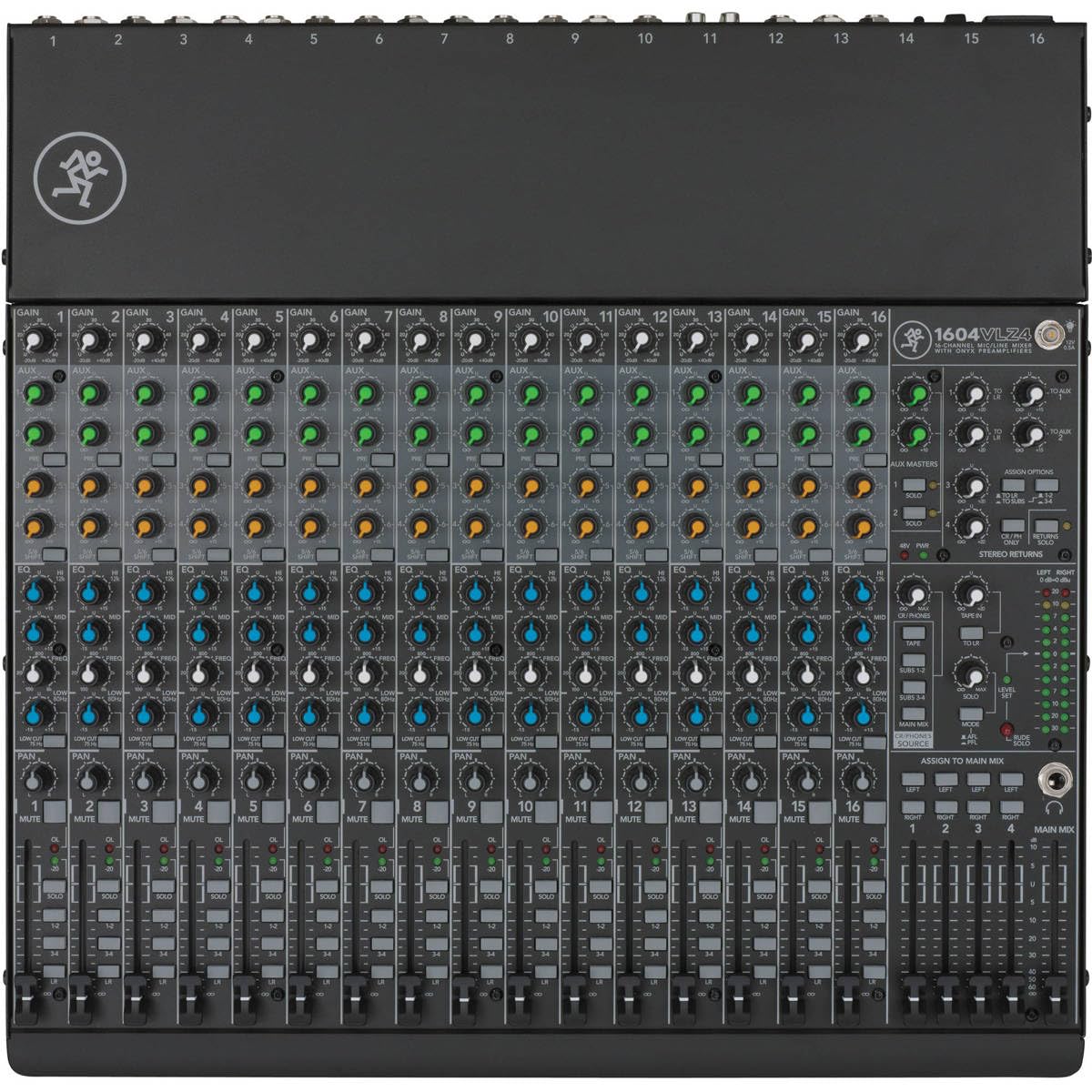
🎛️ Mix Like a Pro, Sound Like a Legend
The Mackie 1604VLZ4 is a 16-channel, 4-bus compact mixer featuring Mackie's signature high-headroom, low-noise Onyx mic preamps with phantom power. Designed for professional audio clarity and durability, it boasts improved RF rejection ideal for broadcast applications, a rugged steel chassis, and ergonomic controls optimized for any environment. Perfect for studio, live, or broadcast use, it offers versatile connectivity and a proven, no-nonsense design trusted by audio pros worldwide.





| ASIN | B00EA1A21C |
| Audio Input | XLR |
| Best Sellers Rank | #4,469 in Musical Instruments ( See Top 100 in Musical Instruments ) #10 in Unpowered Recording Mixers |
| Brand | Mackie |
| Brand Name | Mackie |
| Connectivity Technology | XLR |
| Customer Reviews | 4.6 out of 5 stars 877 Reviews |
| Global Trade Identification Number | 00663961039818, 02857775044009 |
| Item Dimensions D x W x H | 17"D x 17.3"W x 5.1"H |
| Item Type Name | unpowered-audio-mixers |
| Item Weight | 20 Pounds |
| Manufacturer | Loud Technologies, Inc. |
| Noise Level | 60 Decibels |
| Number of Channels | 16 |
| Output Connector Type | XLR, TRS, RCA |
| Power Source | Corded Electric |
| Product Dimensions | 17"D x 17.3"W x 5.1"H |
| UPC | 663961039818 |
| Unit Count | 1.0 Count |
| Warranty Description | 1 year non-transferrable. |
P**D
VERY Well Built, and THE Solution for RF Inteference when using PreSonus Eris 5 Studio Monitors
This little Mackie 402VLZ4 is a lifesaver for a small home desktop solution when you want to use one pair of studio/near field monitors, so I want to share my setup. My main goal was to have a QUIET pair of PreSonus Eris E5's on each side of my 30" monitor for multiple uses, but the RF interference was unbearable. The Mackie (and GOOD cables) provided the solution and make the whole system really flexible. Here's what I wanted to accomplish: 1) Audio from my desktop PC for video editing and simply listening to music 2) Audio from my AlienWare 17 R2 laptop which is my main DAW running Studio One 3 Pro 3) Audio from my iPad Pro when fooling with Notion, GarageBand and any other audio source 4) Ability to plugin my Taylor acoustic to play solo or along with any of the above 5) Ability for someone to listen to a finished mix on my studio headphones while I monitor the track through the Eris 5s at a low level so I know what they are hearing at any given point And most of all I needed to eliminate the VERY bad RF interference I was getting from the Eris 5s, because while the sound is TRULY accurate given the price range, the RF shielding is pretty bad, due to the price range. But I got it 99% solved. Here's how: · Connect the Eris 5s to the Mackie with cables such as Mogami 2549 XLR Male to 1/4" TRS Cable with Neutrik Gold Connectors - 6 Feet by ChromaLeaf . Speakers are done. · Connect my desktop editing PC to a Creative Sound Blaster X-Fi HD USB Audio System with Phono Preamp , and from there connect that to the Mackie's Tape In inputs. IMPORTANT: I used cheap RCA cables and a cheap USB cable between the PC, Creative DAC and Mackie, and got horrible RF noise! I then tried, believe it or not, an AmazonBasics USB 2.0 Cable which are very well made, and a pair of Monster RCA cables I already had, and I get NO RF noise from the Eris 5s now. PC is done. · In Channels 3 & 4 I run this Ugreen Gold Plated 3.5mm 1/8" TRS to 6.35mm 1/4" TS Mono Y-Cable Splitter Cord which I can use for iPad (NOT iPhone, more on that in a min) or other device with a 3.5mm headphone jack or line out, or even the headphone jack on the AlienWare DAW in a pinch. For serious mixing with the AW I use a Fiio E17K ALPEN 2 USB DAC Headphone Amplifier , again with a good AmazonBasics USB cable, and then the UGreen Y cable goes into the Fiio. iPad and DAW and other audio devices done. · Channels 1 & 2 are open to accept XLR or line input from my Taylor or mic or preamp or a second device, anything really. With a mixer the headphones being plugged in don't mute the main output, everything has its own level knob, so i can control everything, even those listening to headphone. It's a bit extensive, but this gives me a totally flexible, clear, RF-free environment, all possible by this little Mackie control center of a mixer. I can honestly say I can't think of a thing I don't like about it. It's heavy metal construction and sports a power switch which many mini mixers don't have. And now my Eris 5s sound quiet and amazing, and my range of inputs is totally flexible. One last note regarding RF interference: You still hear that "fax machine" sound faintly when an iPhone is nearby, does it on my wife's PC too, with simple shielded computer speakers. When the iPhone checks for mail for anything else, you hear it. Not horribly but it's there. There is one other Apple product that actually makes noise when you move it about: iTunes for Windows running on my PC! If I scroll a window or something similar, you hear faint RF noice! Other media playing software doesn't so this. WEIRD. Anyway, hope this info helps. If anything, use great cables.
R**A
Exactly what I needed
I love this thing! I just got it today, it is sturdy and professional looking and was packaged very well. I have been playing guitar for over 50 years. I still jam now and then, but mostly I play to backing tracks at home. I have an eggnater tweaker with effects processor that i play thru while running backing tracks from my computer thru a stereo amp. Balancing the two volumes is always a pain, and i usually end up too loud once i find the balance. I like to record sometimes, using a tascam recorder with built in microphones. Its not bad, but it picks up room noise and wont register below a certain volume. I bought this mixer hoping to consolidate my devices into some kind of audio system. I have had mixers before and they always have limitations or dont have features i need, so i was skeptical. I set this baby up and plugged my processor into channel 1 and computer into channel 2. I ran the main output thru my 100 watt stereo amp powering a pair of 12" speakers. Turned everything on and both channels came thru loud and clear with no crossover. The volume controls are pretty linear, but it drops off a little on the low end. It was easy to match the two channel volumes. Guitar and backing track sound seamless coming from a single source. I just crank the master volume up and down without losing the mix. The EQ is impressive. I like that there is a knob for bass and a knob for treble (hi and lo). So much easier than trying to adjust your tone with 7 slide pots. Both bass and treble have surprising range and work fine together. They give me an excellent range of tones. The channels have seperate gain controls, which come on smooth and have a lot of punch without making it too distorted. This device otherwise adds nothing to the signal in the form of noise, distortion or carryover that i can tell, all my favorite processor effects sound just the same thru this as they do thru my amp. My room recorder has a line in that i connected to the tape out jacks, but there is no volume for tape out, so i used the headphone out, which does have a volume control and it works perfectly. Now I can record at any volume while playing at any volume, which my family will love. No more blasting just so my recorder will pick it up. All the right features without a bunch of fluff like effects, and it accomodates a mix of stereo and mono inputs and outputs with no special adjustments. I am totally stoked with this thing and highly recommend it to anyone looking for a simple and functional mixer.
C**7
A Solid Work Horse.
If it were possible to give this mixer 10 Stars - I would! Prior to this I used a similar sized mixer from a company whose name begins with a "B" and ends in an "R". I decided to see if Mackie was truly an upgrade. This was my first purchase of Mackie gear of any kind! I am a mobile DJ that uses this type of mixer as a sub mixer to route my DJ controller, a hardwired mic and a wireless mic. Sometimes, I'll route a back up mixing console through the mixer as well. The Construction is TOP SHELF. This thing is SOLID. All metal with exception to the knobs. The mic pre-amps are clean, powerful and very rich sounding. Depending on the gear that you're putting though it, I find myself using less EQ to balance out my sound. OUTPUTS- I was first drawn to this mixer because it has XLR Balanced outputs - I just like that better than 1/4" TRS outputs. You can get roughly 2 more mixes out of this board as well - making it a 3 Bus Board. I don't really use effects, and there are none built-in. There is a Power Switch on the rear - my previous mixer didn't have a power switch. I like a power switch! The LED display is VERY accurate. I have experienced better response from my powered speakers and a cleaner - tighter mix because the ability to SEE what's happening! The MIC channels have a MUTE Button!!! I love that as well! Many of the things that I am raving about are very standard issue on larger mixers from most manufacturers. Again, my previous mixer was a plain-jane mixer. I can't allow myself to bad mouth the "B" brand - they served me well over the years. I will gladly attest to Mackie's Overall Quality! This board is a STEAL at this price point!!! I can see myself owning this board for many years to come.
B**0
Solid build quality, Reliable name, Excellent customer service!
I've always had excellent performance and value from Mackie products, and this Mixer is no exception! Worked perfectly and as advertised right out of the box. What amazed me beyond words was when I needed to call Mackie Customer Service (to resolve a weird issue that was due only the the complexity of my studio setup — *not* a problem with the product). I reached Customer Service directly and they answered on the 3rd ring. The Technician was cheerful, knowledgeable and resolved my issue in under 1 minute. I followed his advice and this Mixer is performing wonderfully in my system, with incredibly clear, distortion-free sound. This model offers a great deal of flexibility on how and where to route Inputs, Outputs, 'Sends', and 'Effects'. Even the Channel Mute buttons offer the option to route Muted channels to another Output; so the signal is not wasted. Separate controls for Main, Control Room Send, AUX Send, and Tape (recording outs) come in super handy. Designed in U.S.A. (but built in China), I was skeptical that the quality might not be premium — but Mackie did not sacrifice build quality: the chassis is a sleek, black METAL. The sliders (well, knobs actually) all have a very smooth action and their operation electronically with regards to Gain is perfectly smooth and analog. I can detect no distortion or loss concerning signals that are processed by this Mixer. It's a great unit — especially for the 'budget' cost. Great for home studio, gigs and Podcasts, etc.
F**D
Good little mixer
I purchased this mixer to manage the number of audio signals going into and out of my desktop PC. I looked at Yamaha, Peavey, Behringer, and Mackie products before choosing this unit. I have 20+ years of experience with audio mixers in an installed sound environment. Pros: 1. Solid construction! This thing is built like a tank. No plastic exterior panels here. 2. Clean sound without being cold or sterile, like some Yamaha mixers are. 3. Aux send channel with pre/post setting on an 8-channel mixer. The other mixers I looked at would have required me to go to a 10- or 12-channel mixer to get that functionality. I use an Audio-Technica headset mic with the mixer for online gaming and other purposes; the aux send, set to pre-fader, is connected to the line-in on my PC. It works great for sending the mic signal to the PC; the audio is clear and strong. 4. The instrument switch on channels 1 and 2 eliminates the need for DI boxes when using instruments such as guitars. Cons: 1. Knobs do not have a grippy rubber coating on them; fingers tend to slip when adjusting the knobs. They need a rubbery grip coating, or at least vertical grooves on them, to make them easier to grip. 2. Not all of the knobs have a center detent - an oversight or cost-cutting? With the exception of the gain controls, all of the knobs should have a center detent IMHO. 3. Was not able to find a way to control the headphone volume level independently of the main mix volume level. Other Mackie mixers I've used have been able to do this, so was this an oversight on Mackie's part? Additional comments: 1. The shelving EQ requires careful use; you can overboost very easily. That's not to say it doesn't work, because it does; you just have to be judicious when using it. 2. Typical gaming headset mics apparently won't work with this mixer; I tried two of them, and neither one would put out enough signal. 3. Might be a little complicated for a newbie to hook up correctly. Overall, I am very pleased with it and do not regret buying it. I did feel that the three cons were significant enough for me to knock a star off the final rating - but you may find them to be non-issues.
A**L
Mackie's equipment is top notch and incredibly flexible.
I almost don't remember when I bought my first Mackie Mixer. It's been probably 20 years ago. I was never in the need of a big board ... although I've owned a 16 channel Mackie before ('big board' ... lots of input channels, features, meters, inserts and aux busses). But I've used the 1402 VLZ series in my audio work with great success. I've always been impressed with the incredible flexibility and low noise in these mixers. I still have 3 or 4 of them around, including my first one. My most recent purchase was a 1402VLZ3 ... Nice Board! So, when I went looking for a mixer for a small special application, Mackie was the first place I looked. I wasn't disappointed. Mackie had a couple of smaller mixers either of which would have worked, but I think the 802VLZ4 had just the right combination of features for what the application required. It just arrived today, and I'm already impressed, even before I plug it in. I usually opt for the Power Supply being inside the unit. Hook up the power cord and plug it in. In this application, though, I wanted the board to be as small as possible, and the outboard plug-in supply removes that part of the design from the internals of the mixer, allowing a smaller footprint. "Wall Warts" can also be a problem, but this one was designed to be thin, so as to not rob space on your power strip. The 1402's and many, many other mixers use 'sliders' to control the incoming channel levels. The 802VLZ4 however, just uses "Volume Control Knobs". In the application I'm looking at, a small footprint is a priority, and using what most people would call "Volume Control Knobs" will take up less space than the sliders. (I love Mackie's Sliders, but I just don't have the room for them in this application, and replacing them with "Volume Control Knobs" just makes sense). There's a ton more I could say good about the Mackie 802VLZ4, but you can read a lot of it in their advertising info. But I do like the color coding on their knobs. Very nicely implemented. One small drawback, when I got my other 1402's, they all came with a really good manual. I really appreciated Mackie's audio professionalism that they shared with the owners of their products in their manuals. And of particular usefulness is their "Schematic" or "Block Diagram" (Page 26 in the 802VLZ4 manual). It is a tremendous aid in understanding and using your mixer. I always made a copy of that page on my 1402's and put it in a notebook to take with me wherever I went. I was a bit disappointed to see a "Quick Start Guide" arrive with the new mixer with not much info. However, I had already downloaded their manual in PDF format from their website, and printed it out. I might suggest to Mackie that adding the Block Diagram to the Quick Start Guide would be a real quick help to someone setting up the new mixer, as when you have a flexible product, that flexibility also adds a bit of complexity, and the Block diagram helps figure it out real fast. Also, if a user is to rely on the PDF format for their manual, It would be an great help to format the PDF for 8.5 X 11" paper. (The manual is slightly larger). Overall, I'm at 4.9999 stars with Mackie's equipment. I'm getting up in years, so I'm not seeing too many more new Mackie's in my future, but if that requirement ever comes up (one never knows), that's where I'll be looking first.
D**Y
Radio/Podcasting Ease
Other reviewers here can give you better info about the technical aspects. I researched the mix-minus and love that I can do that - I tested it with a live cellphone call in and it was perfect - sending back my mic, my computer audio back to the user on the phone, while feeding to me those two plus the caller's audio. Very slick if you need that feature. I also love that I can plug in my guitar, connect a couple of mics for me and the kids to have some recording fun. Primarily though, I bought this to lock it down, to sit on my desk and allow me to crank out audio shows for podcasting and radio submissions. I am a minimalist - Apple iMac with small wireless keyboard, mouse. I'm not technical so I don't want my desk to look "too" technical or complicated. I just want to sit and create without clutter but without sacrificing features or quality. And to my surprise, this mixer sits nicely in the top corner of my desk, out of the way, plugged into my boom mic and ready for action when needed. With a quality mic and quality stand-alone recorder, this mixer is part of the puzzle that is producing EXACTLY what I wanted in quality and quantity. I have a radio-ready baritone voice so the only setting I adjust slightly is the low 80hz band creating a little extra radio "boom" in my voice and intonations. I also have my audio recorder headphone feeding back into the mixer so that I can quickly playback recording in my headset and jump right back into recording without missing a beat. It has more than I need right now which is perfect. I will get to those other features soon enough, the mix-minus for call-ins, live shows and will at some point, play with my guitar with some sound boxes and maybe even some staging with the kids using monitors.
G**N
Best portable Mixer I have ever used - with build quality to exceed others!
I often times take a couple of speakers to events for outings, church activities, etc. where I just want a quick and easy setup, the ability to play music off of an iPhone and/or laptop and have a mic input. This device exceeded my expectation(s)! In the past I have had a Yamaha mixer which is about 2.5x the size of this one (it has 2x the inputs to be fair) but the power supply and bulkiness of the other mixer doesn't make it easy for transport. This mixer not only looks great, but the quality is outstanding. The build and design is top notch, especially for the price! Volume adjustments are smooth and don't slip or stick. If you need a great little mixer that is easy to transport, this is the one. My only complaint (and in fairness this is the case with all the mixers I've seen) is that it doesn't have a 1/8" mini input, so I have to bring RCA to 1/8" for laptop or phone input. Not a huge deal, but I would love to see it added. That said I would 110% recommend this to any one. One thing I would add for SURE is the Mixer bag (P/N 402-VLZ3) it has room for the Mixer AND, wait for it... THE POWER SUPPLY. I can't stand bags that only have room for the device and somehow forget or overlook the power supply. It is a perfect addition for a compact, portable mixer!
Trustpilot
3 weeks ago
3 weeks ago