We remain fully operational. Our teams are working around the clock to ensure your deliveries continue safely.

DOWNLOAD THE APP


Customer Services
Copyright © 2025 Desertcart Holdings Limited
DOWNLOAD THE APP

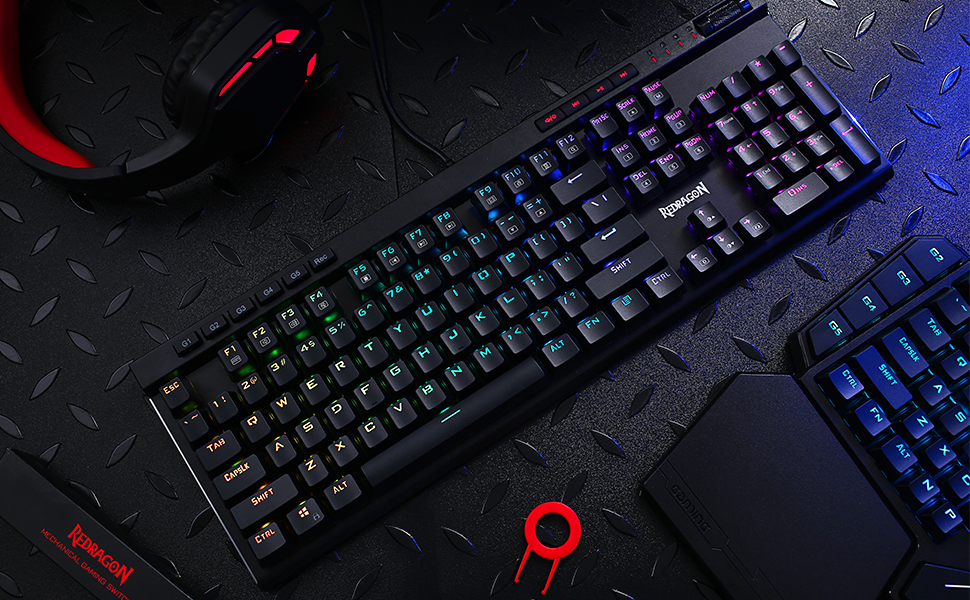
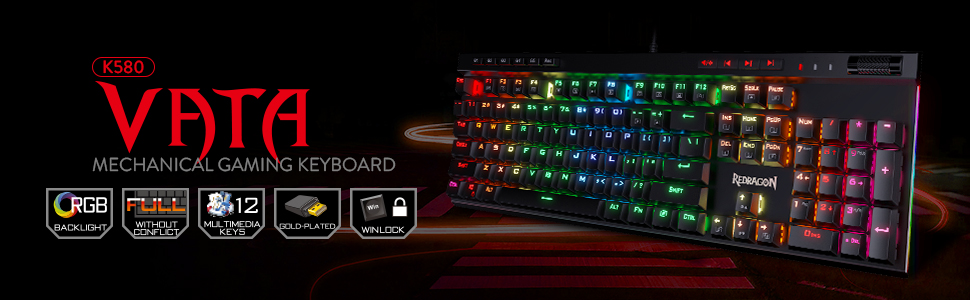
🔥 Level up your desk game with the K580 VATA — where pro-grade features meet killer style!
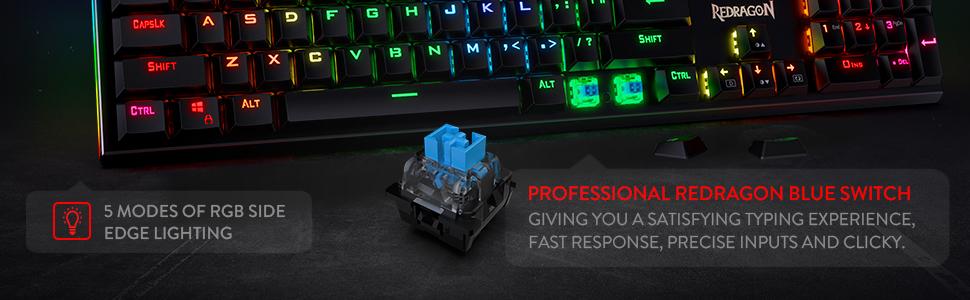
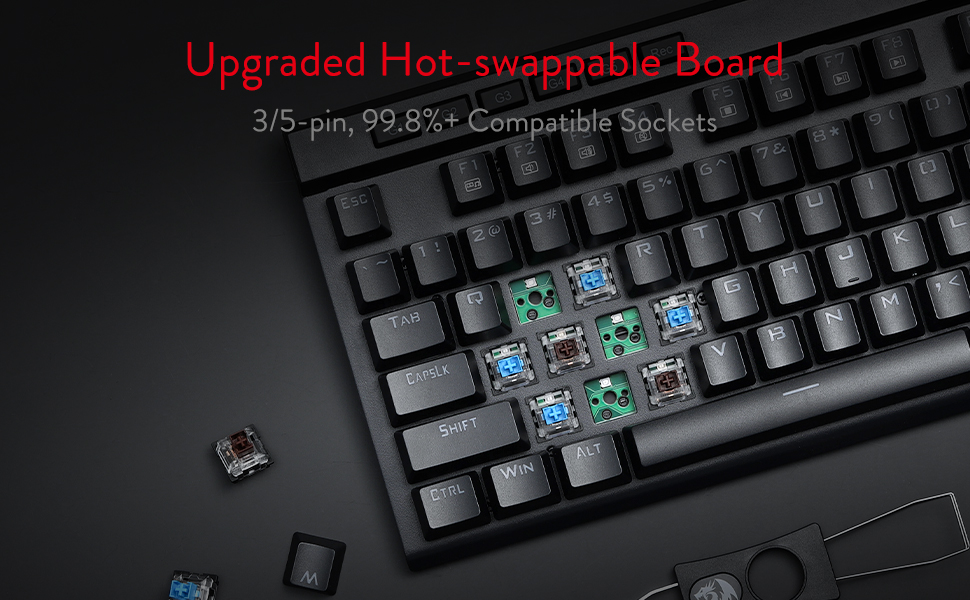
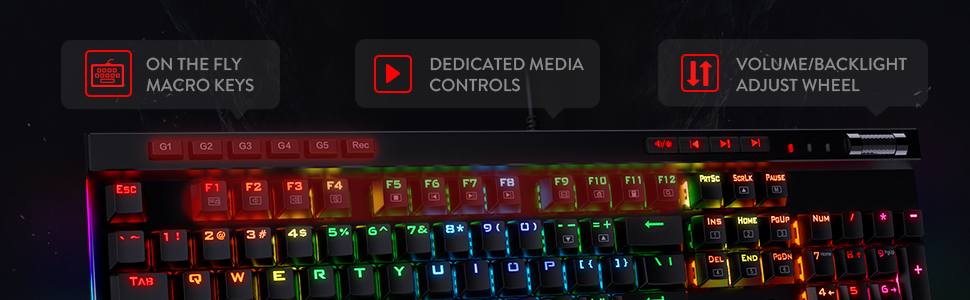
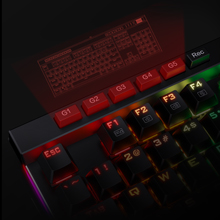
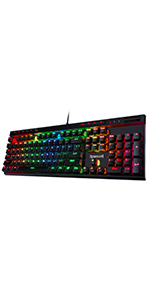
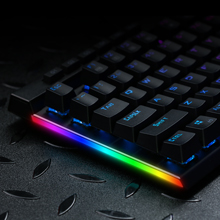
The Redragon K580 VATA is a full-sized mechanical gaming keyboard featuring Outemu Blue switches with tactile, clicky feedback. It boasts 5 programmable macro keys, dedicated multimedia controls including a volume roller, and hot-swappable sockets compatible with most 3/5 pin switches. With 18 RGB backlight modes and durable double-shot keycaps, it offers a premium typing experience at an unbeatable price point favored by competitive and professional users alike.




| ASIN | B07G11G2X8 |
| Additional Features | Ergonomic, Hot-Swappable, Hotkeys and Media Keys, Programmable Keys, Volume Roller |
| Antenna Location | Gaming |
| Best Sellers Rank | #305 in Video Games ( See Top 100 in Video Games ) #19 in PC Gaming Keyboards |
| Brand | Redragon |
| Built-In Media | Keycap Puller |
| Button Quantity | 104 |
| Color | Blue Switch |
| Compatible Devices | Gaming Console |
| Connectivity Technology | USB |
| Customer Reviews | 4.6 out of 5 stars 4,173 Reviews |
| Enclosure Material | Acrylonitrile Butadiene Styrene, Aluminum |
| Hand Orientation | Ambidextrous |
| Item Dimensions L x W x H | 15.75"L x 5.91"W x 0.98"H |
| Item Weight | 1200 Grams |
| Keyboard Backlighting Color Support | RGB |
| Keyboard Description | 100% 104 Keys Wired Hot-swap Gaming Keyboard |
| Keyboard Layout | QWERTY |
| Language | English |
| Manufacturer | Redragon |
| Mechanical Keyboard Switch Model | Outemu Blue |
| Model Name | VATA |
| Model Number | K580 |
| Number of Keys | 104 |
| Number of Sections | 3 |
| Power Source | Corded Electric |
| Recommended Uses For Product | Gaming |
| Special Feature | Ergonomic, Hot-Swappable , Hotkeys and Media Keys , Programmable Keys, Volume Roller |
| Style Name | Modern |
| Switch Type | Clicky |
| Theme | games |
| Water Resistance Level | Water Resistant |
S**S
really good feel, rugged, responsive, high quality
Ladies and Gentleman, I am NOT a paid advertiser. I bought this product for the first time. I am an extremely active computer user on a daily basis. I always get high quality key boards, mice, headsets, computers, due to my hobbies. This is the first review I have done on a keyboard. I HIGHLY recommend this keyboard to anyone that uses their computer for anything competitive or professional. This keyboard is a mechanical keyboard. If you don't know what that means, that is ok. It means it is a little louder but much more responsive and generally, a mechanical keyboard will last you for years due to the rugged design. This is absolutely the BEST keyboard I have ever purchased. I honestly can't rave about this item enough. I think I am going to buy a second one as a back up. This keyboard also has volume control. If you like micro set ups, It can save these things too. If you don't know how to set up the advanced features of this keyboard, just use chatgpt and it will guide you through everything you can do with this keyboard.
N**Z
Pretty much the best keyboard you can buy for the money.
If you just want to get to the bottom line, this is it: this keyboard is phenomenal for what you're paying. If you don't care about brand names and don't want to pay the high premiums that the industry standards charge, just stop thinking about it and pull the trigger. I've been wanting to write this review for awhile. I've had this keyboard for over a year, and I'm typing on it right now. I bought it when my previous keyboard, a Redragon Indrah, had started to deteriorate on me (the switches were fine, but the LEDs started to fail. I didn't take great care of it, so I pin that on me). That keyboard was pretty good; it had full rgb, switches were good and it had macros and media keys. However, besides what I consider a premature failure, it had a large footprint, and it's looks weren't exactly to my preference. After considering more established options from Corsair, Logitech, etc., I decided it was better to save the money and buy the Vata since it seemed like an overall improvement over the Indrah at more or less the same price. I do not regret my decision in the slightest. Let's talk switches and feel first, since that's the most important part of the product. They feel great. They're blues on this keyboard, which is how I like it -- good actuation force, tactile, and oh so clicky. I don't have an insane amount of experience on other keyboards, so I'm no expert on the matter, but I usually prefer my keyboard over other keyboards I've tried. The main, direct comparisons I can offer are to that of Logitech's and Razer's (both newer and older) blues, and I can say for certain that this keyboard is easily on the same level. Cherry clones have come a long way. In most cases I've seen their performance nearly indistinguishable, and the Outemus on this board is no exception. If blues aren't your thing, I know they have the Vata in optical browns, but I can't exactly speak for those. The keycaps are probably the low point in this keyboard, but by no means are they bad. They have a slight amount of wobble, which may annoy those who are used to more premium offerings, but I find that to be a nitpick -- I don't even notice it. They larger issue with the keycaps is that they're the generic type with this "gamer" style font that you see on a lot of budget keyboards, so they don't look too unique or appealing, but more on that later. Overall, the feel is great, and I have no complaints. Now let's review the feature set. I honestly find this to be just as important as the feel just because I really like having my media keys and shortcuts. A fleshed out feature set on keyboards in this price range is pretty rare, but this keyboard punches the ticket. It has media keys, most importantly a physical volume rocker, which is a huge plus in my book. It has macro keys, that honestly I don't use too much, but they work fine. They have some shortcuts too, but frankly the one I find myself using the most is the calculator shortcut. You'd think this isn't something that substantial, but I honestly use it every time I need to use a calculator and I appreciate its inclusion immensely. Really, the only feature omitted that I would LOVE see is a USB passthrough for my Xbox controller or headphones. The other criticism I have is that the feel of the macros are subpar. They are made of this hard rubber material, and have a membrane feel to them. As I said previously, I don't use macros too much anyways, but I have to mention it. They're not awful, just okay. The media keys on the other hand have this clicky feel to them, which is great, and the volume rocker is pretty good. Maybe the steps could be more outspoken, but that's not an issue at all. The extra features for the Vata are absolutely solid, and it's frankly what makes this keyboard, in my opinion, stand above the rest in this price bracket. The last thing I have to mention is the software. The keyboard is mainly advertised as being able to change its configuration through key combinations, but the keyboard does have software on the Redragon website. Unfortunately it's pretty bad. I can't speak on it thoroughly because I only recently found out about it, but you can configure the macros from there, which I haven't done, as well as the LEDs. I'm not sure if you can customize the individual switch colors (my inclination is no), but you can customize the overall color of each of the effects. I have my keyboard one solid color, so it works fine for that. I have to say the functionality is not all there and the user experience isn't great. Finally let's go over the looks and build. Let me open with the chassis: it has a plastic backing with a metal front plate, which makes the keyboard extremely firm. Pretty much absent of any flex, and it has a pretty decent weight to it too. The pads are good, and it has the adjustable back legs to raise the keyboard, which is how I prefer to type. The footprint is slim for a full sized keyboard, which is great. Not bulky in the slightest, but still firm and solid. In terms of looks, I'd say this category is respectable. The frame has a matte finish, which is my preference over anything glossy or brushed. The switch LEDs are great. Unlike the Indrah, none of them have failed on me and they color match my other peripherals on the tee, given the same RGB values. They even have a LED strip on the side of the board which doesn't look bad, but you can't really customize through the software like you can with the switch LEDs, which is a bummer. They aren't too bright either, so they just get a pass from me. The main detractor for appearance on this keyboard are the aforementioned keycaps. They just look okay, and the aggressive but generic font does it no favors. They don't look bad, but I've seen these caps on so many other boards that it's just disappointing. Also, the light passthrough isn't the greatest. I wouldn't be complaining if they had that generic Arial-like font that so many keycap sets have since that seems to be the industry default. I know they wouldn't have cost more than the caps equipped here, but I digress. You can always easily replace the keycaps if you want, unlike most other things on a keyboard. The build gets a full pass from me, the LEDs are formidable, but the keycaps are my major criticism here. At the end of this review, I have to come back to the price. At less than seventy dollars, this keyboard is criminal. Every time I window shop other keyboards, I can never find a full sized keyboard that at its core is worth it when an offering like this available, so I rarely ever think twice about switching. I love the feel of this keyboard, and the added features such as the media keys are something I can't be without. Rigidness of the chassis is also something to behold. My main points for criticism is the keycaps, the software, and the lack of USB passthrough, but honestly those three points are pretty minimal in my overall opinion here. The keycaps are probably the worst offense here, but I can't say they're bad and I can always replace them if I wanted to. The software is the equivalent of some cheaply made Chinese software, but it works for what I need it to and I don't like spending too much time in my peripheral's software anyway -- at least it seems lightweight compared to the other suites that I have installed like iCUE or G Hub. Finally, the USB passthrough is really just a nitpick, and is just a quality of life feature I would love to see. I write this lengthy review for the appreciation I have for this keyboard. My keyboard is how I connect to my computer, which is something I spend a lot of time on given my profession, and the Vata serves me well. I just can't get over the completeness of this keyboard at the price that it's at. Redragon is a brand that seems like a cheap Chinese brand, and while admittedly their product line seems a bit inconsistent, they do have solid offerings and this is one of them. As more time goes on, I notice they release more enticing keyboards, such as the wireless 60% they just came out with (though I can't actually speak on the quality of that product). I hope that people realize how competitive of a keyboard this is in its category. I also hope a Redragon representative or related reads this and releases a variation of the Vata with a USB passthrough ;). My perfect version of this keyboard would be a more subtle keycap set, with USB passthrough, maybe even with solid Bluetooth functionality. If they could release that at 90 or less, it's something I'd pick up in heartbeat.
D**I
Great entry-level mechanical keybaord
Not only is this one of the most affordable RGB mechanical keyboards out there, it comes with samples of the various switches that you can use to swap out to figure out which switches suit you best. I wound up using the included samples of brown, black and red switches to drive keys used in gaming so as to keep noise down at night. While this board would be a steal without it, the key pulling kit leaves much to be desired and I wound up damaging some of the switches that were pulled. Blue switches are likely why this board is priced so low as the clicky sounds make late-night typing sessions a bit of a problem. I like the switches but the noise can be a bit annoying outside of daylight hours. The built-in lighting and macro functions are a nice change of pace from my last keyboard that required software to run. In addition to the 18 built-in light patterns, you can also create user profiles and modify several characteristics of the built-in modes using simple shortcut keys on the board itself. I'm glad that I finally tried out a mechanical keyboard and will absolutely buy from Redragon again when this one wears out. I cannot speak to the durability, but as a beer drinker and late-night gamer, I'm sure it won't be long before that gets put to the test. UPDATE: Nearly 3 years and several spills later, this keyboard still functions like new. I have since replaced the letter keys with brown gateron switches which are easier on the fingertips when typing. The ability to mix and match different switch varieties is great (once you get the hang of swapping them out), and the fact that no additional software is needed to control the lighting or macros is an absolute plus. Get yourself a bag of switches (they're cheap) and even the clumsiest typist won't experience any down-time with this kit. Name-brand keyboards of this caliber are going for more than $120 these days, but this one is every bit as good if you're willing to do a bit of tinkering. The money you'll save over a Razr, Corsair, or NZXT keyboard will leave more than enough money in your budget to get all the extra switches and keycaps that you could possibly need to make typing and gaming a pleasure.
D**D
Good keyboard but needs minor improvment
good keyboard, blue switches feel and sound really clicky. The RGB Color profile is saved to the onboard memory of the keyboard so you can save CUSTOM individual key colors to the onboard memory. The onboard memory allows so that it doesnt rely on the keyboard software alone although the software can be used, you can choose if you want to use the software or keyboard to configure the key colors. led backlights are bright enough. only thing i dont like is the fact they made the F1-F12 buttons not flush with the rest of the keyboard and actually sits lower than the rest of the keys on the keyboard, this makes it harder for people that actually use the buttons. the volume scroll wheel is a little rough to spin but atleast it has a volme wheel. And the keyboard application for the keyboard needs better translation. took me forver to figure out how to have custom colors rather than using the predefined colors, the trick is that instead of saying "CUSTOM" is says "COASTAL"... so "coastal" lets you independantly select the colors you want.
D**S
Solid keyboard
The keyboard itself is great. Very responsive and simple to customize. I appreciate the inclusion of replacement switches. The blue switches click so satisfyingly, it's superb. My only complaint is that the unit, which was meant to be like new, arrived in dismal condition. The USB port housing was completely folded in on itself, and had to be priced open, but after doing this the cable clicks in place firmly. It that seems like it was subjected to some extreme force down its centerline at some point during transit or storage, as the whole thing is bent into a curved shape (there is a clear seam on the actual box that matches the bend in the keyboard. However, despite this it still works wonderfully, and thanks to the support legs it doesn't actually wobble. I was told that these things were built like tanks, and it seems to be true, as most keyboards would stop functioning correctly if they were bent into a u shape. Given the extreme discount for the "like new* condition, I will keep it despite the damage. The curved surface actually is quite ergonomic, a fortunate accident.
S**.
Nice Mechanical Blue Switch Keyboard with RGB (Per Key) Lighting
Oct 2021 Edit: Over a year later (purchased this in May of 2020). The LED lights started dimming out like crazy about a month ago. The E, S, Z, I and O are the only letter keys still fully lit (all the none letter keys are still fine!). I'm leaving this at a 5-star rating because this has lasted vastly longer than the Corsair board that this replaced and for a "budget" keyboard to way outdo one of the big boys on the block is absolutely amazing to me! Original review: This review is for the Redragon K580 VATA Keyboard. I'm a moderate gamer and I work from home, in a "call center" environment. So I needed a keyboard that could take heavy use. Logitech and Corsair have both failed me in recent years, so after a bit (I.E. hours and hours, leading into weeks!) of video reviews, I figured I'd give this "off brand" a try, since the big names are now just resting on their names and churning out crap products at insane prices. The Road to this keyboard: For years I have trusted Logitech as my go to company for computer peripherals. However, their gaming line up in mechanical switch types leaves a LOT to be desired, so I tried the Corsair K95 RGB Platinum (purchase date July 30, 2019 https://www.amazon.com/CORSAIR-PLATINUM-Mechanical-Gaming-Keyboard/dp/B01MS0I1ZK). Within days of receiving that keyboard the light behind the "C" key started to dim as time went on other keys started to dim, some going almost completely out. Since this was a gift from one of my daughters I kept using the board and trying all the "fixes" Corsair jokingly has on their forums. None have worked, and not even a year later I'm hunting for a replacement to a $200 "premium" keyboard. I needed one that I could replace parts on it (just in case, since I'm not a DIY, fan but will DIY if need be). Dedicated volume rocker, per key lighting, software to allow me to set the lights for working vs gaming (clean one color for working). These requirements alone knocked all the big names out of the running. This lead to two keyboards, the TECWARE Spectre Pro Keyboard (sadly not available in the USA yet) and this one. Both had what I was looking for, but the Spectre Pro is more stylish and has a detachable cable, but since it is not available here, the Redragon VATA won. The Review: I'm not much for the unboxing thing, but ya, it came in a box and I took it out of said box. It has extra switches, a key puller and switch puller too. It has survived a month of gaming and working so far. Games include Rust, Conan Exiles and Rocket League to name a few. Working includes at least 10 8 hours sifts of non-stop calls and typing in customer responses, queries, fixes, etc. The rest of the month were normal shifts of mainly 10 calls per hour. This keyboard shows zero signs of wear yet and I have come to trust it! Pros: * Sturdy with almost zero key wiggle. * Lighting is more than bright enough to see colors in full sunlight. * Volume rocker has tactile response when turning it so one can feel how many "clicks" (bumps?) they are going up or down. * Heavy enough to stay in place (on large mouse/keyboard pad), with zero sliding. * Full size, but small footprint (no extra crap added for the hell of it, wasting space!) Pro/Cons: * No USB pass through. I see this as a pro since I have 3.0 USB hubs to handle other peripherals, but some people are still stuck in the last decade I guess and might see this as a con. Cons: * Attached cord. * Metal "twang" sound when bottoming out the keys. After the first night of use I don't notice it anymore, unless I try to hear it. In conclusion, I'd say so far so good and have already started looking at Redragon first for other items I might need (Free hint: Wireless headsets would be a nice addition to your line up!).
C**N
Affordable and great keyboard. Switching from a membrane to this feels amazing.
As someone who has used membrane keyboards all my life typing on this keyboard feels so effortless. I got the blue switches and this tactile feel and clicky sound is everything. My typing has improved in both speed and accuracy. Never liked silent keyboards as I need to hear the typing. My previous keyboard was a Logitech Wave and I literally had to slam down on the keys to type. With this keyboard my fingers just need to gently tap the keys for them to register. The macro keys are an amazing addition and I've used them to record my passwords which saves me time. The media keys have a nice feel to them and the volume/ light scroll button has that nice tactile feel and raises / lowers the volume / LEDs in perfect increments. The lighting is bright and the font, although very gamery, looks nice IMO. The software though needs improvement as there does not seem to be an option to control the side RGBs with it. Not a deal breaker by any means at all though. It also comes with 8 spare switches so you’re good to go if any of them fail. One thing to note though there is a slight ping sound when you type but that seems to be a common feature of pre-built mechanical keyboards. It's caused by the springs and the aluminium plating of the keyboard. It does not bother me though as I usually wear headphones when I am at my PC. This is also prevalent in the bigger more expensive brand names I've read as well so not really a fault with the keyboard. If I had to pick one issue it would be the feet at the back. They feel a bit flimsy but they do their job well. I’d highly suggest this keyboard to anyone wanting to get into mechanical keyboards as this has actually motivated to type more.
L**C
Great RGB mechanical keyboard, but... loudest type of mechanical switches (blue).
Great for everything but.. very, very loud switches. INFORMATION ABOUT THE DIFFERENT TYPES OF MECHANICAL SWITCHES, COLORS, AND SOUND: I purchased this not understanding how to tell the difference between mechanical switches. I had never experienced a keyboard as loud as this one. I don't know if I didn't look at enough reviews, or people just assumed everyone knew that these were Cherry MX Blue switches. I see them advertised as blue now, but I'm not sure they were when I bought these. For the uninitiated, the color is generally how you tell how the mechanical key switches work and how loud they will be. There are several different characteristics of different switch types, including how quickly they detect a press, whether there is a mid-stroke "bump", end-stroke "bump", various types of clicks, and basically how loud they are. There is a huge variation in noise generated within the real mechanical switches, so don't believe you are varying just between mechanical and membrane (and/or "hybrid") keyboard types. There ARE quiet real mechanical keyboards, but generally membranes will be quiet (and are a lot cheaper, on average). There is the major name brand in key switches, which is Cherry MX, and they have 5 or more major switch colors - blue, brown, red, black, white/grey/clear, etc. Do a search for keyboard switch types/colors and you'll find some articles. This brand is popular enough that there are generic brands that copy their color scheme, so that "blue" or "red" will mean the same thing, but if you search you'll find there are other brands that have different schemes as well. In general, blue is the loudest possible, brown middle, and red quiet. Not sure about black and white/grey/"linear", but I think they are more on the quiet side. They also very in responsiveness and "feedback" while pressing the keys. This keyboard is all the way a "Cherry MX Blue" keyboard, with keys that are literally loud enough you can't hear the TV well in the next room when I'm typing flat out. It is literally as loud as the old mechanical typewriters for those of you that are old enough to actually know what that sounds like. I keep my wife up at night upstairs in the bedroom with the door closed using this keyboard. So - just for those who, like me, didn't understand all the above before buying this, understand this may have a feel that some people like the best, and some may actually like the clattering, almost clanging sound, there is a good chance you will have a hard time thinking while you are typing on ANY "Cherry MX Blue" keyboard. I HIGHLY recommend testing out a blue switch keyboard in a local store or at a friends before buying one of these. You've been warned. OVERALL RATING: This is a great keyboard if you can stomach the noise and like the feel. I think the keypress feel is fine, maybe even great. I give it five stars for what it is, despite the jet engine like racket it generates. If that's your thing you will love this. The volume wheel is great. The lighting is good (though I haven't much messed with it). It's nice and bright, etc. I haven't really used the extra macro keys, etc. either. I just wanted a good backlit keyboard with separate volume keys/buttons or preferrable a volume wheel, which this had. For all those purposes, this perfectly fit the bill. Now I'm looking for a Cherry MX Red keyboard, or something similar that is quieter. I can't handle the noise, but I won't knock off a star for that. My fault for not researching more, I guess.
Trustpilot
3 days ago
1 month ago