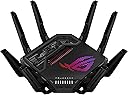
🚀 Dominate your digital domain with ASUS ROG Rapture GT-BE98 PRO – where speed meets power!
The ASUS ROG Rapture GT-BE98 PRO is a cutting-edge quad-band WiFi 7 gaming router delivering ultra-fast wireless speeds up to 30 Gbps via 320MHz channels and 4096-QAM. Equipped with dual 10Gbps Ethernet ports, triple-level game acceleration, and subscription-free security, it ensures low latency, robust protection, and seamless connectivity. Designed for gamers and power users, it supports AiMesh for scalable coverage and offers advanced parental controls and VPN features, making it a versatile powerhouse for modern smart homes and gaming setups.


| ASIN | B0CPQYSXCW |
| Antenna Location | Business, Gaming, Home |
| Antenna Type | Fixed |
| Best Sellers Rank | 4,525 in Computers & Accessories ( See Top 100 in Computers & Accessories ) 38 in Routers |
| Box Contents | GT-BE98 Pro quad-band gaming router, Power adapter, Quick start guide, RJ-45 cable, Warranty card |
| Brand | ASUS |
| Brand Name | ASUS |
| Colour | ['Black'] |
| Compatible Devices | Gaming Console, Personal Computer, Smart Television, Smartphone, Tablet |
| Compatible devices | Gaming Console, Personal Computer, Smart Television, Smartphone, Tablet |
| Connectivity Technology | Ethernet, USB, Wi-Fi |
| Control Method | App |
| Controller Type | App Control |
| Country of Origin | China |
| Coverage | Wide coverage |
| Customer Reviews | 4.1 out of 5 stars 1,715 Reviews |
| Data Transfer Rate | 30000 Megabits Per Second |
| Frequency | 6 GHz |
| Frequency Band Class | Quad-Band |
| Frequency band class | Quad-Band |
| Has Internet Connectivity | Yes |
| Has Security Updates | Yes |
| Is Modem Compatible | Yes |
| Item Dimensions L x W x H | 34.8L x 21.8W x 34.8H centimetres |
| Item Weight | 2 kg |
| Item height | 13.7 inches |
| LAN Port Bandwidth | 10000000000 |
| Manufacturer | ASUS |
| Manufacturer Contact Information | 500 STAPLES DR FRAMINGHAM MA 01702-4474 United States of America |
| Maximum Upstream Data Transfer Rate | 1 Megabits Per Second |
| Model Name | GT-BE98 PRO |
| Model Number | GT-BE98 |
| Model name | GT-BE98 PRO |
| Number of Antennas | 2 |
| Number of Ports | 7 |
| Operating System | App, Linus, Mac OS, Windows |
| Other Special Features of the Product | Access Point Mode, Guest Mode, Internet Security, Parental Control, QoS |
| RAM Memory Installed | 2 GB |
| Router Firewall Security Level | High |
| Router Network Type | mesh |
| Security Protocol | WPA3-Personal |
| Special feature | Access Point Mode, Guest Mode , Internet Security, Parental Control, QoS |
| UPC | 197105086463 |
| Unit Count | 1.0 Count |
| Voltage | 110 Volts |
| Wireless Compability | 802.11.be |
| Wireless communication standard | 802.11.be |
M**Y
this is the best device iv had for wifi
I got this to control multibe networks for my iot devices, kids network and primary network. To start the setup is easy and your up and running within 10 minutes usually but this is depending on the settings your ISP use. For what i needed it was great value for money and it is fast and handles crowded network signals really well in that there has not been a noticable performance hit over wifi. The device is regually recieves firmware updates and is still very much supported by Asus, the network segregation adds little to the security of the network but it does allow you to manage these seperate networks differently. It works well with older Asus mesh products but i did find the additional network ID's i had put in place did not play well with the older devices on older firmware. The feature i was interested in was the guest network pro which gave me the ability to control my kids network availability time but it also had limited support over older AI mesh devices. This is a top product for the price and the wifi speeds are as advertised for us but this will vary per household.
M**!
Very Fast Router with a Wealth of Settings
ASUS ROG Rapture GT-AX6000 The router comes well packed, with the router itself, aerials, and a power supply, a Cat6 cable and a quick start leaflet. One slightly disappointing issue is that there are only five lan ports. With a router this expensive I would expect eight. The finish is more like the RT-AX82U, in that it is not that expensive looking. Older routers certainly look and feel more impressive. This router is light and, well, dare I say it, very plastic. The legs don't light up and even the illuminated Asus logo really doesn't do it. Mine was unevenly lit and the effects not at all smooth. The aerials have red plastic inserts but they don't light up so I am not sure why they bothered. All in all it looks like a cheap router. Strange considering the gaming world is very particular about product looks. Strange coming from Asus too, they are normally produce good looking products. Plugging in you need to attempt to access the internet with a browser and you are immediately met with the Asus configuration page. You need to sort out some passwords so it’s advisable to have paper and pencil handy. The setup is remarkably good and is a really strong feature of the router. If you have owned an Asus router before then the user interface comes as no surprise. It has all the familiar options with a few new ones. Overall performance of the router is just staggering. It's very fast indeed. No complaints there! There are a wealth of options in the Asus including the new three step gaming acceleration. I have to say that I found this a little disappointing because it was involved setting it up. It is also very "Asus" oriented in that it boosts performance for Asus hardware and apps running on your PC. I couldn't even find where one of the apps downloaded from. This is very different to something like the DumaOS which is configured out of the box - ready to rock as they say - no configuration required. The Asus has more potential though as long as you don't mind spending time getting to know what it all does. One downside to the router is that nearly all of the advanced features need your consent to allow Trend to collect your data. That can even consist of emails. I am not sure what to think. On the one hand the performance is great, the flexibility is great, but the looks and ports are very meh for the price. Overall if you have a rubbish router at the moment then this is a great general purpose replacement but if you want an out of the box gaming router or if you are looking to upgrade an already good router then perhaps look elsewhere. The Asus is a lot to pay for not a lot of new features. As a general purpose router there is no doubt the Asus is excellent and now it is supported by Merlin which adds one star. Unfortunately the price really is a big negative with this router. Oh, and don't believe the "reduces ping by 90%". Unless you have a very specific problem, it's not going to solve anything. Recommended but over-priced and good grief Asus, do something about the looks!
N**C
Beyond my expectations to go from WiFi 6 to WiFi 7
Currently upgraded my 2 GT6 routers working in an AI Mesh setup over WiFi to 2 GS-BE18000 same setup! After the initial setup was completed on the app (quick and painless like usual) im currently getting stronger signals and my speed increase was beyond my expectations! I was mostly after 6Ghz band and the added MLO for WiFi 7 which are fantastic in there own ways! The speed increase i have seen between my 2 routers has gone from 200-300 Mbps to 600-800Mbps for me this increases has blown me away! To me this upgrade for reliability, stability, range and speeds for the price these routers are, is worth every penny!
M**K
Incredibly disappointing
I actually think mine might be faulty so am trying to contact the manufacturer I bought this after reading many online reviews. Bought to replace a working fine but ageing TP-Link VR600 Mk 2. The Asus is very easy to install just using the app, which also has a lot of options to control in this unit. The standard webpage interface is of course more powerful and has more options but the app is really handy. As I have a 1Gb/s internet connection I decided to use one of the 2.5Gb sockets. It works really well and I get good speeds One of the main reasons for buying this model was the superior wi-fi coverage of the beam-forming mesh system. Unfortunately the WIFI of this product is simply unfit for purpose Regularly throughout the day my phone (and other wireless devices) report either no wi-fi or 'connected without internet'. If I turn off the wifi on the device and back again it sometimes finds it but other times can go minutes or longer with just no wi-fi available (my next door neighbours' network and the people across the roads network show just fine but not mine). Using the WiFi Analyzer app it shows no availability for the 2.5Ghz network and sometimes sees the 5Ghz network but with a signal strength less than -90dBm. I've tried different channels and settings but nothing works. This happens even if I am sat next to the router Then there is the wifi coverage which is a whole level worse than the old TP-Link model, despite being more modern more powerful and with WiFi6. The claimed 'beam forming' is just marketing junk and doesn't exist, the range is poor and the signal levels low generally The wired connection which is used by my PC, works laptop and my Smart TV all get great speeds and shows as connected, but throughout the day lose all bandwidth. If I am in a Google Meet or Teams session the audio and video breaks up and lags, web pages give error codes, my Microsoft 365 shows connection issues as does my work software. My smart TV shows no connection etc yet the modem is stable and the router logs show it is connected All in all this is a good looking router with great controls and capable of fast results - but is unreliable, inconsistent and has the worst wi-fi performance I have ever seen
A**X
Good solid performance, awful looks
I was looking for an upgrade from me Asus Bluecave AC router, and this popped up on sale. Given that Asus generally are amongst the most active with firmware updates amongst router manufacturers, and that the few reviews of this online were positive i gave it a try. I was toying with a mesh network system, but the ET12s are silly money and the XT8s are getting on a bit. This also hit the sweet spot, as there have been a number of firmware releases since December which have helped squash a number of bugs, security issues etc.. But you'll have to manually trigger a firmware update to get the latest - and THEN set the router to auto update. This is big and loud; two things that had put me off. Thankfully the Mrs gave her seal of approval based on the pictures on the product page so i was covered! The RGB can be turned off, and the red colour on the antennas are just plastic - no lights/LEDs. Once setup it looks like an upended spider, not one of our piddly ones; think giant Aussie Huntsman. Coming from an Asus router the web admin console was familiar, with a few gamer apps/options thrown in. But compared to the Bluecave the AX6000s admin console if ridiculously quick. My Bluecave had a few issues which drove the upgrade; TP-Link KP303 extension strips would knock out 2.4Ghz wifi, Logitech Harmony hubs couldn't get online with it and on the odd occasion my Mrs Laptop would fail to get online. None of those issues have occurred with the AX6000. On to the main reason the buy this; Wifi 6. I have 2 wifi 6 clients active; an AX201 card in a PC motherboard and a Galaxy S10. The PC is located on the floor above the router in a back bedroom - the spacing is about 8-10 meters. Once 160Mhz bandwidth was enabled and the control channel set to over 100 on the 5Ghz band the speed hit: 1361Mbps down. Transferring a 5Gb file to my file server which is hard wired to the router from my PC achieves transfer speeds at 80MB per second. That was to a old fashioned HDD. The Bluecave hit 60MBs at best. In terms of signal strength improvement, i have a wifi security camera on the outside of the house and it would struggle with the BlueCave. Initially the AX6000 didn't far much better, but after 2 days the camera registered full signal - through 1 internal wall, 1 external wall where the camera is behind a steel lintel. All in all a good upgrade; better wifi coverage and speed, a newer product (hopefully supported for as long). The good: +Super simple setup - connect it via ethernet, launch a web browser and it'll start the process +It's fast both in terms of wifi throughput but also performance when in the web admin console +Some degree of future proofing with 2x 2.5Gbps Ethernet sockets (1x WAN and 1x LAN) +Gamer features - VPN, QOS; although some more of a gimmick +Great wifi signal across both bands - but allow it 1-2 days to build up an accurate picture of your house (which it does using wifi signal reflection) and will then adjust the signal to best suit the environment/maximise signal. +Reasonably priced (got mine for £280) +You can turn off the RGB +AiMesh software built into the firmware allows you to turn multiple single Asus routers into a mesh network +MerlinWRT firmware is now available The bad: - It's got a large footprint, almost the size of an A4 sheet - 160Mhz bandwidth is not enabled by default, but is easily enabled - The looks; it screams teenage gamer taste - Not fully future proof: no Wifi 6E A few tips: 1. Upgrade the firmware as soon as you can manually; mine shipped with the earliest release firmware 2. When replacing an existing router reboot your modem or ISP provided router once it's connected via ethernet and powered up. I needed to go this before the AX-6000 picked up the IP address and got onto the internet. 3. Enable 160Mhz bandwidth, it unlocks the real speed 4. Wifi channels below 100 don't make use of the full speed. This can be manually set. 5. Reboot any/all devices if you are re-using SSIDs and passwords from your old router with the new one to get them to register/back online. 6. Auto firmware updates with Asus can be a risk; with my previous router a firmware update killed guest networks and it took them a month to deploy a fix. 7. Use one of the 6 guest networks for your smart home products, and disable intranet access on the guest network for better security/segregation. 8. Use either the router app OR the web console for administration - don't use both as they can cause conflicts. A few full tech reviews: Linus Tech Tips (more a paid infomercial) Dongknows.com - best review by far AVForums
L**R
Beast of a router, awaiting decent firmware upgrades
So along with other reviewers this is useless with the firmware above version ending in 6436. The speeds suffer dramatically but it can easily be fixed and reverted down to any firmware version you'd like. Version 7xxx introduces WPA3 WiFi security, the first time I've ever seen that implemented. However speeds from the router drop by 90% which is why it isn't yet ready for general use. I'm on virgin using their really terrible hub 3 which cannot reach my whole home. Prior to that I was using, very successfully, the BT included smart hub 2 which was so good I discarded the Plusnet hub when I switched in favour of the by hub which I reconfigured easily to distribute Plusnet internet. That's my last 3 years of internet experience with WiFi routers! The Virgin hub3 is terrible. Speeds are good to you're standing right next to it but for your generally larger than 1 bed home, don't bother using it. I bought the GT ax 11000 to use and easily connected it to the hub3 in modem mode. To do that you wire the devices together after choosing modem mode in the Virgin hub 3 settings page, you can use any rj45 socket and cable (gen 7 is cheap now), switch on the router first, then after a minute or so switch on the Virgin hub 3, so that it finds the router in a state of grace. It then allocates an IP address to the router which then begins broadcasting internet. The Virgin hub3 turns a solid red after cycling through some green colours which means things are good. I have paired this with 2 AX92Us in my 3 floor townhouse and the performance is superb with excellent cover all over. On its own, it covers all but the 4th corner bedroom top floor, where speeds drop to 20mbps from the 213mbps everywhere else. Initial impressions: a beast of a router. It's huge. The box is beautiful, the Rog sign is aura compatible when wired into my custom-built-by-myself Asus Rog PC apparently, but I haven't tried that yet. You can switch the light off completely along with the white LEDs on the front. The 8 antennae state 'asus high performance antenna' on each. They screw in and click fold in at 45 degree or 90 degree from a flat 180 degree extension. It's quite heavy in total. Hardware: The 4 core CPU runs at 5% utilisation most of the time and the ram runs at 60%. When paired with the AX92Us the ram utilisation is 94% with no performance degradation. There are 2 usb 3.1 gen slots for adding in wired hard disk drives which I have done and use as network Lan or FTP if you are adventurous. There is a 2.5gb port which is really good if you know what it does, and 4 other standard Lan ports. Setup: is a breeze using the 'Asus router' app. You can, if not wanting an app, use your computer or mobile device and make your way to router.asus.com or 192.168.50.1 which is what the default base address is. The settings homepage seems formidable at first, but easy to understand once you tinker about. You can save the settings file to your computer and restore if needed, but you need to restore using the same asus firmware you saved them in. Firmware is easily updated by using the app or using the administration tab in the WiFi settings. The way Asus have built these things is really cool. The Aimesh really is a good idea. You can use any old Asus routers you have lying around to form an extended mesh. Obviously I've used 2 new ax routers to ge the best speeds possible for gaming using a hardwired connection to one of them, but I don't have any WiFi capable devices yet for the WiFi 6 protocol this has. Some friends will turn up with latest iPhones and will notice a difference! Quite expensive for what it is, in essence, a router, which is why I bought a used Amazon warehouse item for almost half price at £197. I wouldn't dare buy this at full price ever, instead I'd buy the AX92Us for the offer price of £266, which happens every 3 months or so, which is what I got them for new.
W**W
Excellent performance with lots of customisation
Asus GT-AX11000 review. I was a little hesitant about buying this router because of the way it looks on the product photos. Having received it the photos, don’t really do it justice as I think it looks really in person. Initial set up is really easy using the app or browser. Just as a tip when you set it up run all the firmware updates (there might be more than one) then when that’s done factory reset it and run through the set up normally again and customise it how you want. The range of the WiFi is incredible, it even gets a strong signal outside the front of my home and back garden. There are no WiFi black spots in my large house. The internet has remained stable and all devices work with no issue. Be warned though if you have an xbox one if you keep tweaking things too much it can cause problems but to be fair you don’t need to change the router setting for the xbox to work flawlessly with this router. Setting up port forwarding is easy if your game is already on the list, just pick the game and device then you are done. Game boost is as simple as flipping a switch to prioritise game traffic, you can just leave it on if you want. These are great but you don’t really have to use them unless there are actual problems that they solve. To help keep the router stable I would avoid excessively changing settings as this will lead to problems. I know when you get a new router with this level of customisation you will want to turn everything on (understandable, you just paid a fair bit for it) but you can set it and forget it for some incredibly strong all round performance. I received the hardware version 1.1 of this router, I also have the version 1. There isn’t much visible difference but the 1.1 does seem to offer stronger connections for all my devices, for example my outdoor cable went from -78dbm to -65dbm (lower dbm = better, 70 Is ok and 30 is the very best, 80 isn’t good and over 90 is unusable). That’s a pretty good upgrade in my book (the router and camera were in the same place as before to help keep the test fair). I tried AiMesh with this and it’s really easy to set up. You might not need this as this is a single powerful router and mesh systems usually consist of two or three weaker devices. If you do set this up in AiMesh then don’t forget to use roaming assistant and roaming block lists (this locks certain devices to the main router so they never connect to the node). I thought I wouldn’t like the LED but so far I’ve left it on colour cycle and it looks good. The antennas are really chunky on the router, and come out of the side so you will need a fair bit of space to place this. Overall I’m happy with the product and enjoying a good internet connection, hassle free with enhanced features if I need to use them. If you are looking for a router in this price/ performance category then this will have to be on your shortlist.
R**G
Great Wifi-6 Router
I originally purchased this router as a replacement for my standard virgin media provided one as the routers that ISP's provide are always substandard. This was a great replacement and provides brilliant signal around the entire house providing you set it up properly and don't have it hidden away in the corner of a room. I think there is a lot of misconceptions around routers and their role in replacing ones provided by your service provider : - This will NOT magically improve your download and upload speeds if you do not have the throughput for it to do this. - There is only so much a router can do against the laws of physics, if you place this behind 5 concrete walls, regardless of the model of router you WILL have bad signal. When it comes to computing. Especially networking, your experience is always dictated by your weakest link. For example if you have a gigabit connection up & down and then have a older router it will not be able to deliver these speeds over wi-fi, this is where a product like this comes in. I have a gigabit connection up & down provided by Toob and I can get roughly around 800Mbps of that over Wi-Fi thanks to 802.11ax (Wi-Fi 6) where as before on the virgin media Superhub I would get roughly 400-500Mbps as this was the weak link in the system. Now these speeds over Wi-Fi are only achieved on devices equipped with network cards capable of picking up these speeds (this is back to the weakest link analogy), older devices like for example an Xbox One original will NOT be able to receive these kinds of speeds as they use older network cards that utilised older network standards. This is not the fault of the router but the age of the end device, the Xbox in this example. In conclusion, this is a great product if you have the service to use it at it's full potential. I'm incredibly happy with it's Wi-Fi signal and performance and also the plethora of features in it's settings page / settings app.
Trustpilot
4 days ago
1 month ago