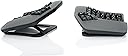
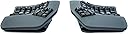
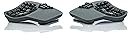
⌨️ Elevate your typing game with ergonomic elegance and wireless freedom!
The KINESIS Advantage360 Professional is a premium split ergonomic keyboard featuring a patented contoured design with adjustable tenting, quiet Kailh Box Pink mechanical switches rated for 50 million presses, and Bluetooth wireless connectivity with multi-OS support. Fully programmable via open-source firmware, it offers unmatched customization for professionals seeking comfort, durability, and productivity in one sleek package.


| ASIN | B0CT444BH6 |
| Batteries | 2 Lithium Ion batteries required. (included) |
| Best Sellers Rank | #256 in Computer Keyboards |
| Customer Reviews | 4.2 4.2 out of 5 stars (344) |
| Date First Available | January 23, 2024 |
| Item Weight | 3.2 pounds |
| Item model number | KB360-PRO-KLQ |
| Manufacturer | Kinesis |
| Product Dimensions | 15 x 8 x 3 inches |
Z**R
Good, bad, and the awesome
It's been about twenty years since I first used a Kinesis and haven't used one since. For the past 14 months I've been using a Moonlander split keyboard. It's a decent keyboard, but the options for tenting are very poor unless you invest in more hardware purchased from their site. They do offer excellent support, though. I'd had the keyboard for about six months when the right side thumb cluster hinge broke. They sent me a replacement for free. Back to the Kinesis. I write A LOT. I'm a full-time author so I bang out hundreds of thousands of words per year. I'm in my mid-fifties, and fingers and wrist hurt all the time because of poor ergonomics and cheap keyboards. The Kinesis Advantage 360 is kind of amazing. It has true tenting, and the concave nature of the pieces means you can comfortably rest your palms on the outside and only move your fingers. Since I have used a split ortho board for over a year, this was not a huge learning curve. The keys are laid out well, but I had to change a few. I like the CTRL and ALT on the left side on the bottom row. I moved those keys using the ZMK software which is not really friendly. You have to have a Github account, fork builds, and then use the key mapper to generate new firmware. Each piece of the keyboard them must be connected via USB. Copy the corresponding builds to each piece and then swap key caps. I'm happy with the four or five keys I moved and have this looking almost exactly like my Moonlander layout. Bluetooth has worked perfectly on my PC. I've had zero issues so far. I hit a key in the morning and my PC wakes up. I leave the backlighting off. After two weeks of heavy use, the batteries are still going strong without a recharge. I purchased the palm pad separately. Why aren't these included with this very expensive keyboard? Come to find out, they might not be needed depending on your hands. I find them okay, but I will probably switch back to using the palm rests without the pads. They are comfortable and all, but I'm making more typos with them installed. This is a very expensive keyboard, and it will not be for everyone. There is a learning curve. When I initially switched to a Moonlander, my WPM dropped to about five words per minute. I'm a slow and not very accurate typist, but after this short amount of time I'm up to about 70 WPM with a 98% accuracy rate. This is fantastic for my old hands. Overall, this is a technical board that requires an understanding that the interface software is far from user friendly. Remapping keys will be challenging. I find that the key caps get oily from my fingers rather quickly, which is a weird thing to write, but it's true. So far this has not affected my typing, but I feel like I need to wipe them with a cloth a few times a week. Lightly textured key caps would have been perfect on this thing. Even with these negatives, I feel this keyboard beats the Moonlander by a mile. This is a true ergo keyboard and so far I love typing on it. The Gateron brown switches feel really nice. Negatives aside, this is the best keyboard I've ever owned. I look forward to many years with this thing.
A**Z
22 year old programmer experiencing wrist pain
So obviously this keyboard is an insane purchase, and is hard to justify. So what made me buy it? **The Build up** I am a 22 year old software engineer. In college (about 2 years ago) I started to notice my wrists were hurting a lot after long periods of coding. I was only 20 at the time and I was thinking 'I am WAY too young to be getting pains like this". Thus started the rabbit hole. I first bought a zsa moonlander. The software is great, I love that you can mod it (more on that later), but something about the amount that you have to reach to hit the top and bottom of each column, it was pretty uncomfortable. Then I went for a corne variant, which has much less keys. This did reduce finger travel, but the reliance on layers didnt feel right to me. In comes the kinesis. **Kinesis vs Glove 80** I had to debate for about a month (again, large purchase, it just how I am) between the glove 80 and the kinesis. Two things seemed to lean in the kinesis' favor for me. 1. MX keys. I personally dont like low profile keys at all 2. Better chasis. From all accounts I have read, the glove 80 feels light. This can be nice for travel but my kinesis stays at my desk all the time and I much rather would prefer to have it not move on my desk rather than it be lighter. **The results** I absolutely love this keyboard. The first day I got it I actually thought about returning it because I couldn't get ZMK to work. Then I realized there are web editors for this stuff! The keywell makes more of a difference than i could have imagined. I have almost the same amount of keys I did on the moonlander but I barely have to move my fingers to hit all the keys. I havent had wrist pain once using this keyboard (and I currently have wrist pain typing this on my laptop). This is an amazing product that I PROMISE you will not regret if you are experiencing wrist pain from typing.
V**M
It took me ~ a month to get used to the keyboard, but now I love it. Something that it pushed me to do is to use right fingers to type certain keys. Also I feel a bit more efficient after I started to use VIM motions with the keyboard almost everywhere - magic.
I**N
This keyboard is awesome! I've gone through a bunch of other keyboards over the years from cheap Dell ones, Keychron mechanical keyboards (great keyboards for normal layouts), Unicomp IBM Model M and was skeptical at first about this, primarily as I've never touch-typed.. can type fast with numerous fingers but mostly looked at the keyboard. This Kinesis has taught me to touch type too now, within a few weeks. I remapped a few of the keys due to programming needs, but it's so comfy and allows me to sit in a better position. It's not cheap, bit if you're looking for a split ergo keyboard, I'd highly recommend it!
E**A
Saved my wrists. Once you get used to it, the strain on your wrists and forearms disappear. A bit pricy but worth it if you type a lot. Would be five stars but it bugs out sometimes, needing to be unplugged and replugged in (macros stop working)
D**Y
This keyboard is awful. Nearly 1000 dollars and you have to use a janky fork of a GitHub repository to change anything.
R**Z
Llego un día antes, original y sin ningún rasguño. Que decir del teclado, kinesis es sinónimo de calidad y tecnología, teclado bluetooth ergonómico perfecto para mi túnel carpiano.
Trustpilot
3 weeks ago
3 days ago