

Desert Online General Trading LLC
Dubai, United Arab Emirates
Desert Online General Trading LLC
Dubai, United Arab Emirates


📈 Elevate Your Printing Experience—Join the Wireless Revolution!
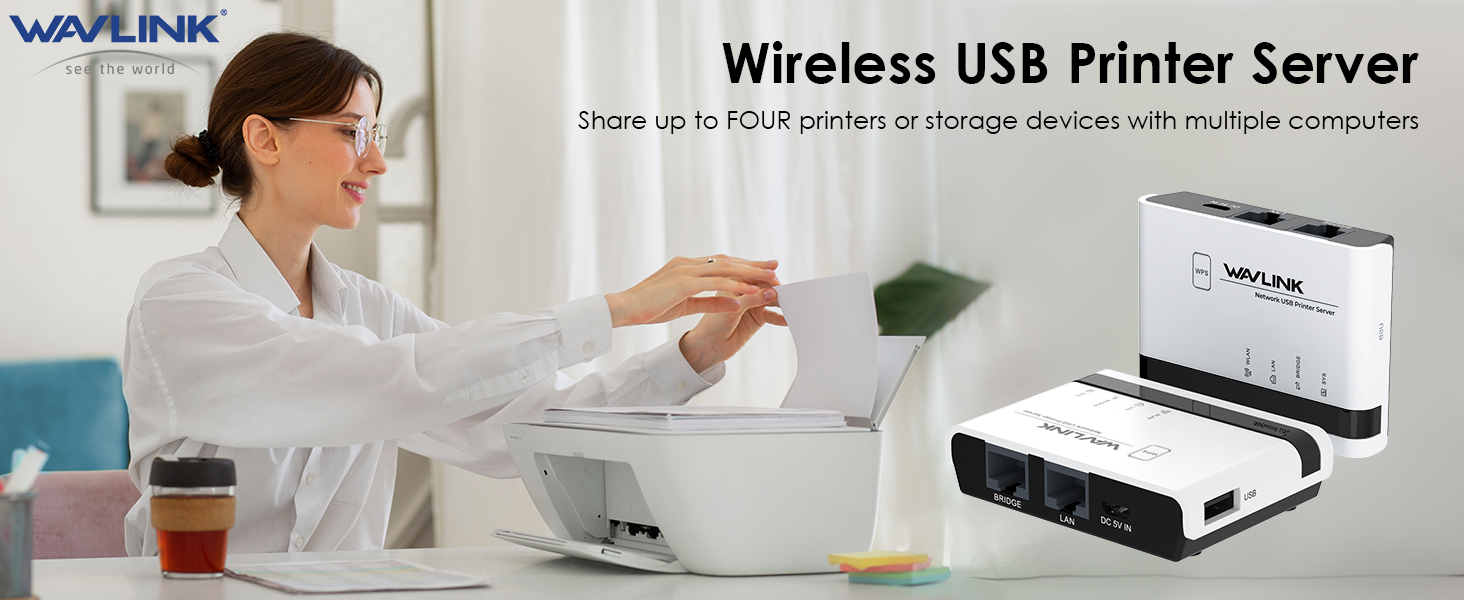
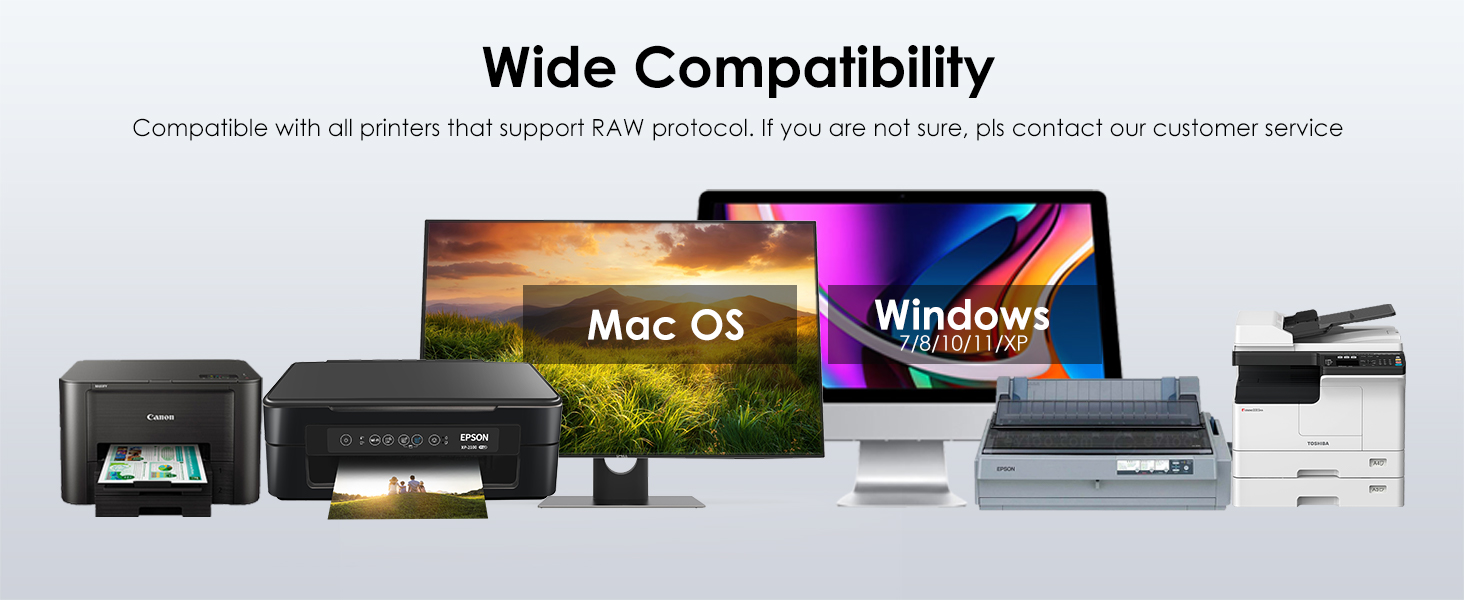
The WAVLINK Wireless Print Server is a versatile device that converts your USB printer into a wireless printing solution. It supports up to four printers, offers wired and wireless modes, and features a user-friendly web management interface. Compatible with a wide range of operating systems and USB printers, this compact device is perfect for home, office, or educational use.


J**D
Works Great so far!!
A little challenging, setting it up at first. I was able to accomplish the install and the print server works great.
H**M
handy gadget, but with issues.
It works with legacy printers, which was a main draw. But it seems to have limitations working with storage devices. For some reason, it seems to be able to detect only fat32-formatted drives, which is problematic since larger drives can't be formatted easily as fat32 in modern Windows OS's, as far as I can tell (it's not a formatting option available with drives larger than 32gb on Windows 10, for example). So using it as means to access a large storage device for all network computers, as a low cost NAS alternative, seems impractical (although you should be able to use it with several small USB drives.) The documentation and UI are OK and fairly straightforward if you don't run into problems (and if you limit yourself only to printers and small USB's, you probably won't run into issues.) But if you start running into issues, it will be difficult to troubleshoot. OTOH, their tech support is at least accessible and friendly, but I got the impression that they don't know the limitations of their own products very well.
V**0
Does not Work. Will not work - Update
Tech service did respond, telling me to do everything I already tried, so ultimately, not much help. They also offered a refund. So, there is that. Wish this product would work without having to jump through hoops that are not enumerated, but alas it will not. I will be returning it and buying a different one where the manufacturer is upfront that it requires expert setup and provides step by step instructions.I was hoping to give this item zero stars because this item does not work, but Amazon only allows a minimum of one. First, I reached out to tech support and received no reply, this company does not stay behind their products. Other than manual, there is no mention on their website of this particular model so no driver or firmware support. This item cannot be set up to work as intended. As soon as it connects to WiFi network, its internal page cannot be reached and hence printer cannot be setup. Nothing works, even when you connect via a LAN cable, you cannot reach internal page. I tried different browsers and connected to their network adaptor - nothing. At this time, I am losing money trying to hook this POS up because my time is not free. I have no idea how other people were able to make this to work, but at this point I am convinced everyone else who gave this product more than 1 star and claim they had no issues setting it up are not being totally truthful. If you value your time, stay away from this product.
Z**N
Exactly what I needed
I have an older Canon laser USB printer that I wanted to put in a cabinet and connect to WiFi. It’s always been connected to a computer so I needed a print server to make it accessible from the network. This little box worked perfectly. Easy to set up, you have to follow the steps and make sure you have the right printer software installed on the computers you want to print from. Took about 20 min from start to finish to get it working.
A**Y
Got refund, using old Mac Mini to share printers
I don’t think that a 5 V USB connection for power is sufficient to power a Wi-Fi connection in my house and send a signal through the USB to my printers. As soon as I try to set this up and connect to the Wi-Fi, I noticed that the Wi-Fi Was turning on and off, almost flickering on and off for this device. At one point in the set up you’re supposed to reconnect to the Wi-Fi and I never could after the first time. I just don’t think that 5 V connection is strong enough to power this little tiny device as a print server. so I texted all printed out a refund ticket. It dawned on me that I could just buy a Mac mini for the same price share those devices over the network, since I have a Mac set up elsewhere in the house the old Mac mini was 50 bucks plus shipping on eBay , I think I’m just gonna get a lot more use out of the computer than I am a single little tiny printer server Wi-Fi device that’s only powered with 5 V
K**.
Extremely complicated to set up
This is the opposite of plug and play. You will spend many hours trying to set this up. The instructions are abysmal but in fairness there are way too many computers, printers and possible print server configurations to write a one size fits all manual. Their YouTube channel helped but did not cover Mac. If you can’t already physically plug your computer into the printer and print to it because printer drivers exist for your operating system, you will not be able to get this print server to work.
M**S
Works great, once you figure it out
I bought this to link my older plug-in Dymo label printers to the rest of the network so I didn't have to have them right on top of my desk. After viewing a lot of options, I chose this one because it had the ability to attach multiple printers using one device. First of all, I'm not a Luddite. I embrace the bulk of new technological changes, and learn to use them to my advantages, so I really thought this would be a fairly quick install, but I was wrong. The thing that I found hardest was connecting to the system's offline directory, which you absolutely HAVE to do in order to add your printers and test them. I kept either getting kicked out, or it would sort of freeze, so I found myself resetting the adapter several times. In the end, turning off my computer's ability to find the internet at all is what helped, so maybe you can learn from my mistake, there. Ultimately, the install of 2 printers via a USB hub took me nearly 4 hours, though I did get there in the end. Now that I've been using it for a while, I have to say that it does it's job, though I occasionally have to flip the switch on the usb hub that connects my two printers to the adapter on and off to get the printer to wake up, though this is a small price to pay, considering that it's still within arm's reach of my chair.
Trustpilot
2 weeks ago
2 weeks ago