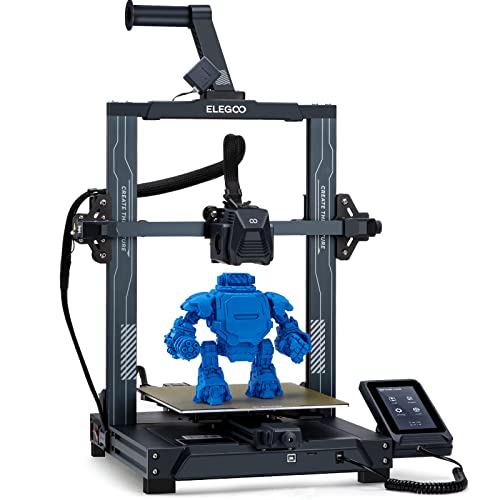

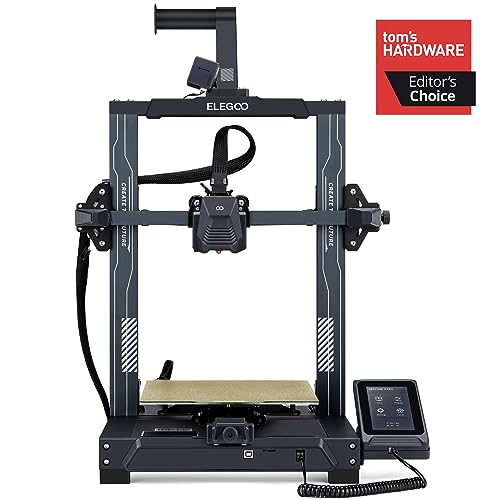

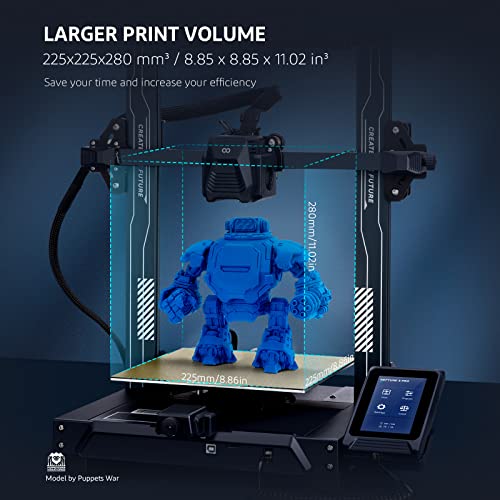

🚀 Elevate your creativity with the ELEGOO Neptune 3 Pro — where precision, speed, and smart tech converge!
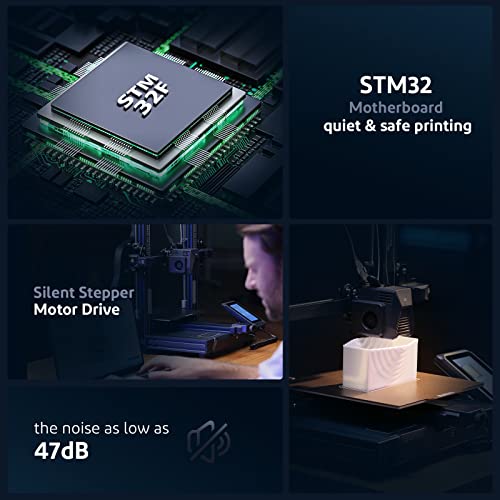
The ELEGOO Neptune 3 Pro is a professional-grade FDM 3D printer featuring a dual-gear direct drive extruder, advanced 36-point auto bed leveling, and a large 225x225x280mm build volume. Its dual Z-axis lead screws and dual motors ensure stable, accurate prints, while a flexible PEI magnetic build plate simplifies print removal. Equipped with a removable capacitive touchscreen and silent TMC2225 drivers, it offers smart, quiet operation with filament run-out detection and power resume capabilities. Ideal for millennial professionals seeking reliable, high-quality 3D printing with versatile filament support and seamless workflow integration.












| ASIN | B0C658MR1C |
| Batteries Required? | No |
| Batteries included? | No |
| Best Sellers Rank | 1,666 in Business, Industry & Science ( See Top 100 in Business, Industry & Science ) 5 in 3D Printers |
| Colour | Neptune 3 Pro |
| Customer Reviews | 4.2 4.2 out of 5 stars (353) |
| Date First Available | 24 May 2023 |
| Included components | ELEGOO Neptune 3 Pro 3D Printer and Tool Kit |
| Item Weight | 8.1 kg |
| Manufacturer | ELEGOO |
| Manufacturer reference | elegoo neptune 3 pro |
| Material | Metal |
| Part number | elegoo neptune 3 pro |
| Product Dimensions | 60 x 49 x 23 cm; 8.1 kg |
| Size | elegoo neptune 3 pro |
G**E
No better option for the money
So, this printer is incredible. It's quick and it prints great. I have used a few different filaments and it's handled it all amazingly. Customer service: When I had a problem using Cura slicer, they responded quickly and was more then willing to help. Suggested that I try using orca slicer instead and I have not had any problems since. With Cura I got some wall shifts, which went away once I started using Orca Bed levelling: As per the instructions, you should use a sheet of paper to level the four corners of the bed. This is the correct method, however some additional advice is to go around a few times to make sure it's level at every point. Build plate: I started out printing not using any glue and it worked great. After a few prints however my parts no longer stuck and I had to start using the glue provided. It ran out and I replaced with cheap glue from amazon and it works just as great. Klipper: works amazing. Ethernet was easy to set up and I can now print directly from Orca slicer, no longer need to run to the printer with the thumb drive. Webcam setup was just as simple and although the FPS of that camera is very low (10fps) it's a great way to keep an eye on your print from any web browser that's on the same network. I currently have a enclosure so I am using the usb port for the light that came with the enclosure and that too works great Usability: It's more about the slicer than the printer I think. If you send proper GCode to the printer, it handles it perfectly Speed: I have printed some 20 hour projects and they look amazing. Most smaller prints takes anywhere from 40 minutes to 1:30 hours depending on the settings in Orca. This can be changed to print quicker, but I found that that's the sweet spot for me. File format: I have designed parts in Blender and Freecad (Freecad being my favorite as it's a bit less of a learning curve) works great if you design with printing in mind. Thinking about things like overhangs and bridges is very helpful in the design process as support, although printed perfectly with this printer is sometimes hard to remove from smaller cavities. Fluidd: The web based interface is pretty decent, allowing you to view the webcam, see progress and monitor temperatures. Also allow some printer control, like turning the lights on and off and changing the z axis or moving the print head Using more than one color: In the slicer you are able to insert a pause in your print, allowing you to change the filament to a new color. This works great as the printer just resumes where it left off completing the print seamlessly. Assembly: Quick and easy. You do need some space to work and the clip for the cable is a bit too small, first print should probably a new cable clip (you can find the stl on printables) Issues: Wall shifting using the included cura slicer. I tried both versions of Cura, the downloaded new version and the included old version and wall shifting was a problem with both (Problem resolved with Orca slicer) Issue 2: this printer is noisy. I had to move it to the garage as the fans are just too noisy. After putting it into an enclosure, it's been a bit better but still pretty noisy. Issue 3: prusaslicer does not yet include settings for the 4 pro. After a bit of googling, I found a config file, but it's not as nice as when you install 3 pro for example, as that has presets for fine , draft or the normal print settings. All and all, an amazing printer. It's my first 3d printer and opened a world of design and imagination for me that I am very pleases with. Currently printing a laptop stand, made my own phone stand, speaker stands and lot's of organizational items. An amazing hobby to have as you get to make stuff, especially when you take some time to learn design and let your imagination flow. Things to get: (optional) * Smooth build plate * Cutters. (it seems like they no longer come with cutters, so that will be an extra expense) * More glue * More 3d printer grease * Fun or functional filament * a Solid desk or platform for the printer to stand on Best part is that printing items cost very little, so you get to print a lot with just one role of filament. Most expensive item I printed to date cost £3.20 and I would have paid at least £15 for the same item if I bought it from a shop. Amazing printer, well worth the investment and customer service is top quality. Highly recommended
S**0
Well built "fast" bed slinger 3d printer with Klipper
Bought this after seeing the recent reviews on YouTube and to replace a Elegoo Neptune 2d which had been a great workhorse, that had a lot of upgrades over its time. Saw this and was impressed by it's up to 500mm per second speed. I have run it at 300mm per second so far with great results! Obviously helped by its four print cooling fans and pre installed Klipper. It came well packed and mostly pre assembled - The only work was to bolt in the uprights with four screws, attach the spool holder, screen and connect the cables. I was up and running in under 30 mins (a world record for me!!) It has excellent auto levelling and use 11x11 sensor leveling points - that's a lot. The print surface is great and the printer came with an elegoo branded print stick (novel for me as I have not needed one of these since i had a cetus 3d printer a few years ago) and i do not need to use it now as the prints have bonded well. The touch screen is excellent and large and is held to the machine with a magnetic dock. You can remove it from the printer and use it "in hand" so to make things easier. You will need time to get those print temps homed in as the printer is so fast, you may have to run a little hotter than you may have done on slower models - but the fluidd interface that you can access through a web interface, gives you great control. I have seen a lot of people on the web complain that is does not have wifi out of the box - now mine is connected via ethernet cable in the office, but you can attach a wifi dongle to the USB port - yes you can connect a USB hub into it. It does need some direct editing of the config file to enable, but there are a number of YouTube vids out there to help. But I would always recommend using a network cable connection if possible as it makes everything more stable and its there ready to use Note, you can also add a webcam direct to it so you can monitor via the fluidd interface. The printer is not absolutely perfect - you need to access the config files to get the most out of it, but once you get into the swing of it, it is not difficult. Pros - Klipper is great. The web fluidd interface is fantastic - you even get a picture of how "flat" your print surface is. You can monitor all the stats such as layer timings, watch layers being printed, temperature flows etc. Its very comprehensive. Cons - You may have to edit the config files to get the most out of the unit, and no onboard wifi could be a problem for some. Propriety print heads - but they can be bought "cheap" on AliExpress for example. The version of Cura that it is shipped with is 4.8 so is quite behind the current version - But there is a config file for Cura 5.4 out there from a third party, which i am using with no issues. It is also available on the Prusa3D Slicer though as well. But these deficiencies, at this price point and the quality that this printer produces at the speed it does (eg. a print on the Neptune 2 was taking 12 hours, on the Neptune 4 4hrs 45mins!!!) This is a win win in my book, especially with the price of electricity these day in the UK For the average user this is a superb printer at this price point.
K**B
Fantastic budget printer with a premium feel
The CC printer is my first experience into 3D printing. I did a lot of research before deciding on this one, and I have no regrets. It prints great, right out of the box, the slicer software is easy to use. The build quality feels premium, sturdy and is a fantastic printer especially for the price. Really easy process to setup, to auto-level and connect to WiFi. It's a really neat unit, looks good on a shelf and there's a lot of quality of life prints available online for customising the unit, too. I wish they'd make an AMS for this, however changing colours is not difficult. I have bought a second one as I love it so much!
E**R
Complete nightmare
I am a patient man and new to 3D printing, and quite handy with tools etc, but this equipment was a complete nightmare to configure Well remote access and setup was friendly and that’s it Getting good prints is an issue, auto levelling doesn’t help And then once I got the it setup correctly it did work but only till I changed filament and then the nightmare began again It’s going back today wasted my 14 days on this useless experience A new printer regardless of how cheap it is should work out of the box The benchy that comes with the printer is a good speed test but every spool change I had to print at least 6 of those with finicky levelling in between all in 3 filaments including Elegoo’s own FYI the orange filament is Eryone which printed better than Elegoo pla
Trustpilot
1 week ago
2 days ago



