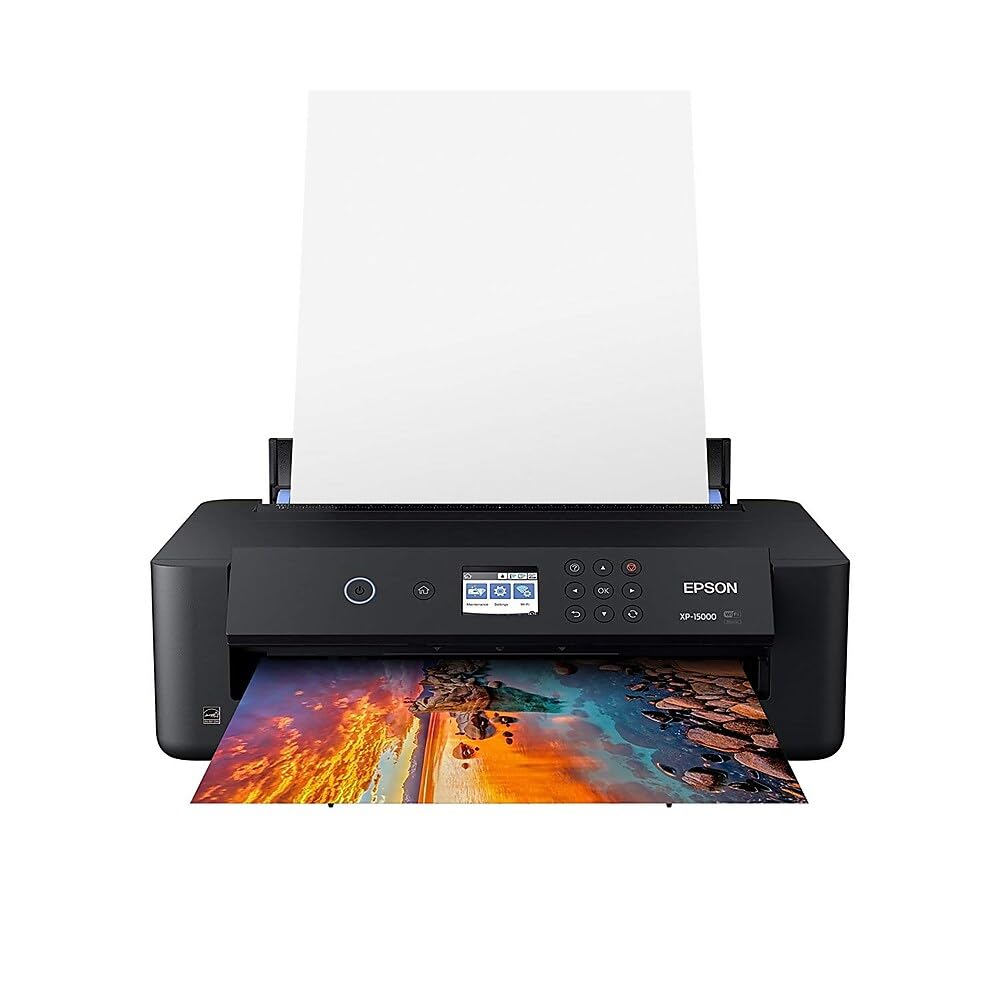
📸 Elevate your workspace with pro-level prints that make your creativity impossible to ignore!
The Epson Expression Photo HD XP-15000 is a wireless wide-format inkjet printer designed for professionals and enthusiasts seeking ultra-high-definition borderless prints up to 13x19 inches. Featuring a unique 6-color Claria Photo HD ink system including red and gray inks, it delivers an expanded color range and superior black & white detail. Compact yet powerful, it supports automatic duplex printing, wireless and Ethernet connectivity, and smart ink replenishment via Amazon Dash, ensuring uninterrupted creativity with professional-grade results.


| ASIN | B076PLTQQT |
| Additional Printer functions | Print Only |
| Best Sellers Rank | #20,665 in Office Products ( See Top 100 in Office Products ) #31 in Ink Tank Printers |
| Color Depth | 48 bpp |
| Compatible Devices | PC, Tablets |
| Control Method | App |
| Controller Type | Android |
| Customer Reviews | 3.9 3.9 out of 5 stars (2,251) |
| Date First Available | November 5, 2017 |
| Dual-sided printing | Yes |
| Duplex | Automatic |
| Global Trade Identification Number | 00010343120655, 00010343937505, 00010343941632 |
| Hardware Interface | Ethernet |
| Included Components | 1 Cleaning Sheet, 2x Claria Photo HD 314-I ink cartridges (1x Gray, 1x Red), 4x Claria Photo HD 312-I ink cartridges (1x Black, 1x Cyan, 1x Magenta, 1x Yellow), CD-ROM for product setup, Expression Photo HD XP-15000 printer, power cord |
| Ink Color | black, cyan, magenta, yellow, gray, red |
| Is Discontinued By Manufacturer | No |
| Item Weight | 18.7 pounds |
| Item model number | XP-15000 |
| Manufacturer | Epson |
| Max Copy Speed (Black & White) | 20 ppm |
| Max Input Sheet Capacity | 200 |
| Max copy resolution black-white | 5760 x 1440 dpi |
| Max copy resolution color | 5760 x 1440 dpi |
| Maximum Black and White Print Resolution | 5760 x 1440 dpi |
| Maximum Color Print Resolution | 5760 x 1440 dpi |
| Maximum Media Size | 13 x 19 inch |
| Memory Storage Capacity | 64 MB |
| Model Series | Expression |
| Number of Trays | 2 |
| Number of USB 2 Ports | 1 |
| Output sheet capacity | 20 |
| Power Consumption | 24 Watts |
| Print media | Card stock, Paper (plain) |
| Printer Ink Type | dye-based |
| Processor Count | 1 |
| Product Dimensions | 18.7"D x 30.9"W x 16.2"H |
| Scanner Type | Photo |
| Series Number | 1000 |
| Sheet Size | 13 inch x 19 |
| Supported Media Sizes | 13 x 19 inches |
| Total Ethernet Ports | 1 |
| Total USB Ports | 1 |
| UPC | 010343120655 010343941632 010343937505 |
| Warranty Type | limited warranty |
| Wattage | 24 watts |
W**W
A must have high quality Photo Printer for cheap!
If you’re searching for a high quality printer without breaking the bank , this is the printer for you. I had spent a good amount of time researching various printers and the picture quality they offered . I really spent my time looking this up . I found that the Picture quality on this printer is incredible . If you look at other models that can print 13x19 they cost way more. Now the ink capacity I’m not entirely sure about but I do know the ink can be expensive but it’s a trade off for getting an affordable printer without breaking super high quality pictures . Setup was very straight forward and it makes it essentially easy for anyone to connect to their network to print wired or wireless. You have the ability to print from your phone which is really amazing as well . All around this printer is great and if you’re hesitant you should just pull the trigger because you get quality with this model and affordability .
T**E
hobbyist only
Purchased to replace a 15 year old Epson. I still have three weeks to decide to return this so I will edit this review if I decide to do that. PROS: After a few test prints, I love the quality of color, the accuracy of reproduction to what I see on my monitor, and the number of choices for print size and quality. I found, as others complained, that with cheap gloss paper there was puddling of ink. When I switched to my best papers, especially my favorite highest quality matte finish, the results were astounding and I'd do matte for everything. As for ink usage, I made the choice to go with a cartridge printer instead of the newer high-volume inks because I wanted the archival quality. Test the output for your needs, because I found the "draft" setting produced better on gloss paper. CONS: Like so many electronics now, you only get instructions if you download and print them. Second, when the printed photo feeds out, it has been curled and as it feeds into the receiving drawer, wants to drag the wet ink against the body of the machine. You have to be there to watch and push it down with a finger. Cheaper gloss paper in 4x6 size curled up in a little wet roll 1/2" diameter and is not usable AT ALL. The miniature screen on which to select papers is ridiculous. I wish the computer interface let you make the choices on your computer, but it does not.
H**R
Defective printer and poor wifi performance
I cannot recommend that anyone buy this printer. At this price, I expected a consistently working and decent quality printer. For initial wireless setup with a Mac, we had to spend 45 minutes on the phone with Epson technical support. That got it working. It worked for a couple of weeks and then the printer would frequently lose its wifi connection even though our internet is high quality cable and very consistent. We'd have to turn this printer off and on repeatedly to re-establish the wifi connection. Then after 6 weeks it stopped working totally. After another 45 minute call with Epson, they said it had a hardware failure and we had to return it to Epson and would receive a refurbished unit. This is less than 2 months after buying a new high priced printer that they are suggesting we accept a refurbished unit. Finally Epson said they'd send a new one. We got the new one and did our customary call to tech support to set it up for wireless with a Mac. It turns out they forgot to send the factory ink cartridges in this replacement printer that are required to do an initial setup. We have the Epson cartridges that are spec'ed for this printer, but they have to be the ones that COME INSIDE the printer for the printer to begin its initial setup. So after another 45 minute call, Epson now says they have to send us new ink cartridges for the printer to even print a single piece of paper - even though we have Epson ink cartridges purchased just for this computer. So after weeks of no printer for our business, we now have to wait for another shipment from Epson. Then we will have the next 45 minute call to set it up.. This painful and costly experience has had way too many headaches - all caused by Epson defects and mistakes. We will not be buying Epson again.
A**R
Day two and I love it.
Just received my Epson XP-15000. I am a Mac user and had no issue setting up the printer. Including updating the firmware, all was set up in about 30 minutes. I am using it as my office printer and a fine arts printer. Have had no issue printing on card stock or photo paper and it prints beautifully. Below is a print of one of my paintings. The color is spot on and this was printed on a very cheap matte photo paper as a test.
C**S
Ink is a problem
Printer is great. It prints very nicely.. had no problem setting up.. it all works fine. What I didn't like is the ink is kind of expensive and doesn't seem to last long. Once one color is out .. you can't use at all. Says "print in black" but it only allows that a few pages then it's done even tho there is black ink left. Epson customer service kind of sucks also.
R**S
Purchased this to replace two different Canon Pro100's that I have been using for 20 years. Reading other reviews this fit what my needs are today. Didn't want an all in one, didn't want to use it for anything but colour photos. Didn't need super fast printing and didn't really cars about 2 paper trays but it's part of it so fine. The good: It's print quality is every bit as good as the Pro 100 which I had been very happy with. It's much lighter and easy to move around. Main thing is the print quality and this prints great colour quality so that's all the counts for me. Not so good: The screen is not a touch pad, only works using up/down, side to side arrow keys on front of printer. Touch pad would be better. Paper tray is automatic, extends out once pointing is going to start. This may be neat but it's just something else that can malfunction down the road and if it won't extend you can't print anything. A manual tray would have been better. Installing to work with my Mac desktop was a nightmare. I've installed 3 Canon printers and 1 HP over the years and this was the worse. I use a Catalina operation system and the install went fine until I asked my desktop to recognize printer via my home wi-fi. Desktop wouldn't allow connection to be made after multiple tries so had to call Apple support. After over an hour on the phone and getting to senior tech he finally found a way to work around the blockage and connect to my wi-fi. This was an aggravation I didn't need and have never had before. Was it the printer's fault, I don't know but never happened before. Aside from these few negatives I'd rate the printer as supurb so far. Given the price it is an excellent buy as long as print quality continues and there are no service issues after more usage.
M**A
Tiene indicaciones muy claras para la primera configuración. No la tuve que conectar a una pc para comenzar, ya que todo se puede configurar desde la pantallita (calibrar alineación cabezales de tinta, hojas, conectar al wifi, etc). Hice mis primeras pruebas de impresión desde mi celular por medio del wifi y fue facilísimo. Puede imprimir completamente sobre toda la hoja (no deja bordes sin imprimir). Hasta ahora todo perfecto.
C**N
Muy fácil y buenos resultados.
S**M
the print quality of this printer is great, especially for the price. I gave it 5 stars primarily because I think the value is great. but there's 3 issues that have irked me. 1. the rear paper feed that you must use if you print anything larger than 8.5x14, is temperamental, for example for me to print 13x19 Epson canvas paper I need to put a small stack of paper behind the canvas paper for the paper feed to work (just in case I hold on to the stack of paper in case it wants to take more than 1 sheet). I also had problems with Epson Art Paper, but experienced no issues with regular paper nor with heat transfer paper (8.5x11 * 11x13)... go figure ???? 2. inks are often sold out, at Epson, Staples and Bestbuy, at least in Canada, but I've read similar complaints from the USA. I've been able to buy inks from Amazon, but the sellers are all over the place. 3. I'm not a big fan of the automatic exit paper tray.... I would have preferred to have a simple pull out tray, and Epson should have enabled the printer to front load other paper sizes too. still for the price I "vote" that it's a great printer.
J**A
Machine easy to operate and works fine. Expected better quality pics. I would rate them as ''good'' but neither excellent nor very good. Had better pics -better color accuracy- with older Epson Artisan 825. Ridiculous cost of Epson ink cartridges is also a let down. 220 $ at each inks changes is abuse from Epson!
Trustpilot
2 weeks ago
3 weeks ago



