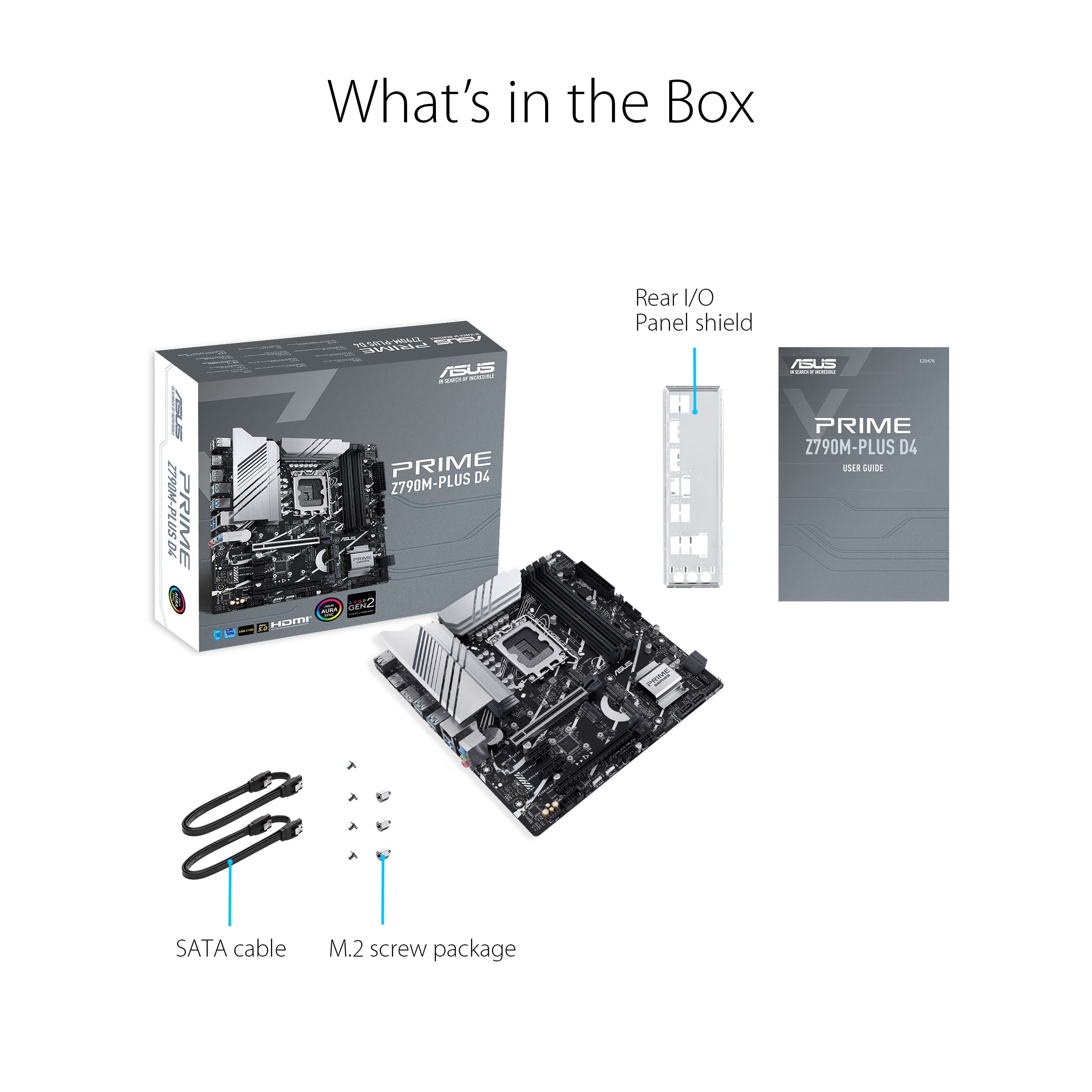
🚀 Elevate Your Build with ASUS Prime Z790M-Plus!
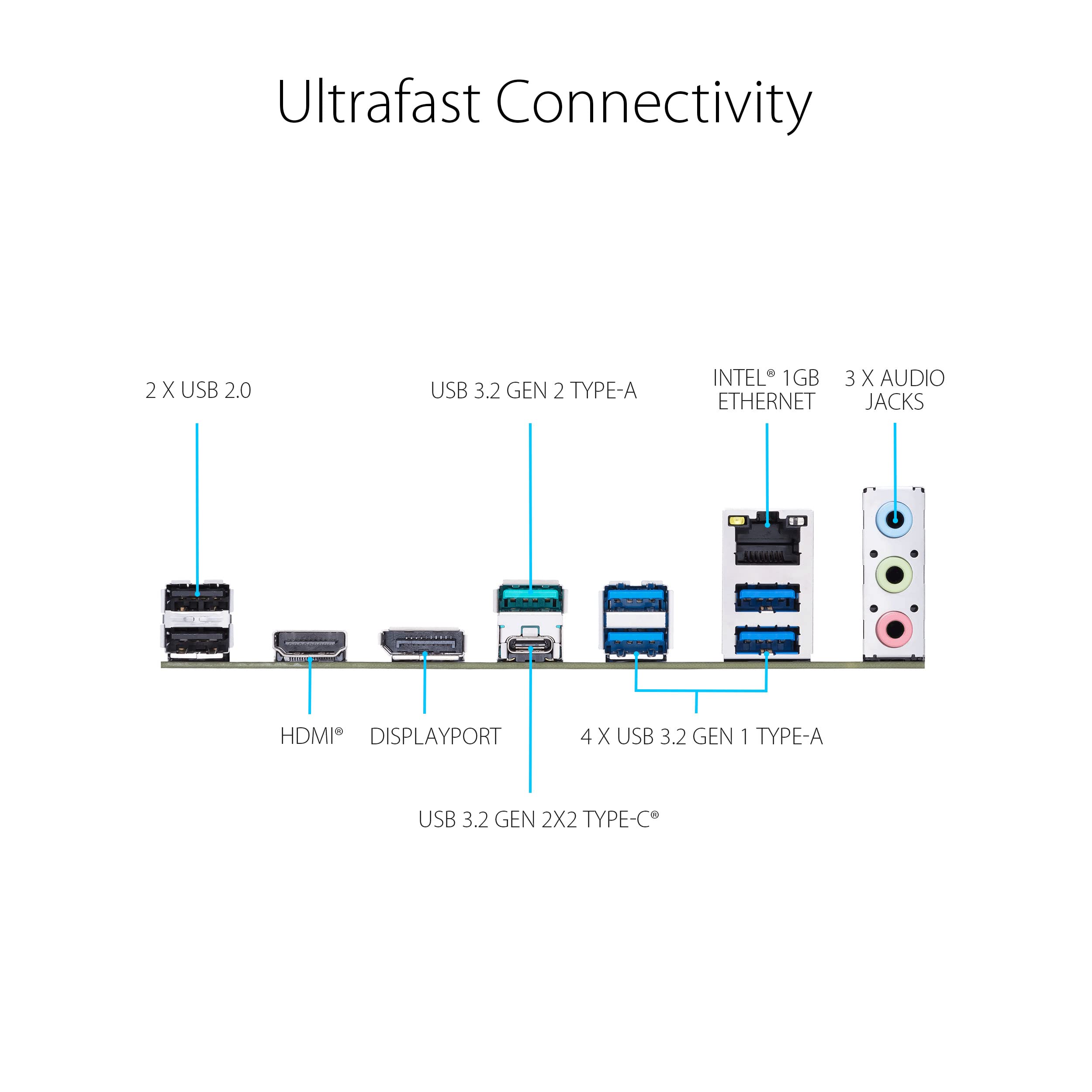
The ASUS Prime Z790M-Plus D4 is a microATX motherboard designed for Intel's 12th and 13th Gen processors, featuring cutting-edge PCIe 5.0 technology, robust power solutions with 10+1 DrMOS, and comprehensive cooling systems. With support for up to 128 GB of DDR4 memory and advanced connectivity options, this motherboard is engineered for high-performance gaming and productivity.





| ASIN | B0BHXSR2C5 |
| Are Batteries Included | No |
| Best Sellers Rank | #85,910 in Computers ( See Top 100 in Computers ) #757 in Motherboards |
| Brand | ASUS |
| Color | BLACK |
| Connectivity Type | Wi-Fi |
| Customer Reviews | 4.2 4.2 out of 5 stars (90) |
| Date First Available | 20 October 2022 |
| Graphics Card Interface | PCI Express |
| Item Weight | 1.28 Kilograms |
| Item model number | PRIME Z790M-PLUS D4 |
| Manufacturer | ASUS |
| Maximum Memory Supported | 128 GB |
| Memory Clock Speed | 5333 MHz |
| Memory Technology | DDR4 |
| Number of Ethernet Ports | 1 |
| Number of USB 2.0 Ports | 2 |
| Processor Socket | LGA 1700 |
| Processor Type | Pentium |
| Product Dimensions | 27.43 x 7.37 x 33.78 cm; 1.28 kg |
| Series | PRIME Z790M-PLUS D4 |
M**J
I'm upgrading from an old micro ATX gigabyte z390 Mobo. I was needing a new CPU as my old i5 coffee lake was basically capping 100% usage and bottle necking my system now. So far everything seems good. On first boot, I got an error bc I misplugged the CPU fan but it was very accurate and told me specifically where the issue was. After fixing that, it ran smooth. No issues seen at all. I like the tools for monitoring and controlling all my parts and lights etc. Haven't had any problems with processing, gaming, editing, video encoding, programming or anything so far. Only downside is it doesn't support ddr5 which for a newer 2022 Mobo I would've expected it to have that support, but ddr4 still runs well for it. System: Intel i5 13th gen, Zotac RTX 3070ti, 2x Corsair 3200mhz ddr4, Asus z790 matx Mobo, mix of 4 diff sata ssd and hdd. Note: Also, my older Mobo had more SATA plugins then the 4 here. I guess it might be overkill at this point, but just a note. This board does have more M.2 pcie slots though. I have only used my system with my current SATA HDD and SSD. I have not tried the M.2 pcie SSD yet which is expected to improve speeds even more. That's probably to come in the future.
R**.
Worked out of the box with my 13600k flawlessly. No issues on my part, and would suggest this mobo if you're looking for an inexpensive, z790 chipset. Unfortunately no wifi but can be solved for around 40 bucks with an e key m.2 wifi/bt adapter
G**D
Pc gamer et j'ai rien aimé
J**.
Didn't have a driver DVD, but ASUS support page had the drivers I needed: under "Driver & Tools" click "EXPAND ALL" first — It needs the LAN driver as soon as you can get it – 1) Intel LAN Driver V12.19.2.45 (I needed wireless USB to install Win11 Pro). The following drivers solved the issues that were showing up under Device Manager – 2) Intel Chipset Driver V10.1.19199.8340. 3) Intel SerialIO Software V30.100.2237.26. 4) Intel Rapid Storage Technology Driver software V19.5.1.1040. Oh, I updated the BIOS at some point, but am not sure when—possibly before installing the OS?? 😳 This was the most expensive MoBo I have ever purchased—$171.89 plus $12.03 in tax = $183.92. It's $149.99 before tax now. 👎🙁 Normally I get the $60-90 boards, but splurged since the Intel i9 13900K was going on it. The USB 3.2 Gen 1 Type-C® Front Panel connector was perfect for adding the EZDIY-FAB 5.25in 10Gbps USB 3.1 Gen2 Hub. 👍🙌🙂 I expected more—after dealing w/ lots of $60-90 boards since 2005, but am delighted with it, and all is running like a UFO.
P**Z
Not so easy to setup but overall excellent board . Read the manuals and watch youtube videos on Asus motherboards . PCIe 5 16 lane could not be configure by the tech as it would not work had to be enabled in bios . The disks kept disappearing . This is similar to other asus bores . Once setup the system works just perfect. Performs rather fast . I shot one video for the 2 asus boards so bios are very similar and just as difficult and non intuitive. I have over 30 years experience working on pcs and I had the pcs built by a contractor and not myself . The contractor was stuck and unable to get the system working with its best configuration and only after I had advised him was he able to get the board working . This was also the case with one other technician who worked on the other system. After the fact the performance score is respectable at 89%
Trustpilot
1 day ago
2 days ago