
DOWNLOAD THE APP


Customer Services
Copyright © 2025 Desertcart Holdings Limited
DOWNLOAD THE APP


💼 Unlock your legacy drives with pro-grade speed and universal power.
The StarTech.com USB 2.0 to IDE/SATA Adapter is a compact, versatile cable that connects 2.5" and 3.5" SATA or IDE hard drives to any USB 2.0 port. Supporting transfer speeds up to 480 Mbps, it features built-in LED indicators for real-time status updates and comes with multi-region power cables, making it an essential tool for professionals needing quick, reliable access to legacy or modern drives anywhere.


| ASIN | B000VS4HDM |
| Best Sellers Rank | #1,150 in SATA Cables |
| Brand | StarTech.com |
| Cable Type | USB |
| Color | Black |
| Compatible Devices | Desktop Computer, Hard Drive, Laptop |
| Compatible Phone Models | No Compatible Phone Models |
| Connector Gender | Female-to-Female |
| Connector Type | Sata, Usb 2.0 |
| Customer Package Type | Standard Packaging |
| Customer Reviews | 4.5 4.5 out of 5 stars (828) |
| Data Transfer Rate | 0.48 Gigabits Per Second |
| Date First Available | September 7, 2007 |
| Frequency | 480000000000 Hz |
| Global Trade Identification Number | 00065030824767, 00065030854207 |
| Indoor/Outdoor Usage | Indoor, Outdoor |
| Is Discontinued By Manufacturer | No |
| Item Weight | 1.8 ounces |
| Item model number | USB2SATAIDE |
| Language | English |
| Manufacturer | STARTECH |
| Maximum Voltage | 5 Volts (DC) |
| Model Name | USB 2.0 to SATA/IDE Combo Adapter for 2.5/3.5" SSD/HDD |
| Number of Items | 1 |
| Number of Pins | 7 |
| Product Dimensions | 34.2 x 1.7 x 0.6 inches |
| Recommended Uses For Product | Indoor/Outdoor |
| Shape | Round |
| Special Feature | Compact |
| Specification Met | No |
| UPC | 172302820782 806291832531 782386481689 778889462997 795327775754 523161049881 777785552917 069060088557 078667255538 071021003196 102646188989 012300519168 803982778291 872182628033 763616013153 734911115774 065030824767 065030854207 851975707889 |
| Unit Count | 1.0 Count |
P**S
Far better quality than I expected.
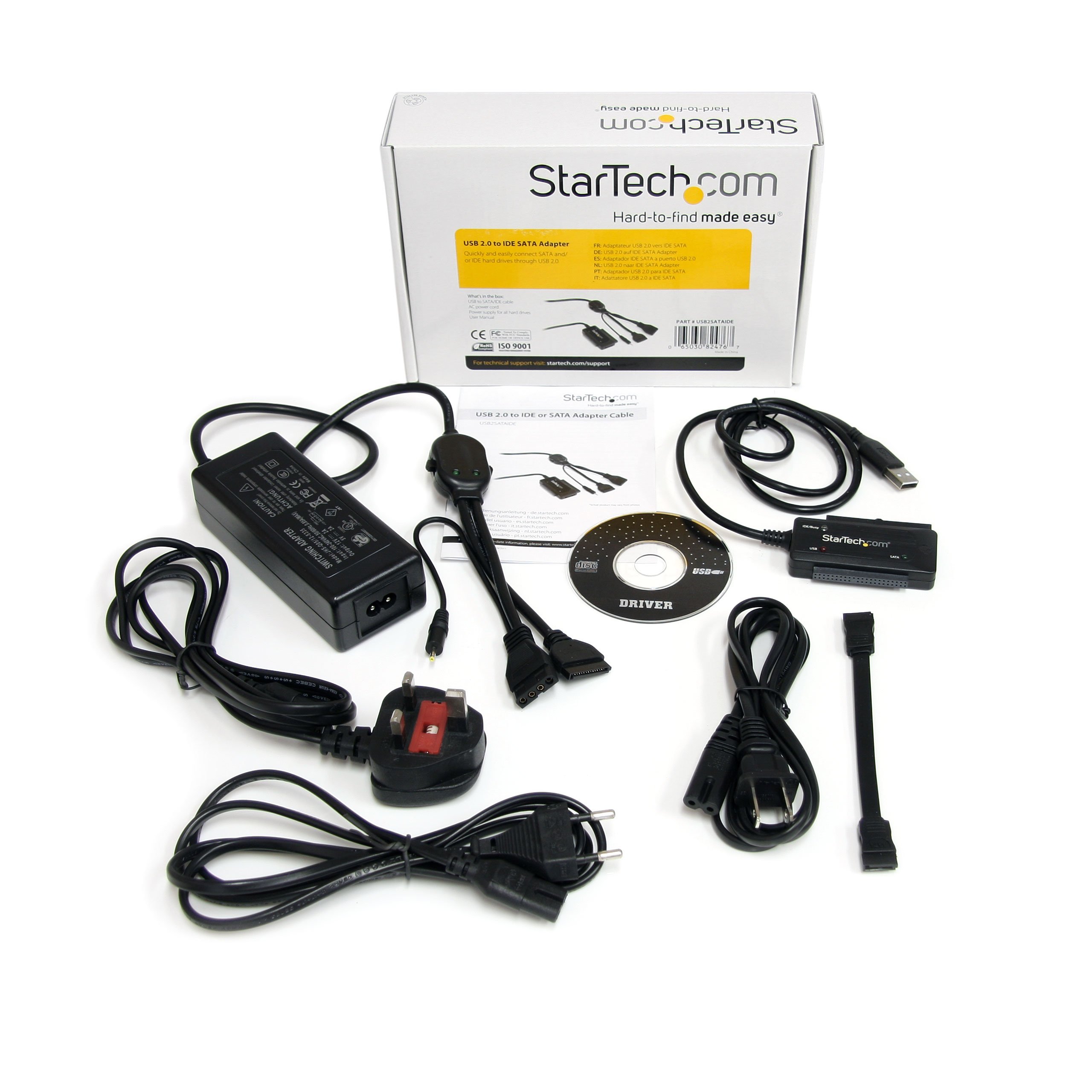
The product was well packaged and included more than I realized... the single power cable was actually 3 power cables, one standard U.S., a two (round) pin European and a third massive three pin with a fuse in it, I believe it's specific to the U.K. There was also an auxiliary jumper from the the PS to the Adapter to augment low current USB ports if needed. The PS seemed more than adequate and stayed cool to the touch in operation. Documentation was good and I didn't need the drivers provided. A working HD was easily seen by XP and Windows 7. I also use a Windows 98 VM with the usual non-standard upgrades expected in something that has become mostly a hobbyist OS and that had no problems seeing the HD either. Seeing is not the same as using. The issue here is not the product, but the nature of the application itself. I started with a "good" HD that refused to power up. My best guess is that it just went bad sitting in the drawer, but it was an unexpected pain in the neck that left me wondering if the product worked. I tried a second HD that was seen by all three versions of Windows but wasn't mounting. Windows 7 was a bit more helpful in deducing that the drive had been wiped by the previous owner and once it was initialized all was fine. The lesson here is to first familiarize oneself with the adapter using an absolutely positively working HD first and then move on to sorting out the spares in the decommissioned bin. Based on the reviews I read of the various adapters available before I bought the StarTech, my priorities were to pick a product that (a) didn't start a fire (b) didn't kill my HD (c) didn't pollute my PC with a bunch of mickey mouse interfaces or drivers and (d) worked. I think I got a good deal with the Star Tech.
M**X
StarTech.com USB 2.0 to SATA IDE Adapter
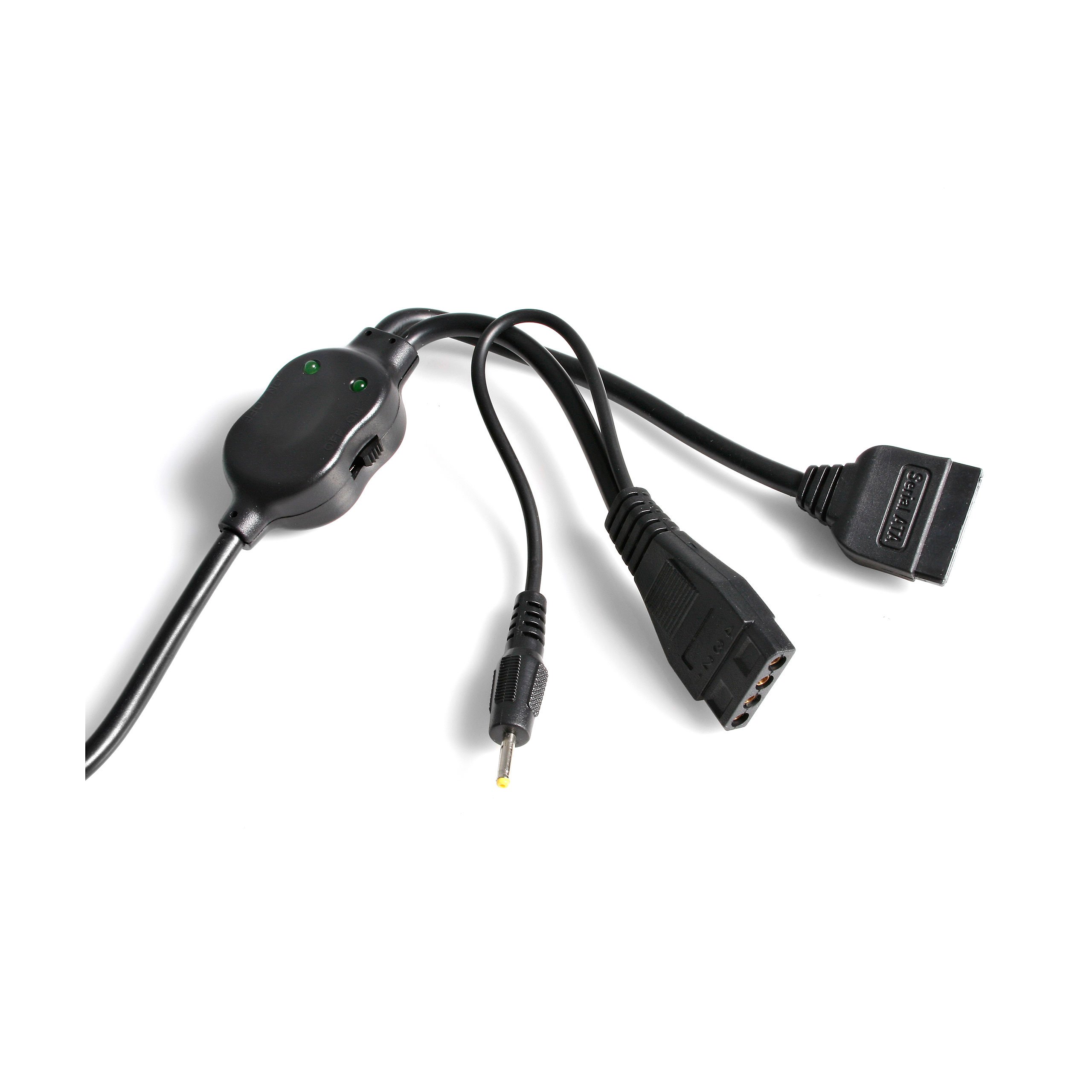
I purchased this adapter in order to clone the hard disk in my Toshiba A-135 laptop, which has no provision for a second HDD. The Startech adapter separates the communications adapter from the power supply and powers the comm adapter (not the drive) from the USB port, although the comm adapter can be powered from the separate power supply if you choose. The power supply has three outputs, one each for IDE or SATA drives and a third to power the comm adapter, if desired. There are separate indicator lights and power switches on the power cord for the SATA or IDE outputs. The switching power supply includes 3 cords to accommodate USA or overseas power sources. The adapter has communication status lights for the USB, SATA and IDE ports, which are helpful and reassuring. I first attempted to test the adapter with two (very) old IDE drives that had been out of service for many years, one of which I knew was working at the time it was replaced. Windows Vista recognized the adapter and (eventually) loaded a driver for the disk(s), but it would not mount the drive. Presumably, I could have formatted the drive since it appeared in device manager, but since I wanted to see what was on it, I did not. Satisfied that the device was communicating with Windows and that the power supply functioned under load, I connected my new drive, a Sandisk 120GB SATA III SSD, which was immediately recognized by Vista and the driver installed. I used Macrium Reflect (free) to clone the C drive and the process proceeded flawlessly, transferring 50+ GB in about 1.25 hours. When I replaced my C drive with the Sandisk SSD, it booted without incident. The Startech device performed flawlessly for the primary purpose for which I purchased it and I have therefore given it five stars. Since there is question regarding the old IDE drives that I attempted to read, I consider evaluation of the IDE interface incomplete. I may update this review later if I try other IDE devices.
D**D
Works great. Much higher quality than other, cheaper adapters.
I bought this to copy data from an old IDE hard drive onto my laptop. It worked perfectly for that use case. While I have not doubt it will also work well with SATA drives, I have not tried it for that use. If customers have difficulty with this product, I recommend the following steps. These recommendations are based on difficulties I sometimes had using an older generic IDE/SATA to USB adapter: 1) Disconnect everything 2) Connect the adapter to the SATA or IDE connector on the hard drive. IDE is not spec'd to hot connect, and it's possible that the adapter's SATA port also does not support hot connect. In any case, it's best that neither the hard drive nor the adapter be powered when connecting. 3) Plug in the wall wart, connect it to the power adapter, and connect the power adapter to the hard drive. You should hear the drive spin up (unless, of course, it's a flash drive). 4) Connect the adapter's USB plug to your computer. A new hard drive should now show up on your computer. At this point you should be able to use the drive the same way you'd use any other USB drive. When finished, disconnect the USB port, unplug from the wall, and disconnect power and the adapter from your hard drive.
R**Y
Exactly what I needed
My mom's laptop crashed and burned so she had to get a new one. She had several pictures and files on her old computer that she wanted to save, but the laptop wouldn't even boot up. I took her laptop to several local computer store chains and was told it would be about 100.00 to get the files off of her old laptop. She wasn't really sure exactly what files were on there or what she needed to keep so we didn't know if it was worth that to find out if there were things she needed or not. I noticed the stores were using this product to connect the hard drive, so I went home and found it to buy. Her laptop was old, so most of the other adapters didn't have the correct pin configuration to fit her hard drive. This one worked great. I was able to connect the hard drive from her laptop. This adapter provided the power needed to the hard drive, and I was able to go through her files to find any documents she might need or want to keep. Plus, it was really affordable!
F**O
A dispetto di altri modelli a basso costo (se ne trovano a meno di 5,00 euro privi di alimentatore tutti cloni del medesimo modello di anonima origine) ho voluto osare la scelta di questo che esteticamente prometteva una natura di progetto originale anche in virtu di un alimentatore in apparenza piu' versatile dotato di un alimentatore a doppia presa "molex" e "sata" e la constatazione del prodotto che mi e' arrivato e' andata oltre le mie speranze. Il modulo adattatore appare di fattura robusta ed anche elegante ma la vera sorpresa e' stato scoprire che il modello che mi e' stato spedito e' stato ulteriormente perfezionato rispetto a quanto presentato nelle specifiche a vantaggio di noi utenti. Il prodotto nuovo e' diverso ma e' piu' vantaggioso per noi utenti (ed amazon dovrebbe aggiornare le foto) Il vantaggio e' che l'alimentatore e' effettivamente composto da due moduli: - un alimentatore 12v 2000mA - un adattatore ad Y che converte ATTIVAMENTE i 12v a due uscite a tensione multipla 5V 12V Questo e' un vantaggio enorme perche' consente lo sfruttamento di qualsiasi alimentatore monotensione 12V 2A di piu' facile reperibilita' mentre i ricambi a doppia alimentazione 5V/12V sono piu' costosi e laboriosi da trovare. Siccome, in caso di uso intensivo, questi alimentatori si consumano e si guastano dopo pochi anni, grazie all'adattatore ad Y in dotazione sara' possibile rimediare con il semplice acquisto di un monotensione 12V almeno 2000mA facilmente reperibile anche nei negozi di elettronica in citta'. Attenzione solo che l'alimentatore arriva con montata la presa di standard orientale. Bisogna smontarla e sostituirla con il nostro standard. Avrebbero fatto meglio a fornirla smontata per poter piu' facilmente intuire la necessita' di applicare la presa dello standard desiderato
�**�
Acheté pour récupérer de vieille donnés sur un (très) vieux disque dur IDE. Il y a pas mal de choix mais visiblement les problèmes se rassemblent toujours sur les alimentations qui feraient griller les périphériques connectés. Ici rien de tout ça, tout fonctionne bien. Sous Win10 je n'ai rien installé, les disques sont détectés illico et accessibles. Essayé également sur un DD en SATA, pareil fonctionne au poil! Fournis avec un panoplie de câble, alim format US/UK EU etc... et un (tout) petit câble SATA. Un peu plus chère que les autres mais mes DD fonctionnent toujours.
M**Z
Muy buen producto! Excelente solución para todos aquellos que necesiten instalar algún disco duro o lector de dvd interno, por vía USB, en cualquier pc. De esta forma, evitamos tener que comprar una caja externa por cada dispositivo para poderlos utilizar. ¡Recomendado!
J**L
I was trying to recover data from my desktop's HDD Sata 3.5'' drives as the computer died on me. I tried cheaper parts, namely from Inateck, and the drives could be seen in the computer's drive management window but were not displayed in Windows explorer. Thus I decided to go for a more expensive kit (this article!) and I am extremely happy with it. Communication with the old HDD was established straight away and without any issues. Personal data has been recovered quickly. I highly recommend this product if you are trying to access data from old HDD.
R**M
I was looking for a way to accessing files on hard drive in old desktop computer, as attempt to run old computer with my new monitor failed. Became aware of IDE hard drive enclosure option and my research eventually led me to this product. One of those rare times I have purchased an item that claimed to be easy to use and it actually turned out to be easier to use than expected- and did what it was suppose to do. After watching video on YouTube about connecting similar product, I began "installation" process and it was up and working 5 minutes after I had extracted the hard drive from the desktop computer ( which took me 5-10min). Treated my desktop hard drive like an external hard drive. No issues to date. Great product, excellent price and faster than expected delivery from Amazon- a home run in my books!
Trustpilot
1 month ago
2 weeks ago