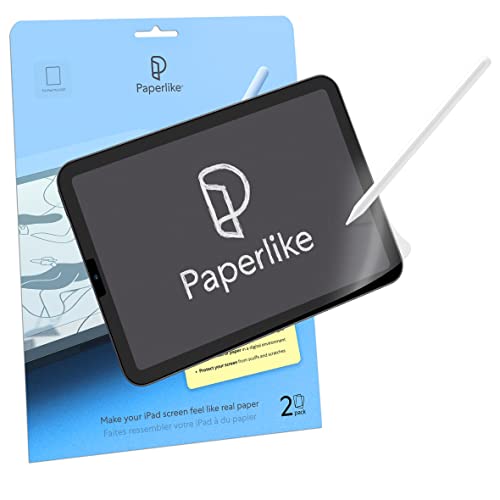




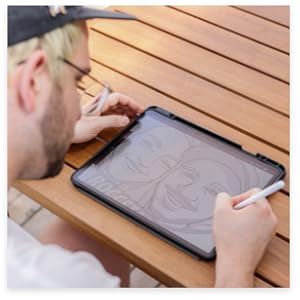
✍️ Transform your iPad into a creative powerhouse with Paperlike 2.0!
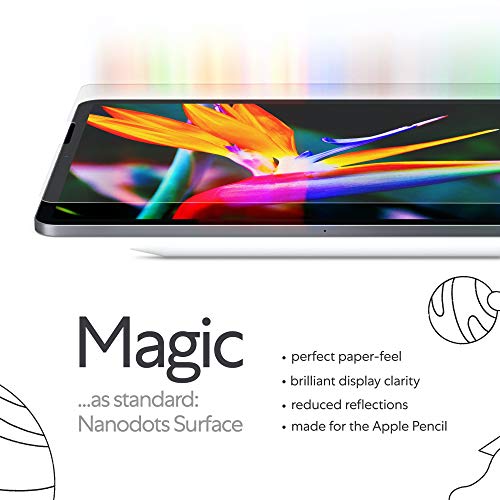
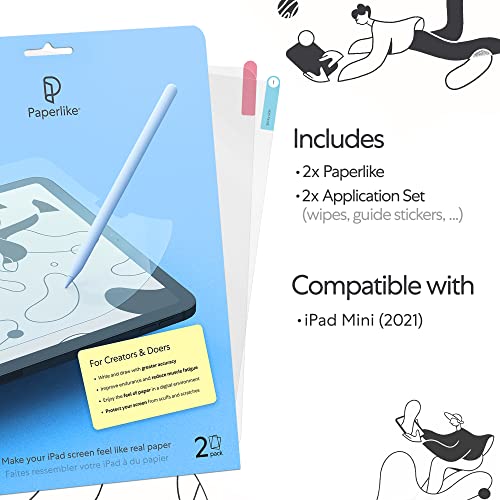
Paperlike 2.0 is a premium screen protector designed specifically for the iPad Mini 8.3" (2021), delivering a unique paper-like texture that enhances drawing, writing, and note-taking precision. Featuring nanodots technology, it reduces glare and reflections without compromising screen clarity or Face ID functionality. Compatible with Apple Pencil and other styluses, it protects your screen from scratches while minimizing stylus tip wear. The package includes two protectors and a full installation kit for easy, bubble-free application.



| ASIN | B09HKL7R2W |
| Best Sellers Rank | 56,723 in Computers & Accessories ( See Top 100 in Computers & Accessories ) 1,242 in Tablet Screen Protectors |
| Colour | Paperlike 2.0 |
| Customer Reviews | 4.2 4.2 out of 5 stars (25,322) |
| Date First Available | 17 Mar. 2021 |
| Item Weight | 10 g |
| Item model number | 8.3 Inch |
| Other display features | Wireless |
| Product Dimensions | 28 x 20 x 1.27 cm; 10 g |
| Special features | Anti Glare, Anti-Fingerprint, Scratch Resistant, Touch Sensitive |
| What’s in the box | Alignment Tool |
N**T
Really great for drawing and note taking - exactly what I needed.
I wanted this specifically for use with my new iPad and Apple Pencil since I bought everything with the express purpose of drawing and note taking. For this the screen protector is perfect. The feeling is like drawing with a Biro on a single sheet of paper laid on a hard surface. As a comparison, the texture is the same as a PC drawing tablet, but the glass makes it a much firmer drawing experience. I bought this for an iPad Pro 11” and installed it before turning the iPad on so I can only speak for the post-installation quality. I don't notice any feathering on a white screen as some YouTubers have tried to emphasise (honestly, I don't see it in their videos either, so I'm unsure what they are trying to illustrate). To me the screen now looks like a high-quality Kindle. The glare reduction is remarkable. Dark images, such as when reading an e-book in dark mode, have no issues with reflections and feel like just reading a paper page. I would say though that if you value the screen quality, I am in no doubt this protector dulls the colours and introduces a very slight noise filter to your screen. I do mean VERY slight; I can only see the noise when looking for it and when bringing the iPad right up to my face. You may not want this protector if you're doing professional video editing, or photo editing. Installation was easy for me, but again, this was a freshly opened iPad out of the sealed box, so no grease, dust or micro-scratches to speak of. The instructions were clear, and the package includes everything you need except a firm card to ease out any air which does manage to find its way between the screen and protector. I have had no problems with screen scratches, as other reviews here have shown - I might suggest this is more an issue with the stylus than the protector since the screen protector is designed to absorb sharp interactions with the screen. This screen protector is only going to protect the screen from scratches, but it is quite soft so it will likely show scratches from sharp objects quite easily on itself. If you want a sturdy protector for your iPad, this is not it, however if you're looking to draw on something with a bit more texture than the smooth glass screen then this is perfect.
O**E
Brilliant pen feel, otherwise ordinary and a bit pricey.
Bought for a 12.9 Gen2 iPad Pro Receiving 2 screen protectors and fitting kits makes this reasonable value. In relative terms I haven’t tried other products out there but given the price of iPad I wasn’t inclined to skimp a few pounds on a cheapo screen cover. The fitting video is helpful, the process is as well conceived as you could expect and the method works quite well. Like others here I got bubbles. I don’t blame the manufacturer, it’s a fact of life and it’s a skill to fit any screen protector without them. I got rid of most and they don’t impact the quality of the experience ... but they are irritating. The drawing experience is outstanding. It transforms the iPad. If you draw or take notes I just can’t recommend it enough. It’s a bit of a weird change of experience for typing, surfing and games. Is it worse? I don’t know and it’s a matter of opinion but it doesn’t feel better. I’m also a bit worried about how the improved friction on the screen with deal with my 6yr olds tomato sauce fingers. I suppose the key here is the variety of uses you have for your iPad. Screen clarity and brightness is down a fraction, but not enough that it’s a game changer. Added weeks later: The writing experience really is making up for everything else BUT I have massive battery drain on the iPad, even with the Bluetooth (for pencil) turned off. I’m not suggesting that a screen protector is impacting battery life but I’m using the iPad the same way and the battery is draining 10x faster, the screen saver is the only thing that has changed.
G**G
Nice texture, pricey, could be tricky to install
I got this product for my iPad Pro 11”. I use it mainly for university, I write a great amount of notes with the Apple Pencil and the screen protector plays a huge factor. Pros: - Package came in good condition, nothing missing (card with the message was a nice touch), delivered 2 days early - Pretty great with its anti-glare function, I do work outdoors sometimes and I find this as a game changer (this is the only matte screen protector I’ve tried so far) - Writing feels far more accurate, gives you a realistic feel - No issues with the touch screen, provides no loss of sensitivity - Works well with the Apple Pencil, I don’t write very hard nor light so I don’t have any problems with the tip wearing off. Although I would expect this given the texture, I personally think the same applies for all other similar products out there - Minimises finger prints on the screen which gives it a cleaner look Cons: - I find it quite pricey compared to the other similar products in the market, I obviously haven’t tried the others and I think this one could be pretty much hyped up - Installing this is not easy. When I watched the instructional video in YouTube, I thought the process was straight forward. I struggled in the part when I was peeling off the cover of the sticky side and applying it to the screen, I though I got rid of all the dust but there are still some that got trapped. The good thing was that I managed to get all the bubbles out. I did waste the other piece though (product comes in 2 pcs) - It could be a little bit noisy when writing, you can hear the friction. But I guess it is like this for other paper-like screen protectors
ト**ピ
タイトル通りです。 ザラつき無くなった後のフィルムの適度な摩擦感が好きで、変えずに使ってる。 ペーパーライクじゃ無くても、フィルムの品質が高いのが良いです。
J**U
Great instructions for the installation. Quality protector. The only down side is the price.
A**N
Excellent product - i use it on my 9th gen iPad. Especially good on note taking apps such as Goodnotes. However, does need some “break-in” time because right out of the box it is a bit too sticky
N**D
After using it for more than a week, I have to say that it has really helped me to take notes in my ipad, as I now feel that my pen is a bit more grippy and not so slippery anymore.
B**.
Installation is quite the delicate and tedious process. I'm glad they give you two of them but my plan was to use them at different times, not to have one as a backup in case I messed up installing the first. The guide on installation is easy to follow and I did it mostly right but I did end up with two small bubbles which I can sometimes notice when looking at the screen. It doesn't ruin the experience or get in the way of using the touch screen at all regardless of whether I'm using my finger or the Apple Pencil. It does feel like paper which is cool but sometimes it actually feels quite smooth. The longer you use it the more it will wear down and you will eventually get smooth spots which are still rougher than the screen itself but smooth compared to when its new. I wanted this because drawing on the iPad without something like this feels unnatural and it's far too easy to slide my pencil across the screen and have far less control over delicate strokes. With Paperlike it feels much more like paper and the resistance allows you to feel enough feedback to really feel as though you're interacting with the medium that the app you're running is emulating. It feels like pencil on paper or paint brush on canvas. It's great. One thing they don't tell you is that it's great for reading books on iPad as well. When turning pages I really feel more like I'm reading a paper book than a digital one. I've always preferred paper and analog tools but I'm more likely to buy and read digital books now with the Paperlike screen protector on my iPad. It's easy to clean. You just take the same sort of cloth you'd use to clean your iPad's naked screen and use it on the Paperlike. Yes, you will get fingerprints on your screen if you touch it with your hands just like using the normal screen so you have to clean it periodically. The Paperlike does dim the screen and dull the colors just a tiny bit but unless your work demands absolute perfection when it comes to color accuracy or you're some superhuman that can't handle a negligible change in brightness/color then you won't notice it unless you're specifically looking for it. I'm glad it comes with two because eventually the first will wear out and I'll need to apply another and the second time I'll hopefully learn from the mistakes I made with the first and make sure there are no small bubbles that end up under the screen. But like I said, even if you do end up with a couple small bubbles you'll most likely be able to live with it and in most cases it isn't worth removing the Paperlike and reapplying a new one. The difference is negligible.
Trustpilot
1 month ago
3 weeks ago



