


🎮 Elevate your control game—type, swipe, and command in style!
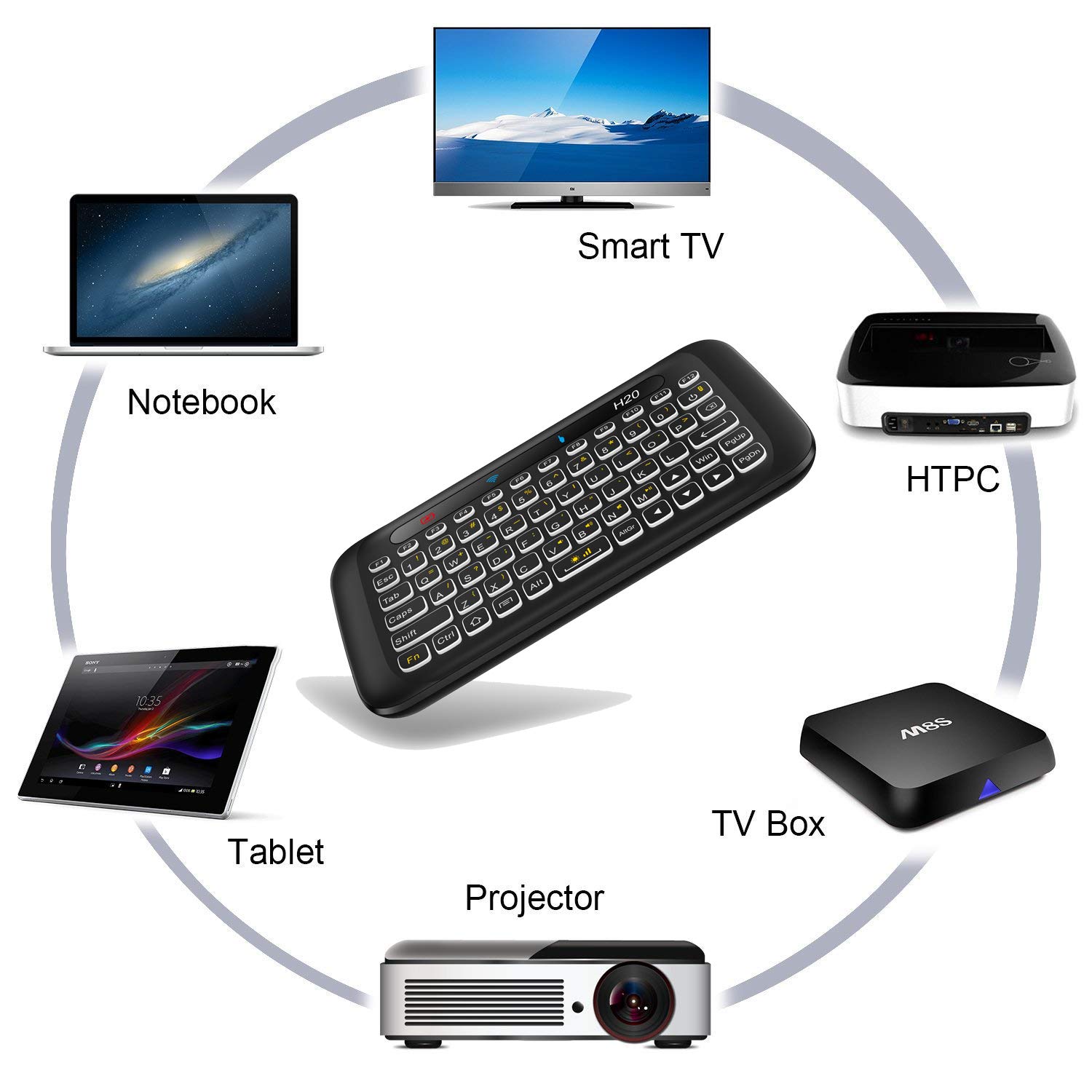
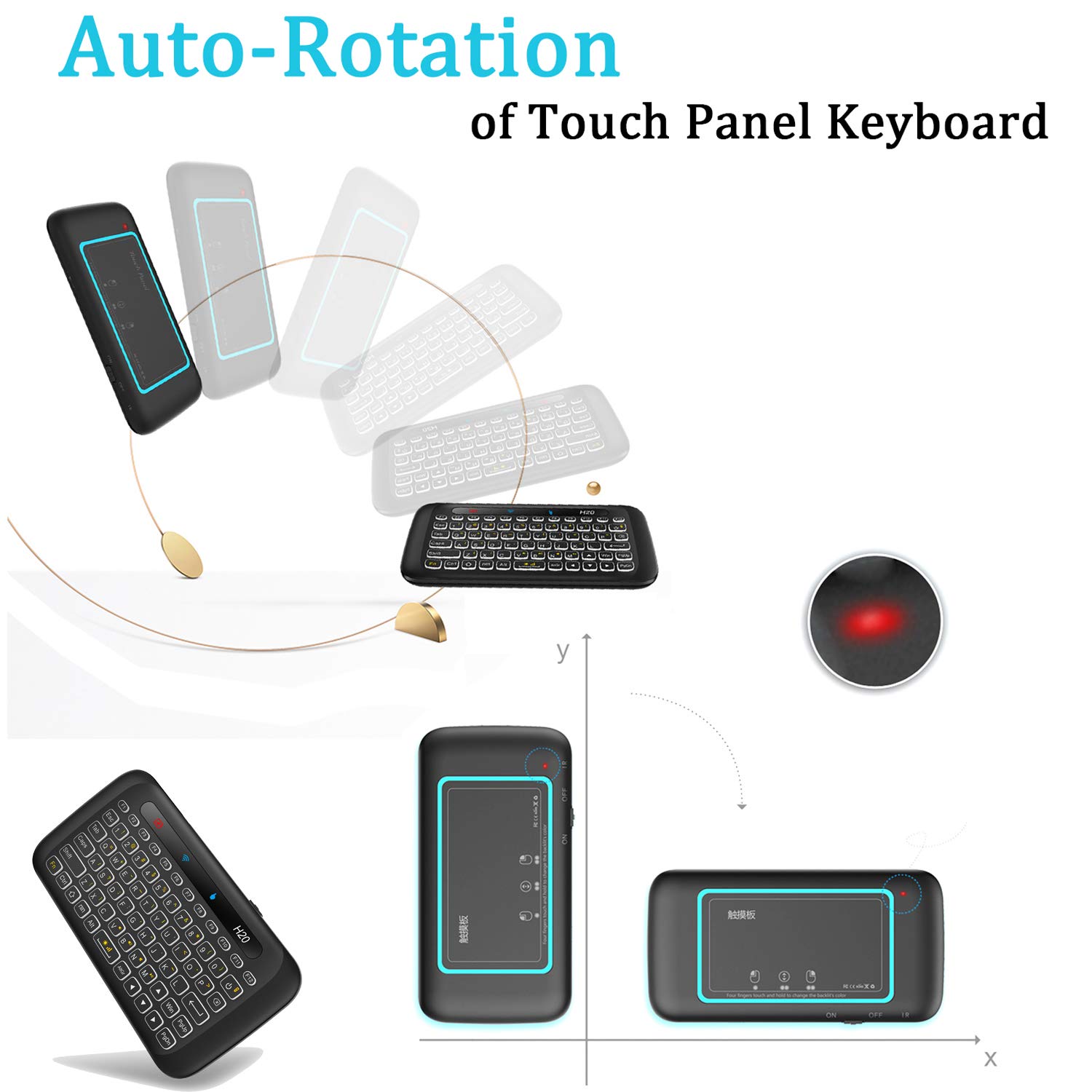
The ILEBYGO 2.4GHz Mini Wireless Keyboard with Touchpad is a sleek, rechargeable combo device featuring an auto-rotating touch panel, 7-color adjustable backlit keys, and broad compatibility with PCs, Android TV boxes, and HTPCs. Its lightweight design and long battery life make it the perfect compact remote for seamless control from your sofa or workspace.











| ASIN | B07BQW37WX |
| Item model number | Computer Keyboard & Mouse Combos |
| Manufacturer | ILEBYGO |
| Product Dimensions | 14.5 x 7.5 x 1.35 cm; 93 g |
J**B
I bought it to use as a remote for a Surface Pro 2, which I'm using as an HTPC. For this type of usage, it's well suited. It's not 100% perfect, but the few quirks very minor, certainly not dealbreakers, especially considering the low cost. It's entirely plastic, very light, to the point that if it didn't work well, one might dismiss it as "cheap." But it does work very well. The whole mechanism of flipping it over to swap between mouse and keyboard works near perfectly. I think one or two times it got confused, and I just flipped it over and back again, and it was fine. The keys are in a non-standard layout, so, yes, it takes some getting used to. Maybe that's an issue if you're looking to do serious typing. But for use as an HTPC remote (typing into search boxes for streaming sites, etc), it works great. The keys have a nice punchy feel to them, adding to the confidence of each key press. The mouse part works great. Only complaint is that the double-tap-and-hold-to-drag action is a little finicky at times. The battery life is good, not great. I have other, larger remote backlit bluetooth keyboards that can retain a charge for months with light use. That's not the case with this one. Just turn it off when not using it. One more small nuance to be aware of is that it might prevent another keyboard being recognized when the dongle is plugged in. This is the case with a Surface 2 Pro and the Type Cover. Again, no big deal, just fyi.
C**B
I've had a lot of mini keyboards, and this one is my favorite. The buttons are nice and clicky, the backlight is good, it has a good set of function and media controls, and works with pretty much everything - it can even be programmed with standard remote controls. Some of the reviews complain about not being able to use the touchpad and keyboard at the same time, but I actually bought this because I much prefer this design - I appreciate the simple symmetrical layout, and flipping the keyboard over to have a full size multi-touch capable touchpad is way better than some practically useless tiny little touchpad stuck next to the mini keyboard. Another cool feature is that you can ROTATE the touchpad and use it horizontally like a normal touchpad, or orient it vertically where it feels more like a phone touchscreen.
J**O
I haven't had it for too long but it is pretty cool. Does what a trackpad supposed to do and keyboard feels comfortable. I could use it on my bed while my laptop is across the room. So the range on its sensors are better than my mouse. There is some getting used to, trackpad uses a combination of strokes and taps to navigate. It can even zoom in and zoom out of my desktop features. That's pretty cool since you have to go through settings and that whole process. One problem I have mostly is dragging and dropping. And mostly the right click select all by highlighting down the cursor. I'm so accustomed to doing that on a mouse. And on this device you can't. But it's ok I still love it. I get to relax on my bed and use it to select movies. It's almost like having a phone in your hand and you can control everything from it. Even power down your system. Turning it on is a different story..that is done at base. I'm not sure if I'm fully using all the features but I'm more than satisfied with the product. Oh and the battery is a small amount but it's like using any mouse or remote , since I don't use it to play games it lasted me days before a new recharge, I never really put it to the test.
J**Y
TLDR some weird interactions, but overall decent for using Netflix from your bed. The motion sensor does not allow you to use the keyboard if it is vertical like you were typing a text or taking a selfie. It does have to be horizontal as if you were laying it on a surface before it activates, but the sensor is pretty responsive and switches it almost immediately once you figure this out. There is a button right above the backspace theoretically assignable via a IR to turn on or off your TV at least that’s how it’s advertise. I could not get it to work and instead it would turn on and off the PC that I had the dongle connected to, and just immediately shuts down the pc. This is of course suboptimal placement, and we had to disable this in software on the PC side to prevent this from happening. The keyboard buttons are tactile and remind me of early cell phone days the touchpad is pretty responsive however it does not have a press and hold in order to click and drag so you cannot move windows around since there is no physical mouse click button to combine these two motions but the gestures allow you to switch windows so as long as you just maximizing, everything can still switch between tasks pretty easily. The micro USB to charge is a disappointment, however because it is not USB-C and because the connection is not strong, I tried using a magnetic charging cable to make it simpler to attach and charge, but the plug just kept falling out and would poke out too far anyways, so I will be forced to use the included cable and gingerly attach it to charge. Product is still new so I cannot confirm the battery life yet. As long as the click to dragon IR power button features are not a complete turn off for you. It’s overall pretty decent for just logging into Netflix or navigating around the Internet browser from your bed.
K**S
The keyboard works. The trackpad is very poor quality. Right clicking and click-dragging are very difficult, but possible. I get a lot of spurious clicks, such as when putting it down on the table, or even sitting down next to it while it's on the couch. The range of the trackpad is very low, but I can't turn up the sensitivity in my OS because the resolution of the trackpad is also very low. Keeping your finger on a single location on the trackpad, but then tilting it slightly, causes the mouse cursor to jump across the screen, as the trackpad changes its orientation in response to your tilt. There is no way to adjust this tilt response, or to fix it in a single orientation. The mouse and keyboard can't be used at the same time. So, no ctrl+clicking or shift+clicking. The orientation determines which is active -- either the trackpad or the keyboard will be facing up, and will be enabled. The IR does not work at all. I couldn't get it to train. There were no instructions for this in the box, and there are no instructions here on this page, and there is no product webpage, as the manufacturer does not even exist outside of Amazon. The battery life is poor, but acceptable if you are willing to charge it every night. The signal reception starts degrading when the battery is low, long before the low-battery light comes on. The signal range was good when I lived in a single family house, but poor when I lived in an apartment with lots of wifi traffic and RF devices.
Trustpilot
1 month ago
2 weeks ago



