
DOWNLOAD THE APP


Customer Services
Copyright © 2025 Desertcart Holdings Limited
DOWNLOAD THE APP

📺 Stream Smarter, Not Harder — Your Gateway to Endless Entertainment!
The Roku Express Black is a compact, lightweight streaming media player delivering crisp 1080p HD video via HDMI. With built-in Wi-Fi, it offers seamless access to popular streaming platforms like Netflix, Hulu, and Disney+, making it an essential upgrade for any TV looking to join the smart entertainment revolution.

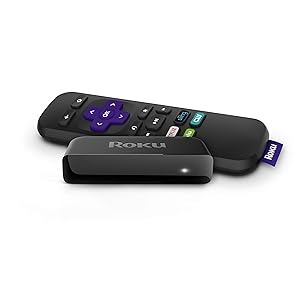

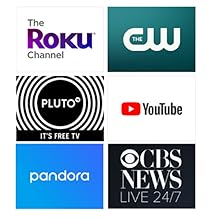

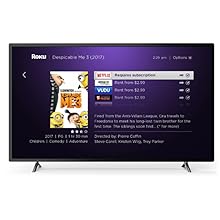
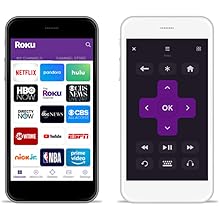

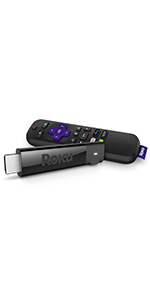
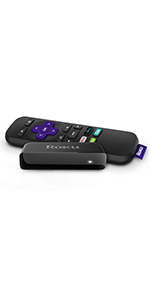
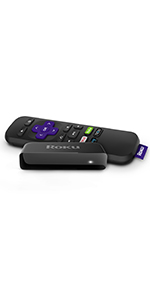
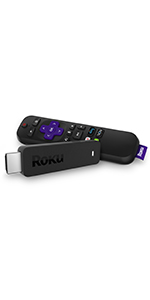


| ASIN | B075XN1NZC |
| Best Sellers Rank | #105,592 in Electronics ( See Top 100 in Electronics ) #531 in Streaming Media Players |
| Item model number | Roku Express 3900R |
| Manufacturer | Roku |
| Product Dimensions | 8.38 x 3.56 x 2.54 cm; 36.85 g |
K**E
Great product
Works with smart tv. We like to watch tfc and netflix using roku
N**P
Thumps up!
TFC is working. Very good device.
Y**R
very few channel options.
if you are buying it in UAE than you will not be able to enjoy most of the channels, there are very few options to select. Check the channel compatibility in your region.
T**)
I have two Roku Essentials and I must say I am pleased with them, for the quality of picture, and the ease of setup. They do come with a USB power adapter one plugs into a power bar but you can plug them into an LCD tv USB port if the power is sufficient. These devices are designed to be always on unless they are connected to your TV usb port and then switch on and off with that. If you go that way then you have to wait for it to restart. I chose to plug it into the power bar. One of my Roku is connected to an HDMI TV and the other I used a GANA HDMI to AV converter to connect it to our old Tube TV. That works great as well. Our grandchildren play some older console games on the old TV. Roku work wirelessly connecting via a home router wireless connection to the internet. You will want to make sure you have good internet wireless coverage in your home as the Roku have to be able to connect. The picture was steady and clear on both televisions. Setup is pretty easy. Users will need an active internet connection and you do have to log into Roku's website to register and enter the code of each device you have. After initially connecting my Roku received two updates. Roku has both free and paid entertainment available. You can add "apps" easily via the website or the Roku itself such as the Roku channel, tubi, youtube, and much more. Some are free, others such as Netflix and Atop (television stations) for example, are a paid service. You can set up a payment method (credit card) via Roku's website or register without a payment method.
C**️
Recientemente adquirí una televisión para ponerla en mi cuarto pero que carecía de características smart por lo que compré este Roku stick ya que estoy familiarizado con la plataforma Roku al estar presente en mi tele TCL como sistema operativo. La interfaz de Roku y su simplicidad de uso es lo que la hace muy atractiva y también en gran parte su rapidez y fluidez al utilizarlo. Espero y mi reseña le ayude de algo a alguien. ***CONTENIDO DEL PAQUETE*** En el paquete donde vino el Roku Express venía incluido todo lo necesario para que te pongas a utilizar el Roku Express. Se incluye un cable micro USB que se conecta a un puerto USB que esté disponible a tu TV o que se puede conectar a la pared en caso de que la tele no cuente con puerto USB (viene con un cubito incluido) -Viene también un cable HDMI que va del Roku a tu Televisión. El Roku Express no cuenta con otros puertos y solamente lo puedes conectar por HDMI (a menos que consigas un adaptador) -Viene su control remoto infrarrojo que es bastante fácil de utilizar y una tira de cinta adhesiva que puedes utilizar para fijar el Roku a tu TV. ***CONFIGURACIÓN Y FUNCIONES*** Al haber conectado tu Roku y haber hecho los ajustes donde fijas la resolución correcta para tu TV saldrá una pantalla donde puedes configurar la conexión de tu Roku a tu modem/router y después de ahí agregar "canales" recomendados (que más bien son como apps, pero dentro del ecosistema de Roku) Una vez haciendo eso ya es cuestión de iniciar sesión en los servicios que utilizas y listo! Como había mencionado anteriormente la interfaz de Roku es muy rápida y el desempeño de las apps es bastante aceptable (excepto Spotify, el canal de Spotify es SUPER lento en Roku) En cuanto a la conexión a tu modem/router que se realiza es solo por la banda de 2.4 ghz pero siendo que solo transmite contenido Full HD como máximo con eso basta. -Funciona de maravilla con el app de control remoto para iOS o Android lo que te permite controlar el Roku por medio de tu celular así como acceder a la magnifica función de audio privado que te permite escuchar el audio de lo que estés viendo en tu Roku a través de tu celular teniendo audífonos conectados a el para esas ocasiones cuando no quieras despertar a quien se encuentre dormido. -Cuenta también con la función de screencast que te permite enviar de manera inalambrica el contenido de tu celular o tablet Android que cuenten con esta función y también con iOS pero por medio de una app especial (no recuerdo el nombre) Con mi celular Mi A1 de Xiaomi las conexiones se realizan rápidamente y se transmiten ambos audio y video lo que lo convierte en una solución ideal para visualizar contenido en tu pantalla que no puede ser reproducido por el mismo aparato de Roku. ***NOTAS FINALES*** Dado que el Roku Express es un producto que considero de entrada no cuenta con funciones más avanzadas como las que tiene el Roku Premiere pero que sirve bien si lo único que buscas es poder acceder a servicios como Netflix, Amazon Video, YouTube, Google Music, Spotify en máximo 1080p. Vuelvo a mencionar lo genial del app de Roku para controlar tu Roku Express ya que si tienes más de un dispositivo Roku te permitirá controlar esos por medio de la app y agregar canales de manera automática por medio de la app. El producto está super barato y funciona de maravilla. Definitivamente lo recomiendo al 100%
R**D
جربته خمس سنين تقريبا ممتاز بس السلك اللي يربط بين التلفزيون والجهاز الي غيرته وهذا امره سهل
S**Y
I already have Roku 3 and Roku 2XD. I needed one more for my third TV. I use Roku primarily to stream from my NAS HDD. All my photos as well as music and videos are stored on NAS. The Streaming from WD NAS to Roku is excellent with the help of Roku Media Player(RMP)
A**R
We had the original Roku and decided to upgrade to this newer one since we had long ago lost the remote for the other one and were using the app. It was extremely easy to install straight out of the box. We already had a Roku account so we only needed to sign back in and verify a couple of the apps and we were streaming our favourite show within minutes. We were getting a lot of glitches and drop out with our older Roku, but so far this one has been brilliant.
Trustpilot
1 month ago
1 day ago
1 month ago
1 month ago