We remain fully operational. Our teams are working around the clock to ensure your deliveries continue safely.

DOWNLOAD THE APP


Customer Services
Copyright © 2025 Desertcart Holdings Limited
DOWNLOAD THE APP

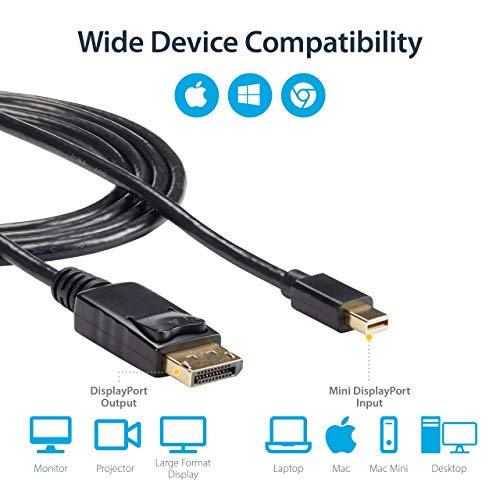
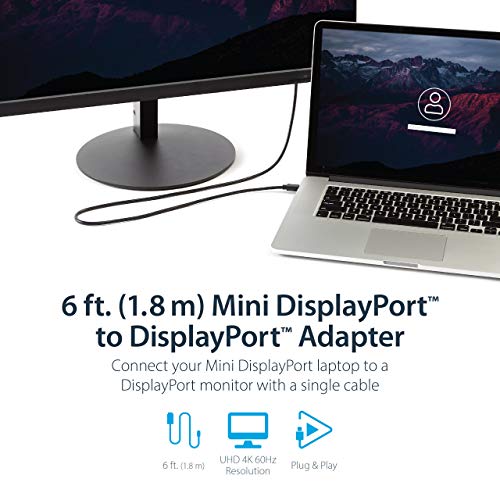


🚀 Elevate your display game with flawless 4K power!
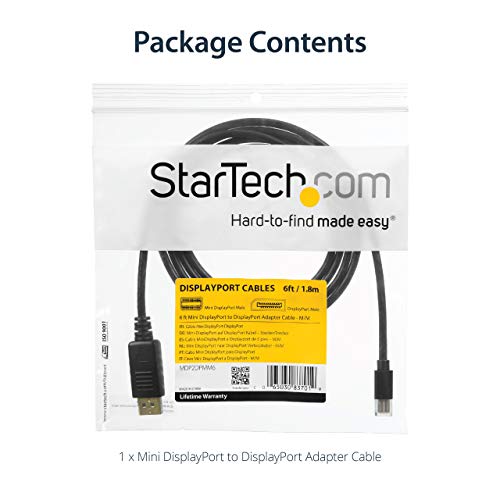
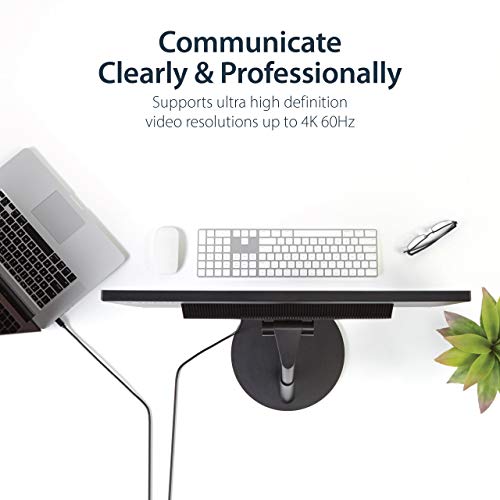
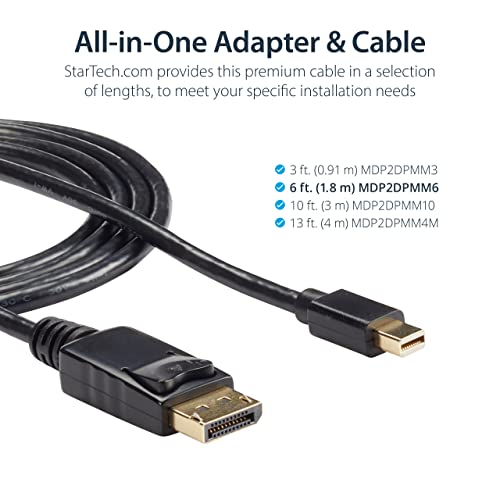
The StarTech Mini DisplayPort to DisplayPort Adapter is a premium 6ft cable engineered for professionals demanding ultra-high-definition 4K video at 60Hz with 21.6 Gbps bandwidth. Featuring robust ABS connectors, metal EMI shielding, and secure latching plugs, it guarantees reliable, interference-free connections. Perfect for MacBooks and professional workstations, it supports Multi-Stream Transport for multi-monitor setups and delivers pristine audio/video synchronization. Backed by StarTech.com's lifetime warranty, this adapter is the ultimate upgrade for seamless, high-performance display connectivity.


























| AC Adapter Current | 1 Amps |
| ASIN | B002XVYZ82 |
| Best Sellers Rank | #47 in DVI Cables |
| Brand | StarTech.com |
| Cable Type | Display Port |
| Color | Black |
| Compatible Amazon Tablet Models | Amazon Fire 7 5th Generation, Amazon Fire 7 7th Generation, Amazon Fire 7 9th Generation, Amazon Fire 7 Kids 5th Generation, Amazon Fire 7 Kids 7th Generation, Amazon Fire 7 Kids 9th Generation, Amazon Fire 7 Kids Pro 9th Generation, Amazon Fire HD 10 11th Generation, Amazon Fire HD 10 13th Generation, Amazon Fire HD 10 5th Generation, Amazon Fire HD 10 7th Generation, Amazon Fire HD 10 9th Genera… |
| Compatible Devices | Audio/Video Device, Desktop Computer, Laptop, Monitor, Projector, Television |
| Connector Gender | Male-to-Male |
| Connector Type | DisplayPort/Mini DisplayPort |
| Customer Package Type | 1-Pack |
| Data Transfer Rate | 21.6 Gigabits Per Second |
| Date First Available | November 19, 2009 |
| Department | accessories general |
| Frequency | 60 Hz |
| Global Trade Identification Number | 00065030837019 |
| Indoor/Outdoor Usage | Indoor |
| Is Discontinued By Manufacturer | No |
| Item Weight | 2.43 ounces |
| Item model number | MDP2DPMM6 |
| Language | English |
| Manufacturer | StarTech.com |
| Model Name | 6 ft Mini DisplayPort to DisplayPort 1.2 Adapter Cable M/M - DisplayPort 4k |
| Number of Items | 1 |
| Number of Pins | 20 |
| Outer Material | Plastic |
| Product Dimensions | 182.8 x 2 x 1.2 inches |
| Recommended Uses For Product | Connecting electronic devices, Extending signal transmission range |
| Shape | Round |
| Special Feature | High Speed |
| Specification Met | Dp 1.1 |
| UPC | 065030837019 |
| Unit Count | 1 Count |
J**B
Macbook Pro with Dell U2713HM
I use this monitor with a Dell laptop at work connected by a DVI-D dual-link cable at its maximum resolution 2560x1440, and I wanted to connect my MacBook Pro 15" Retina to it simultaneously. So I bought this cable and hooked it up, and nothing. Not any indication on the monitor or the Macbook that there was any communication between them at all. Absolutely black and still. After a lot of completely unproductive web searching and then a good amount of trial and error I finally got it to work for both, and now can easily switch between computers at the maximum resolution. So the cable works fine. One thing I was initially worried about was that the cable's plug into the Thunderbolt/Mini-DisplayPort port on the Macbook was suspiciously loose, and I initially thought that might be because the cable is cheap as was suggested by another reviewer, but that is not the case as part of my trial and error work involved plugging in Apple's own Thunderbolt to DVI-D dual link adapter and that is just as suspiciously loose and it is certainly not cheap. The bottom line, I believe, is this Dell monitor is really flakey. It goes to sleep and won't wake up. Sometimes you have to keep turning things off and on, rebooting, docking and undocking. It's pretty pathetic. Fortunately once things work they work well for long stretches of time. In my case the monitor finally recognized a MacBook was attached only after I also used a USB cable between the monitor and the MacBook. After that it has worked perfected, hot plugging it in and out of the MacBook without a hitch, even though the USB cable is no longer attached. Go figure. The monitor still occasionally loses the connection to the Dell laptop however, and then it is that awful process I described before. But this cable works perfectly fine for me at maximum resolution between a MacBook Thunderbolt port and the full sized DisplayPort port of the Dell U2713HM after using a USB connection to wake it up somehow.
S**D
Works Flawlessly!
I pretty much have the worst luck in the world. So I was really happy when I plugged this in and it worked perfectly right away. Long story short, I bought a Mac (mini), decided I wanted a decent screen so I got an LG 29UM55 which is a 21:9 monitor. I plugged in with the Thunderbolt to HDMI port. No good. End up with a 16:9 screen with "skinny screen" bars on the sides. Full mode just stretched the 16:9 to fill and of course, that looked terrible. Read up and found out HDMI isn't capable of carrying 21:9 from a Mac, so I needed to use a displayport adapter. I'll be honest, I didn't know all the technical info on the cables and pins and whatever else goes on in these otherwise plain black wires. Decided I'd just try it despite some buyers experiencing monitor wake issues. Glad I just went with it. Plugged in and I'm now getting full 21:9 resolution. It's been 2 months and I haven't had any monitor wake issues, so I suspect quality control may have been the reason some other buyers were having this issue. Anyway, if you have a Mac, YES this works directly into the Thunderbolt port. It's a no brainer really, if you need this, just order it. Don't even bother with resolution apps, they won't help with getting the 21:9 over to your monitor. It's just too bad they don't sell these in physical stores. I'd have paid twice the price if I didn't need to wait for it to ship.
C**K
a tad short, but ideal for connecting ATI cards to dell monitors
4.5 stars if I could. A much better alternative to DVI for monitors/cards that support it I've got the XFX radeon 7970 in my mac pro, and recently got a 3rd monitor. I got some mini display port (MDP) to DVI adapters not realizing they have to be the more expensive 'active' type to work with the ati card in a >2 monitor configuration, and not realizing that the simple solution of this cord existed. not only is this a much more economical way to connect display port monitors (such as contemporary dell monitors) to a MDP card, and not only does it support 3 monitor configuration for ATI cards, but when the monitor is turned off or switched to another input, the card/computer knows (unlike with VGA/DVI, or HDMI), and remaps the desktop layout. Without having to physically unplug anything; this saves video card memory (driving fewer monitors when fewer are being used), avoids having an invisible screen of desktop area when i'm using another input on one of the monitors (e.g. for analogue video output on a blackmagic card), and even allows my wacom tablet to automatically remap to the change in desktop area. All that would presumably be true for any display port to MDP cable. As for the Startech 6-footer in particular: To call this 6 feet is literally a stretch, (5'11.5" from gold tip to gold tip of both that i bought), but it's sufficient to get from my tower under one side of my desk to a monitor sitting on top of the other. It lacks the cylindrical magnets that many monitor cables have, but seems to do fine without them. they feel reasonably secure plugging in at each end, and build quality seems to be good. been using them about 2 weeks now, will update if any issues arise.
S**N
1440p 165hz works good
Connected this from my laptop to my Samsung g5 and it works flawlessly.
N**M
Great quality
Perfect clear 4K 60Hz signal on my monitors. Works great.
G**S
the right cable
This is a) the least expensive and b) one of the most solid adapters I've had to purchase. If you have a MacBook with mini DisplayPort and you want to attach it to one of the new Dell Ultrasharps, THIS is the product you need to pull maximum resolution out of your Dell. HDMI and DVI won't do it. Why a lesser-throughput technology costs three times as much is beyond me. But this little cable works and you don't have to get both a cable and adapter separately.
C**L
Like other StarTech products I have this cable works flawlessly. This one is used to connect a upgrade MacPro (2012 5,1) with aRadeon RX 580 to a StarTech mDP 2 port KM (SV231MDPU2) allowing me to switch my main screen between the MacPro and my lap.
R**N
Does the job and looks more robust than the one I had before
R**A
Does its job well.
C**.
I used this cable daily for my monitor and it worked fine and then after 6 months it died. It's pretty ordinary that this has happened. I've also noticed a similar review as well. I'll be buying another from a different seller.
T**S
IMBALLAGGIO: Il prodotto, come tutti i prodotti startech che ho provato fino ad ora, dentro una bustina di plastica trasparente abbastanza resistente, con una stampa sul fronte della busta recante logo startech e descrizione tecnica del prodotto. MATERIALI: Il cavo risulta essere di ottima fattura e ha un ottimo spessore che comunque non ne impedisce la flessibilità. Connettori resistenti e di semplice inserimento. PERFORMANCE E IMPIEGO PRATICO: Premetto che lavorando nel web design da almeno 10 anni mi è capitato di utilizzare molti cavi di connessione. Spesso puo capitare di imbattersi in cavi particolarmente scadenti che generano svariati problemi quali: perdita di dati nel trasferimento immagine e conseguenti scatti in riproduzione video (soprattutto con schermi 4k), riproduzione colori non veritiera, latenza. Tutti questi problemi non si sono presentati con l'utilizzo di questo cavo. Utilizzato per collegare uno schermo 32 pollici 4k ad un macbook air, risulta perfettamente funzionante e riporta sia colori che frame in maniera fedele (merito anche dello schermo). CONCLUSIONI: Promosso a pieni voti, lo uso da due mesi per svariate ore al giorno e non mi ha mai dato problemi. SPEDIZIONE: Velocissima e precisa nello stile amazon.
Trustpilot
1 month ago
2 weeks ago