

Desert Online General Trading LLC
Dubai, United Arab Emirates
Desert Online General Trading LLC
Dubai, United Arab Emirates


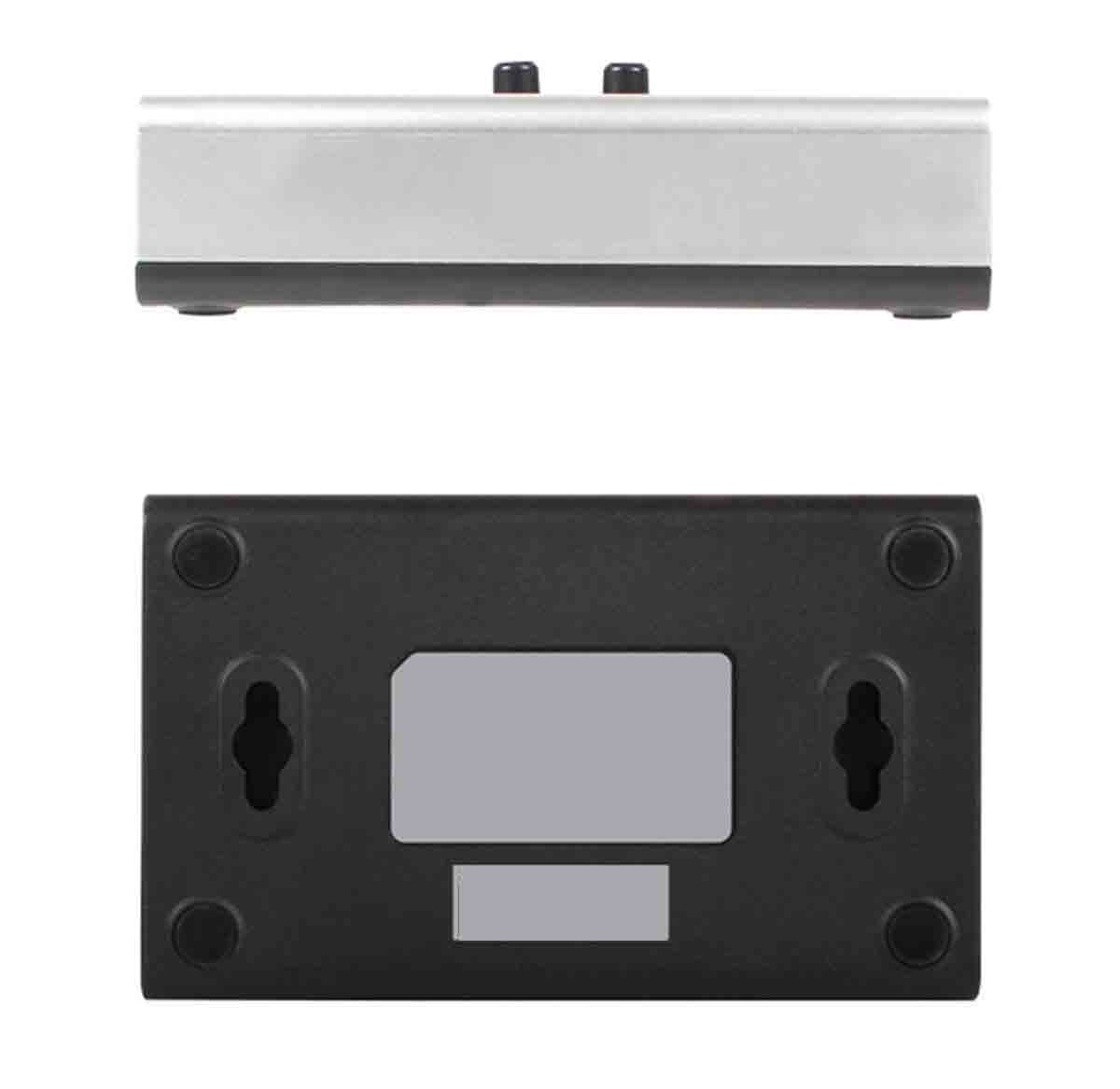

🔄 Switch It Up: Your USB Connection, Simplified!
The USB3.0 Manual Sharing Switch allows seamless sharing of USB devices between two computers without the need for additional power or software. With its hot-swappable feature and compatibility with various USB standards, this switch is designed for efficiency and ease of use in any professional setting.
G**R
Best option under $200
This is the best possible USB option to share one USB 3.0 device with two USB 3.0 devices at any price. All other options I tested did not work consistently. Ex: I found my wireless mouse lagging or momentarily losing its connection. Similar issues with VoIP/Video. This product has worked consistently with zero errors since it was purchased. As to why, this product is a manual switch with no lights or other power hungry features. Other products I tested drew too much power from the source USB, resulting in shared USB connection data errors. This works.
E**N
is a MECHANICAL device! do not expect it to work well with wireless or audio
sooo. many of the poor reviews are around things like wireless and audio. this is an old school USB mechanical device and is not really good for high end devices like wireless and audio. mechanical contacts bounce and create havoc with electronic digital signal devices so they go nuts when the signal path is suddenly interrupted. just so you all know that. if you want to switch wireless, video or audio type devices, u need to get an electronic switch that has some sort of stop routine that interrupts the data stream intelligently so the device does not throw up.The reasoning is that most modern USB devices sense connect and require a constant connection. if that is broken, they can get confused and fail.I use this two switch one USB wired keyboard between two computers. Works flawlessly
M**Y
A good “dumb” manual USB switch
I have an Insignia powered USB block with 4 USB ports on my desk (for the desk drawer cabled keyboard & separate mouse, a monitor sound bar, and the stand alone card/badge reader. My 1 year old personal high end Dell engineering workstation laptop with the 17 inch monitor stays on the side of my desk. But my home office is tight and the desk is small, so my 5 year old company Dell business laptop with the 15 inch monitor stays on a small side table. I have a new, very large, Dell monitor centered on my desk. I can easily and quickly switch the HDMI port used with the monitor touch screen, so no problem bringing up either laptop computer display. Also, I do not use a headset for my work, and I have a stand-alone surround sound system for my music library. Therefore, I just needed a bi-directional manual switch on my desktop, to switch the powered USB block. This switch does the job. The only issue is when I live toggle between the laptop computers, then the new laptop running Windows 11 sometimes does not recognize the transfer, and provides a warning it does not recognize the device. But, if I unplug and replug the USB cable into the port on the new laptop (which with my setup is easy to do) everything works OK. The old laptop is running Windows 10, and I have no issues or warning messages when I live toggle. Since I no longer have to get out of my chair, re-run the USB cable between the side table and desk, and then get back in my chair - I consider this to be a successful setup. In addition, since this is a manual switch, no software driver is required, just plug in the cables and start using it. However, the USB cables are not included, which is just as well, since I needed two 6 feet long USB A male to B male cables to make my setup work. Another advantage of this strictly manual push button USB switch - is that I have no EMI, RFI, or infrared remote interference issues. It is just a stupid manual switch, and like George Jetson working at Spacely’s Space Sprockets, sometimes you just have to push the button (yes, I know, I am dating myself).
P**N
Does not work with my USB2 device.
The Description says: " USB3.0 A-Type connects to USB device ( like printers and scanners )/Switch Box: USB 1.1/2.0/3.0 compatible". But when I hook up my USB2 audio interface, neither computer can see the interface. The interface does work with a USB3 device, and another USB3 switch I have does work with my USB2 device.Amazon gave me a return label and will refund me for the purchase, but this was an annoying waste of time to debug, plus an annoying delay due to the need to purchase a new item, all due to an false claim in the product description.
K**.
Well made and works well, for my unusual use.
I’m using this to switch my musical keyboard between an IPad and a synthesizer so this review may not be as helpful for you. It’s an unusual use, but kind of shows that this switch is working well and flexible. There is a slight delay when switching, but I believe this is a function of the USB controller in my external devices, and has nothing to do with the switch.I really like this USB switch, it’s well made, bidirectional, small foot print, and reasonably priced. I highly recommend it.
N**N
Poor quality control
Noticed that my mouse didn't work whenever I plugged it in, but my keyboard worked just fine. Only happened for my desktop on slot 2, and not my laptop on slot one. Tried a few different mice, and finally tried swapping my laptop and desktop between slots 1 and 2. Huzzah, the desktop works with the mouse, but the laptop no longer works. Figure slot 2 is just busted and anything needing continuous dataflow won't work with this particular broken hub. Bought a different brand to replace this one.
A**R
Almost instant USB 3.0 switching
This unit is a manual/physical switch, and it connects to the new computer instantly, making your peripherals usable within a second and a half. I tried the Plugable USB 3.0 switch in the past, and it being a software switch took forever to connect, and there were connection issues on top of that. Not with this switch. It is everything I needed, and as a plus it looks sleek sitting on my desk, despite the fact it is a good amount bigger than the Plugable switch I tried.
TrustPilot
1 周前
2 周前

![Besgoods USB 3.0 Cable A-Male to B-Male [1.5ft/50cm] Short Cable Braided Cord- 2Pack, Black](https://images-na.ssl-images-amazon.com/images/I/71Sar-VmaJL._AC_UL116_SR116,116_.jpg)