We remain fully operational. Our teams are working around the clock to ensure your deliveries continue safely.

下载应用程序


Buy anything from 5,000+ international stores. One checkout price. No surprise fees. Join 2M+ shoppers on Desertcart.
Desertcart purchases this item on your behalf and handles shipping, customs, and support to SINGAPORE.
🖥️ Bring your Asus Transformer Book T100 back to life—touch, tap, and transform!
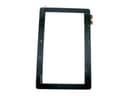
This Digitizer Touch Screen Panel Glass Replacement is a precise, OEM-compatible part designed exclusively for the Asus Transformer Book T100. It features pre-installed adhesive for easy installation and restores full touchscreen functionality without including the LCD display. Ideal for professional repairs, it revives cracked or unresponsive screens, delivering a cost-effective solution to extend your device’s lifespan.
| Best Sellers Rank | #151,710 in Cell Phones & Accessories ( See Top 100 in Cell Phones & Accessories ) #5,408 in Cell Phone Replacement Parts |
| Customer Reviews | 4.0 out of 5 stars 127 Reviews |
J**M
I replaced my Asus Transformer T100 screen and it works perfect.
Worked perfectly. I'm writing this review from my new screen! I accidentally pushed the tablet too far apart from the keyboard and my screen shattered from the bottom to the top all over. I've never tried a screen replacement but decided I had nothing to lose and a youtube video as a manual. I started by putting strips of packaging tape to cover the broken screen. Cover it all. This will help keep glass from flying and to help get leverage to remove the entire screen at once. Remove the back cover. Start with a razor blade to separate and then use a pic or credit card to work in and remove the back. Unplug the battery on the circuit board. Unplug the screen on the circuit boards. A heat gun (and protective eye-ware) is an absolute necessity here. You need to heat the tablet on the glass at a corner to begin the screen removal. The idea is to heat the glass to loosen the adhesive under it and to soften the plastic computer border. Don't get it too hot because the plastic computer border will become deformed. Use a razor blade to gently get under the glass screen by sticking it down between the glass and plastic computer border and gently bending the plastic computer border down and away slightly. This only works if warmed. There will be clear separation if done correctly. You do not want to pry the glass up as it will crack and send small glass shards at your face. Keep using the heat gun and razor blade to create a large enough separation for the credit card to fit under. Once you get the credit card under the glass, heat as you go around and separate the glass from the computer. I did jam the credit card too far under the screen so it picked up the adhesive tape and got some on the computer receptor part behind the screen. I cleaned it with a microfiber towel and glass cleaner. I also made sure the receptor was completely clean form dust and gunk. Remove the 4 plastic strips on the back of the new screen to expose the new adhesive tape. I did not clean the old adhesive tape off but I did cut off parts with the razor blade that bunched up so there would not be any bumps. Remove the plastic covering on the back of the new screen. Fit the screen attachments thru the computer at the bottom and make sure they come out the other side. Center the glass starting at the bottom, since the screen attachments go thru there, and press and fold the glass and the computer into place. Gently squeeze the outer parts of the tablet to ensure the adhesive is attached. Plug in the screen connector. Plug in the battery connector. Replace the back cover. Cross fingers. Turn on. Mine works perfectly so far, touchscreen and keyboard. The plastic computer border has a couple nicks in it and isn't perfect but it's really good. Yes, Asus logo but dark instead of gold. No tools provided. Adhesive is pre-installed on back of screen. You will need: Eye protection Packaging tape Razor blade Plastic separator, such as guitar pic or credit card. Heat gun, at worst a hair dryer. Patience.
L**N
Perfect Replacement for Asus T100
This replacement panel for my daughter's Asus tablet is great. Once I got it on the tablet, everything worked like a charm. The screen had been busted for almost a year - I think she had it about 10 months before breaking it - and everything still worked except the screen. At the time, I couldn't find a reasonably-cost replacement so I left it as-is. On a lark, I looked up screens again and I found this one. It arrived on-time, as always, and I waited a few days to get started. I did watch a youtube video ahead of time, and while I don't think one would have to watch it perform this operation, it definitely helped. I took about 90 minutes to do it, because like a previous reviewer, I placed the screws carefully on a cardboard outline, and removing the screen took about 30 minutes. As others have mentioned, a heat gun - or a blow dryer (what I used) - is a must to remove the screen from the bezel. THAT is what took the longest, and it didn't help that the screen had multiple cracks in it. With a cracked screen, it was hard to get enough leverage to pull the screen off the adhesive. Note: The screen does have the Asus logo on the top, but does not have the Windows logo in the bottom center. I highly recommend this replacement screen. It now works like new. For those that have teenagers that break everything: these screens are priced just right!
E**S
and was almost sure it was a bad touch screen or defective
It works. I had problems similar to other people here at first, and was almost sure it was a bad touch screen or defective. It got phantom touches all over the place, swiping didn't work, and the touch resolution was really, really small, there was basically no interpolation between sensors. I noticed that there was a tiny curled up hair on the inside side of the touch glass. I took it apart again, made sure the inside of the touch screen glass was completely clean (as well as the LCD), put it back together, and it worked fine. Maybe it's because I made sure the inside of the touch surface was clean, maybe it's because the touch ribbon cable is more securely inserted into its connector. I've noticed that -all- the connectors need to be extremely firmly and deeply pressed in, as far as they can go, and it's a bit finicky -- so maybe plugging in the connectors again helped. So for anyone experiencing problems, I'd suggest you take it apart again, make sure the inside surface is clean, and then put it back together again, making sure the connectors are all absolutely snug. Another thing -- the little white parts at the very top of the connectors need to be laid down fully, they shouldn't be lifted. I didn't realize this at first and it was causing me problems with the display. My one criticism of this product is that it comes with absolutely no adhesive, which is probably necessary. The touch screen is held to the bezel of the T100 using an adhesive. I would suggest a double sided tape specifically made for LCD screen repair. I used this, and it works great: http://www.amazon.com/gp/product/B00BXYWXY8/ref=oh_aui_detailpage_o00_s00?ie=UTF8&psc=1 Hope this helps anyone.
C**L
Perfect, easy repair and fast delivery.
I was walking home in the snow on Friday evening, tripped and landed on my hoop. Unluckily my T100 broke my fall. When I opened it that night the screen was shattered into tiny pieces, none bigger than two inches. It displayed an image though, so I bought this digitizer and it arrived on Sunday morning, not 36 hours after placing the order. The repair was simple. Tools required: hair-dryer, butter knife, tweezers and small Phillips screwdriver. Use the (blunt) knife to remove the back cover. The display and digitizer aren't laminated, so just a few screws required to separate. The digitizer is weakly glued to the front panel, but peels away with heat from a hair-dryer. The tweezers might be needed to disconnect the display and digitizer cables, but you might be able just to use your fingers. Swap the digitizers and reassemble. The old glue does fine keeping the digitizer in place. I wanted to write this review in case anyone is wondering whether it's worth the hassle -- it certainly is. The whole repair took about 25 mins, the longest part being slowly peeling off the old digitizer, for fear of breaking anything. The service was excellent, fast delivery and very well packaged. Asus also did a fantastic job of making such an easy to assemble computer -- no fuss, I'm really impressed. When I put it back together, it feels at least as solid as before.
M**S
Don't buy, it won't work right.
This cheap knockoff is not an original ASUS part and does not work. It seems to work just fine after the initial install, but within a week or 2, the touch screen stops working or you get phantom touch presses and the screen jumps around out of control. Returned one and got a second hoping it was just a defect. Second one did the same exact thing. Worked fine for a week or 2, then just stops working. Comparing this digitizer to the original ASUS one that had cracked, I can actually see the digitizer lines in this knock off replacement, whereas the original glass you could not. This also comes with no foam insulator around the glass, while the original removed digitizer had foam. I even tried adding some insulator foam to the second replacement, hoping that the glass just needed to be raised a tiny bit away from the LCD, but it didn't help it. This item is crap. Do not buy it to fix your tablet.
A**2
t100ta b1 gr screen replaced!
I am beyond thrilled. I used a YouTube video to see how to do it and had it running in the background while I was taking it apart and putting it back together. Touch works perfectly, and while it was a bit time consuming to replace, I wouldn't consider it a super difficult thing to do. The only reason that I docked any stars is because the screen I was sent is CLEARLY used. It has scratches all over the front of it. While it's annoying, at least it can function with scratches, unlike the shattered bits I had before. Also, to anyone reading this before purchasing, everywhere tells you that you don't need the tape, but I would buy it if I had to do this again, or it leaves your LCD parts sitting straight on the glass, which could prove hazardous if your screen breaks after being replaced. I'm happy, but would have been happier with a new screen since that's what I paid for. UPDATE: I've seen several people leaving comments that it's not working, so I would like to further point out for those that can't make this jump themselves, that the plastic covering on both sides of the glass screen you receive need to be removed BEFORE you place the new screen on your existing unit. This would greatly improve your chances of it working like it's intended to. If this is at all helpful in your choosing to purchase this item, please vote "helpful" with those buttons. If not, I welcome clarifications in the comment box below. Thanks for reading.
O**R
Not bad, but difficult to install.
There are many negative ratings about this product but it wasn't that bad. It didn't break on installation and there is no red circle or whatever on the screen (yet, at least). The only thing bad about it is that it doesn't come with adhesive so you have to buy it separately or do what I did - I saved the old one and place it back on. The installation is hard but you just have to make it happen. No heat gun? Use a hair dryer. No suction cup? Use tape but not a strong one. The only thing bad would be the connection. That part is difficult to bend to adjust it but it is doable. After placing the screen warm it again so the adhesive softens and then press the whole screen with both of you hands without over doing it on any specific spot otherwise it will break. Or just warm it and then place it upside down so the weight of the electronics and battery can compress it evenly then you can use only one hand but make sure the surface is flat. I hope this helps you.
B**L
New screen shattered almost immediately
My daughter broke the screen on her Asus T100, so I decided to try and replace the screen myself. I've replaced screens on laptops, but this was my first tablet-style touchscreen replacement. The install of this screen is beastly, mostly because it's very hard to get the old screen off. The job took about 2 hours, and everything seemed to be working fine, but, then I noticed part of the housing was separated from the screen assembly. I put a little pressure on it to snap it back in and the new screen shattered. (Picture attached.) The flimsy nature of the glass might be endemic to this type of product, but it's impossible to give a good review to something that breaks so easily. Returning it will be impossible, as it's already glued into the frame. I'll have to rip it off and put in another. This time I think I'm going to shop for a whole new frame and not just the glass.
TrustPilot
2 个月前
1 个月前