Some deliveries may take a little longer than usual due to regional shipping conditions.

下载应用程序




🎤 Own the room, control the moment.
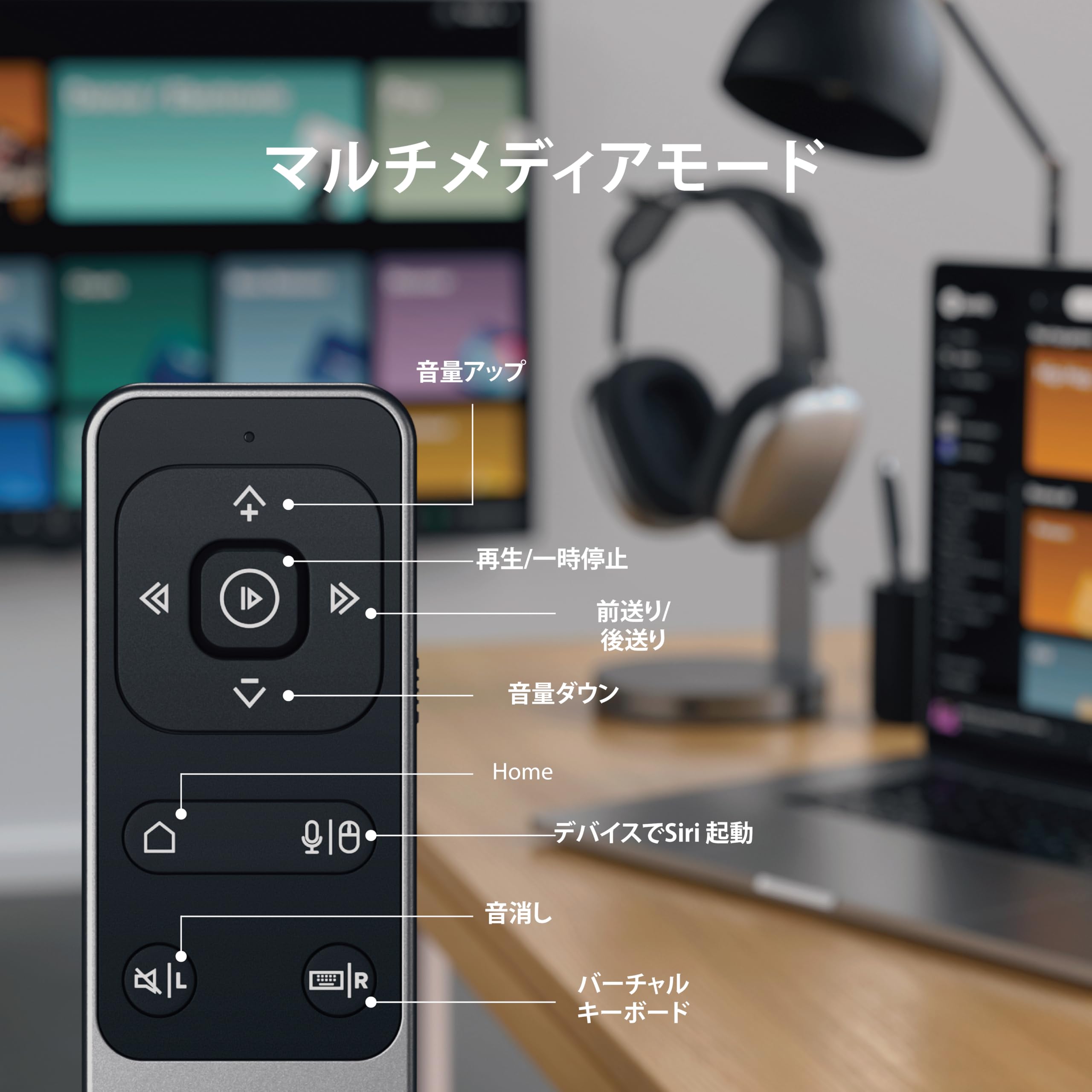
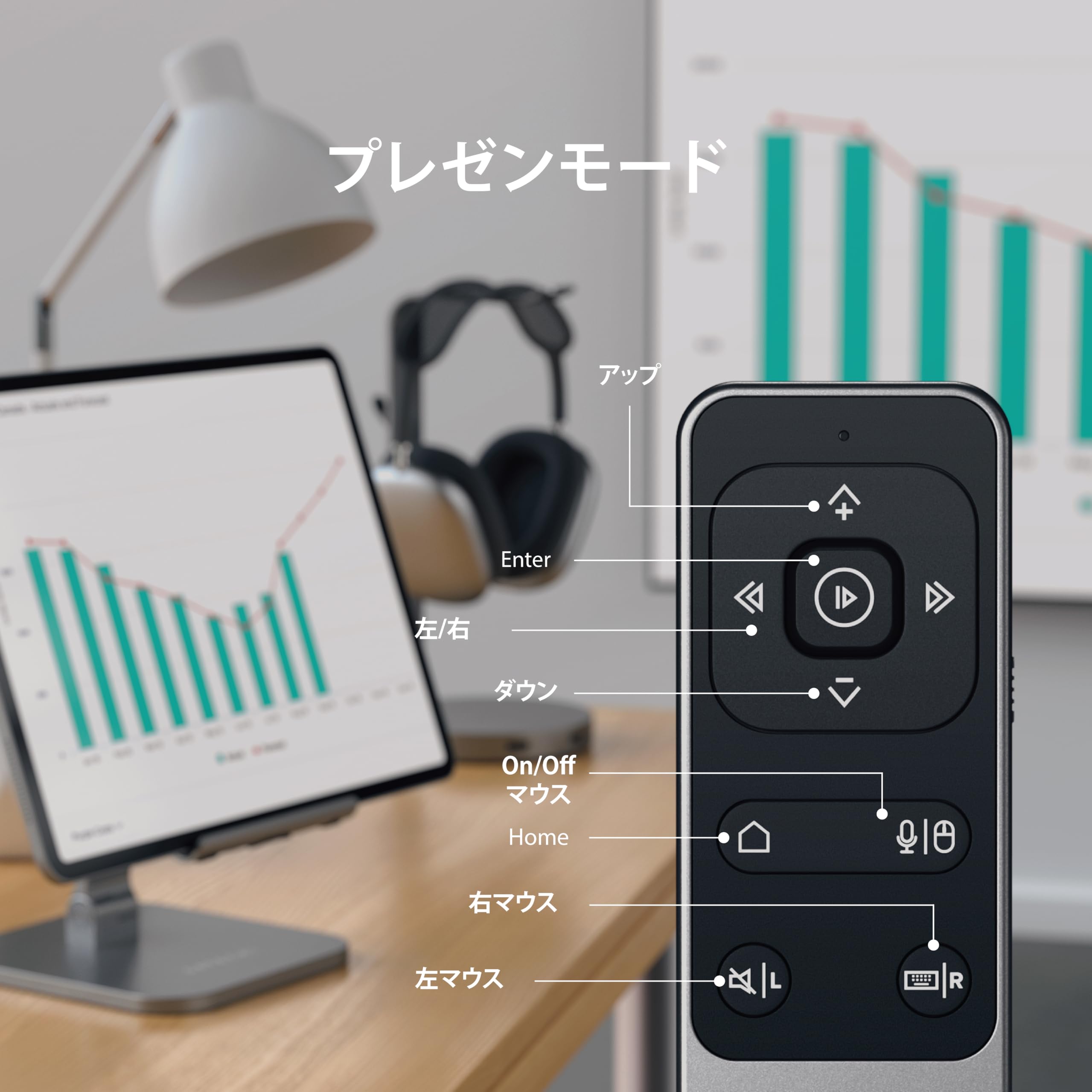
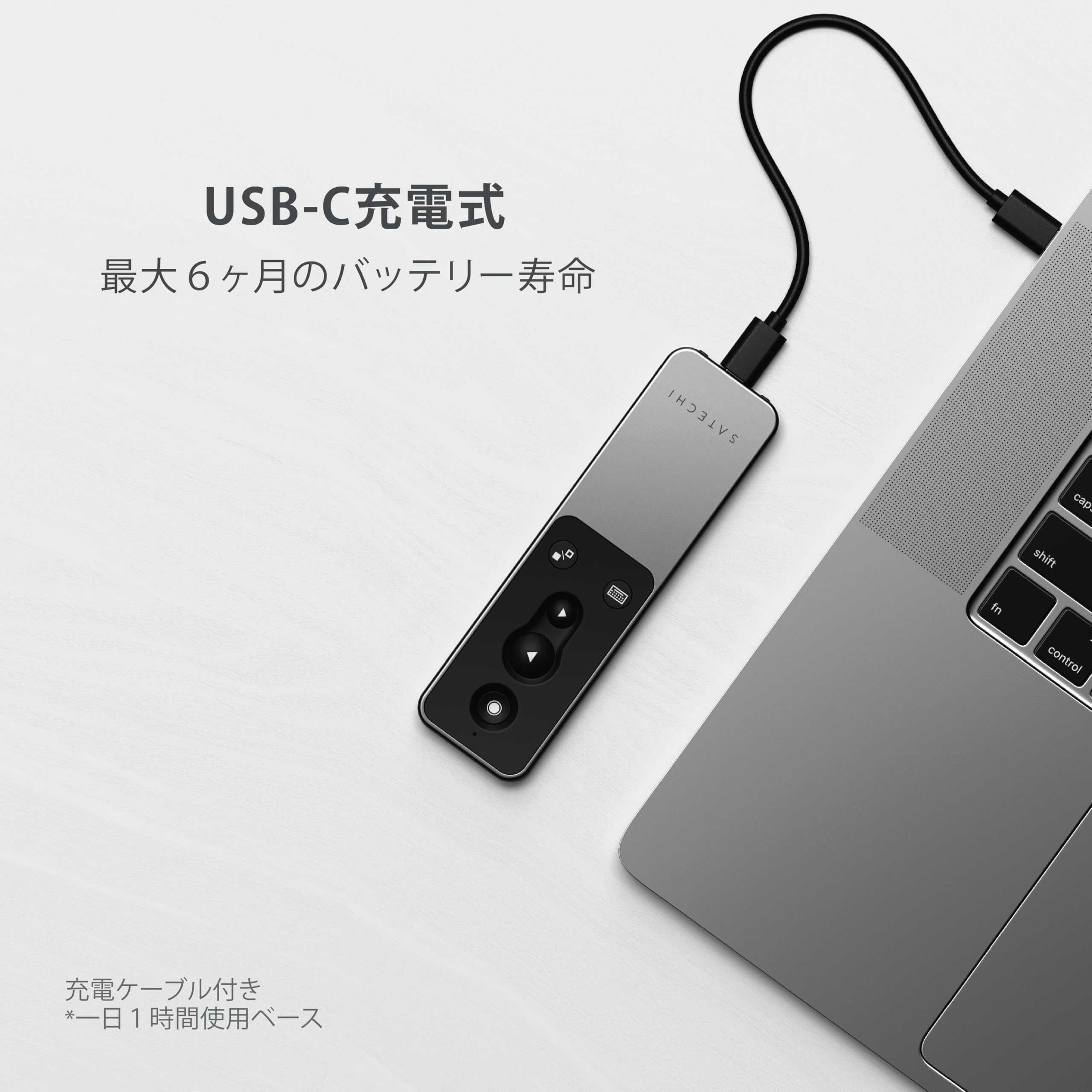
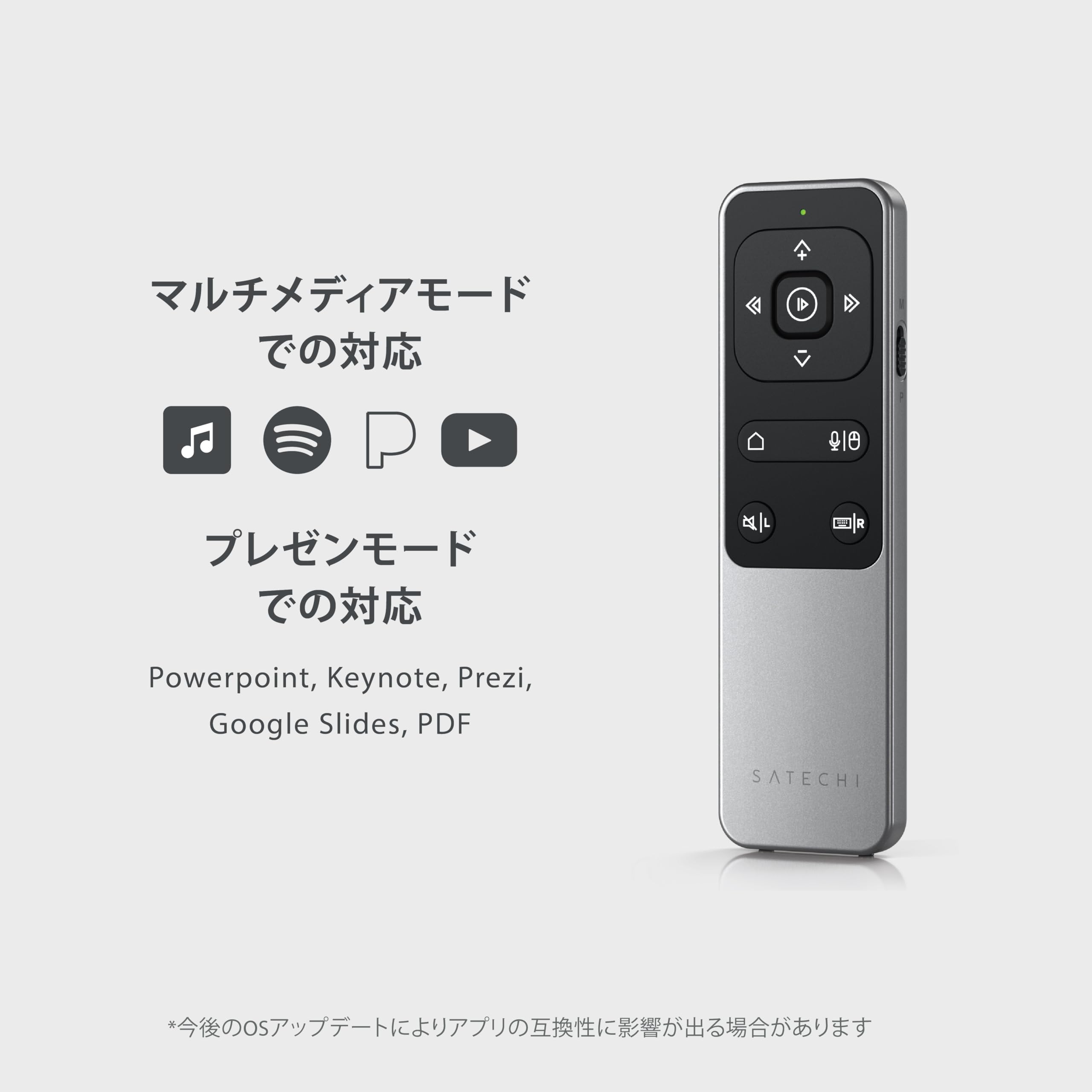
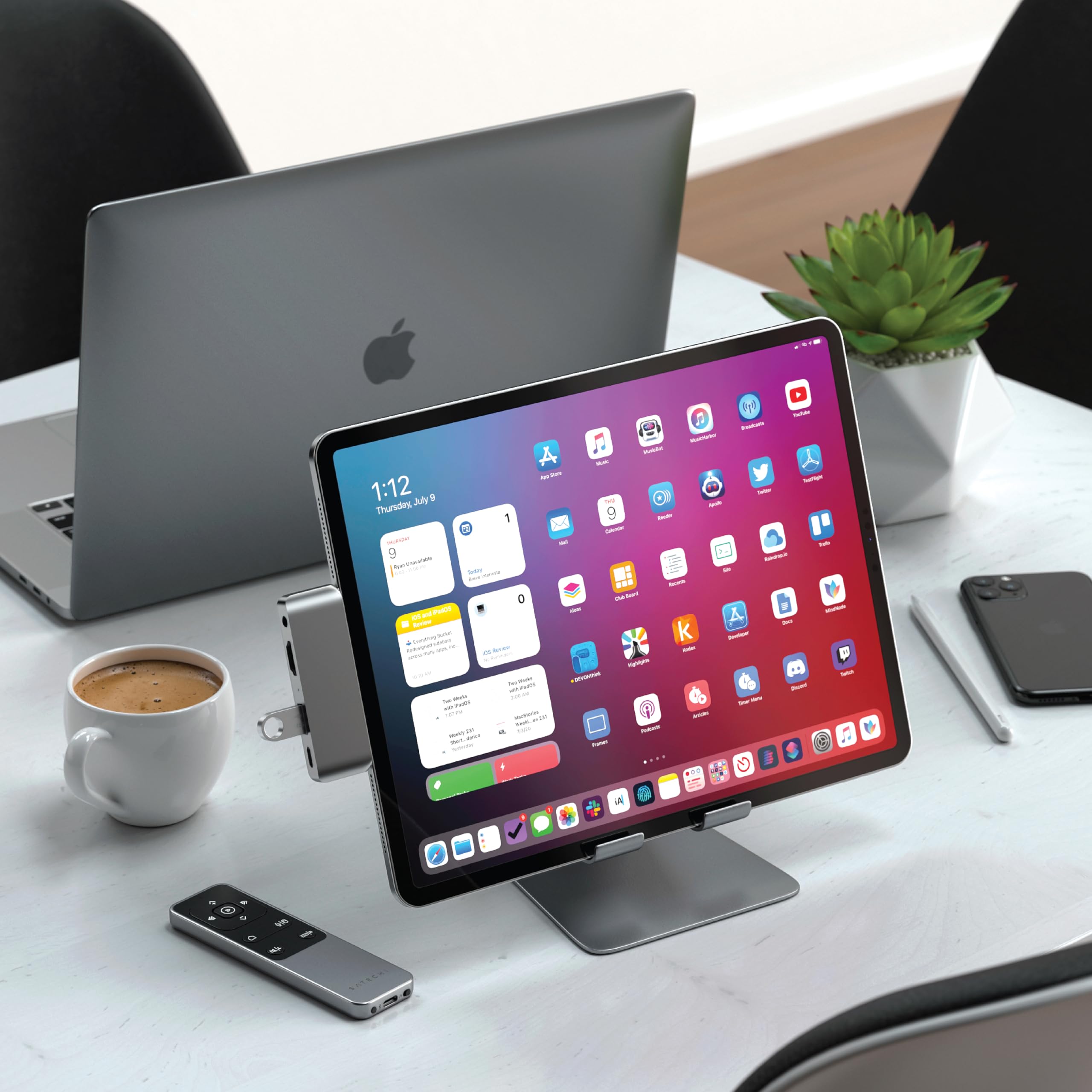
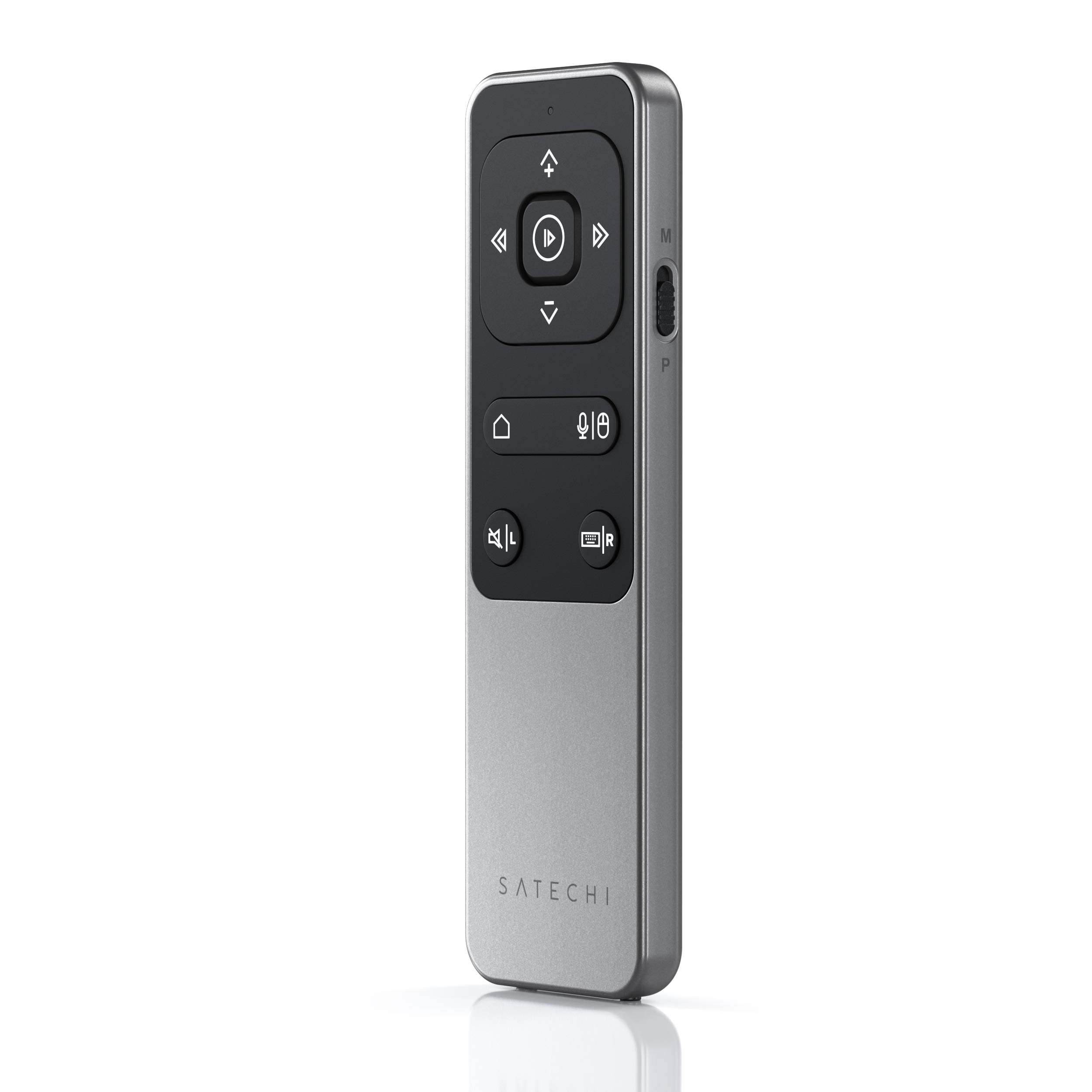
The R2 Bluetooth Multimedia Remote Control by Satechi is a sleek, rechargeable, and wireless device designed for professionals who demand seamless media and presentation control. Compatible with most Apple devices since 2012, it features Bluetooth 5.0 connectivity with a 32-foot range, a built-in laser pointer, and multi-mode functionality for both multimedia and presentations. Its sustainable USB-C charging and premium aluminum finish make it a stylish, eco-conscious addition to any tech setup.


| ASIN | B08VF1VJRB |
| Amazon Bestseller | #25,932 in Electronics ( See Top 100 in Electronics ) #365 in Remote Controls (Electronics) |
| Batteries Included | Yes |
| Batteries Required | No |
| Brand | Satechi |
| Color Name | space grey |
| Compatible Devices | 2012+ Apple devices such as MacBook, iPhone, iPad, iMac, Mac Mini and more(not compatible with Windows, Android, Fire OS) |
| Connectivity Technology | Bluetooth |
| Customer Reviews | 4.0 4.0 out of 5 stars (998) |
| Date First Available | March 1, 2021 |
| Item Model Number | ST-BTMR2M |
| Item Weight | 61.4 Grams |
| Item model number | ST-BTMR2M |
| Manufacturer | Satechi |
| Model Year | 2021 |
| Product Dimensions | 12.52 x 3.61 x 0.89 cm; 61.4 g |
| Special Features | Rechargeable, Wireless |
C**S
他の数百あるデバイスと異なり、このリモコンはクリックした瞬間にデバイス側が反応します。これが最大のメリットだと思います。ただ、再生、一時停止のボタンが直観的に分かりづらいため、突起があればもっとよかったと思います。私は、レジンで突起を自作したので、使い勝手が最高です。今まで数十のリモコンを試用しましたが、これが最高です。
そ**8
iPadで使っています。接続するとiPadでリモコンのバッテリー残量表示が動き続けてます。バグか何かよくわかりません。動画はYouTube、dアニメ、Amazonプライム、Netflix、ディズニープラスは再生停止できました。Abema、DMM TVはできませんでした。Appleミュージックの再生停止はできました。自分の使ってる電子書籍はページ送りはできませんでした。
Y**E
iPadで使用しています。 寝たきり状態で、腕を上げることが出来なくなっていた時、「Kindle」や「ComicGlass」でページの送り戻りが、左右ボタンで操作可能で助かりました。 充電しても、接続が切れません。 ※エレコムやサンワサプライのBluetoothリモコンは充電や電池交換する度に接続が切れてしまい、設定→Bluetooth→自分のデバイス からコントローラをタップしないと再接続出来ない。
A**ー
iPadの動画で使ってます。早送りと音量調整はできますが、その他の機能は使えませんでした。充電は長持ちします。
に**き
ベッドで漫画見るのに最高です。 寝ながら上向いてぽちぽち押すだけでページ進むので捗ります。 人ダメ商品です。
ぽ**よ
ポインタが使いにくい 他の機能は良い 少し高い
Y**1
iPhoneで使用すると本機のバッテリー残量がiPhone側に表示されるのですが常に100から80%を行き来します。 iPhoneのバッテリー消費も異常に早く、とても使い物になりません。 iPhoneでの使用はやめておいた方が無難と思います。
A**R
iPad Air バッチリ使えます とても使いやすい
B**R
Teil 1.Das Produkt ist sehr wertig verarbeitet. Alu Gehäuse ähnlich IPhon. Tastatur und Schieberegler gut zu bedienen. Funktionen die ich bis jetzt benutzt habe. App Ansteuerung aus dem Hauptmenü eines Ipad 10, Steuerung von Youtube , Steuerung von Kindl Seitenwechsel (hatte ich gar nicht erwartet). Laut und leise, hell und dunkel vom Ipad. Menü lt. Bedienanleitung M für Media ,P für Präsentation. Die Kopplung des Gerätes erfolgt via Bluetooth und funktioniert problemlos. Nebeneffekt...Ansteuerung auch eines älteren Ipad möglich. Wenn sie nicht aus einem techn. Schaden kaputt geht....ein wirklich zu empfehlendes Gerät. Bernd Teil 2 Also ich habe das Gerät seit ca. 4 Wochen und habe inzwischen noch weitere nützliche Eigenschaften gefunden. Ich bin jetzt der Meinung das die Fernbedienung in der Lage ist das Ipad, nach dem man es eingeschaltet hat, weitest gehend zu steuern. Ich finde immer neue Funktionen. Also ausser dem schon geschilderten Funktionen können die abgespeicherten Apps angesteuert werden. Nach Beenden eines Programmes kann mit der Häschen Taste bequem wieder auf den Home Bildschirm zurück geschaltet werden. Es lohnt sich also unbedingt AUSPROBIEREN !! Bernd Das ist jetzt Teil 3 dieser Bewertung .... es hatte sich ein kleines Problem bei der Fernbedienung eingestellt ...der Powerschalter (an/aus) hatte sich ins Gehäuse zurückgezogen. Ein einwandfreies Ausschalten der FB war schwierig. Ich habe mich mit dem Kundendienst direkt beim Hersteller über das Problem besprochen. In kürzester Zeit wurde mir mit einem Ersatzgerät geholfen. Das sind für den Kundendiest extra 10 Punkte. Bernd Büttner
T**S
As said in title, perfect for its purpose. I was skeptical at first and only bought it along with other things and thought if it didn't work I'll return it. It worked straight away - No install software etc. Simply connect bluetooth. Do know it has two function switch: media (I don't really use but can be useful) and Presentation (effectively replace the need for mouth and arrow keys). Works with powerpoint, and most important for me, Anki note for study purpose. Great product!
M**E
Il telecomando multimediale Bluetooth Satechi R2 è un accessorio elegante e versatile in alluminio, ideale per controllare contenuti multimediali e presentazioni su dispositivi Apple e altri dispositivi dotati di Bluetooth. Offre due modalità operative distinte e si ricarica tramite USB-C. Caratteristiche Principali: Il Satechi R2 è progettato per offrire un controllo intuitivo e senza fili da una distanza massima di circa 10 metri (32 piedi), rendendolo un compagno ideale sia per l'uso domestico che professionale. Due Modalità Operative: Modalità Multimediale (M): Ideale per la riproduzione di musica e video. Include controlli per volume (su/giù), riproduzione (avanti/indietro), riproduzione/pausa, mute e accesso a Siri/tastiera virtuale. Supporta app come Apple Music, Spotify, Pandora e YouTube. Modalità Presentazione (P): Ottimizzata per le presentazioni. Le frecce direzionali consentono la navigazione tra le diapositive, mentre i pulsanti sinistro/destro fungono da clic del mouse. Include un puntatore laser su schermo (attivabile nelle impostazioni di PowerPoint e Keynote) e il supporto per applicazioni come PowerPoint, Keynote, Google Slides, Prezi e PDF. Design Elegante e Ricaricabile: Realizzato con una finitura in alluminio color grigio siderale, ha un design sottile e portatile. È dotato di una batteria ricaricabile integrata con porta USB-C e offre una lunga autonomia, fino a sei mesi con un'ora di utilizzo quotidiano. Connettività Bluetooth 5.0: Utilizza la tecnologia Bluetooth 5.0 per un'associazione facile e una connessione stabile. Compatibilità: Il telecomando è principalmente orientato verso l'ecosistema Apple, ma funziona con la maggior parte dei dispositivi Bluetooth più recenti.
B**C
Cette télécommande est idéale pour piloter des applications de presentation pour Mac ou pour controler un Mac qui joue une video, soit sur son propre écran (ce qui est un peu inutile), soit sur un écran Airplay; soit sur un projecteur connecté en HDMI. Dans mon cas je partage l'écran de le MacBook Pro de mon bureau qui affiche une video (ou une présentation) via Airplay sur un projecteur dans mon salon et depuis mon canapé je peux contrôler le volume, faire pause/play, etc. La finition et la qualité de cette télécommande en aluminium est au niveau de celle d'Apple. Super produit!
�**A
⭐⭐⭐⭐⭐ 5 out of 5 stars Works flawlessly with Teleprompter Pro — smooth, reliable, and easy to use I bought the Satechi R2 Teleprompter Remote to use with the Teleprompter Pro app, and it has been a complete game-changer for my video setup. Pairing it was simple and took less than a minute — it connects seamlessly via Bluetooth without any confusing steps. Once connected, the remote instantly synced with the app and started controlling the scroll functions perfectly. The design feels sleek and high-quality, which is exactly what I’ve come to expect from Satechi. The buttons have a satisfying tactile feel — firm enough that you won’t press them accidentally, but responsive enough to react immediately when you do. The layout is intuitive, so even if you’ve never used a teleprompter remote before, it’s incredibly easy to get the hang of. Functionally, it performs exactly as I hoped: scrolling text up and down smoothly, pausing or speeding up with no lag or skipped lines. The Bluetooth connection stays stable, and I’ve never experienced any random disconnects mid-recording. The range is excellent too — I’ve tested it from several feet away and it still works flawlessly, which is perfect when I’m filming solo commentary videos. Battery life is impressive; I’ve been using it regularly for weeks, and it’s still going strong on the original charge. The USB-C charging port is another nice touch — no need to deal with outdated cables. It also feels lightweight but sturdy, and the compact size makes it easy to keep in a camera bag or even a pocket. What I really appreciate most is how seamlessly it integrates with the Teleprompter Pro app. The speed control, start/stop, and directional buttons all respond instantly, which keeps recordings smooth and professional. It eliminates the awkwardness of having to reach over to tap the screen or adjust the scroll speed mid-script — I can control everything discretely while maintaining eye contact with the camera. If you’re creating YouTube videos, doing public speaking recordings, or filming educational or commentary-style content, this remote makes the entire teleprompter process feel effortless. It’s especially useful for solo creators who don’t have someone off-camera managing the script. Overall, this is one of those accessories that quietly makes your workflow dramatically easier. It’s reliable, responsive, and thoughtfully designed — exactly what you want for content creation. I highly recommend it if you use Teleprompter Pro or any other compatible app. It just works.