We remain fully operational. Our teams are working around the clock to ensure your deliveries continue safely.

下载应用程序


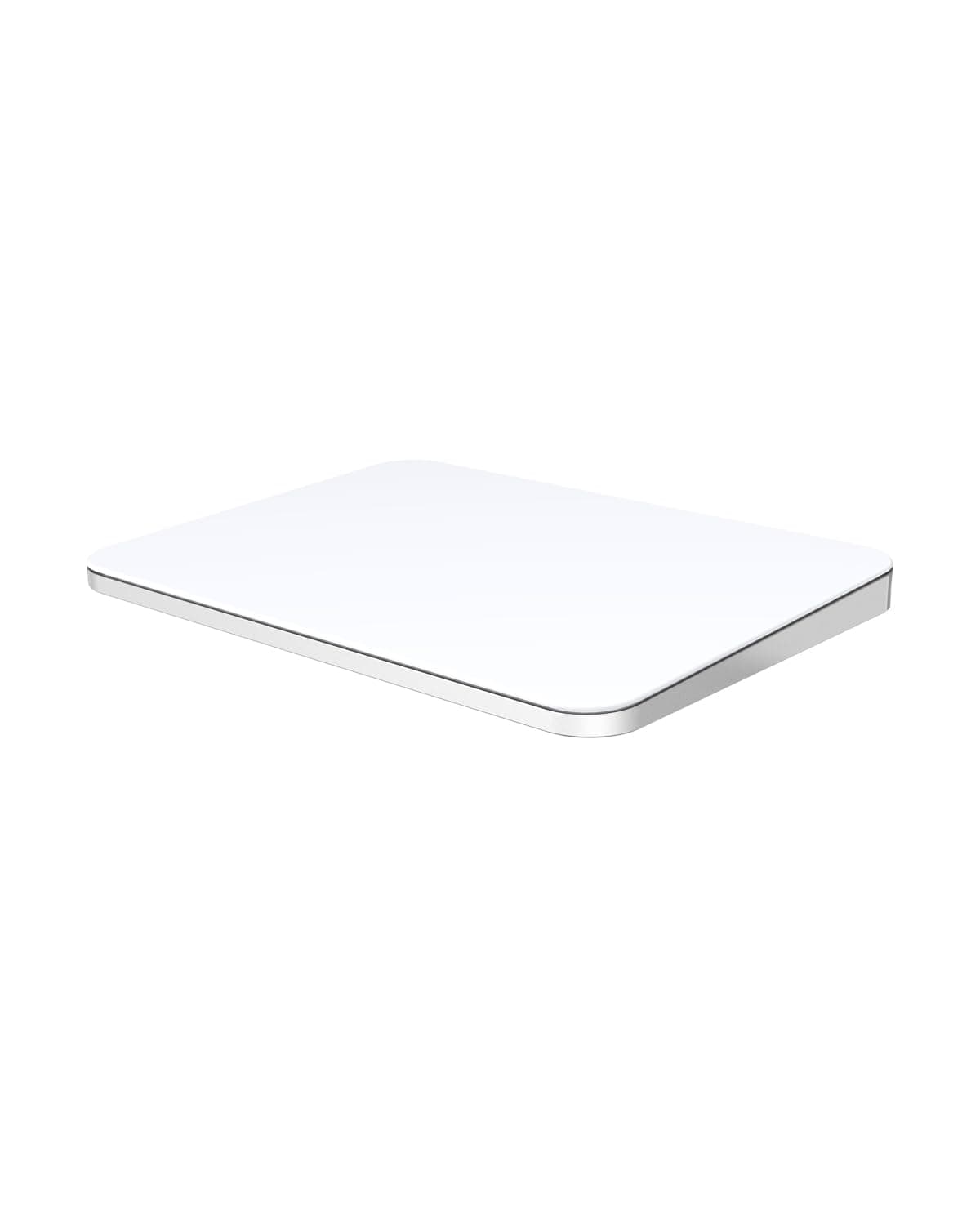
✨ Elevate your workflow with precision & style 🖱️
The POLARMETA Magic Trackpad X1 is a premium, ultra-slim wireless touchpad featuring a 7.5-inch frosted glass surface for high-precision multi-touch gestures. Compatible with both macOS and Windows 10/11, it connects via a stable 2.4G USB receiver or USB-C wired mode, eliminating Bluetooth interruptions. Designed with ergonomic comfort and a sleek aluminum body, it offers whisper-quiet taps and a rechargeable 900mAh battery lasting up to a week per charge—ideal for professionals, creatives, and remote workers seeking a stylish, reliable alternative to traditional mice.


| ASIN | B0DSPZZ7DR |
| Additional Features | Smooth, Sensitive, Responsive |
| Antenna Location | Office productivity, Remote work, Design and Edit, Creative Work and more |
| Best Sellers Rank | #11 in Computer Touch Pads |
| Brand | POLARMETA |
| Built-In Media | Trackpad, USB Dongle, USB-C Cable, User Manual |
| Color | White |
| Compatible Devices | Apple Mac, iMac, Windows 10/11 Computer, PC, Laptop |
| Connectivity Technology | USB-C |
| Customer Reviews | 3.3 3.3 out of 5 stars (88) |
| Enclosure Material | Aluminum Body, Glass Surface |
| Hand Orientation | Multi-Gesture |
| Item Dimensions L x W x H | 6.3"L x 4.53"W x 0.5"H |
| Item Weight | 12 ounces |
| Keyboard Description | Multi Functional |
| Keyboard Layout | QWERTY |
| Manufacturer | Shenzhen Huian Innovation Technology Co.,LTD |
| Mechanical Keyboard Switch Model | Magic Trackpad X1 |
| Model Name | Magic Trackpad X1 |
| Model Number | Magic Trackpad X1 |
| Number of Batteries Required | 1 |
| Power Source | Battery Powered |
| Processor Count | 1 |
| Style Name | Ultra-Slim, Portable |
| Switch Type | Tactile |
| Theme | Magic Trackpad for Apple Mac and Windows |
| Total USB 2.0 Ports | 1 |
| Unit Count | 1.0 Count |
| Warranty Description | 1year |
| Water Resistance Level | Water Repellent |
A**L
Smooth and Responsive
I recently started using the POLARMETA Trackpad with the 2.4G USB receiver, and so far it has been a pretty good experience. The touch surface feels smooth and responsive, and the gestures like scrolling, swiping, and zooming work well on both my Mac and Windows laptop. The aluminum design also looks clean and premium on my desk. At first it took a little time to get used to it since I’ve always relied on a traditional mouse. But after a few days of use, I’m slowly getting comfortable with the gestures and the larger touch area. It’s also nice that it’s quiet and doesn’t make the typical clicking noise of a mouse. Overall, it’s a solid trackpad for everyday work and browsing. I’m still adjusting to it, but I’m planning to remove the mouse from my table soon and replace it with this trackpad permanently. It’s a nice change once you start getting used to it.
A**R
Woks better with a PC
Returned it because the left click did not work. You could click it in the middle and it worked, but I wanted that the left click to work.
Z**N
Not great when you click
Click is very irritating to use over the Mac trackpad, you click and it doesn’t always active the click, I tried 2 different ones both had the same issue, sad because I wanted a USB to use on my kvm switch I guess I’m going back to using two trackpads
A**N
Fantastic Trackpad for its Price
I use a laptop stand on my desk at home because of how low my desk is. As a result, I would need to extend my arm on my laptop in order to use any mouse functionality. It was possible, but uncomfortable for me to constantly switch from my (external/wireless) keyboard to the trackpad on my laptop. I saw this option as a cheaper solution in comparison to other options on the market. Honestly, I really do enjoy this trackpad, as it works as intended and it saved me a couple of dollars. At times, it definitely shows it price, but it was infinitely more comfortable than my previous desk situation. This trackpad works well to bring a trackpad experience on a wireless platform while acting as a cost effective solution. I only have concerns with the quality of the mouse with its sensors and its mechanical switch. Coming out of the box, it comes with the trackpad itself, a USB dongle to connect to a laptop (it also came with a USB-C adapter), a sleeve for transportation (which is not necessary for me but might be very helpful for those planning on traveling with the product), and a charging cable. I plugged the USB into my hub and it connected automatically and functioned great. There is no noticeable delay and it does as it is intended. It is around the same size as a Macbook trackpad (maybe slightly larger), so the experience is the same. There is a switch on the back of the unit to switch from MacOS and Windows functionality as separate options, which can be convenient if you wanted to use this with multiple devices. I am yet to try this with a Windows device, but generally speaking it shouldn’t behave much differently. The battery lasts me basically forever and I rarely have to charge my unit. When I do, I can very easily connect a USB-C cable into the back of the unit and charge while I use it. It honestly can work as a wired unit, but you might as well use the wireless features since they are included. It functions great as a trackpad, as it not only can do the basic finger tracking, but it can also recognize other gestures such as the use of multiple fingers to scroll, navigate between tabs, and alternative click options. It doesn’t feel like you lose a large amount of functionality due to its price point, and honestly if you needed something for the office or at home, this thing would be able to take over your trackpad on your laptop. In comparison to the $120 magic trackpad that Apple sells, this unit costs half as much at $60, which was perfect for me since I was not willing to pay the money for the expensive options, but I still wanted a true wireless experience. Be aware, that there are wired options on Amazon that will work just as well (maybe some improvements in comparison to this product), but I was not able to find an option that was 2.4G wireless compatible and at a better price. I think for what it is able to provide for me, it is worth the cost. The feel of the trackpad is honestly very solid for its price point. I was not expecting much, and would have been satisfied with a solid plastic body. Instead, the outer perimeter and the bottom are made with metal, and the pad itself has a fairly comfortable glossy material that looks similar to glass. It isn’t the most high quality materials, but again for its price point it’s really solid and is super nice to have. I have a lot of positives to this trackpad, but it also has areas of improvement that I could feel would make it operate better. The most pressing issue I have with this trackpad is the clicking mechanism they use. There is no right/left click, as I believe it is only one button that clicks down. There is an option (in MacOS, but Windows should also have a setting option) to change your setting from right/left click to one/two-finger click, so that you don’t lose that functionality. While I can live with that change, I have a bigger concern for the click itself. A normal mouse click and trackpad click feels light and has a low travel space (from the top of the click, to when you press all the way down). But this trackpad has a click that makes you feel like you’re pressing into the Earth itself, as it is heavy and has a ton of travel space. Obviously, I wish that the click was slightly better, but I can live with it at the end of the day. My only other concern is issues with the sensor itself. While 99% of the time, it works flawlessly, there will be moments in which it skips across pixels as it tries to track your fingers. It is rare, and usually is not the end of the world, but I wouldn’t be able to say that precision was its finest quality. There have been moments where I misclick as a result of the tracking issues, but again I would say that this happens in situations where a misclick was either likely or possible. These concerns are not the end of the world for me, and for the type of work I do on my laptop, these issues rarely cause me any headache. At $60, you are getting a wireless trackpad with 90% of the same features and quality of premium options, at 50% of the overall cost. This product will work extremely well for most situations, and I really appreciate what they are able to provide for its cost. I really do enjoy this product, and I was close to giving it a perfect score, but unfortunately I also do feel that the click and eventual inaccuracies do cause this product to show its flaws for its price. This trackpad is fantastic and I would really like to see future products share the same cost with the same features, with improved mechanics to provide the full experience. It obviously markets itself as a portable tool for travel, and while I agree that you could definitely use this trackpad outside of your home, I see this being extremely helpful to saving desk capital at an inexpensive cost. I would recommend this product for those who are looking to do something similar, by creating a desktop experience with an external keyboard as well. Additionally, if you did want to travel with this, the sleeve and its compatibility with direct USB-C is a great feature allows users to travel with this product if they wanted to. Overall, I do highly recommend this product if you were searching for a wireless trackpad at a cost-effective price.
J**S
I like it. It's not as perfect as the Apple magic trackpad. But I feel like it's 80% of it.
I like it. It's not as perfect as the Apple magic trackpad. But I feel like it's 80% of it. And if you consider its price, I will give it 5 stars. It would be perfect if it has Bluetooth built-in. The battery can stay (standby) a week as mine secondary mouse. Comfortable and worth the money.
A**A
didn't work with SUrface laptop
connected to bluetooth once and can see in the list of devices, but shows as not connected and has no functionality. Surface Laptop 6, running windows 11.
M**E
Trackpad
This is an excellent trackpad that is compatible with my Mac Mini. It is super responsive and easy to use. I was able to change settings exactly like i would will any mouse or trackpad. It is super sleek, lightweight and looks perfect along side my white monitor, keyboard and desk.
I**T
No es inalámbrico y se dañó a los 15 días 👎