🚀 Elevate your 3D printing game with speed, scale, and precision!
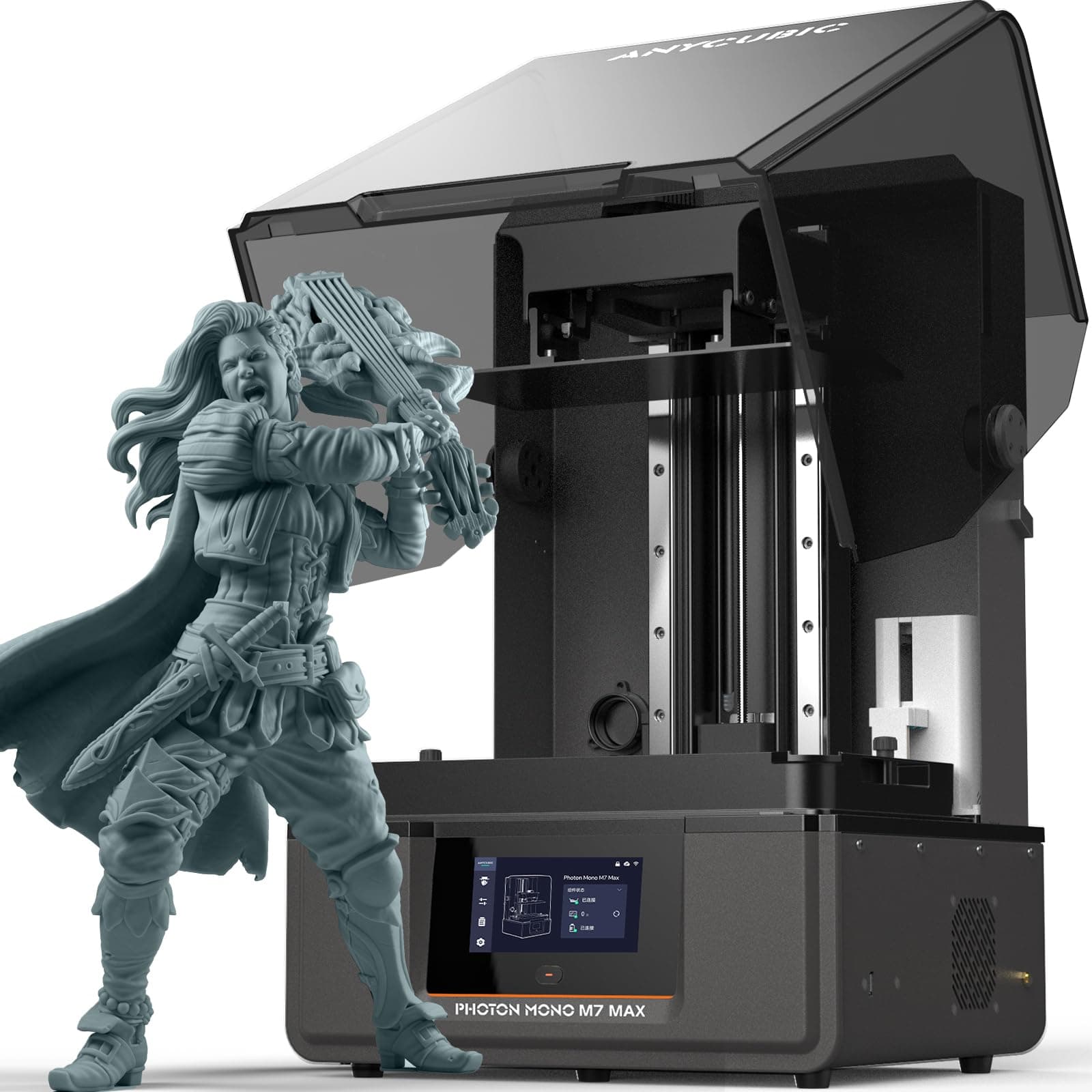
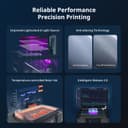
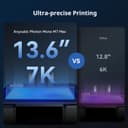
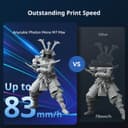
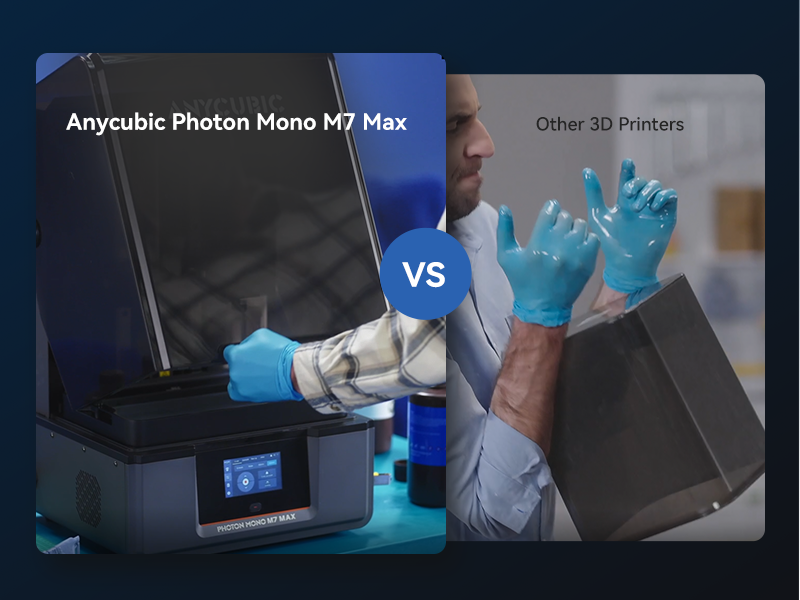
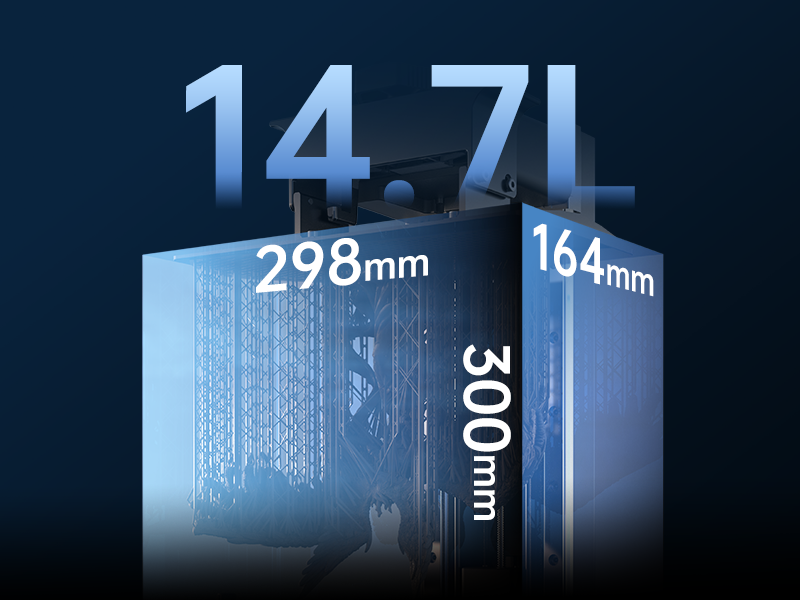
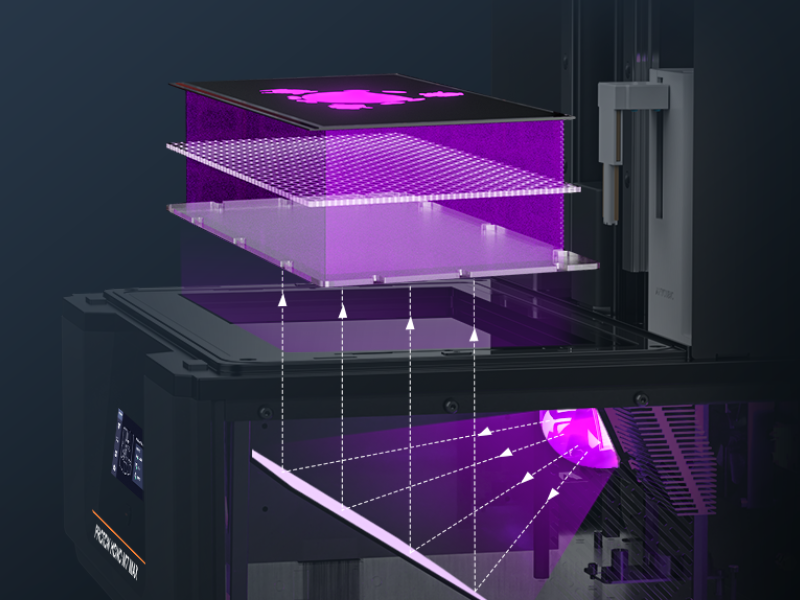
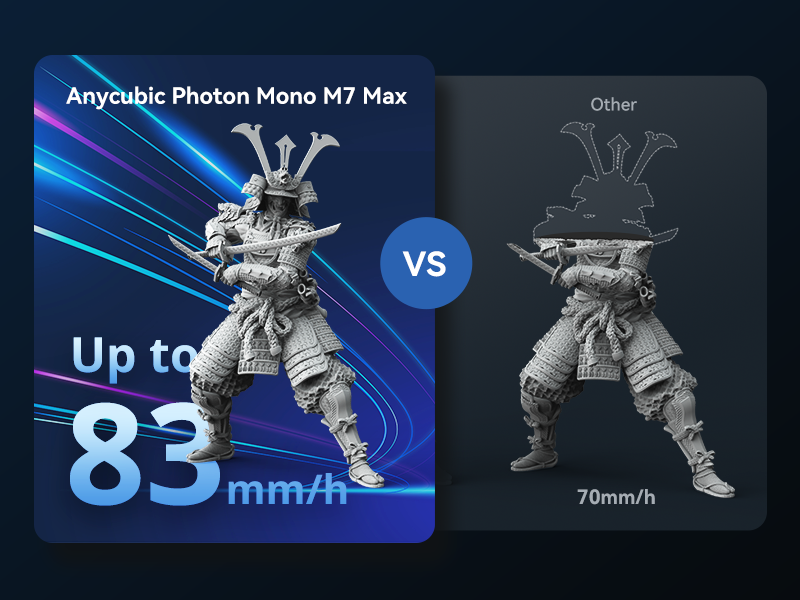
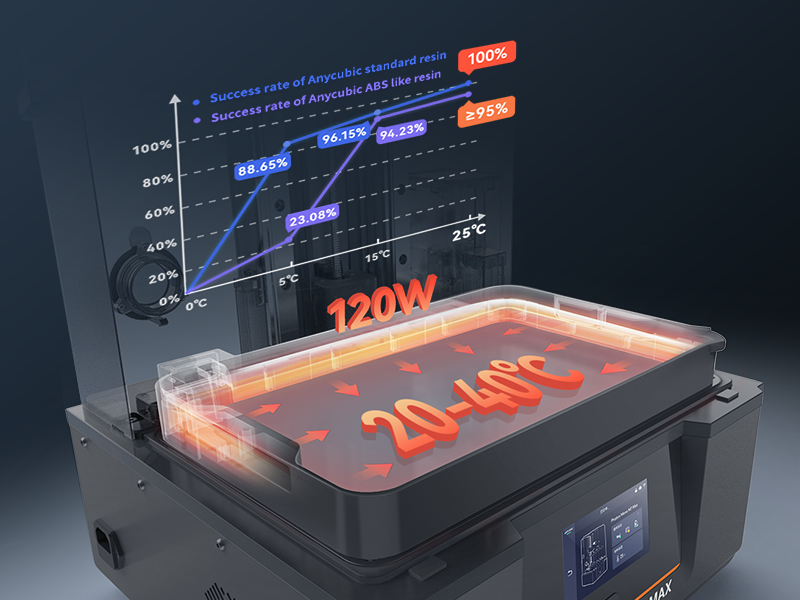
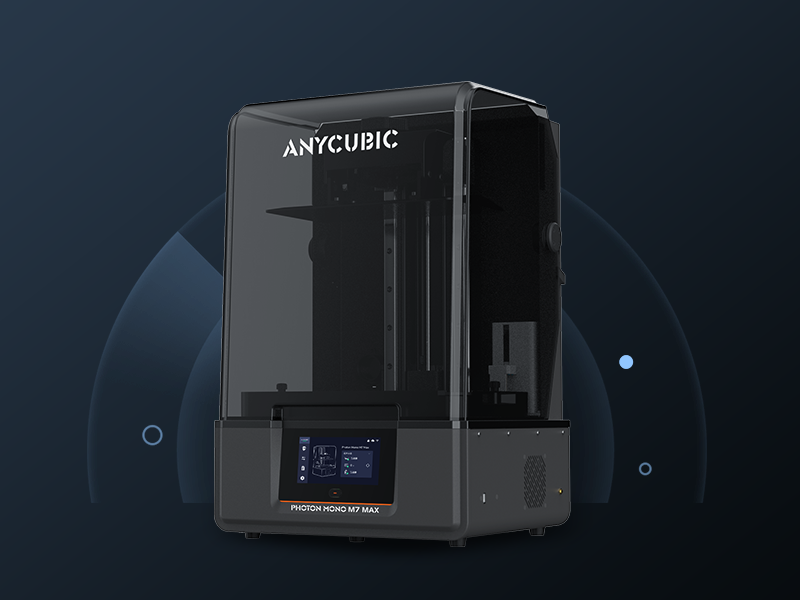
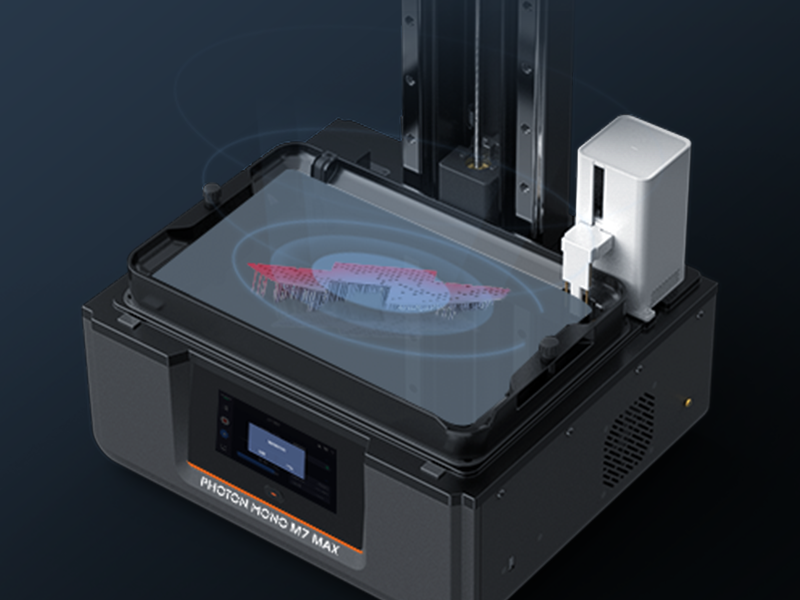
The ANYCUBIC Photon Mono M7 MAX is a professional-grade resin 3D printer featuring a massive 298×164×300mm build volume, ultra-high 7K resolution with COB LighTurbo 3.0 light source, and a blazing 60mm/h print speed. Its dynamic resin temperature control and auto resin management system ensure consistent, high-quality prints with minimal hassle. Designed for ease of use, it includes a flip-open cover and smart platform angles to optimize resin flow and cleanup, making it ideal for engineers, designers, and creators seeking precision and efficiency in large-format resin printing.


| Best Sellers Rank | #20,622 in Industrial & Scientific ( See Top 100 in Industrial & Scientific ) #37 in 3D Printers |
| Brand | ANYCUBIC |
| Color | Black |
| Compatible Devices | Laptop, Personal Computer, Smartphone |
| Customer Reviews | 4.2 out of 5 stars 1,713 Reviews |
| Item Weight | 28500 Grams |
| Material | ABS, Aluminum , Polycarbonate |
| Product Dimensions | 20.47"D x 20"W x 31"H |
Z**.
An excellent way to get into 3D printing
Note: I will not go into a comparison between FDM and Resin 3D printing for this review. Pros: Simple set up Intuitive menu High quality prints Entry level friendly Very high tolerances Consistent Cons: Protection of the LCD screen Mishap clean up Quirks: Touch screen controls are slightly off Background: I am an engineer and I have been designing components to work with 3D printing and 3D printing since 2012. This is my first resin 3D printer after a history with FDM and designing a SLS 3D printer for printing nylon. I originally chose to purchase a 3D printer with the intent to print custom connectors for robotics applications, small components with high tolerances, prototypes, small scale production, and a few figurines. Detailed Review: The setup is very simple with all tools provided and little room for error following simple instructions which when combined with the intuitive menu that gives you a preview of the print makes this an excellent choice for someone getting into 3D printing or switching over to FDM. I was incredibly surprised with the precision of the prints, the amount of details, and the final processed measurements. The quality of the print has actually required me to model more components such as threads, cogs, and gears rather than use someone else’s model due to fitment. (Those models will still work fine for most hobby applications but for precision applications with limited slippage or precise alignment it is better to design to your machine) It is important to note that I find that the cover does an excellent job at keeping the smell of resin out of the room, but it is highly recommended that you keep any open resin in a well ventilated area and use an appropriate mask if you will be around it for a long period of time such as a cull cleaning of the vat. I have been printing non-stop to test if the performance degrades and have found no issues as long as I ensure that the build plate is clean and there isn’t anything stuck to the FEP. An inspection of the device (from an engineering perspective) revealed a potential issue with how the LCD screen protected. The LCD itself appears to be protected by a layer of glass that is recessed from the aluminum plate. While this protects from being scraped by the vat, it could cause some issues cleaning if resin were to end up on the glass or surrounding aluminum. Glancing at other printers in the price range, it appears that all of the competition will have the same potential issue if Resin is spilled. As long as you are careful with the vat and research and test if you decide to replace the FEP, you shouldn’t run into any issues. One quirk I have noticed is that the touch screen controls appear to be slightly out of calibration making it easier to fat thumb things. I don’t know if that quirk is on all units or just mine but it is still easy to use and a stylus with a smaller effective area than your finger is fool proof (I still use my finger). Conclusion: Overall I am incredibly happy with this unit and would recommend that anyone looking into getting into 3D printing especially that of figurines. Potential users: As with all precision devices and machines, you should always research before attempting something new and maintain your machine. So get out there and find forums and youtube videos on how to get the best prints and take care of the printer. For the fellow engineers: Your selection of resin is very important for the durability of your parts. Print in place objects such as bearings are very difficult to cure as they typically have high tolerances in enclosed places where it is difficult for you to get UV light to do a full cure.
M**A
What they said!
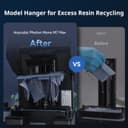
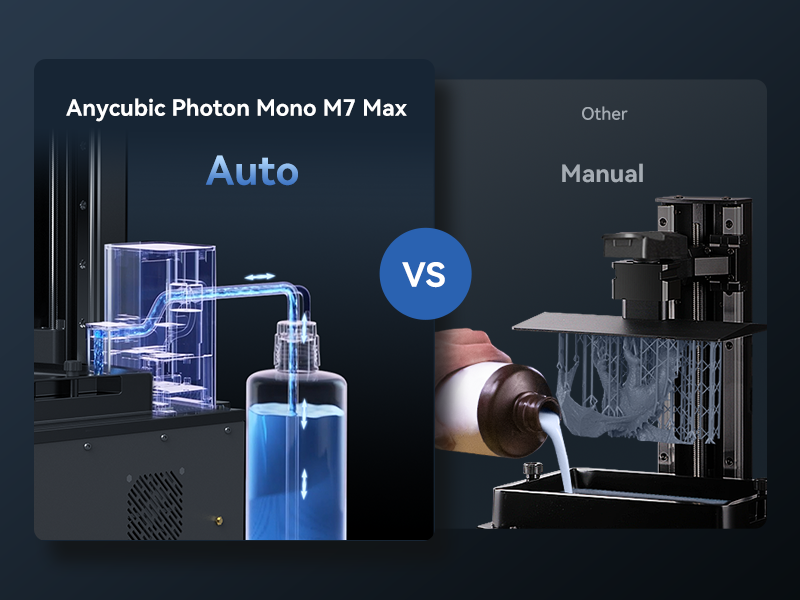
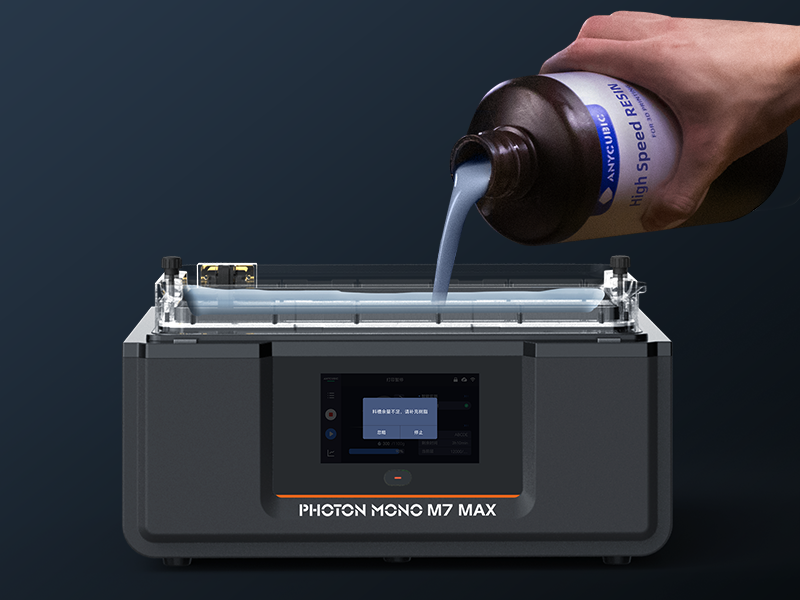
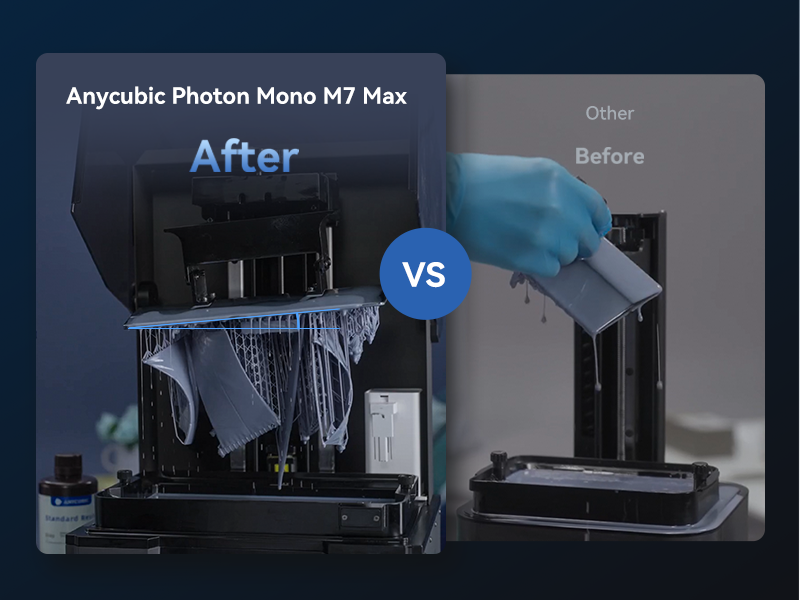
Read the reviews. "Wow" "Excelente" "Muy Bueno". That about sums it up. This is truly an exceptional machine and I'm just fully tapping into its full potential. I've had mine a few months now. It was a rough start. The LCD screen was out in one section on the start up test, though this was likely shipping damage. Anycubic was immediately responsive and within 2 emails I had a new LCD replacement kit in a few days. The swap was very easy and I was off and running. I'll note that I've had an Anycubic Photon M3 max for about 3 years. Possibly the best one ever made. I've used it for small scale production of some finished parts, and it has been bulletproof and paid for itself many times over. Just before buying this one, I upgraded it to ACF film, jacked up the print speeds and it was fully next level and I was smitten. Yet even from that point of view, the M7 has totally blown my mind. It prints ridiculously fast. You can't believe it when you see it. Yet it produces mind blowing accuracy. You can only see layer lines on flat surfaces. Anything with texture blends them out and it looks as good as molded. Your prints actually shine. Compared to even my M3 Max on steroids, it effortlessly outperforms it. With the equally amazing Pro2 resin, 12 hour prints barely take 5 now. And they're just gorgeous. Also the build plate is massive. So you can fit even more prints on a plate than even the M3 max. Altogether this slashes time tremendously. So when prints are done there's a little hangy thing for the build plate, and a button in the software that lets you raise the print bed 50mm in one tap. This lets you hang the plate under the platform frame at a diagonal so excess resin drips away quickly. The plate goes on and off easily and the removal process is the same as any resin printer's. BUT THEN...the star of the show. The resin sucker. It has a resin sucker! You go into the post print 'cleanup' menu and tap 'retrieve'. A little tube and sensor drop down and suck the resin out of the vat into the autofill bottle. Its not crazy fast and you have to help steer the resin towards it with a spatula a bit, but it will eventually suck the resin vat almost completely dry. The cleanup from there is negligible. Its amazing. I dump the resin from my M3 in there too. 95% hands free cleanup. The flip down lid is a great touch too. The cover for my M3 Max is huge and I never have anywhere to put it when I open it. This one flips pretty easy and stays up when you want it to. It also drowns out pretty much all of the motor noise. That said the internal exhaust fans on this printer are definitely loud. Overall its louder than my M3. Not offensive, and not as loud as an FDM printer, but definitely noticeable. As far as software interface goes, I admit to having my own weird preferences about things, but overall the software is pretty solid. I never had any issue intuitively finding the features or settings I wanted, and most everything is explained. Same with the Workshop software. I was pretty used to the M3s Workshop and didn't feel great about the new version at first, but its actually much better once you get into it. Slightly less user friendly (to me), but far more capable. Once you get the hang of it its powerful. I really just have almost no complaints about this printer. Besides that the wash station is kinda junk, but that's a different review. I can't yet speak to its durability, but the durability of my last one paid for this one, so I'm optimistic. For the price, this machine is just so capable and powerful it reminds you you live in epic times! Get this thing and get ready for some BIG fun.
A**D
Great Printer - Do your homework first!
I have been printing for a little while now and had the opportunity to pick up the Anycubic Photon Mono and jumped at it. Anycubic makes some really great resins and I decided to give their printer a shot. I have a Creality LD002R that I started on and will be making some comparisons where I can. For frame of reference - the LD002R is a great machine - but the Photon Mono would be more in direct competition with the LD002H model. Out the gates there are some things I love and some things I am not so fond of. First the good. Good: 1: I love how quiet this thing is. Compared to my Creality, the Photon Mono is next to SILENT. Very quiet. It is quicker than my other printers - compared to the LD002R it prints at about 50% faster speeds. It prints at about 20% faster than my LD002H. From what I have read it comes down to light intensity of the UV cure lamp. Its brighter and that results in faster speeds for more accurate prints. 2: Accurate: This machine gives beautiful quality miniatures (my principal use) with very little issue. One thing I do need to stress here is that this is not a great machine for a stock standard beginner. It does require a little bit of experience and knowledge in how to use your software. I went from using Chitubox with my Creality, to using Blender, Windows 3D, and Lychee slicer. If there are issues with the STL models you download it will create issues with your print. These three programs will help you find them and fix them. You will also need to know how to set up your supports. For how fast this printer prints, you will have loads of print failures if you don't have a firm understanding of how to set your supports. I recommend looking at all online resources here. You will also need to make sure you program the software correctly to interface with your printer AND YOUR RESIN combo. You can get really great speeds out of this machine if you set up your software correctly. I stress this is a SOFTWARE and not a printer issue. The printer is great, but the wrong settings will have you cursing the day you purchased your machine...and I guarantee you will find the issue with your resin or printer settings in your slicer software or because of a artifact issue in the print. Bad: (these are more preference things than any true issues with the machine) 1: The lid needs to be completely set on the machine for it to work. If the lid is off even a small amount it will result in the print not proceeding. While this is a great safety and exposure feature, it is a small annoyance if you have any little bit of something on the lid base causing it to not make a full connection. 2: The FEP: This is actually a big deal for me. In the picture you can see that the FEP is a full solid assembly. You cannot replace the sheet using the tools given. The FEP is pressed into a frame - making it resilient but if you are careless and set it down and get a deformity or hole in the FEP, the replacement is $35 and when I have tons of replacement sheets on hand for my other machines - its just a hassle to have a specialized FEP that you either have to keep on hand or purchase a third-party part to use your existing FEP sheets. I ended up purchasing the Sovol 3D Resin vat that fits nicely and comes with nice silicone covers for when they are not in use. That all being said, the Resin vat is a great design, comes with a pour spout corner that is very useful for straining resin back into your bottle. As to the other things that come in the package, I was not surprised to see the traditional stuff, the Allen wrenches, the resin strainers etc. What I was impressed by were the masks, gloves and super sturdy wooden handled scraper. everything else I have ever received have been plastic handled or small, but this was a solid piece of kit to have. Overall - this is a solid, well built machine that I will use for a long time. I recommend the Sovol Resin vat and either flex build plates or roughing up the original build plate with a bit of steel wool. 4.5/5
K**.
Atm do not recommend- 0 successful -15 failed prints
I wish I never bought it. I have been printing for 5 years with elegoo and always wanted a bigger machine. I hoped this would be the machine for me but after 15 prints and not one successful print, I am lost and 3 days over returning it and frustrated. No matter the settings, acf/feps I swap or replace i get terrible results. I dont understand how this machine has 4.2 stars and so many positive reviews. Problems: 1st: The Zaxis plate is so misaligned/installed incorrectly that ita about to take off the resin vat refiller as you can see if the photos. Its actually scrapping the front of it. 2nd: Build plate is and came warped. The build plate is not machined flat. As you can see the light in the photo 3rd: Acf film breaks easily. After 3 prints I had to replace my feb which ripped a small hole. 4th: The Vat refiller does not work. No matter what settings I try to get it to turnon, it refuses to refill the Vat 5th: Adhesion on the plate is extremely poor. After using 80, 120, and 180 on different prints it still does not stick. 6th: It keeps telling me residue detected on a fresh clean tank, plate, and filtered resin Pros: 1st: The wireless printing is nice 2nd: The slicer for anycubic is really nice Overall if I could return this printer I would. I havent had one successful print on this since i got it. No amount of settings I change or tweak I always get a failed print. In fairness, I have not contacted support, but I fear there is so much wrong with it we are in total replacement category. Im not sure im just at a loss. Im really disappointed this $900 machine does not work and came like this from the manufacturer. I saved up to buy this printer. Ive had twins both with rsv right now and been busy and I missed the return window and just frustrated. I plan to reach out to Anycubic for help and will change my review if they help me, but with Quality control letting units out the door like this is disappointing. At the moment I would not recommend buying this machine what so ever. Edit Feb 8th: Anycubic team has actually reached out to me offering to help through amazon. They seem willing to help with parts or replace unit. They emailed me Feb 5th. Will update after they get back with me!
J**L
Suprisingly great printer
I've been 3D printing for over 5 years and printing with another companies resin printer for the past 18 months. I was spoiled by its ease of use, but it was also expensive to operate so I didn't use it as often as I would have liked. Curiosity finally got the better of me and I picked up this Anycubic Photon Mono just to see what these little LCD printers are really capable of and I can safely say I'm blown away by the print quality. Once you have a process that works, its very easy to use. Just expect a learning curve. When I was waiting for the printer to arrive I submersed myself in all the YouTube videos on the subject that I could find. Turns out this was a good thing AND a bad thing. Based on all this new found "knowledge" and thinking I knew better, I forged my own path for my first print and sadly it was an utter failure. Based on the videos I had watched I started ordering resin trays and FEP film but due to my inexperience, I ordered all the wrong things. Long story short after a comedy of errors and a half dozen failed prints I finally hit upon a winning formula that I've been able to readily duplicate across half a dozen successful prints now. The printer gives you most everything you'll need to start printing right away. Everything except the resin, and depending on the type you get you may also need isopropyl alcohol to clean the print which for some reason is still hard to come by. I bought the Anycubic Craftsman resin and have been super happy with the quality. Some of the things I learned during my first couple weeks-- --When you have a failed print, make sure to clean out the resin tray otherwise the next print will be adversely affected --Some of the resins are extremely bad smelling, some protection is recommended --You will eventually have to replace the FEP film, however the most popular videos on YouTube show a product and process that is out of date. --There is definitely a learning curve you can only get past by experience. All the video watching in the world can't prepare you for every little hiccup, especially when so many videos contradict those of other channels. So like everything there are pros and cons, so from my perspective, here are mine-- PROS --Printer is super easy to use and setup once you know the process --Very inexpensive to operate relative to high end solutions --High quality print results that surpasses expectation --Comparatively fast, prints an entire layer in one go, taking just a couple seconds of exposure CONS --Initial learning curve, you need to understand burn-in layers, exposure times and lift speed and half a dozen other settings, yet none of these options are really clearly explained, nor is it covered how they affect the final result. --It can take a couple hours before you can see if there's anything on the build plate, I wish there was a way to know earlier if a print failed. --There are so many options for resins available, yet there is very little data on what settings you need for a particular printer/resin combo so some educated/guessing will be necessary. All in all, I'm super happy I took the chance on this printer, as I've done so much printing, trying different things now that I would never have considered with my other printer mostly due to speed and cost. I'm sure next I'll be looking to upgrade to its big brother.
A**N
Great printer, terrible smell, very poor software, very heavy. Lots of fun
[Initial experience] Fairly easy to setup since I watched a youtube video prior to opening the box, not many parts to deal with. Weighs a ton, very heavy printer while it's in the packaging/box, not so bad outside the packaging but still heavy Larger/Taller than expected vertically Able to scale small .stl models to very large size and print in one go, so that's nice. Multiple small part prints not necessary (small printers require you cut the model up into multiple parts for printing, not this monster). [Unexpected] This printer requires a larger bottle of resin so skip the 1KG and go for the next size up, the good thing is that when the print is done, the pump will auto reclaim the unused portion of resin into the original container/bottle. You CAN technically use a 1KG bottle BUT, it will complain and give a warning about 'out of resin', you can safely ignore that if your print is small OR switch out to a 2nd bottle. Very smelly, it's not too bad in a well-ventilated room (AC + ceiling fan), an external vent is really advised, something like what you use for a clothing dryer that vents heat outside. High speed resin is great, but costs ~50% more and also speeds up the print time by ~30 to 50 percent. [The Bad] Photon Workshop Software slicer is poorly implemented, doesn't accurately communicate with the M7 Max. Typically says 'Printing Waiting, unknown reason' BUT the printer is actually printing and working as expected. The software also doesn't allow you to select your resin type, normal, tough, high speed, ect. It's a barebones slicer software, get's the job done but just barely. Strangely AnyCubic's last update for the software was 6/2023 AND it's being hosted on a google drive account. Each update to the software requires a whole new install rather than updating so my settings are getting lost each time. The phone app seems to be the software they want to support and push out. The Photon Workshop software for PC seems to have been abandoned, problem is that I want to use my 52" screen rather than the tiny phone screen when working with the slicer.
L**S
Excellent printer for beginners or experts on 3D print.
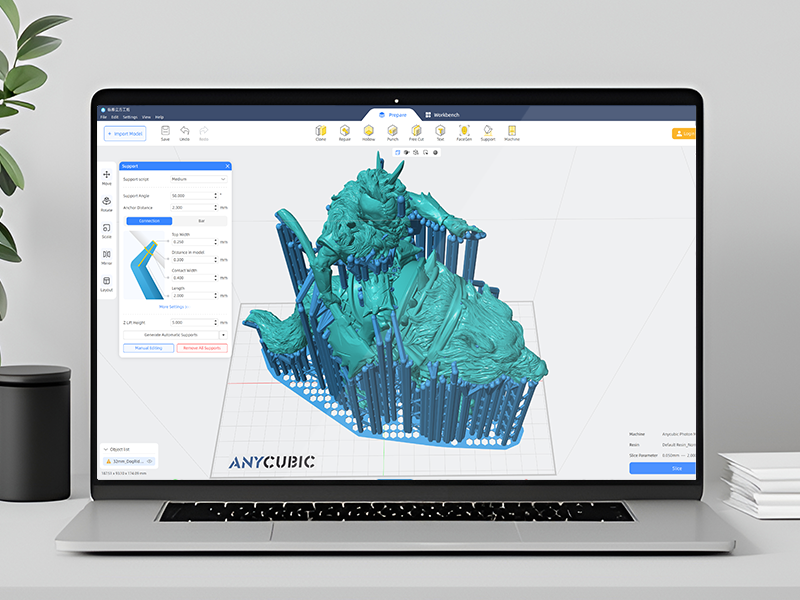
The printer came well protected with all that we need to use it, also include glove and mask for safety. I have been 3D printing for around 4 years but with FDM printers with filaments, this is my first resin printer. The quality of the prints is excellent, we cannot get this quality with FMD printers. The printer is easy to use, just need to set the home position of the printing platform at you will be ready to print and is so easy. It just uses the paper that comes with the printer to set the "home" position on the printer. All the instructions are clear and easy to follow on the manual that comes with the printer. Recommendations: - Always for safety use gloves and a mask when manipulating the resin and the alcohol when clean the parts (if the resin that you are using need to be clean with isopropyl alcohol) . Better if the printer is located in a ventilated area due to the isopropyl alcohol and some resins have a smell but is not too much as I thought. - Follow the instructions that come with the printer and you will not have any issue and is also easy to use. - Have around cleaning towel paper to manipulate the resin, clean the parts, etc. - Print the test design that comes with the printer on the USB. With that you will ensure that the printer is working properly because this model is already prepared to print with correct settings etc. I did and the result is awesome (attached pictures). - I think the best idea is to print as much as we can to avoid the need to filter the resin back to the original container. Because when you will not use or finish the best is to filter the resin (some filter included) back to the container that came when you buy it the resin. - The printer came with software to process the designs but looking for information I found that most people use "Chitubox" software with the printer. The last version of Chitubox includes the printer with a profile, I did all my print with the original profile and then just change the layer height, but with the factory settings can do the job. - After the print finish, is necessary to clean the part depend of the resin with isopropyl alcohol or water. I found extremely useful to have one "first" container of clean and then the last for the final clean. Also, the isopropyl alcohol you can use several times until getting dirty from the cleaning process. -I also bought the ANYCUBIC cleaning and curing station (after cleaning the parts need to be cure in sun or with UV light). And is the best idea for clean and cure, helps A LOT. As mentioned, I also use an initial container to clean the parts and then with the cleaning station. - The only thing that we need to care about is the supports when processing the designs. But is something that we learn and is not so difficult, the general recommendation is to print at 45 degrees for a better layer and finish and you can use automatic support generation on the software and add more if you can see that some parts maybe need support to be print. Attached some pictures and videos of my use, am very happy with the machine and I will definitely recommend it.
P**7
Wow!!
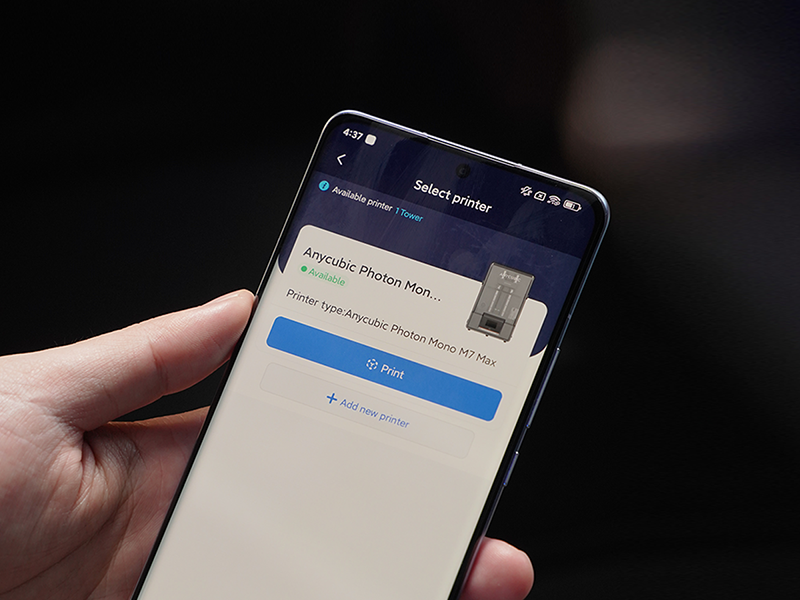
RIGHT OUT-OF-THE-BOX PRINTING This printer works right out of the box. Period. Unboxing to set up was about 15 minutes. Figuring out which file to print FIRST took more time. SPEED TWO print speeds are pretty much given; standard (with normal resin) and fast (with high-speed resin). The default settings for the FAST print had the test model done in about 17 minutes; this would normally be about a 4 HOUR process with traditional printers. The default standard print of the test model still comes in at an impressive 1 hour. This is due to the usage of the ACF over the old-school FEP and even newer nFEP. Do NOT be alarmed with the “matte” finish! This is also the same type of film used by the M3 Max and works flawlessly! RESIN TYPES The high-speed resin from Anycubic is STINKY. Maybe even a little more so than usual. But, it works GREAT. May have to look at more ventilation or moving the printer to a more open area to reduce the smell. Using Anycubic's Craftsman, which I also use in my Photon Ultra, makes for a much finer detailed print overall, even with slightly increased speeds and layer line thickness. INCLUDED HEATER AND AIR PURIFIER Don’t expect miracles with the purifier. It’s a simple fan system that does its best to circulate the air inside the chamber, but let’s face it; resin is stinky. I used some odor-neutralizer in the carbon filter to reduce the odor. The HEATER works wonderfully! The entire unit is self-contained. The heater and purifier are one piece with its own power cord/source. Rumor has it that this unit WILL be available as a standalone purchase in February. WI-FI A little buggy at the beginning but once it’s detected your network and connected, it works flawlessly. The procedure requires you to download the Anycubic Cloud App to start. This also allows you to monitor and print from your phone. Once the app has detected the printer is configured to the network, then you can add the printer to the home network and the process is seamless. AUTO PLATE LEVELING Plate dynamically levels every single print with this option enforced. This mitigates possible failures due to improper build plate leveling. This is done right out of the box during the initial equipment check. You also have the option to manually level the plate, but that seems to be only for specific errors or situations; most operations will not require this at all. VAT CLEANING MODE Easy to use. Use the Lychee Vat Cleaner Tool to assist. No longer need to empty vat, remove particles. Place LVCT in the corner of the vat, utilize the vat cleaning option (10, 20, or 30 seconds…20 worked fine for me), and peel the cured resin out. All foreign particles and failed pieces are trapped within the cured resin and can be removed all at once. FOREIGN OBJECT DETECTION When the plate is lowered, if it detects even the tiniest foreign object in the vat, it stops and raises. An error is displayed allowing you to investigate as needed. OBJECT FAILURE (ZERO PEEL FORCE) If the printer senses that the print releases with zero force, it stops the build process, allowing you to investigate. This saves a LOT of time, frustration, and most importantly, resin. Rather than having to wait until the plate reaches a certain height to visually inspect the piece, the printer senses the release forces. When those are zero, it throws an error, stopping the print, raising the plate, and allowing you to visually inspect the piece. You can resume or cancel the print at that point, depending on your situation. INTELLIGENT RELEASE So, I had no idea about this when I first read about it, but today’s print testing made me aware of this feature. Intelligent release, according to Anycubic, calculates the forces of the build plate lifting and retracting…and, if possible, ADUSTS THE HEIGHT DYNAMICALLY. How I found this out was from a print with an initial build time of 8.5 hours. I accidentally used the Default Resin profile, even though I had High Speed resin in the vat. Oh Well…no problem, I’ll be home all day to monitor things. But as time went by, and when I would turn to look at the print progress (also keeping an eye for failures and other errors that may pop up) I noticed the progress was a lot faster than anticipated. End result? The 8.5 hour estimated build (from Photon Workshop) finished in 5 hours and 53 minutes. Without me adjusting anything. The printer figured I was using high speed resin, did some auto adjustments, and increased the variables…and my print was done 2.5 hours faster than estimated. PRINT DETAILS So, let’s really face it; humans really can’t detect the difference down to 14K resolution. So folks who are either very excited for this OR naysaying and stating that it isn’t TRULY 14K…well, settle down. Most resin printers being sold today are in the 8K and above range, with the Mighty 8K offering that initial 12K experience as an upgrade, and then Anycubic following with the M5S and now the M5S Pro. FACT is…the results are spectacular as you would imagine. I was impressed with my little Anycubic Photon Ultra back in the day (my first resin printer and STILL going strong and impresses me every single time). Then moving into the Mighty 8K, I noticed some subtle changes in quality. Then on to the M3 Max and was impressed with how well it compared with the Mighty 8K…and the build size was incredible. So, having a pretty sizable mid-range build volume here at 14K is equally impressive. Now, will YOU see the difference between what you may have been using and what the M5S Pro offers? Maybe. But honestly, I couldn’t. NOR could I notice that “softness” that others are talking about due to the matte ACP film of the vat. The M3 Max has the same film and I never noticed a change in quality over my Mighty 8K. Now, that doesn’t mean that I’ve switched some of my extra on-the-fly vats for all of my printers over to nFEP. I have to admit, I loved that little “upgrade” from the traditional FEP and the slight increase in speeds I achieved were also a plus. But, I’ve also been experimenting with the ACF on my Photon Ultra and now, with the M3 Max and the new M5S Pro having this ACF installed, again…impressed with the speed increase and not affected by this so-called “softness” of details others are talking about. To me, EVEN IF there were some loss of sharpness, I would much rather have the peace of mind on my other printer’s building process that comes with the ACF installed than be nit-picky over something that most people really can’t detect with the naked eye. ISSUES/OBSERVATIONS One of the FIRST things I noticed off my successful first print was how hard it was to remove the supports from the test print. You can notice in the first image (Test Print) the marks and left over material along the bottom. This thing was BAKED to the build plate and the supports were, in turn, BAKED to the model itself. Trial and error led me to destroying several other test prints from excessive exposure and baking the supports or build itself to the build plate. Thus, looking at not only modifying exposure settings but also support settings.
TrustPilot
1 周前
1 个月前