We remain fully operational. Our teams are working around the clock to ensure your deliveries continue safely.

下载应用程序


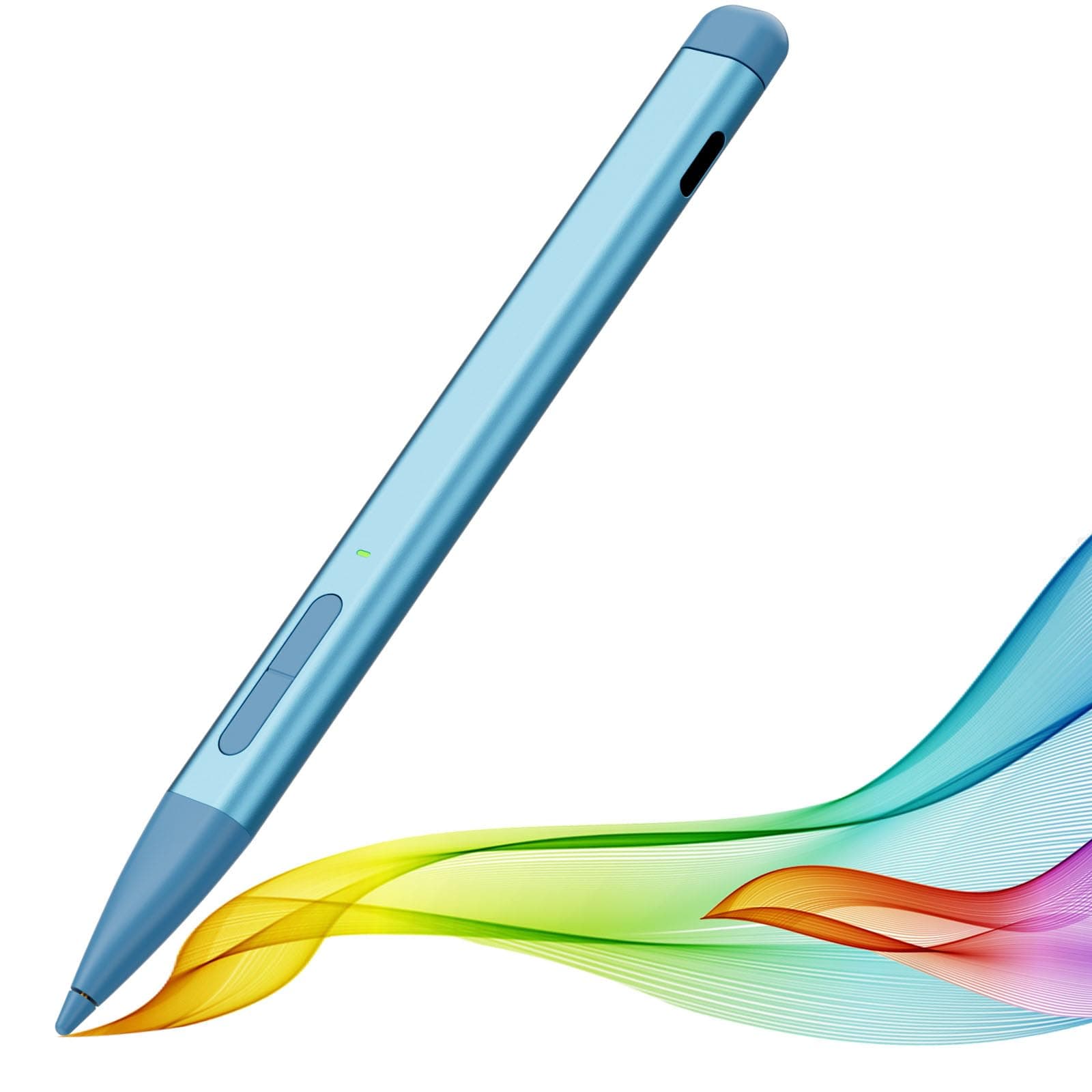
✒️ Elevate your Surface game — precision, power, and style in one sleek pen!
The Slim Pen 2 by JvKzaen is a premium stylus designed for Microsoft Surface devices, featuring 4096 levels of pressure sensitivity, a graphite nib that mimics pencil drawing, and double magnets for secure attachment. It offers fast Type-C charging with up to 66 hours of use, palm rejection, eraser functionality, and Bluetooth-powered remote control for presentations, making it an essential tool for professionals seeking precision and productivity.


| ASIN | B0D39NV3FT |
| Are Batteries Included | Yes |
| Are Batteries Required | Yes |
| Battery Average Life Standby | 365 days |
| Battery Description | Lithium-Ion |
| Best Sellers Rank | #8,952 in Cell Phones & Accessories ( See Top 100 in Cell Phones & Accessories ) #198 in Styluses |
| Brand | JvKzaen |
| Charging Time | 1 Hours |
| Color | Blue |
| Compatible Devices | Surface Pro 12,Surface Pro 11th Edition, Surface Pro 10, Surface Pro 9, Surface Pro 8, Surface Pro 7+, Surface Pro 7, Surface Pro 6, Surface Pro 5, Surface Pro 4, Surface Duo/Duo 2, Surface Pro X, Surface Go/Go 2/Go 3, Surface Book/Book 2/Book 3, Surface Studio 1st Gen, Surface Studio 2, Surface Studio 2+, Surface Laptop 1/Laptop 2/Laptop 3/Laptop 4/Laptop 5/Laptop 6, and Surface Laptop Studio.Som… |
| Compatible Tablet Computer Models | Microsoft Surface Duo, Microsoft Surface Go, Microsoft Surface Go 3, Microsoft Surface Pro 10, Microsoft Surface Pro 11, Microsoft Surface Pro 3, Microsoft Surface Pro 4, Microsoft Surface Pro 5, Microsoft Surface Pro 6, Microsoft Surface Pro 7, Microsoft Surface Pro 7+, Microsoft Surface Pro 8, Microsoft Surface Pro 9, Microsoft Surface Pro X |
| Customer Reviews | 4.2 4.2 out of 5 stars (474) |
| Enclosure Material | Aluminum |
| Item Dimensions | 5.4 x 0.46 x 0.46 inches |
| Item Weight | 11.3 Grams |
| Manufacturer | JvKzaen |
| Minimum Required Operating System Version | Windows 10 |
| Model Number | X1-PRO |
| Number of Batteries | 1 Lithium Ion batteries required. (included) |
| Unit Count | 1.0 Count |
| Warranty Description | 1 year manufacturer |
S**Y
Pairs with Surface GO perfect! Buy it
Works perfectly with Surface Go. Palm rejection and is so light weight. So much nicer than the heavy early gen surface pens. If you take a lot of notes on OneNote you’ll want this pen. Total game changer. I’m super skeptical of things like this so I took a chance. Worked out.
M**N
Awesome product
Works just as good as the expensive ones that are over $100! Highly recommend this stylus pen!!
R**Z
Great value for sure
While it is a third of the price of the windows' official one, the button press to wake up is a bit annoying francly it does work well, but the main issue lies with Windows stuff, like haptic feedback was mostly unpresent in almost all aps and windos dosent let you customise it much Great value for sure if you don't mind the small issues to wake it up The compatibility with the back magnet is spot on
J**H
Initially was uncertain but I'm so glad I bought this!
But now that I'm using it, I like it. I appreciate that it has a magnetic quality which helps to maintain it's location near my computer. I've only had to charge it once since I purchased it so it holds a charge very well! I have a touch screen and sometimes when the pen is off, it's difficult to use like one would use a finger to interact with the screen. So, it's good to keep it on for that activity. I also appreciate that it automatically shuts off after about 4 minutes because it helps hold the battery life. Highly recommend.
S**N
stopped working after a month.
Worked fine for a while but now it charges once and never shuts off. The green led is permanently on until the pen is fully discharged and can't use it until it is fully charged again.
D**R
Lagging connection
It was good for the first month I used it and now I can write about 10 words and it starts getting really sensitive and the ink won’t lift up so it looks like really bad cursive when I try to write anything. It takes awhile for it to reset back to normal which really sucks since I use it to take notes in class
M**7
Works fine
My surface pro found it, connected and it works great. No issues.
M**L
Not a $100 pen here. But it's definitely worth it when you don't wanna buy the brand name
5 stars for price and ease of use compared to $100 for the brand name pen. I like the button placement, the ability to change what the buttons do especially. To top it off, it holds very nicely to the keyboard made for the brand name slim pen. I was worried the most that the pen wouldn't fit in the keyboard. But it does!
A**.
Good quality, light weight and easy to connect. Strong responsiveness and feel like real pencil with a long holding battery life for one charge. Recommend it because also of fair value for money
E**N
This is a good product that works well and connects quickly. I highly recommend the product for Microsoft surface running WIN 11.
M**N
Great
F**M
من خذيته وهو يعلق وحالته حاله وكل شوي يفصل ساعه يكتب وكويس وساعتين مشاكل رفع ضغطي
B**X
Exxcelente, solo tengan cuidado por que si raya los protectorees.