We remain fully operational. Our teams are working around the clock to ensure your deliveries continue safely.

下载应用程序





Buy anything from 5,000+ international stores. One checkout price. No surprise fees. Join 2M+ shoppers on Desertcart.
Desertcart purchases this item on your behalf and handles shipping, customs, and support to SINGAPORE.
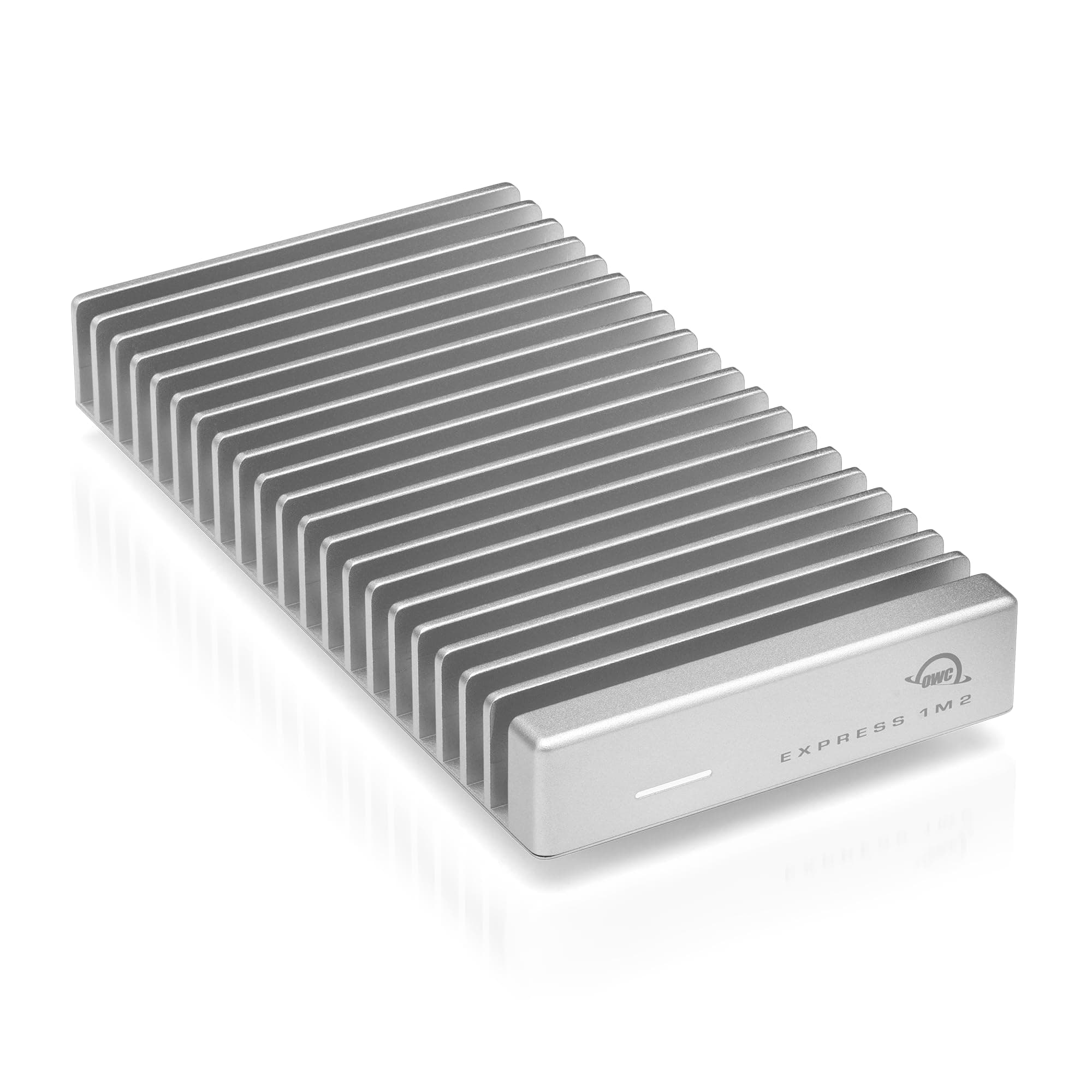
⚡ Upgrade your storage game with the OWC Express 1M2 — where speed meets silent power.
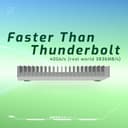
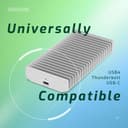
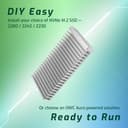
The OWC Express 1M2 is a premium portable NVMe SSD enclosure delivering up to 40Gb/s transfer speeds with real-world performance exceeding 3800MB/s. Featuring a patent-pending aluminum heat sink, it ensures silent, efficient cooling without fans. Compatible with USB4, Thunderbolt, and USB-C devices, it supports multiple NVMe M.2 SSD sizes for flexible DIY upgrades. Bus-powered and compact, it includes a USB-C cable and screwdriver, backed by a 2-year enclosure warranty, making it ideal for professionals seeking high-speed, reliable external storage.


| ASIN | B0CPYQPCVP |
| Additional Features | Portable |
| Best Sellers Rank | #22 in External Solid State Drives |
| Brand | OWC |
| Built-In Media | 40Gb/s USB-C cable, Assembly Manual and User Guide, OWC Express 1M2, Screwdriver (enclosures only) |
| Cache Memory Installed Size | 40 |
| Color | Silver |
| Compatible Devices | Desktop, Laptop, Tablet |
| Connectivity Technology | Thunderbolt |
| Customer Reviews | 4.6 4.6 out of 5 stars (917) |
| Data Transfer Rate | 3151 Megabytes Per Second |
| Enclosure Material | Metal |
| Form Factor | Portable |
| Global Trade Identification Number | 00810100983765 |
| Hard Disk Description | Solid State Drive |
| Hard Disk Form Factor | 2.5 Inches |
| Hard Disk Interface | PCIE x 4 |
| Hardware Connectivity | Solid State Drive, Thunderbolt, USB Type C |
| Installation Type | External Hard Drive |
| Item Dimensions L x W x Thickness | 5.1"L x 0.9"W x 2.7"Th |
| Item Weight | 280 Grams |
| Manufacturer | OWC |
| Media Speed | 3151 Megabytes Per Second |
| Model Name | Express 1M2 |
| Model Number | OWCUS4EXP1M2 |
| Number of Items | 1 |
| Read Speed | 3151 Megabytes Per Second |
| Specific Uses For Product | Business, Gaming, Multimedia |
| UPC | 810100983765 |
| Unit Count | 1.0 Count |
| Warranty Description | 2 Year (enclosure) or 3 Year (solution) OWC Limited Warranty |
J**A
VERY Impressive housing for an external SSD
I've been very impressed with the OWC Express 1M2 (40Gb/s). I was able to very easily install my own SSD and extend the storage space for a new Apple Mac mini while saving several hundred dollars. The OWC Express 1M2 along with the SSD now hold my Apple Home folder and everything is external to the Mac mini. I've got a thunderbolt 4 Mac mini. I opted to go with the 40Gb/s OWC Express 1M2 because thunderbolt 5 speeds in the 80Gb/sec version would have no meaningful impact except for "future proofing". The drive and SSD speeds are great. I've never experienced any transfer speed issues. I've only noticed that the drive/SSD get ejected about every 3 weeks. I'm not sure the cause but am in contact with OWC to find a solution. Other than that, it works perfectly. My OWC express 1M2 is connected and on 24x7. It has a solid build and is always cool to the touch. I would recommend turning the light brightness down when installing any SSD. It's not overly bright but I do see the activity light flashing during the night if I'm awake.
G**T
I Wish I'd Known About This Before I Returned Others Like It
I've bought a few different external drive systems over my lifetime, but none as quality on par as this chonky boy. It is thicc, you may notice the same thing, but I'll tell you why it's for good reason. I purchased the 0TB version of the OWC Express 1M2 SSD enclosure and I paired this up with a Samsung 990 Evo Plus. My needs for more hard drive space was quickly realized when the base Mac mini M4's measly 256 GB of storage wasn't gonna cut it. #basemodelgang The premium quality straight out of the box was noticeable in my hands. Heavy. It feels well made and the aluminum reminds me of an expensive tool. It looks cool, I think. Matches the color of my Mac enough. All the fins, slices, across the top of the enclosure allow a massive amount of heat to be dispersed passively. No fans, no noise. And it works well! I have noticed it gets warm to the touch, but nowhere near concerning. It supports PCIe 4.0. It's not the most portable SSD, I will say that is a downside, but it can be for the occasional need. I like that it's thin enough to slide into the front pouch of a backpack. The better part of this setback, is that it allows me to edit videos in Final Cut Pro directly from the drive right as it sits on my desk. Quietly operating, without a sound. It's fast, faster than anything I've used and almost double to internal Mac mini read/write speeds and averages above 3,000 for both. I think this product is for someone who wants to expand their computer with more storage, but doesn't mainly travel with it. If your priority is portability, you may already know this isn't for you. The things that make it not so great option to carry, are the exact reasons you want it when performance and sound are what you are looking for in your search for an external hard drive.
J**I
The perfect drive enclosure for an Apple Silicon Mac and the WD Black SN850X !
I am using this with a 2021 M1-Max Macbook Pro, paired with the Playstation Drive, the Western Digital Black SN850X 8TB ! IMPORTANT NOTE! I had to return the SN850X with heatsink, as you must get the naked version for use with this drive! Due to true Thunderbolt 4 support, this is the fastest external drive I've ever had with my Mac, sustaining 3 GB/sec read+write! Before this, the best I achieved was 1TB/second using those USB 3.2 drives. And unlike with a lot of ready made external drives, this one was easily formatted and partitioned in Disk Utility, with no special hoops to jump through. It's worth addressing that the size issue is absolutely not bad at all. Yes, this is about twice the size of a compact external SSD, but for true perspective, it is smaller than my iPhone 16 Pro, and because it's a sturdy aluminum case, you can stash it as is in your backpack. I use this drive for very large backups, and during my initial backup of a 3.8TB folder, which took over a half hour due to having over 5 million files, the case definitely got hot. Not serious burn hot, but "I don't really want to hold this in my hand" hot. I do not consider this an issue, as future backups will be deltas, and what you get is pure silence. ( There aren't many high performance 8TB drives on the market, but I trust the SN850 to be reliable, due to its extensive track record with the Playstation 5, and it was the second cheapest 8TB SSD I found ). All in all, I think OWC really knocked it out of the park with this external drive! For a single external SSD, this is a no brainer as the best possible choice! :)
A**R
Solved my enclosure issues – fast and stable on Mac
I switched to this enclosure after having issues with a cheaper one from China that kept disconnecting randomly. This one completely solved the problem. I’m using it with a WD Black SN850X on a Mac (M4 Pro), and I’m getting around 3000MB/s+ in real-world speeds. Performance has been stable with no dropouts or disconnects. The design looks clean and premium, and the build quality feels solid and well-made. It does get warm under load, but heat management seems well controlled. Overall, this enclosure did exactly what I needed — fixed my original issue and delivered reliable, fast performance. Very satisfied with the purchase.
J**Y
This OWC Express 1M2 is a fantastic enclosure. It's incredibly small and portable, making it easy to toss into a backpack pocket. Paired with the Samsung 990 Pro 4TB SSD, the performance is flawless. I've been editing 4K video in Final Cut Pro on my M1 Max Mac Studio in real-time, and I've experienced zero slowdowns—a huge step up from my previous drives. While it does get noticeably warm under heavy load, it maintains excellent functionality and speed. It also feels very durable, giving me peace of mind when carrying it between home and the office. Highly recommend this combination for demanding creative work!
D**R
I don’t normally so reviews, but I got this and compared it to my other OWC, I’m more than please XL with the results!
M**M
Cosa dire? Il punto di forza non è il prezzo, ma al giorno d'oggi trovare dei prodotti che aderiscono al 100% alle prestazioni e ai dettagli dichiarati dal produttore, è diventato qualcosa di raro che deve essere premiato, con una buona recensione e 5 stelle, in particolare su Amazon e altri marketplace analoghi! Prima dell'acquisto ho controllato le specifiche sul sito di OWC, non c'è un dettaglio che non sia aderente alla descrizione (o migliore), a partire dalle prestazioni specificate espressamente per vari modelli di computer di riferimento. In pratica, l'intero case è un dissipatore in alluminio che mantiene i drive a temperature ottimali senza alcun rumore, grazie all'assenza di ventole attive; il pad termico in silicone è già installato, è sufficiente inserire il drive NVMe e avvitare le 3 viti per completare l'installazione; particolare aggiuntivo che mostra attenzione ai dettagli: OWC fornisce alcuni "piedini" gommati da attaccare sotto al case per evitare sfregamenti e rumori fastidiosi, isolando ulteriormente il case dalla superficie su cui è posizionato. Come mostrato nello screenshot, ho raggiunto circa i 3.5 GB/s sia in scrittura che in lettura, valori addirittura maggiori di quelli dichiarati dal produttore (probabilmente dovuti al drive, più performante di quello utilizzato nei test ufficiali). Il led di stato può essere configurato in modalità "normale", "dim" (luce soffusa) o "spento", attraverso uno switch hardware interno (levetta da spostare), ulteriore dettaglio che in applicazioni specifiche può risultare interessante. Considerando che ho potuto acquistare il case con 4 anni di "garanzia estesa" di Amazon, oltre ai 2 anni di garanzia offerti dal produttore, ho finalmente la sensazione di aver speso soldi per un prodotto di alta qualità.
D**K
I recently purchased the OWC Express 1M2 NVMe Thunderbolt External Drive, and I am beyond impressed! This drive is a game-changer for anyone who needs fast, reliable external storage. The speed is mind-blowing — I'm consistently getting read and write speeds that far surpass anything I’ve experienced with other external drives. The Thunderbolt connectivity ensures lightning-fast data transfer, whether I'm editing large video files or working with heavy datasets. It's perfect for video editors, photographers, or anyone who needs high-performance storage for demanding tasks. The compact design is sleek and portable, making it easy to take with me on the go. I also appreciate the sturdy build quality, which gives me confidence that it's built to last. Setting it up was a breeze, and I had no issues with compatibility on my MacBook Pro and Mac Mini M4. It also stays cool even during extended use, with no noticeable slowdowns or overheating. Overall, this external drive is a fantastic investment. If you're looking for fast, reliable storage with excellent performance, I highly recommend the OWC Express 1M2!
R**N
Works with a new Samsung SSD I bought