We remain fully operational. Our teams are working around the clock to ensure your deliveries continue safely.

下载应用程序




🎨 Transform your media into a masterpiece — label like a pro, every time!
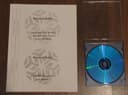
100 Universal Labels® offer a professional-grade solution for CD/DVD organization with 2 disk and 4 spine labels per sheet. Compatible with both laser and inkjet printers, these heavyweight 50 lb bond paper labels feature strong adhesive backing for secure application. Easily customizable using templates from Microsoft Word and other popular software, they provide a cost-effective alternative to premium brands without compromising quality.
| ASIN | B004YDQ5IU |
| Best Sellers Rank | #1,020,105 in Office Products ( See Top 100 in Office Products ) #6,813 in Laser & Inkjet Printer Labels |
| Brand Name | Universal Labels |
| Customer Reviews | 3.8 3.8 out of 5 stars (53) |
| Item Shape | Rectangular |
| Manufacturer | Universal Labels |
| Material Type | Paper |
| Number of Labels | 100 |
M**E
not Avery AND the price - a much better price. I would definitely buy again and recommend
They worked perfectly for printing CD labels. They were the same size and layout as the Avery 5931. The only difference is the name; they are Universal Labels, not Avery AND the price - a much better price. I would definitely buy again and recommend. When I contacted the buyer for a couple questions, he called right back and answered my questions. So great customer service too.
M**Y
Not same as Avery product
I don't have MS Word (believe it or not), so I planned to use another program, like OpenOffice or Apple's Pages. The description says to use Avery template 5931, but that's not available with either of my choices, so I went to Avery's site and used their label creation application with a template the site said was compatible with #5931. Unfortunately, when the label I created online was actually printed, it did not line up with the cut-out. If you have Word, this product may work for you. If not, I wish you better luck than I had.
L**S
Labels arrived without packaging
I received the labels and they are in great shape. Unfortunately, they were shipped without the outside packaging. They came in plain plastic wrap. The problem is what type of avery label are they comparable to?? Without that information, I couldn't find the proper template and the printing won't line up properly
I**R
bare minimum, no "extras"
As noted by another reviewer, this came shipped in a plastic overwrap w/o the green cover you see in the product picture. So you'll have to remember to use Avery #5931 for the template in your software. Also, nothing pre-printed on the sheets: No loading arrows, template #, company name: nothing. When I printed onto these sheets the output seems to match with the 5931 template o.k. I had to tweak for the spine labels a little bit, but this is not unusual with any label anyway. So bottom line: if you are experienced with labels, go ahead and save some bucks with this. If you are inexperienced, you might want to stay with the name brand labels. By the way, to be clear, these are 50 sheets with two disc labels and four spine labels per sheet.
D**D
Inexpensive and works great...
I was a bit apprehensive about this product because of the reviews but I was pleasantly surprised at how well they work and how easy they are to apply to the dvd/cd. I like the product and give it a two thumbs up...
A**R
great CD labels
These labels work great for me. I did not get the green package that is pictured though. Instead I just got a stack of white pages shrink wrapped together. But that wasn't a big deal to me. You get 2 CD labels and 4 spine labels on each page. I'm a photographer, so I burn my client's images on a disc for them. I then print a label with my logo and their name and the photo shoot date on it. I use an HP inkjet printer. They print very nicely and I have no problems applying them to the disc. You just have to take your time and pay attention and it will work every time. I had previously used Avery labels and had already had a template designed. When I got these I just used the same template. I had no problems with it. These are great and I will continue to use them and will highly recommend them.
W**Y
Great product for the price
These are well made labels. The adhesive is adequate to firmly bind the labels to the DVD. Be sure to use a DVD label applicator device (I saved mine from a DVD label kit) as it makes the process very easy. You'll want to download a DVD label template from Microsoft Word. A little adjustment to the margins and a quick practice print to a blank 8.5x11 page of paper and I was able to verify proper alignment.
P**K
Quick delivery and works great!
These were purchased as part of a ministry that my father does and he was thrilled to find that he could purchase these at such a great price. He had been buying them at Wal-Mart at three times what these cost, so he was able to save a lot of money!