




📚 Scan Smarter, Archive Like a Pro — Never Miss a Page!
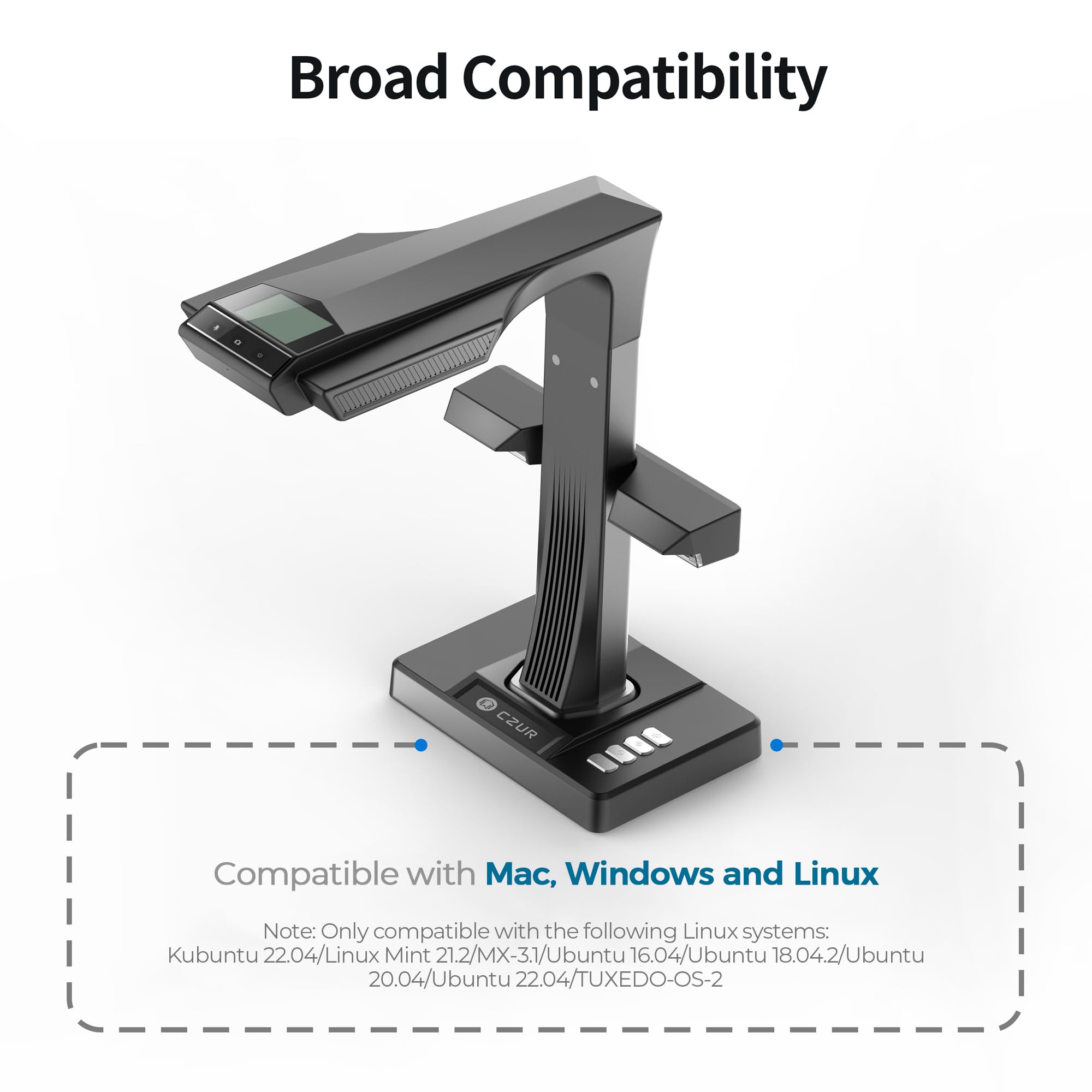
The CZUR ET24 Pro is a professional-grade book and document scanner featuring a 24MP HD camera and advanced 3rd generation auto-flatten and deskew technology. It supports large A3-sized documents and offers real-time preview via a built-in display. Compatible with Windows, macOS, and popular Linux distributions, it includes HDMI output for live presentations and leverages ABBYY OCR technology to convert scans into editable files in over 180 languages. Designed for speed, precision, and versatility, it’s ideal for professionals digitizing books, documents, and archival materials.






| ASIN | B0BM92YPHW |
| Best Sellers Rank | #53,832 in Office Products ( See Top 100 in Office Products ) #55 in Document Scanners |
| Customer Reviews | 4.4 4.4 out of 5 stars (512) |
| Date First Available | November 14, 2022 |
| Item Weight | 3.3 pounds |
| Item model number | ET24 |
| Manufacturer | CZUR |
| Product Dimensions | 5.87 x 13.81 x 14.26 inches |
S**K
So far, so GREAT!
I have been an avid reader and lifelong "hoarder" of information that I've found to be useful. These resources can come from anywhere (books, letters, magazines, greeting cards, receipts) so you can imagine that instead of storing them in boxes or on a bookshelf where I have to be there to read it, I've enjoyed digitizing them to store them on the computer, my phone or float them into the cloud for easy access or sharing. Along the way, different scanners have come along to make this possible for people like me. I own a Fujitsu Scansnap S1500 for documents, receipts and individual pieces of paper that I can feed into it, an Epson - Perfection V39 II for photos, documents and previously for full books and magazines and now the Czur ET24 Pro which has surprised me with its approach of scanning books and such. The setup was a breeze and the results have been amazing. Not only does the scanner have great image quality, it saves your scans as jpegs and also allows you to convert them into separate or grouped PDFs, MS Word documents or other formats. Being it's basically a camera with lots of open space below it, you could also "scan" items other than papers. You could photograph a kids toy before disposing it or giving it away. Use your imagination and share ideas here for others. As I fool around with it more, I'll revise my review but this is a genuinely useful tool for people looking to organize and digitize information they find important in their lives. I realize my review makes it appear that I work for the company. I don't! Just really happy to have such a timesaver in my life with a company that seems like they're into their customers and making well built products.
B**S
Excellent Book Scanner – Perfect for Archival and Presentations
I have been using the CZUR ET24 Pro and I’m thoroughly impressed. It’s fast, reliable, and very handy for scanning old and valuable books without causing any damage. The image quality is excellent, and the scanning process is smooth and efficient. One of my favorite features is the HDMI output, which allows me to connect it directly for live demonstrations or to create high-quality presentations for social media. The software is also very powerful, especially for post-processing and batch processing, making file management and editing effortless. Overall, this is a top-tier scanner that combines speed, precision, and versatility. Highly recommended for anyone serious about preserving books, documents, or creating digital archives.
D**D
Works with Snapdragon/ARM Windows - ScanSnap didn’t
Very good machine with ease of setup and operates well. I bought to replace a ScanSnap scanner because the ScanSnap would not work with a Snapdragon/ARM Windows 11 PC. The CZUR works perfectly. The quality of scans is good and it does a good job of aligning images. It even took pages of a printed Excel file, scanned them and they I ran through ChatGPT and recreated the Excel file. Amazing!! I like the separate finger and foot scanner start buttons.
M**R
Czur EP24 Pro Review
I recently was gifted the CZUR ET24 Pro Professional Book Scanner, and I must say it is impressive and extremely useful technology. It has been useful from a student, new employee, and home/personal perspectives. The packaging conveyed quality from the outset. The setup and interface with my computer was without difficulty. Most impressive is the high resolution quality of the scanned pages/documents. This unit allows for digital copies single page documents and double page books, and the technology converts them into single pages, in a variety of formats, (word, pdf etc) with amazing speed and clarity. Batch processing of longer works or single pages, books or magazines articles illustrate the ease and versatility of the ET 24 Pro. I have found the foot pedal accessory optimal as it frees my hands. I could not be more satisfied with my gift of this scanner, and I highly recommend the Czur ET24 Pro to those that wish to share in the ease of scanning.
M**J
Works very well for certain types of books.
Short answer is it works very well with books that have straight flat pages i.e. the pages that open symmetrically with same curvature left to right so the laser beams have symmetrical tracing lines on both pages. The readability of text and quality of black & white text is really great The quick scanning promised by this scanner works only if your priority is raw digitalization of content. If you're hoping for even margins, straight pages then that requires much more love & care and perhaps not with czur software but photoshop. The problems I experienced: 1. Thick books like dictionaries. If you scan the middle of the book with pages equally spread to left and right the scan is great. The challenge is with the first and last pages [that is likely 80% of the book content] when the book would not stay open or symmetrically open and the pages on left and right do not have same curvature which is essential for the flattening laser beams operation.. In result even if the left and right pages come out flat they come out with different margins. I will try the czur assistive cover to see if it helps. 2. There is a problem to get a nice scan with used books [especially the smaller format pages] with pages stubborn to stay flat. Not flat as left to right but top to bottom. If the page is wavy across all 3D axis the scan will not come out well. It would be nice to have some feature to hold the book page down around the edges to symmetrize the left & right pages or perhaps a transparent press down page. Those 2 yellow finger holders are not effective in that case, perhaps a holder that would pin down the page along the page edge would work better. 3. The CZUR software has the auxiliary correction feature that as I understand offers the option to manually adjust the pages curvature lines to improve the flattening effect (see problem 1 &2 above). I spent some time with it and cannot figure out how it works toward the expected improved result, nor I found any good tutorial for that feature on czur pages or in any reviews. If it works indeed this is a last resort option anyway as this operation must be applied to each individual page in the book, let's hope czur will provide more documentation for that. 4. The color pages scans seem to suffer from glare. The scan is not always truthful to the original. I tried to play with the adjustments such as color, brightness and contrast Perhaps it requires even more finesse on my end or better ambience lighting like the one used in professional photography.
A**T
We purchased this scanner to scan documents in our accounts office, as we wanted something that would scan quickly compared to our Epson printer/scanner. This book scanner scans very quickly and documents are a good quality. It does take some working out exactly how to use the scanner and the videos provided are not that useful in relation to basic set up and operation. You need to make sure that the mat is right up to the scanner or you end up with a scan of the surrounding area and not just the document that you are trying to scan. You can scan using the button on a wire connected to the scanner, or you can use the software on your computer to trigger the scanning. I would recommend this scanner as an easy to use stand alone scanner that takes high quality images of your documents, which are easy to convert to PDF documents and save to your computer. It also comes extremely well packaged and looks very high quality before you have even started to unpack it all!
W**M
Its not translating Arabic language
B**E
The product is excellent. The packaging by CZUR is top class. The assembly is quite easy. The Scanner is great. The software works properly as well. It is a game changer when one needs to scan thick hardcovers and create OCR(multiple languages support) enabled PDFs. I have scanned text heavy hardcovers containing 3000 pages... The camera captures every minute detail of each page perfectly. The OCR capability of the PC/Mac CZUR SCANNER APP takes care of each and every word. Creation of a searchable PDF bearing 3000 pages is no joke. There are many thick and dense hardcovers that don't have digital prints. CZUR ET24 PRO is a Godsend in such scenarios. The camera is pretty fast when it comes to processing the captured images of the pages... One could scan hundreds of pages in no time effortlessly at any instant. The user has to position the book properly first on the black mat and then start capturing the images by pressing the foot pedal. To get started.. One just needs to attach the side lights, foot pedal, PC/Mac connector cable, power adapter to the apt ports on the main camera stand. Then the user has to postion the stand appropriately on the black mat for taking the pictures accurately. Once the user turns on the camera, the software recognises the device. But prior to it, one needs to connect the Scanner to the PC/Mac via the connector cable and enter the serial key(printed at the bottom of the main camera stand) on the CZUR Scanner app for product registry and gaining access to all the app controls. The live camera view can be directly accessed from the CZUR Scanner app. The Scanner comes with all the accessories (side lights, black mat, foot pedal, connector etc). Kudos to the Amazon seller, Scanners India, for doing a great job in delivering the product. I highly recommend the seller. In fact, I would recommend every prospective buyer to buy from Scanners India by its fair pricing of the product. It cost me around ₹74k.
J**Y
I am absolutely blown away by the CZUR ET24 Book Scanner! As an avid reader and researcher, I've always struggled with finding an efficient way to digitize my books and documents without damaging them. This scanner has completely revolutionized my workflow. The setup was a breeze – it took only a few minutes to get everything up and running. The software interface is intuitive and user-friendly, making it easy to adjust settings and capture high-quality scans. The built-in LED lights ensure that every page is scanned evenly and clearly, even for older and fragile books. One of the standout features for me is the OCR (optical character recognition) capability. This scanner accurately converts scanned text into editable and searchable content. It has saved me countless hours of manual typing when I need to quote or reference specific passages from my scanned materials. The scanning speed is impressive, and the auto-flatten and finger removal features work like magic. I no longer have to worry about distorted pages or unwanted artifacts in my scans. Plus, the CZUR ET24's ability to scan in color adds another layer of versatility to its capabilities. Not only is this scanner perfect for personal use, but it's also a game-changer for researchers and academics. The ability to easily create digital archives of rare books and manuscripts is invaluable. The CZUR ET24's design is sleek and doesn't take up much space on my desk, which is a big plus for my cluttered workspace. In summary, if you're looking for a high-quality book scanner that delivers on both performance and functionality, the CZUR ET24 is the answer. It has exceeded my expectations in every way and has become an indispensable tool in my reading and research endeavors. I can't recommend it enough – a true 5-star product!
C**N
Excelente! ¡Muy fácil de instalar y operar! . El programa es muy intuitivo y la calidad de las imágenes es excelente. Aún estamos aprendiendo cómo se usan todas sus funciones, pero hasta ahora no es nada complicado. Muy recomendable
TrustPilot
5天前
2 周前



