We remain fully operational. Our teams are working around the clock to ensure your deliveries continue safely.

下载应用程序




Buy anything from 5,000+ international stores. One checkout price. No surprise fees. Join 2M+ shoppers on Desertcart.
Desertcart purchases this item on your behalf and handles shipping, customs, and support to SINGAPORE.
🖤❤️ Print Bold, Print Fast — Label Like a Pro!
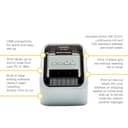
The Brother QL-800 is a high-speed, PC-connected desktop label printer featuring dual red and black thermal printing at 300x600 dpi resolution. With USB 2.0 connectivity and the included P-touch Editor software, it delivers professional, customizable labels up to 1 meter long. Compact and efficient, it prints up to 148 labels per minute, making it ideal for office professionals seeking standout, versatile labeling solutions.


| ASIN | B01MTFTXIA |
| Additional Printer Functions | Print Only |
| Best Sellers Rank | 12,098 in Stationery & Office Supplies ( See Top 100 in Stationery & Office Supplies ) 50 in Label Makers 80 in Labels & Labelling Equipment |
| Box Contents | Brother QL-800; Cartridge(s); Cables: USB; Warranty card; AC adapter; Drivers; Quick start guide; Bundled software: P-touch Editor LiteP-touch Editor 5P-touch Address Book |
| Brand | Brother |
| Brand Name | Brother |
| Color Depth | 24 bpp |
| Color Pages per Minute | 148 ppm |
| Colour | Black,Grey |
| Compatible Devices | QL-800 |
| Connectivity technology | USB |
| Control Method | Touch |
| Customer Reviews | 4.4 out of 5 stars 1,126 Reviews |
| Dual-sided printing | Yes |
| Duplex | Automatic |
| EU Spare Part Availability Duration | 3 Years |
| Hardware Interface | USB |
| Ink Colour | black |
| Item Dimensions D x W x H | 18.5D x 26.2W x 23H centimetres |
| Item Type Name | Label printer |
| Item Weight | 1.15 Kilograms |
| Manufacturer | Brother |
| Maximum Copies Per Run | 100 |
| Maximum Copy Resolution Black and White | 600 dpi |
| Maximum Copy Resolution Color | 300 x 600 dpi |
| Maximum Copy Speed Black and White | 93 ppm |
| Maximum Print Resolution Black and White | 300 x 600 dpi |
| Maximum Sheet Capacity | 1 |
| Maximum Supported Paper Size | 61 mm |
| Maximum print Resolution Color | 300 x 600 dpi |
| Model Name | QL-800 |
| Model Number | QL800 |
| Model Series | QL |
| Model name | QL-800 |
| Network Connectivity Technology | USB |
| Number of Drivers | 1 |
| Number of Ethernet Ports | 1 |
| Number of Trays | 1 |
| Other Special Features of the Product | Energy Star |
| Output sheet capacity | 1 |
| Paper Size | 2.4 inches |
| Print media | Labels |
| Printer Output Type | Colour |
| Printer Resolution Horizontal Max in Color | 6.2 Centimeters |
| Printer Resolution Horizontal in Black and White | 6.2 Centimeters |
| Printer Type | Thermal |
| Printing technology | Thermal |
| Processor Count | 1 |
| Product Warranty | 1 Year Manufacturer |
| Resolution | 300 x 600 dpi |
| Series Number | 800 |
| Special feature | Energy Star |
| Specific Uses For Product | label printing |
| Total USB 2.0 Ports | 1 |
| Total USB Ports | 1 |
| Unit Count | 2040.0 gram |
| Warranty Type | limited warranty |
| Wattage | 50 watts |
H**Y
Brother QL-800 Label Printer - Precision Labeling with a Splash of Color
The Brother QL-800 Label Printer has become an indispensable tool in my home office, offering unparalleled convenience and versatility in label printing. Its PC connectivity, desktop design, and the unique red & black printing capability make it a standout choice for anyone in need of efficient and eye-catching labeling solutions. Here's why I wholeheartedly give it a perfect 5/5 rating: Effortless PC Connectivity: ⭐⭐⭐⭐⭐ The QL-800's seamless PC connectivity has revolutionized my labeling experience. Connecting it directly to my computer allows for quick and efficient label creation, streamlining the entire process. The user-friendly software enhances customization and ease of use. Desktop Design for Convenience: ⭐⭐⭐⭐⭐ The desktop design of the QL-800 is both space-efficient and practical. It fits neatly into my workspace, and its compact size doesn't compromise on its robust capabilities. Having a dedicated label printer on my desktop has significantly improved my workflow. Red & Black Printing Innovation: ⭐⭐⭐⭐⭐ The standout feature of the QL-800 is its ability to print in red and black. This dual-color printing capability adds a level of sophistication and visual impact to my labels. It's a game-changer for creating attention-grabbing labels that stand out in a professional and creative manner. Fast and High-Quality Printing: ⭐⭐⭐⭐⭐ The QL-800 lives up to Brother's reputation for delivering high-quality prints at an impressive speed. Whether I'm printing address labels, file labels, or product labels, the sharp and clear results are consistent, saving me time without compromising quality. Versatile Labeling Options: ⭐⭐⭐⭐⭐ The QL-800 offers a wide range of labeling options, accommodating various label sizes and types. From small address labels to larger shipping labels, the printer handles diverse labeling needs effortlessly, making it a versatile solution for any situation. User-Friendly Interface: ⭐⭐⭐⭐⭐ The user-friendly design of the QL-800 makes it accessible to users of all levels of expertise. Loading labels is a straightforward process, and the control panel is intuitive, ensuring a hassle-free and efficient printing experience. Overall Satisfaction: ⭐⭐⭐⭐⭐ In conclusion, the Brother QL-800 Label Printer has exceeded my expectations in every aspect. Its seamless PC connectivity, desktop convenience, red & black printing innovation, fast printing speed, versatile labeling options, and user-friendly interface make it a top-tier choice for label printing. The QL-800 is a perfect blend of efficiency and creativity, earning it a resounding 5/5 rating. Highly recommended for anyone seeking a reliable and feature-rich label printer for both professional and personal use.
S**E
Love it!
Excellent label printer. You need to download software and a driver for your PC - somewhat quirky to install but works fine. The P-Touch program you use to layout and print labels looks dated but is functional. I use the printer much more than I thought I would. If I was buying it again, I would probably get the WiFi version.
A**R
Overall a good unit.
Bearing in mind I only use this for a very low volume of labels. It's a good solid unit, very compact and certainly doesn't feel cheap. Comes with two sample label reels, one continuous, another of decent size labels. Good print quality so far and reasonably fast and quiet. Loading the reel is very easy and takes seconds. The labels themselves have a strong sticky layer that stays put on just about any surface. The unit comes with a piece of card sticking out of the feeder, DO NOT throw this away, you're supposed to slot this in when the printer is not in use. Two reasons why I didn't give five stars. It comes with a ludicrous number of leaflets you need to read, mostly on poor quality paper, what's wrong with providing a single high quality user manual? It DOES NOT work with Linux, at least not with Fedora, the downloadable drivers from Brother are years out of date and though installable and recognised by CUPS, don't work, nor do those in the Fedora repo. Forget running the P-touch app via WINE, it just crashes. Luckily it DOES work flawlessly with a (unregistered but legal) Windows10 virtual machine.
P**S
Plug in and go.
The Brother QL-800 Label Printer has exceeded my expectations. Its seamless PC connectivity makes label printing a breeze, and the red & black printing feature adds a touch of versatility. The desktop design is both compact and efficient, fitting seamlessly into my workspace. The address labelling capability is a standout feature, offering convenience and precision. Overall, an excellent choice for those seeking a reliable, user-friendly label printer with impressive red & black printing capabilities. The design of the various labels you can buy, makes installation a breeze. The only caveat I have, is that the software takes a little getting use to, when constructing a name & address database for example. But the speed it prints out & cuts the labels is a plus. Very happy with the purchase.
S**Z
Great quality machine
This is a really great little machine that’s easy to set up and where you can be printing within minutes…. If I was being picky it would benefit from a simple printed sheet detailing how to create a simple address label just to speed up the learning. It’s compatible with Windows 11 which is what I needed and using the Brother labels the print quality is first class. I’ve got some much cheaper labels which clearly aren’t as good quality as the Brother originals but the print quality is still perfectly good enough for my address labels. I am delighted with it and can wholeheartedly recommend….
F**R
Good piece of kit
It’s great for making simple labels Very quick and easy
A**R
I hate printers. I like this.
I don't hate this one. Inkjet consumer printers spend ten minutes turning on whirring and chunking and then spitting out half the ink by cleaning the heads. I realised that I rarely actually need to print any documents, it's usually a return or postage label, occasionally you need a paper ticket. This can do that, quickly, quietly, cheaply and without fuss. It won't throw a hissy fit about non genuine ink and it doesn't need ink or toner at all! Stop buying inkjets and just get this. You can do decent scans with a mobile app and sign stuff using Adobe acrobat.
M**L
So Disappointed - Only kept a day before returning
This is a product and a brand that has clearly ceased to innovate or develop and is instead relying on its reputation. The whole product experience was terrible from opening the box, until the point I surrendered and returned it. The out of box experience is terrible, about 10 different manuals in every language and none of it useful. Had to install software to use, which was a nightmare to download and required entering the serial number. The software has not been updated in 10 years (no exaggeration), and wasn't good 10 years ago. The Print Quality is mediocre at best. And the printer is huge compared to competitor units. I trusted the brand when ordering this, but don't make my mistake. The other brands have more features, work better, smaller, nicer looking and are cheaper.