We remain fully operational. Our teams are working around the clock to ensure your deliveries continue safely.

下载应用程序


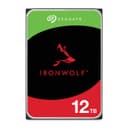
💼 Power your professional NAS with IronWolf — where capacity meets reliability.
The Seagate IronWolf 12TB NAS Internal Hard Drive is a 3.5-inch SATA HDD designed for multi-bay NAS systems, delivering 12TB of storage with a 7200 RPM spindle speed and 256MB cache. Engineered for high-demand, multi-user environments, it features IronWolf Health Management for proactive monitoring and comes with a 5-year warranty plus 3 years of data recovery services, ensuring robust performance and long-term reliability.




| ASIN | B084ZTSMWF |
| Additional Features | Compact |
| Best Sellers Rank | #1,209 in Computers ( See Top 100 in Computers ) #2 in Internal Hard Drives |
| Brand | Seagate |
| Built-In Media | Seagate IronWolf 12TB NAS Internal Hard Drive HDD – 3.5 Inch SATA 6Gb/s 7200 RPM 256MB Cache for RAID Network Attached Storage – Frustration Free Packaging (ST12000VN0008) |
| Cache Memory Installed Size | 256 |
| Color | Multicolor |
| Compatible Devices | Laptop,Gaming Console,Camera |
| Connectivity Technology | SATA |
| Customer Package Type | Standard Packaging |
| Customer Reviews | 4.5 4.5 out of 5 stars (4,811) |
| Data Transfer Rate | 6 Gigabits Per Second |
| Digital Storage Capacity | 12 TB |
| Enclosure Material | Metal |
| Form Factor | 3.5-inch |
| Hard Disk Description | Mechanical Hard Disk |
| Hard Disk Form Factor | 3.5 Inches |
| Hard Disk Interface | Serial ATA |
| Hard Disk Rotational Speed | 7200 RPM |
| Hard-Drive Size | 12 TB |
| Hardware Connectivity | SATA 6.0 Gb/s |
| Installation Type | Internal Hard Drive |
| Item Dimensions L x W x Thickness | 37.4L x 25.9W x 6.7Th centimeters |
| Item Weight | 649 g |
| Manufacturer | SEAGATE |
| Media Speed | environ 180 Mo/s |
| Model Name | ST12000VNZ008 |
| Model Number | ST12000VN0008/ST12000VNZ008 |
| Number of Items | 1 |
| Read Speed | 180 Megabytes Per Second |
| Specific Uses For Product | Business, Personal |
| UPC | 763649136348 |
| Unit Count | 1 Count |
M**I
2 of 5 Drives ordered arrived damaged
I ordered 5 drives for my NAS, 2 of them arrived defective. Not sure if this is because of the shipping from the US. I have ordered other numerous drives over time but never had this issue. I don't think the product itself is bad, but buying here is risky
A**.
Dead on arrival
The HDD arrived dead and was clicking when turned on. Would not be recognized by my Synology nor by an adapter. Replacement is taking forever due to it coming from the US. 3 stars because this is the first time I'm having this issue and I have purchased lower volume drives from them before.
H**P
Ich habe die Platte nun seit 16 Monaten im RAID5-Verbund in einer QNAP zusammen mit 3 Samsung-Platten laufen. War zunächst etwas skeptisch, ob die Idee so gut ist, verschiedene Hersteller/Typen zu mischen, aber da die ausgefallene 4. Samsung-Platte nicht erhältlich war, habe ich die Seagate genommen. "Einbau" (soweit das beim NAS diese Bezeichnung verdient) ging natürlich problemlos in wenigen Minuten, Rebuild d. RAID-Arrays lief ohne Mucken durch, seitdem läuft das System mit der Mischbestückung völlig störungsfrei. Die Platte ist beim genauen Hinhören etwas lauter als die Samsung, aber das ist beim NAS untergeordnet und nicht störend. Die Temperatur bewegt sich +/- 1 Grad auf dem Niveau der anderen Platten (bei mir meist um die 38°C), sie läuft nach dem Motto: "einbauen und vergessen". Auf jeden Fall empfehlenswert.
J**R
Die Platte kam sehr gut verpackt in einem original Seagate-Karton mit Schaumstoffeinlagen an. Habe die 1TB-Platte in mein Synology NAS eingebaut. Läuft sehr leise und wird auch nicht warm. Achtung: Die Platte wird mit Schreibschutz ausgeliefert und ich konnte sie daher anfangs am PC nicht wie erforderlich referenzieren und formatieren. Der Schreibschutz kann/muss wie folgt entfernt werden. Das Windows-Standardtool "DiskPart" erlaubt es Attribute einer Festplatte zu ändern oder zu entfernen - so auch den Schreibschutz: Drücken Sie gleichzeitig die Windows-Taste und "R". Alternativ öffnen Sie über das Startmenü das Programm "Ausführen". Geben Sie "diskpart.exe" ein und bestätigen Sie mit Enter. In das neue Fenster geben Sie den Befehl "list disk" ein und bestätigen mit Enter. Wählen Sie Ihre Festplatte mit dem Befehl "select disk X" aus und bestätigen Sie erneut mit Enter. (Für "X" setzen Sie die Zahl ein, die vor Ihrer Festplatte angezeigt wird.) Nun geben Sie "attributes disk clear readonly" ein und bestätigen wieder mit Enter. Danach gehen sie in Windows in der Systemsteuerung auf >Computerverwaltung > Datenträgerverwaltung und die neue Platte lässt sich jetzt ohne Fehlermeldung referenzieren, MBR anlegen, ein Volume (Laufwerk) erzeugen, Laufwerksbuchstaben vergeben etc.
J**P
This is the first HDD I have ever owned which is much quieter than any other used. This is a better HDD than most sold with SMR technology, which takes longer to read and write. After using for a few weeks, I am impressed with it and hope the guarantee of 1million hours to failure is accurate.
S**A
Es de los mejores discos que he comprado, Seagate es una de las mejores marcas en el mercado en cuando a almacenamiento de datos se refiere. Les recomiendo que descarguen el software de Seagate (desde la página oficial) para comprobar que el disco no tenga problemas de fabrica, antes de comenzar a escribir datos en el. Es un poco ruidoso obviamente ya que es un disco duro mécanico HDD, no es un SSD. Lo volvería a comprar, definitivamente.
G**G
Use it for more than a year, and it is good storage. Read and load pretty fast too.
TrustPilot
1天前
4天前