We remain fully operational. Our teams are working around the clock to ensure your deliveries continue safely.

下载应用程序


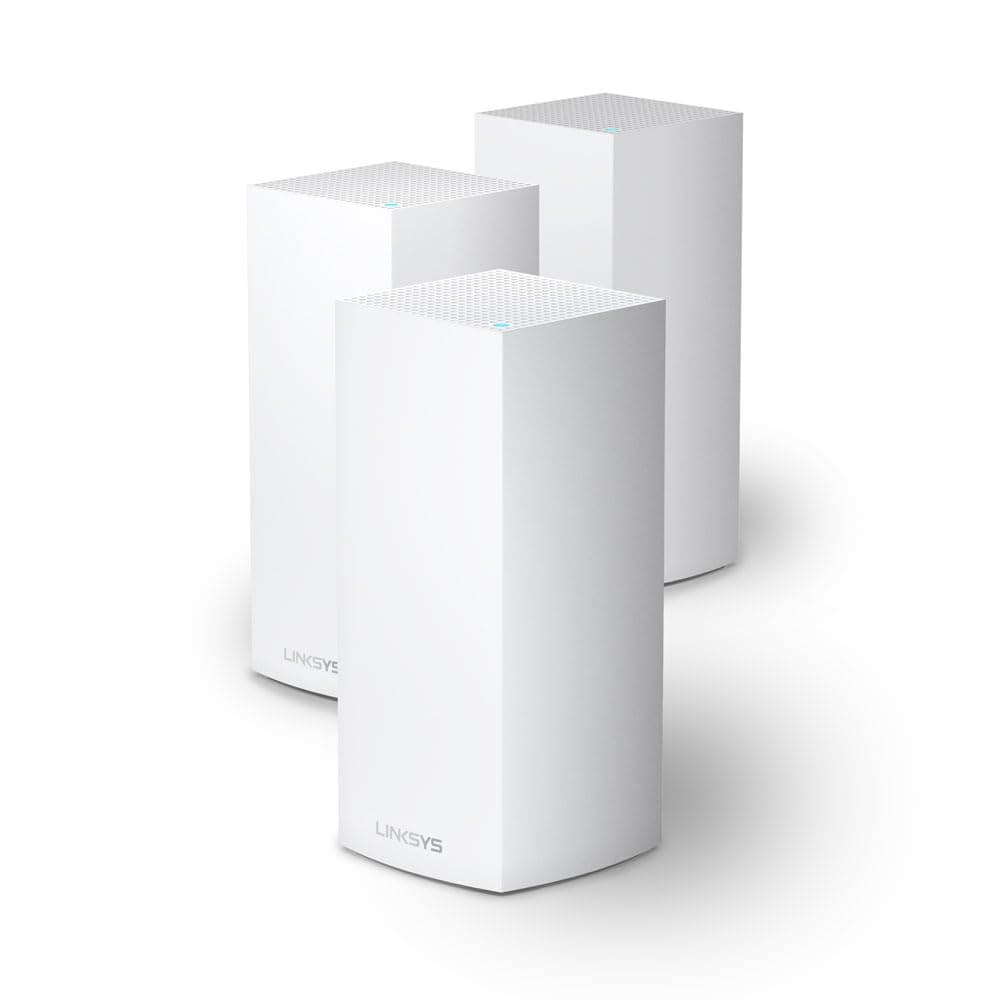
🚀 Elevate your home network to pro-level speed and coverage—because buffering is so last decade.
The Linksys Velop MX12600 Tri-Band Mesh WiFi 6 System delivers expansive 830 m² wireless coverage with AX4200 speeds, supporting over 120 devices simultaneously. Featuring intelligent mesh technology and tri-band WiFi 6, it ensures fast, stable connections throughout your home. Easy app-based setup and management empower users with guest access and parental controls, making it a top-tier choice for modern, connected lifestyles.
| ASIN | B08WYCP4TZ |
| Antenna Location | Home |
| Antenna Type | Internal |
| Best Sellers Rank | 49,292 in Computers & Accessories ( See Top 100 in Computers & Accessories ) 372 in Routers |
| Box Contents | Linksys MX12600 Velop Tri-Band WiFi 6 Mesh WiFi System (AX4200 WiFi Router/Extender for Seamless WiFi of up to 830 m² and 3.5 times faster speeds for over 120 devices, 3 Pack, White) |
| Brand Name | Linksys |
| Colour | white |
| Compatible Devices | Laptop, Personal Computer, Smart Television, Tablet |
| Connectivity Protocol | Wi-Fi |
| Connectivity Range | 830 Square Metres |
| Connectivity Technology | Wi-Fi |
| Control Method | App |
| Controller Type | App Control |
| Coverage | 830 m² |
| Customer Reviews | 4.1 4.1 out of 5 stars (228) |
| Data Transfer Rate | 2400 Megabits Per Second |
| EU Spare Part Availability Duration | 3 Years |
| Frequency | 5 GHz |
| Frequency Band Class | Tri-Band |
| Global Trade Identification Number | 04260184672035 |
| Has Internet Connectivity | Yes |
| Has Security Updates | Yes |
| Is Modem Compatible | Yes |
| Item Dimensions L x W x H | 11.4L x 11.4W x 24.4H centimetres |
| Item Weight | 2.83 Kilograms |
| LAN Port Bandwidth | 1000 megabits_per_second |
| Manufacturer | LINKSYS |
| Manufacturer Part Number | MX12600-EU |
| Maximum Upstream Data Transfer Rate | 2100 Megabits Per Second |
| Model Name | MX12600 |
| Model Number | MX12600-EU |
| Number of Antennas | 6 |
| Number of Ports | 5 |
| Operating System | RouterOS |
| Other Special Features of the Product | Parental Control |
| Product Warranty | 2 year manufacturer |
| RAM Memory Installed | 32 MB |
| Router Firewall Security Level | High |
| Router Network Type | Mesh |
| Security Protocol | WPA2-PSK |
| UPC | 745883821228 |
| Wi-Fi Generation | Wi-Fi 6 |
| Wireless Compability | 802.11ac, 802.11ax |
G**K
Not suitable for UK
These came with European 2pin plugs (not UK 3pin plugs). The power leads could not be used thereby making all three extender units completely useless.
H**H
DO NOT BUY! I have quite a decent sized apartment, the modem is placed in the living room and behind it in parallel there are the bathroom and guest bathroom and then the 3 bedrooms right after the bathrooms, my biggest issue is that there is no outlets between the bedrooms and living room, so I placed the first mesh next to the modem and the other 2 in the bedrooms to create a Y shape, it worked perfectly I had around 500 mbps in the furthest room which was a blessing, then I proceeded to update the firmware, and everything came crashing down my lovely 500 has officially become a 7 mbps, my internet speed is around 1gbps, I get around 900 mbps to my modem. With no clue why I kept moving the nodes around hoping to fix the issue, nothing. I had to buy 30 euros worth of cables and extensions since I have an outlet issue to move the parent node closer, and finally it worked again perfectly having a lovely 890 mbps peak in the furthest bedroom. Then it all came crashing down again, with the furthest node even with a -59 dbm connection signal, kept dropping the connection. I decided to do a small test I disconnected all nodes, execpt for the parent, sat right on top of it and got a speed of 700-ish which I was okay with a 200 mbps difference we'll blame it on wifi signal. I then moved to the dining table which is in the same room behind a flipping couch and I dropped down to 300 mbps. TLDR, signal is extremely extremely fragile, a gust of wind could drop your connection, highly unstable, no debugging, diagnostic makes no sense, a toddler has more knowledge than the linksys support, all their guides tells you "restart", I had already factory resetted disabled the HK apple integration because apparently that is extremely buggy and yet nothing changed I'd recommend the TPLINK deco xe75, 100ish difference but a much better investment.
S**1
Ich bin sehr zufrieden. Habe bis jetzt keine Probleme festgestellt. Sehr gut ist auch, dass es keinen Unterschied zwischen Router und Node gibt. Nodes können auch über Kabel angebunden werden, dafür wird dann der Internetanschluss verwendet. Der MAC Adressen Filter gilt nur für WLAN und ist auf ca. 32 Einträge begrenzt. Was mich etwas stört ist, dass für die Kopplung eine App notwendig ist und das nicht über das Webinterface funktioniert. Auch störend: Die App am iPad kann nicht im Querformat verwendet werden.
P**E
System does not come with Australian power adapters and you are unable to purchase the Aus adaptor clip through the seller, Linksys, or any other retailer. I had to buy new adaptors but the odd size/shape plug means the power cord falls out at the slightest touch. Recommend trying a different brand/seller.
C**F
Ce n'est pas la version la plus récente, mais pour un usage familiale normale, c'est sans doute le meilleur rapport qualité/vitesse/facilité d'utilisation/prix. S'installe extrêmement facilement. Il suffit de télécharger l'application de la marque, se créer un compte, puis se laisser guider. L'application va même vous aider pour placer vos boitiers de façon optimale dans votre maison ou appartement. Une fois installé, il se laisse oublié...
M**S
Los tengo funcionando desde hace varios meses conectados al router y sistema Starlink. Funcionan muy bien. Con cable mejor que por wifi, como es normal. En mi caso que tengo una casa antigua con muros gruesos, el que va por wifi la llega menos señal, así que en cuanto pueda lo pondré también por cable. Supongo que en un piso o una casa moderna no hay ese problema. Estos van bien con el HomePod para los interruptores y termostatos inteligentes de HomeKit que tengo por toda la casa. Es una de las razones por las que lo elegí y también por la seguridad y protección de la red. La instalación es sencilla, basta seguir las indicaciones de la App del producto. Desde la app se pueden ver todos los dispositivos conectados. Tiene control parental, con límites de tiempo de conexión y restricción de contenido, y se puede poner un red solo para invitados. En general, ofrece una cobertura muy estable que suele estar por encima de los 150Mb de bajada, tanto en 2,4GHz como en 5GHz, eligiendo el dispositivo la conexión entra una u otra según la fuerza de señal que recibe.
TrustPilot
5天前
1 周前