We remain fully operational. Our teams are working around the clock to ensure your deliveries continue safely.

下载应用程序


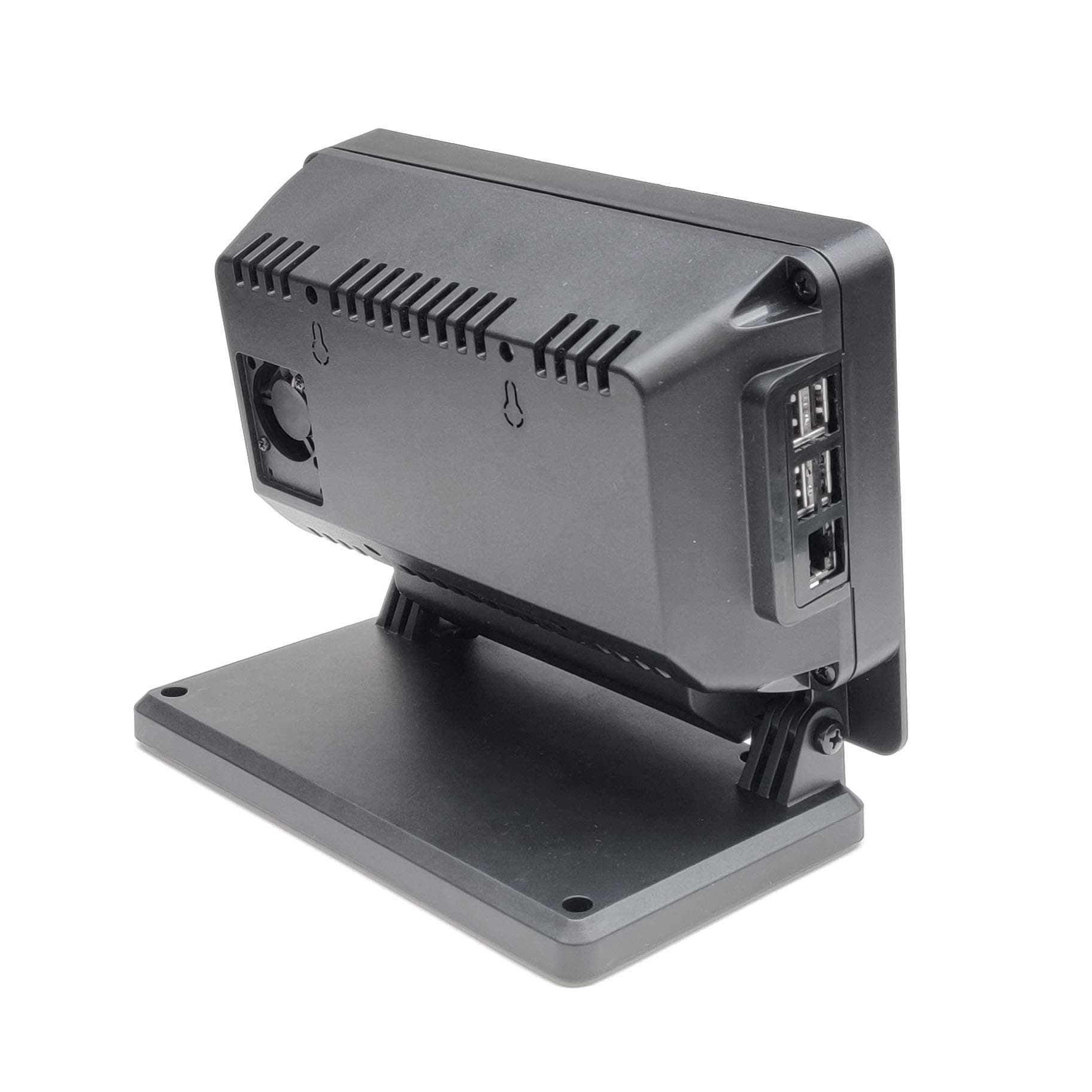
🖥️ Elevate your Pi game with SmartiPi Touch Pro — where performance meets sleek design!
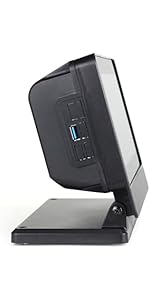
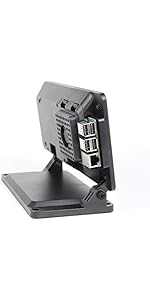
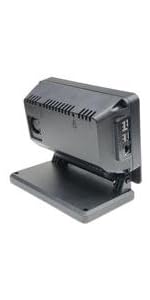
The SmartiPi Touch Pro is a premium alloy steel case designed for Raspberry Pi 3, 4, and 5, perfectly fitting the Official 7" Raspberry Pi touchscreen. It features a built-in 30mm cooling fan with vibration mounts for silent operation, a weighted base for stability, and multiple mounting points compatible with Pi HATs and custom boards. This case combines durability, advanced cooling, and versatile expansion options, making it the go-to choice for professionals and makers seeking a polished, reliable Pi setup.


| ASIN | B08VSFZDDT |
| Antenna Location | General Purpose |
| Best Sellers Rank | #513 in Computer Cases #1,549 in Single Board Computers (Computers & Accessories) |
| Brand | Smarticase |
| Case Type | Raspberry Pi |
| Color | Black |
| Compatible Devices | Raspberry 3,4 and 5 |
| Cooling Method | Air |
| Customer Reviews | 4.4 out of 5 stars 131 Reviews |
| Enclosure Material | Alloy Steel |
| Fan Size | 30 Millimeters |
| Item Weight | 0.71 Kilograms |
| Manufacturer | Smarticase |
| Material | Alloy Steel |
| Model Name | SmartiPi Touch Pro |
| Motherboard Compatability | Mini ITX |
| Number of Fans | 1 |
| Other Special Features of the Product | Built-In Fan |
| Power Supply Maximum Output | 30 Watts |
| Power Supply Mounting Type | Rear Mount |
| Recommended Uses For Product | General Purpose |
| Supported Motherboard | Mini ITX |
| Total Usb Ports | 4 |
| UPC | 850010058030 |
| Warranty Description | 1 year |
T**R
Brilliant!
Perfect fit for my Pi and "Official" RPI 7" touch screen. Lots of very well thought out features and very well built of quality materials. Includes mounting hardware and accessories, and two spare ribbon cables. Couldn't be more pleased.
M**N
Well made, easy to assemble, excellent instructions (online)
Assembly took some time but everything went smoothly. Everything fit like it was supposed to. Most screws thread smoothly into brass inserts and the instructions (online) were very thorough and easy to follow. This sounds so much like a fake review that I will mention an enhancement that would help with prototyping. To operate without the back you must remove two screws to release the power cable from the back. It would be handy if the power inlet mounted on the same part of the case as the devices or at least had a tool-less release from the back.
C**Z
Roomy Case with Lots of Possibilities!
Well thought out case which I modified for my use (WaveShare 7" DSI-C 1024x600 Screen) instead of the Official Raspberry 7" screen it was designed for. Multiple mounting options and I used a APIELE 12mm Momentary Push Button Switch mounted where the camera hole was to turn the Pi4 on and off. Also mounted the Pi4, Geekworm X735 Power Management & X862 M.2 SSD mount inside with room left over after some "adjustments".
M**R
Fantastic bit of engineering!
The creators of this case did an amazing job! I have purchased other Raspberry Pi cases in the past and never found one that really fit my intended use. I will be using this for a bedside Home Automation console. It is wonderfully thought out and it looks good enough that my wife is happy to have it prominently displayed in our home. I really appreciate the weighted base that prevents it from tipping over or sliding around when interacting with the touch-screen. There are so many innovative ideas incorporated into this case! It will be my go-to case for all of my Raspberry Pi projects in the future.
A**N
Great execution; could use some fine-tuning. Here are some tips
This is my second case for my official Pi touchscreen. I needed a new case when I moved to the Pi4. I bought the largest size, so I could use a large passive heatsink and/or a Hat/shield. GOOD: Holds the monitor, is tiltable (and doesn't fall down), and the base is heavy enough to counterbalance the display. Ethernet and USB ports easily accessible. Also there is an extra "pocket of space" below the main case volume (where USB Power-In goes), and the continued this space for some unused space on the left... this gives you a place to hack in another cable if you need. The VESA mounting holes have brass inserts for longevity (nice!). The mount for the fan has a cover plate, which means you can close it up or use it for things other than a fan.. Internal access to cables not exposed (camera, HDMI etc) is sufficient meaning you can remove the back panel WITHOUT complete disassembly. Noted above, there's room to plug in an external HDMI cable inside (but beware... there's no designated spot for passing it through the case walls... be creative) COULD BE BETTER: 1) Manufacturer should sell their own "micro HDMI panel mount" adapters. You can get panel mount adapters online, but they're usually using full-size HDMI on one side. Someone makes a micro on both ends (so you would have to cut up your case less) but they're hard to find in stock. 2) Adding a second "panel/fan mount" on the back right side, for symmetry and flexibility in case you want to route cables through the existing fan hole. TIPS You can easily fit a passive heatsink in here. The "Geekworm" ones that cover the whole board WILL fit but you have to discard the bottom plate, and maybe grind metal in a spot or two for clearance. The GW heatsinks stay away from the USB/Ethernet area so grinding modifications would be minimal. I ran my micro-HDMI cable out the fan hole. BEWARE this risks damaging the Pi board because if the case falls, the cable will transfer shearing force against the Pi's socket. I'm OK with this risk, but this highlights the importance of a real "panel mount HDMI" accessory.
S**R
Pi 5 Warning
The case is supposed to be compatible with Raspberry Pi model 5. However, according to the documentation, there are issues. To quote the set-up guide: "One thing to note is that even if you are using a 5A power supply, our splitter cable is only rated for 3A. If you try to draw more than 3A through our splitter, the voltage will drop too low for the Raspberry Pi to function and it will reboot." It also states that because of this splitter cable, the Pi will restrict current to the USB ports. Here is their workaround: "There are no communication lines in our splitter cable therefore the Raspberry Pi will not be able to detect a 5A power supply even if it is connected. Therefore it is not possible to prevent this message from appearing. You can overide the restricting of the current to the USB ports by doing one of the two things below. 1 - Adding usb_max_current_enable=1 in /boot/firmware/config.txt OR 2 - Enabling USB max current on the Pi OS desktop GUI under preferences -> configuration" So, why even attempt to perform the workaround when their splitter cable isn't capable of passing the current to begin with? Confusing. I suppose connecting the power supply directly to the Pi, bypassing the splitter, will solve the problem while creating another; that would make the installation kludgey and messy. A clean setup is why we buy this case! Not happy.
R**H
Works great with Raspberry Pi 5.
I have no complaints. As others have said, the instructions were sketchy, but if you've messed around enough, like I have, trying to come up with a decent solution for the RPI5 and the 7" touchscreen, that won't matter. The roominess is great, there was plenty of room for the Pi as well as the NVMe board.
J**Y
Great case.
Very well thought out and solid feeling. Great options for mounting. It even comes with two splitter cables to power the Pi and touchscreen. The only thing I wish it had was holes for one or two speakers, but I can handle that with a dremel. Otherwise this is the best case I've seen so far.
TrustPilot
1 周前
1 个月前