We remain fully operational. Our teams are working around the clock to ensure your deliveries continue safely.

下载应用程序


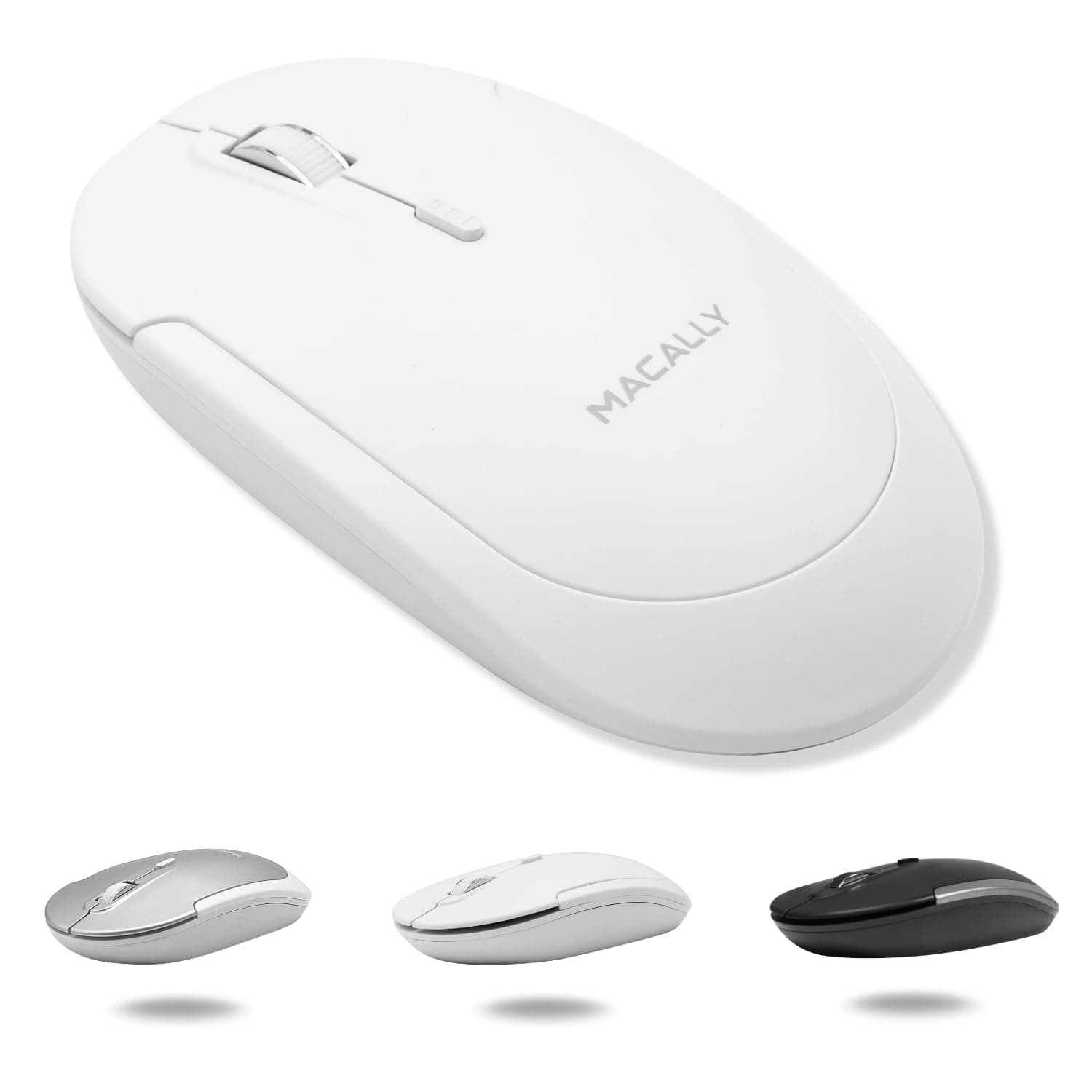




🖱️ Elevate your workflow with silent precision and sleek style — because your desk deserves the best.
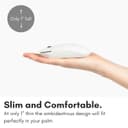
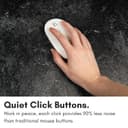
The Macally Wireless Bluetooth Mouse is a rechargeable, ambidextrous mouse designed for Apple and PC users seeking a quiet, comfortable, and stylish accessory. Featuring a strong Bluetooth connection with up to 30 feet range, 90% quieter clicks, and a long-lasting battery rechargeable via USB-C, it seamlessly integrates into any professional workspace.


| ASIN | B088PBK51Q |
| Additional Features | Bluetooth Wireless Mouse for Laptop and Desktop PC, Quiet Mouse, Compatible Apple Mouse, Rechargeable Mac Mouse, wireless mouse for macbook pro, wireless mouse for macbook air |
| Antenna Location | Home, Office |
| Are Batteries Included | Yes |
| Are Batteries Required | Yes |
| Battery Average Life | 3 months |
| Best Sellers Rank | #247 in Computer Mice |
| Brand | Macally |
| Built-In Media | 2 AAA batteries |
| Button Quantity | 4 |
| Color | White |
| Compatible Devices | All Bluetooth Enabled Devices which includes but limited to Mac Mini/Pro, Macbook Pro / Air, iMac, iPad, Surface, Chromebook, Windows, Android Tablet, etc. |
| Connectivity Technology | Bluetooth |
| Customer Reviews | 4.4 4.4 out of 5 stars (1,210) |
| Embellishment Feature | LED |
| Enclosure Material | Silicone |
| Finish | Matte or Smooth Plastic |
| Global Trade Identification Number | 00701107499352 |
| Hand Orientation | Ambidextrous |
| Hardware Platform | Linux, Mac, PC |
| Item Weight | 0.11 Kilograms |
| Manufacturer | Mace Group Inc / Macally Peripherals |
| Model Name | Bluetooth Mouse |
| Model Number | BTDYNAMOUSEW |
| Mouse Maximum Sensitivity | 1600 Dots per Inch |
| Movement Detection | Optical |
| Number of Batteries | 2 AAA batteries required. (included) |
| Operating System | PC, Mac, Linux |
| Power Source | Battery Powered |
| Range | 30.0 feet |
| Style Name | Modern |
| Theme | Modern and Functional Computing Accessory |
| UPC | 701107499352 |
| Unit Count | 1.0 Count |
I**Y
Great mouse! Great price!
This is a nice mouse. It’s light, feels good in my hand, is responsive, buttons are good, and click wheel works great. Connected to my MacBook in seconds and no problems!
K**.
Mouse works great and sleek looking!
Love this mouse! Bluetooth pairs easily to my IPad. I use the mouse along with an iPad stand and IPad compatible keyboard also both from Amazon which gives the professional setup for my Reiki office. Very happy!
S**R
Works great!
Works great with my 2025 mac book air!! I have larger hands and its not uncomfortable even with loger uses, buttons are also nice and quiet.
R**N
Comfortable Design, Solid Performance
The Macally Wireless Bluetooth Mouse is a nice little device. It fits well in the hand and feels comfortable to use, especially for those who prefer a more compact mouse. The design is sleek and it's easy to pair with my MacBook. However, it's not as silent as I expected. The scroll wheel makes a bit of noise, which might bother some users looking for a completely quiet experience. Aside from that, it performs well and does what it's supposed to do. Overall, a good product for everyday use with just a small drawback regarding noise.
J**N
Brilliant and improved compared to the listing
This model seems to be continuously evolving without changes in the model name. The one I just received in March 2026 is better than I expected from the description. The Bluetooth charging cable now attaches at the front instead of underneath, so the mouse can be used while recharging. The mouse also has three different channels identified by B1 B2 and B3, so it can be connected with three different devices. The channels are selected by a push button on the bottom (see photo). It retains a vestigial battery access door on the bottom, but the compartment behind it is empty, with no electrical connectors. It is a very quiet mouse with a nice feel in the hand. I suppose it is still subject to evolutionary selection, but it seems about perfect to me already.
J**E
Great Product
Very nice indeed
C**O
Could not connect.
I was unabel to successfully connect to my iMac. One of the challenges when your wireless mouse dies and you try to replace with a third party wireless mouse, is how to overcome the irony of connecting an unrecognized wireless mouse when you cannot move the cursor without a mouse. I tried getting to where I needed to connect via key strokes but despite finally navigating to the "connect" button, my iMAC would not connect to the mouse. I did not want to spend hours trying to get support. This should have been simple. There needs to be a work around for connecting a mouse when there is no capability to move a cursor. I returned the item and am getting a replacement mouse from Apple under my AppleCare warranty.
E**S
Simple set up.. works great.
Works perfect with my Mac Mini. Took about 1 min. Perfect.
A**O
Comprei em novembro até hoje não consegui usar, diz que é Bluetooth mas não pareia com nenhum dispositivo, estou decepcionada