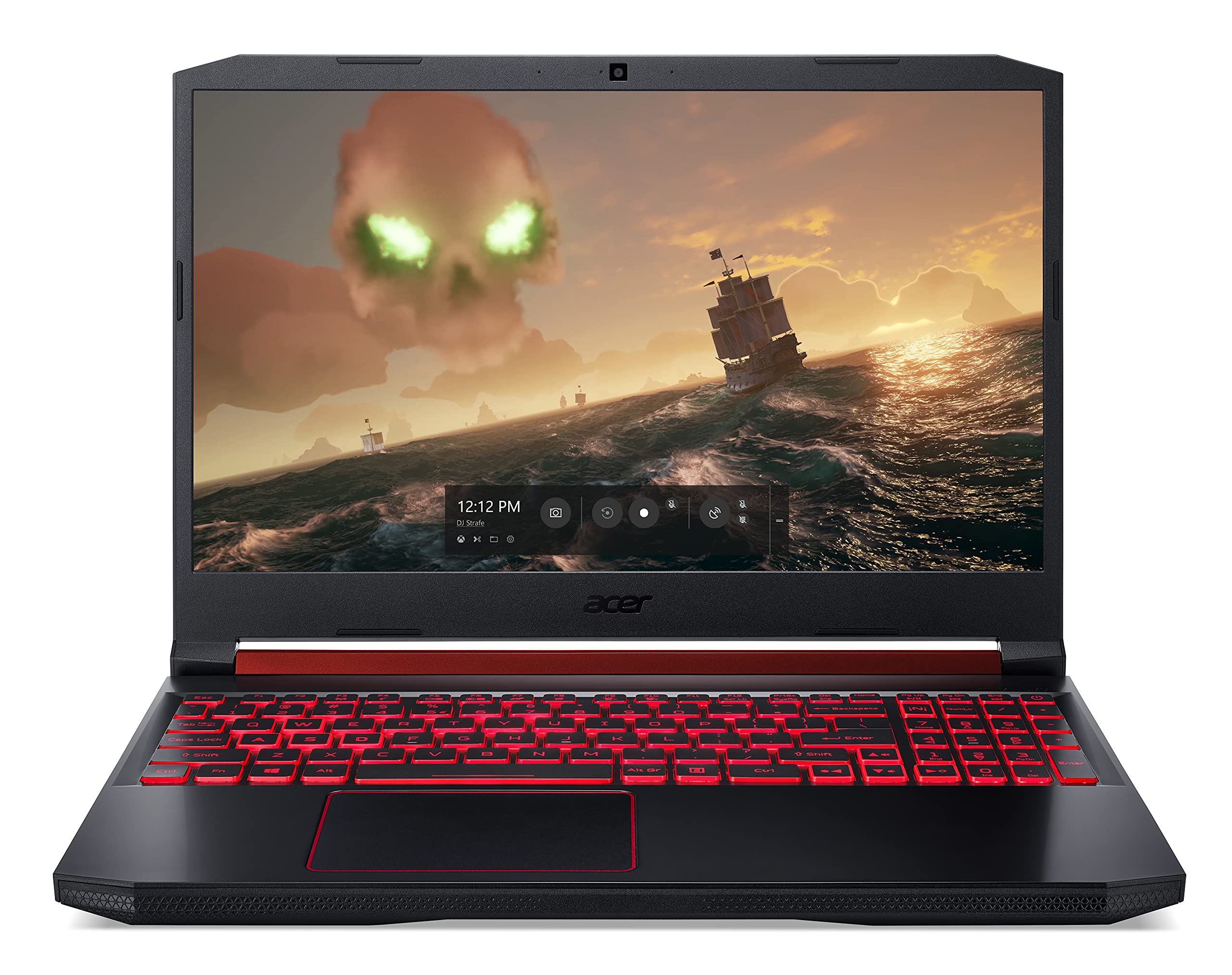
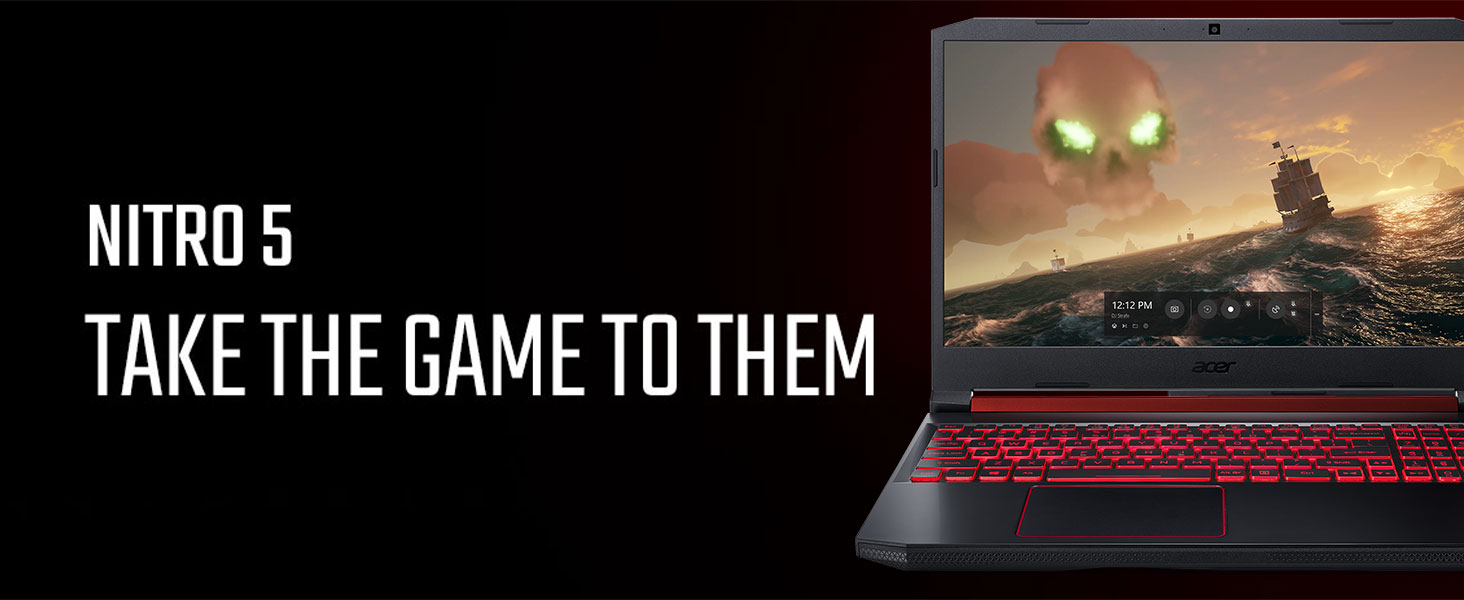
🔥 Game smarter, work faster, connect stronger with Acer Nitro 5!
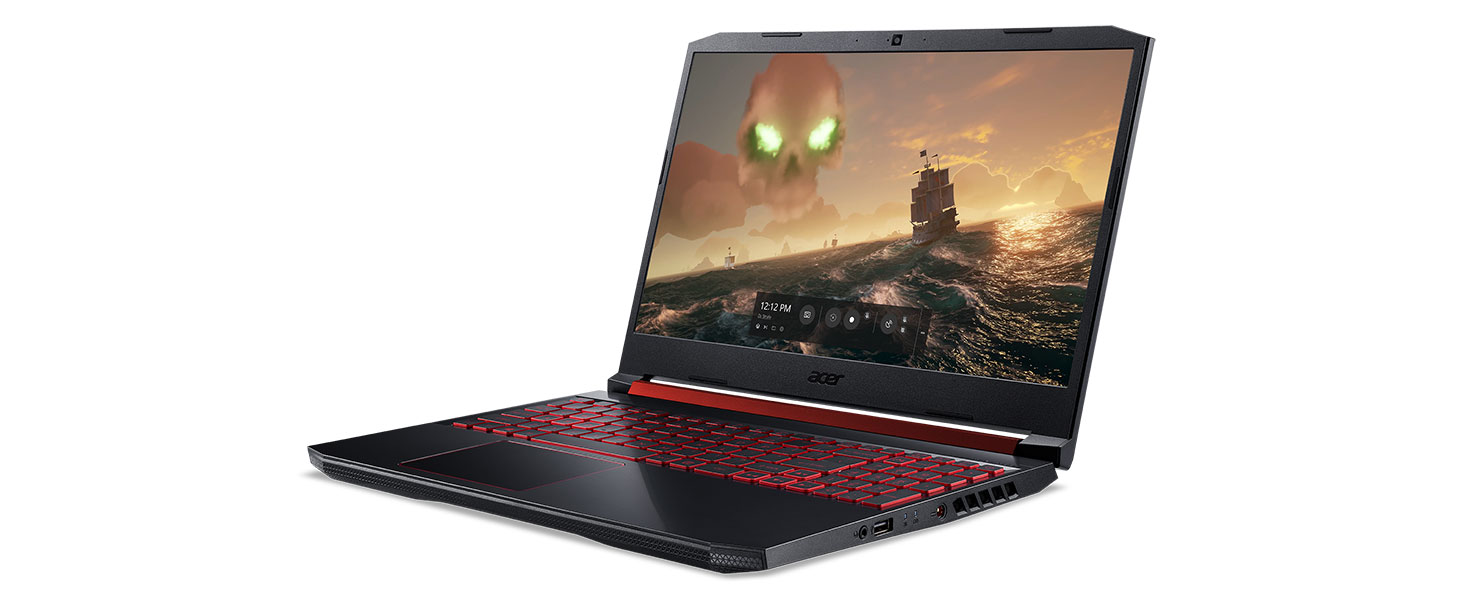
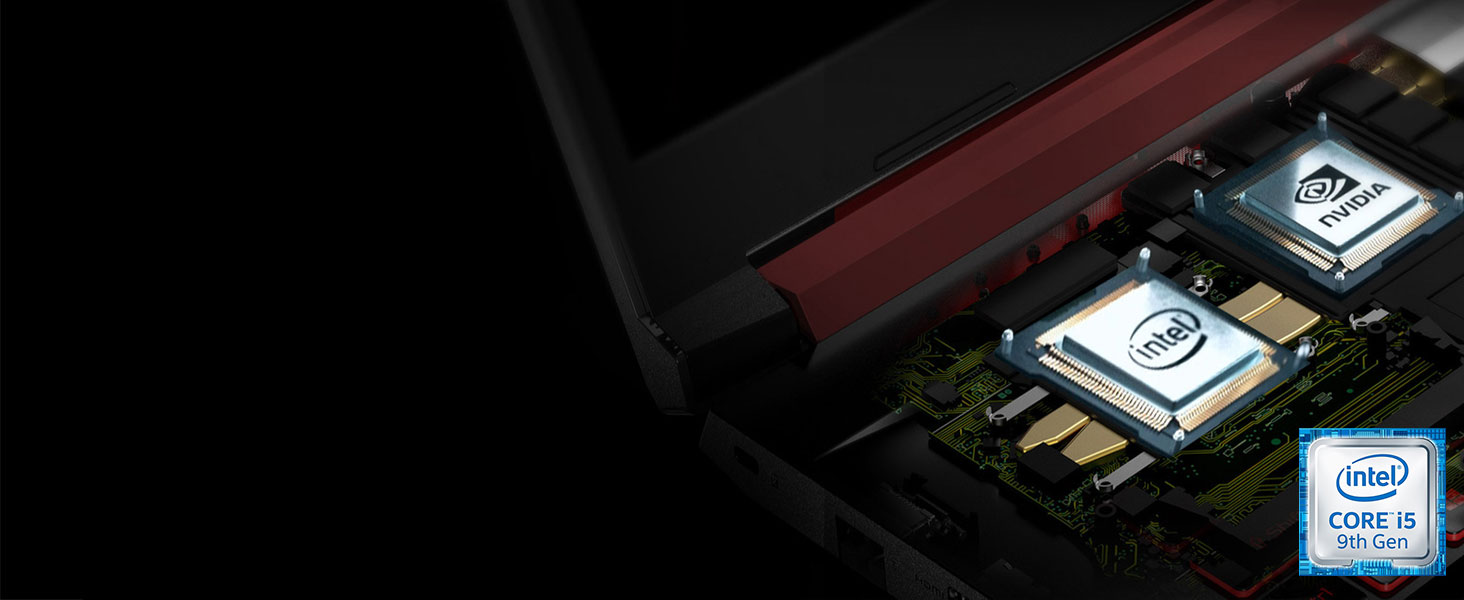
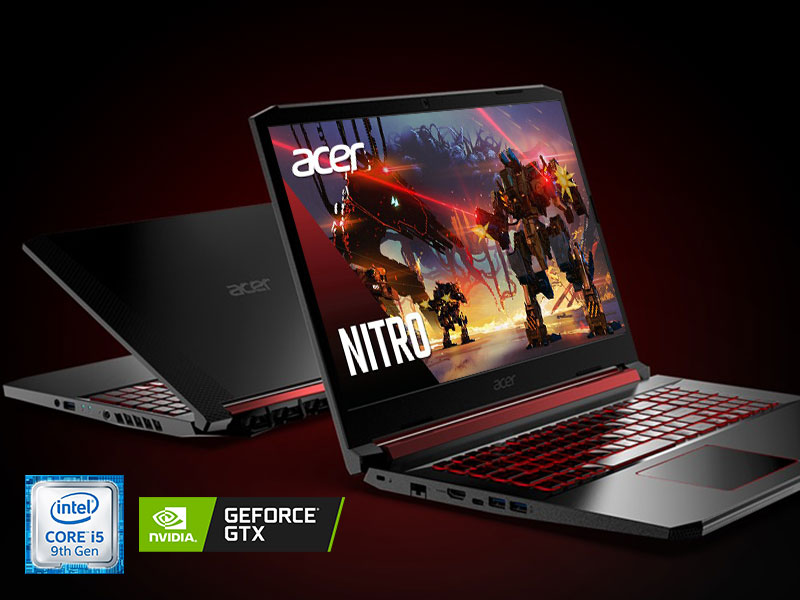
The Acer Nitro 5 AN515-54-5812 is a versatile 15.6" Full HD gaming laptop powered by a 9th Gen Intel Core i5-9300H processor and NVIDIA GeForce GTX 1650 graphics. It features 8GB DDR4 RAM, a speedy 256GB NVMe SSD with upgrade options, and cutting-edge Wi-Fi 6 connectivity. Designed for both gaming and professional multitasking, it includes a backlit keyboard, advanced cooling system, and Alexa voice integration, making it a reliable, future-ready powerhouse for millennials balancing work and play.


| ASIN | B086KJBKDW |
| Audio Output Type | Speakers |
| Audio Recording | No |
| Automatic Backup Software Included | Webcam |
| Battery Average Life Standby | 8 Hours |
| Battery Cell Type | Lithium Ion |
| Battery Life | 8 Hours |
| Best Sellers Rank | #27,158 in Computers & Accessories ( See Top 100 in Computers & Accessories ) #4,167 in Traditional Laptop Computers |
| Bluetooth support? | Yes |
| Brand | acer |
| Built-In Media | AC Adapter, Key Chain, Laptop, Power Cord |
| CPU Codename | 3200U |
| CPU L3 Cache | 4 MB |
| CPU Model | Intel Core i5 |
| CPU Model Generation | 9th Gen |
| CPU Model Number | i5-9300H |
| CPU Model Speed Maximum | 4.1 GHz |
| Cache Memory Installed Size | 6 |
| Camera Description | Front |
| Cellular Technology | wifi |
| Chipset Type | AMD |
| Color | Black |
| Compatible Devices | External displays, mice, keyboards, storage devices, printers, and other accessories that use USB, HDMI, Bluetooth, or Wi-Fi connections. |
| Connectivity Technology | wired, wireless |
| Control Method | Voice |
| Customer Reviews | 4.6 out of 5 stars 5,408 Reviews |
| Display Resolution Maximum | 1920x1080 Pixels |
| Display Technology | LED |
| Display Type | LED |
| Form Factor | Laptop |
| Graphics Card Ram | 4 GB |
| Graphics Coprocessor | NVIDIA GeForce GTX 1650 |
| Graphics Description | Dedicated |
| Graphics Ram Type | GDDR5 |
| Hard Disk Description | SSD |
| Hard Disk Interface | PCIE x 4 |
| Hard Disk Rotational Speed | 0.1 |
| Hard Disk Size | 256 GB |
| Hard-Drive Size | 256 GB |
| Hardware Interface | Ethernet |
| Has Color Screen | No |
| Human-Interface Input | Keyboard |
| Item Dimensions L x W x Thickness | 14.31"L x 10.04"W x 0.96"Th |
| Item Height | 0.96 inches |
| Item Weight | 5.1 Pounds |
| Keyboard Description | Gaming |
| Lithium-Battery Energy Content | 54 Watt Hours |
| Manufacturer | Acer |
| Memory Clock Speed | 4.1 GHz |
| Memory Slots Available | 1 |
| Memory Speed | 2666 MHz |
| Microphone Form Factor | Built-In |
| Model Name | AN515-54-5812 |
| Model Number | AN515-54-5812 |
| Model Year | 2019 |
| Native Resolution | 1920 x 1080 pixels |
| Number of Ports | 2 |
| Operating System | Windows 10 Home |
| Optical Storage Device | No Optical Drive |
| Other Special Features of the Product | Backlit Keyboard |
| Processor Brand | Intel |
| Processor Count | 4 |
| Processor Series | Intel Core i5 |
| Processor Speed | 4.1 GHz |
| RAM Memory Installed | 8 GB |
| RAM Memory Technology | DDR4 |
| RAM Type | DDR4 SDRAM |
| Ram Memory Maximum Size | 32 GB |
| Refresh Rate | 60 Hz |
| Resolution | 1080p |
| Screen Size | 15.6 Inches |
| Series Number | 54 |
| Specific Uses For Product | Gaming, Multimedia, Personal |
| Total Number of HDMI Ports | 1 |
| Total Usb Ports | 4 |
| Touch Screen Type | No Touchscreen |
| UPC | 193199796035 |
| Video Output | HDMI |
| Video Processor | NVIDIA |
| Virtual Reality Ready | No |
| Voltage | 240 Volts |
| Warranty Description | One-year International Travelers Limited Warranty (ITW) |
| Warranty Type | Limited |
| Webcam Capability | Yes |
| Wireless Compability | 802.11ax |
| Wireless Technology | Wi-Fi |
Z**E
A humble way to play
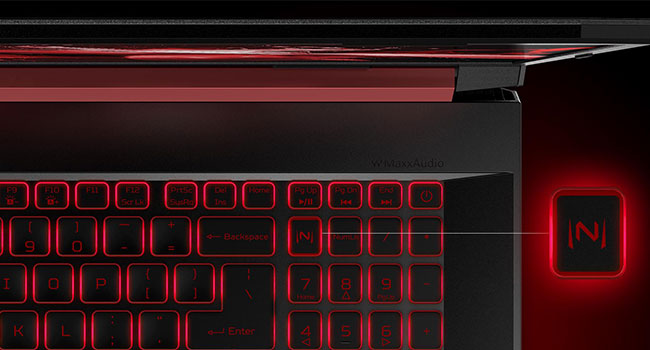
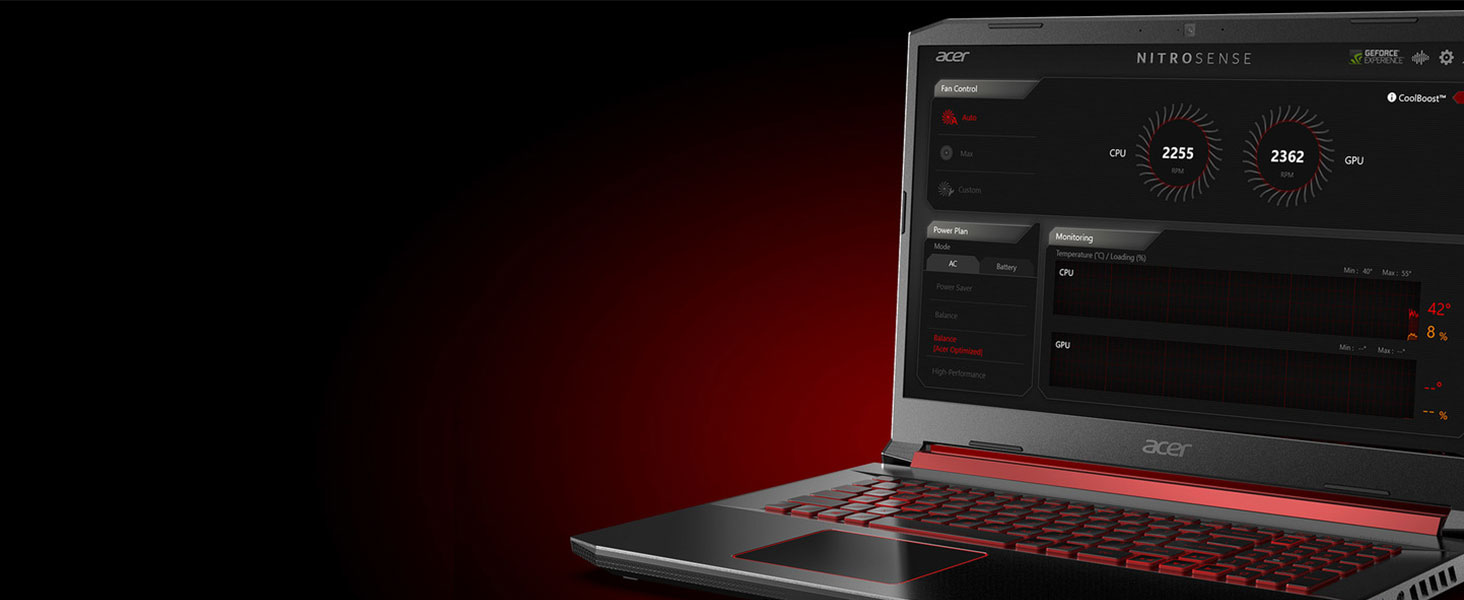
I tend to prattle exhaustively so I tried to divvy up my numerous opinions into sections you might find relevant. Now/Future = I've been very pleased with this laptop, and I do consider it a great deal for the six hundy spent (on the 9th Gen Intel Core i5-9300H). Not only does it perform splendidly as it comes "right out the box", but it's also upgradeable in the near future as tech advances and my finances allow. I've been using it for hours on end everyday for almost one month. Multitasking = I can run WoW (weeeeee!!) while simultaneously streaming music on Spotify in my web browser. Beyond that, I can also minimize my game and music to do a quick Google on whatever boss I'm trying to squelch as I solo dungeons with my Night Elf Demon Hunter. No lag or stuttering while multitasking whatsoever. Nice. B-) Graphics quality = It comes with 2 graphics cards, so be sure to check your in-game settings to make sure the best card is selected. Streaming Netflix and running WoW are lovely in a way I wasn't able to appreciate on my previous HP laptop. My only concern is that once in a while I've seen a rolling screen dim from top to bottom for a split second before it returns to normal. It has only happened a couple of times in the past month I've owned this, so? Pre-installed software = I had to find workarounds to disable Bing and Microsoft Edge, but in the end I can now use the search box on the start bar and it opens Google results in Chrome. Those being my preferred search engine and web browser. It wasn't terribly difficult as an amateur tinkerer. Heat = Sometimes I use the laptop on my actual lap (go figure), and when I've been immersed in my addiction for 4-5 hours, it gets rather warm. Almost hot. The pre-installed Nitrosense app allows you to manage the fan settings in order to allay this. Also of note is that the heat escape is on the right side, which means south paws keep their leading hand cool and us orthodox boxers get a warm periodic reminder to move our hand away from the keyboard. In plain words: the heat from the fans blows directly where one would naturally rest one's hand on a mouse (if you use one, however, a mouse is not included). Keyboard = The keys are comfortably spaced, appropriately sensitive to touch, and all are in working condition. The value of the number pad on a laptop cannot be understated!! The red backlight on the keyboard by default times out after 30 seconds. Finding the right key to strike first on an all-black keyboard after the backlight turns off was obnoxious to me. After some searching, I found that this too is changeable in the Nitrosense app. Weird place to put it, but ok. Hit the "(N)" key in the top left of the number pad, then click the Settings gear inside Nitrosense, and click to toggle off the "backlight off after 30 seconds" option. This might not be available on every model, but take a gander. Battery life = The battery lasts for a decent amount of time when simply browsing and streaming music: several hours, give or take. But I prefer/recommend plugging in the power cord when I know I'm about to sit down for a long session of questing. ("Just one more quest!!") Port/Cable management = Speaking of the power cable... It must have been a desperate decision to seat it on the righthand side of the laptop in the middle. The configuration of the internal hardware almost certainly has to be to blame for this. It seems like they tried to offset this inconvenience by making the power cable with a immediate 90 degree bend so you can swivel it (hopelessly) out of the way. Final summation = I listed things things that I believe could be improved which were mostly cosmetic in nature and were either adjustable or could be lived with. But on the whole, this laptop has been a game-changer for my usual activities and has truly been a "best bang for your buck" experience. I recommend it for anyone who is maybe moderately into gaming but mostly wants a very reliable and delightful experience.
M**O
Great product!
I’ve been using the Acer Nitro 5 for a while now and everything runs smoothly. Games load fast, the graphics look good, and I haven’t had any issues with performance. The screen is clear, the backlit keyboard is comfortable, and the SSD makes startup quick. Wi-Fi 6 has kept the connection stable, and Alexa built-in is a nice touch. Overall, it’s been a reliable laptop that does exactly what I need.
R**.
Best laptop I've ever had!
Although I'm not an expert and I have to say I haven't bought a new laptop in a while, this is by far my favorite laptop. Before, with my Acer Aspire E5-575 (intel core i3-7100) I could make probably fix me up a bowl a ramen before it finished booting up, and another bowl while my desktop apps start up too. Now it takes literal seconds, I can log in and open itunes in probably less than 30 seconds, I'm not even exaggerating, that's how fast it is! I feel like the battery isn't much of an upgrade, when I'm watching videos or playing games of course the battery drains faster, but I feel that for a newer laptop they could make a longer lasting battery. I guess it's a trade off between performance and battery life, but since I only need to fully charge it once a day when I'm using it all the time then it's already pretty good. (Maybe it's more of a quarantine problem since my laptop has become like a part of me now! I'm almost never away!) So far the only problems I've had is that it came with so much bloatware when it arrived, I had to uninstall A LOT of stuff after I first started using it. It also came with Microsoft Edge which is uninstallable, I'm not a fan of apps that you can't uninstall. Not the end of the world, but it did feel like an annoyance. I had to straight up look for it in the computer files and delete it that way because there was no way to uninstall it. Another thing is that the backlight for the keyboard always comes on after you shut it down or if it goes to sleep and you wake it. If you turn it off for one session then it doesn't save that setting. It's kind of annoying turning it off every time I turn it on, minor annoyance, but since I do use the backlight it isn't so bad for me. But seriously, for $599, this computer is totally worth it! I listed the cons because they were easy to think of, but if I were to list all the pros, this review would be too long! Luckily the specs are already available. Just go to noteb.com and add the Acer Nitro 5 to your comparison list against another laptop. The chances are you aren't going to get a much better laptop for a better price.
W**R
Good for the money, with some pronounced limitations
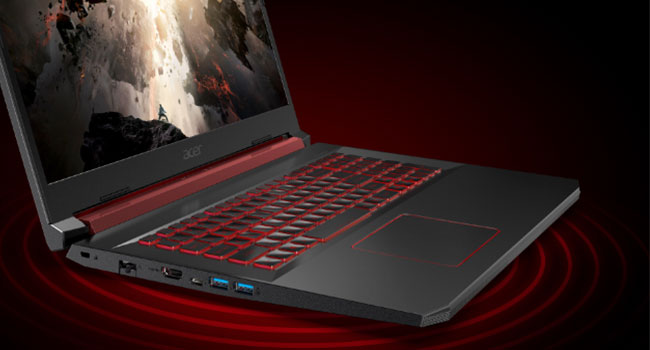
Further Update 4-5-2021: At the current price of $748, I think you can do better than this. I spent about that much including an additional 16MB RAM, for a total of 24MB, and an additional 1TB SSD. But I'm happy I got it and if the price drops back down to around what I paid before the upgrades, $599, it still seems like a good deal. UPDATE 3-24-2021: I had to send my desktop unit in for repair about a month ago. That took about two weeks because it got stuck in transit when Texas got closed down by bad weather, and I had to use the laptop as my primary computer during that time. I connected it to my graphics monitor via the HDMI port, plugged a powered USB hub running four external hard drives, my graphics tablet and my webcam into one USB port, and used the other two USB ports for a card reader and wireless mouse. So, pretty much maxed out all the connectivity options including the ethernet port. Obviously I was not running all this off the battery. Other than time-wasting, I mostly use the computer for photo editing. The images are from a full-frame camera so the files are quite large to start and I often enlarge them. Editing uses a lot of memory and CPU/GPU juice. I had added 16GB of memory when I got the machine, which came in handy. As one would expect, the laptop didn't perform as well as the souped-up desktop does: everything took longer and it got frustrating at times. I wished I had added a larger SSD, which I've now done (another $100, bringing the total including the additional memory up to about $750). Ultimately, though, I got everything done that needed doing and I'm still impressed with the machine. It may be outdated already, I haven't looked, but I'm happy with the purchase and it definitely kept me sane while the desktop was gone, which my old laptop would not have done. This is a preliminary review of the Nitro 5 with the 9th Gen Intel Core i5-9300H and the NVIDIA GeForce GTX 1650. I've had the machine for two weeks now. I paid $600 and dropped an additional $50 on a 16gb RAM stick, for a total of 24gb. I bought it because it was the least expensive unit I could find with a discrete GPU. I wanted something I can use for basic photo editing when I travel or when I feel like sitting in a cafe for a while, because I'm an optimist who believes both those things will be routine again some day. I'm not a gamer and can't speak to its capabilities for that. First the things I don't like: 1) the keyboard. The keys are serviceable but a bit mushy. I prefer a more clicky keyboard but that's really a matter of taste and not function, and after two weeks I've adjusted to it. It's a good size, not cramped, and has a full-sized numerical pad. What I really don't like is that it's basically unusable in the daytime without the backlight turned up most of the way, and the backlight goes off when you pause typing for a few seconds, presumably to save battery. I don't understand that design decision. If you really want to save battery, make a keyboard that you can see without the backlight on. And the shift functions on the keys don't stand out that well even with the backlight. Maybe it's a gaming aesthetic thing, but I don't like it. 2) The touchpad. It's just not very accurate. Moving between open tabs on a browser or trying to select tools in Photoshop or Lightroom and related plugins is a pain. I just use a mouse. I don't know what gamers use touchpads for but I can't imagine they'd like this one very well. 3) Battery life. With the GPU idle, just using the unit for browsing, email and some writing, I got a bit more than five hours on a charge. When I started doing some moderately intensive photo editing involving the GPU, battery life dropped dramatically. If you're doing anything CPU/GPU intensive for any length of time you'll most likely want to keep it plugged in. 4) Webcam. If I'm home I'm using my desktop webcam, and if I'm out I'm using my phone. The one on the unit is sort of a disaster. I guess that's where they're saving money. I would think anybody using the computer for Zoom or to stream would want to use an external USB one. 5) Weight. This is a chonky fellow. I took it in my camera backpack on a shoot involving a lot of walking and noticed the extra couple pounds over the laptop it replaced. Not a big issue, though. 6) Audio. The speakers are muddy and weak. You'll want to use headphones for music or gaming. It comes with Waves Maxx Audio, which I use on my desktop, but no amount of equalizing or enhancing is going to save these speakers. I expect nothing from laptop audio in this price range, and I got it. The keyboard backlight is the most aggravating of all those concerns for me. Classic example of form over function. Battery life is second, the touchpad third, and the webcam fourth. None of the issues come close to being deal breakers. Things I like: 1) Performance. This is a $600 laptop with a decent four-core processor and a discrete GPU. Would I like an i7 or better and the RTX 2060? Sure. Do I want to pay another $500 or more for them? Why no: no I do not. It moved along pretty well right out of the box, and and with the inexpensive RAM upgrade it positively zips. Again, I can't speak to the gaming capabilities, but I'm really pleased with the performance for my needs. I'll have to add some storage at some point, as I expect many people will, but that's pretty inexpensive these days too. 2) Construction: as the weight would indicate, this thing is solid. Despite the plastic body, nothing about it feels cheap. There's not much flex to the screen. The only thing I don't like about it is that the back is a solid piece that has to be completely removed to upgrade the RAM or the drives. It'd be nice if it had access panels for those. Prying it apart was anxiety-inducing. You should note there's an included SSD cable but it's not installed and it's tiny so put it somewhere safe and install it the first time you have the back off. 3) The screen. I was quite pleasantly surprised by the brightness and accuracy. I did some work on a few pics that I then looked at on my graphics monitor, which cost more than this machine, and the colors were pretty much right on. I can't speak to it for gaming purposes, the frame/refresh rate is more or less irrelevant to me, but it's better than I expected for what I'm doing with it. 4) Heat management. This is exceptional. The chassis is built to dissipate heat, and the two fans work really well, independently of one another, and quietly. Acer provides a heat management utility that allows the user to manually control the fans and to keep track of the processor temperatures. I've used the laptop as an actual laptop for up to two hours without appreciable discomfort. 5) Bloatware. There's hardly any, and the Acer utilities are actually useful. I had to get rid of the preinstalled Norton Security and Microsoft Office trials but that's an easy job. 6) Appearance. It's fine. It has the sort of angular, aggressive styling that seems to be de rigueur for gaming, and in this instance the styling incorporates the heat dissipation features so it's functional as well. I'd prefer something other than black but it's fine. 7) Ports. It has an HDMI out, 2 USB 3.0, a USB-C, a USB 2.0, an ethernet port, an earphone jack and of course a power input. Pretty good collection. You can get by without Thunderbolt ports. tl;dr: As you would expect from a machine at this price point, Acer made some compromises. The camera and speakers are subpar, and the unit is mostly plastic. They also made some design decisions that are borderline incomprehensible to me, as with the keys not showing up well in good light without the backlight. The heat handling is great, the screen performance is better than I expected, it's fast and powerful, and I'm still surprised at getting even an entry-level GPU at this price. For a non-gamer using it as a photo editing and general purpose laptop, the value seems exceptional.
R**.
An Excellent Gaming Laptop that Covers Most If Not All Gaming Needs.
For a notebook sized laptop, this thing is quite the beast when it comes to graphical and processing power. Now I know it doesn't stack up against a prim and proper desktop computer that is built with top of the line components, but with the current economy and apparent chip shortages products like these will be in higher demand. Overall, it will run all of the games I want to play at a good resolution (1080p) at high or ultra settings at a stable 60 FPS. While this laptop for the price is an absolute steal, I needed to spend an extra $100 for it to truly shine. The SSD on this laptop is only 237GB which is dreadfully small if you're into gaming so be prepared to invest in a external hard drive in the size of your choosing. My monitor which is around 6 years old only uses a HDMI cord so I needed to buy an HDMI to VGA so I can connect this laptop to my monitor. Finally, this laptop also has two USB ports; one type 2.0 port and one type C. In order to connect my keyboard, mouse, and XBOX 360 adapter I needed to buy a USB hub that goes into the type C slot. In my opinion, while it might be a pain to drop another $100; in the end it was absolutely worth it. Now I have a list of games that I have played or tested that I believe may help any potential buyer decided on taking a chance with this laptop. Do note that I aimed for a stable 60 FPS and all are at 1080p. Yakuza Like a Dragon- Maintained 60 FPS on high settings. Witcher 3 GOTY - 60 FPS with dips into the low 50's on ultra settings Battlefield 4- 60 FPS on ultra. Watchdogs 2- 60 FPS with dips into the low 50's on high/ultra settings. Doom Eternal- 60 FPS on ultra. Deus Ex Mankind Divided - 60 FPS on high/ultra. Fallout 4 (no graphics mods) - 60 FPS on ultra. Star Wars Battlefront 2 - 60 FPS on high Farcry 5- 60 FPS on ultra. Mass Effect Andromeda- 60 FPS with dips into the low 50's on high/ultra. Overwatch- 60 FPS on ultra.
S**R
Excellent device!
I bought this laptop both for school and casual gaming and I’m very pleased! I’ve always built my own desktops to spend less for better parts but needed a laptop for school. After looking at some in the $500-$700 range I found this one and after a look over and reading some reviews I decided to buy it. I managed to purchase the Nitro 5 9th gen for $600 + tax. (Sale) decided to get another 8gb of DDR4 and a 500gb M.2 for all my games. The storage that comes with the laptop is more than enough for school work especially with most files being in the cloud. I got a crucial 8GB DDR4 2666 SODIMM for ram and a WD Blue 3D Nano 500GB SSD (which I have installed but have yet to set up) With both of these upgrades the laptop runs great! Now that you know a little about what’s been done to the laptop and it’s intended use (in my case) let’s jump into some pros and cons after 3 weeks of use. Pros: •Good specs for the price •Easily upgraded •PLENTY of ports •Runs great •Full keyboard (takes some getting used to) •Not too heavy •Easy to use temperature/fan software •Good battery life when on power save •Good quality on the webcam Cons: •The bottom of the screen is a little flimsy •While gaming the CPU runs 74°C-80°C which is a little hotter than I’d like but to be expected in a laptop •Does need to be plugged in for peak performance but the same goes for all/most laptops •Charge port is on the right side of laptop towards the middle which can be minor inconvenience when using a mouse •Not a huge fan of the red but beggars can’t be choosers and at least it was done well. •Took about a week to come in IIRC but no biggie As you can see the cons are mostly just nitpicking little things I don’t particularly care for. That’s because overall I’m very happy with this device! There are just some minor things but not at deal breakers. I usually don’t bother with writing reviews this long but I know there are people in the position I was in a month ago. Love the laptop so far and don’t think you will regret your purchase! Unless you get a bad unit, which I can’t speak on because I got a good one. I’m sure ACER is more than willing to replace faulty units. Hope I was able to help with your decision! Best of luck in your laptop search! Will update with any issues or new findings.
J**N
Great for Moderate Gaming
I really enjoy this laptop, It's super quick. Loads into windows under 4 seconds. I added a " Kingston Technology HyperX Impact 8GB 2666MHz DDR4 CL15 260-Pin SODIMM Laptop Memory (HX426S15IB2/8)" ram module for making the Ram 16GB total, this will work best with the shared GPU memory. YOU WILL NEED MORE RAM FOR HEAVIER GAMES The onboard GPU memory is shared with your ram when in gaming mode. I played space engineers, which requires around 5GB of VRAM for medium gameplay, it leaked into my actual ram, but with the hyperx upgrade there was only slight FPS drops but not enough to affect gameplay. Ram is important. I recommend windows 10 Pro 1909, don't use 2004 on this laptop will die really quick in Win 10 2004. Lasted about 3 hours under full load, whist 1909 lasted around 7 hours under full load, close to expected battery life. The Intel CPU Turbos to 3.98 Ghz while plugged in, if you set it that way. If you plan to install linux, the NVME will not be detected at boot time, to fix this, head to bios and on the first tab or second tab press "CTRL" + "S" to bring up a setting and change and disable intel optane firmware to use nvme in linux, as when you boot a non windows OS, the nvme will be placed into sleep mode. As for a extra nvme slot, i picked up "Western Digital 250GB WD Blue SN550 NVMe Internal SSD - Gen3 x4 PCIe 8Gb/s, M.2 2280, 3D NAND, Up to 2,400 MB/s - WDS250G2B0C" from many other users, as this will take full advantage of the laptops firmware and hardware. You can pick higher space storage, but as a light gamer, this was enough for me. As for the 2.5" drive, i picked up a "ST1000LM024 HN-m101Mbb" It's a 1TB Mechanical Drive with decent write and read speeds for lighter games, and game storage. Granted it is slower, but for this laptop its perfect and I can get full R/W speeds that were advertised. If you notice, it's the same drive inside the XBox 1 - 1st Gen, so You can game on it as well, not as fast load times, but its fast enough to still enjoy a game. Besides the battery life, this is a really good laptop if you go out to a friends house for a night and do some moderate gaming like a LAN party, or a small road trip, or sitting out side for a few hours. I do not recommend taking this on a flight. Unless you get an extra battery. As of this message, I am using this as my main pc, and quite enjoy it, the Intel i5v9 is great and the GTX 1650 plays most games on Medium/High at 50/60fps. Also another note to stay on 1909, is that windows f--ked up the NVIDIA auto select method for Intel Graphics and GPU graphics, so some games will default to intel CPU instead of NVIDIA. Also, This laptop can play COD: Cold War at High settings with 48/55fps under heavy scenes and a perfect 60fps on normal fighting.
W**L
Good buy
Good buy
TrustPilot
5天前
1天前