We remain fully operational. Our teams are working around the clock to ensure your deliveries continue safely.

下载应用程序


Buy anything from 5,000+ international stores. One checkout price. No surprise fees. Join 2M+ shoppers on Desertcart.
Desertcart purchases this item on your behalf and handles shipping, customs, and support to SINGAPORE.
✨ Light up your entertainment like never before! 🎬
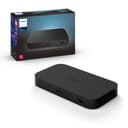
The Philips Hue Play HDMI Sync Box transforms your home theater by syncing Hue smart lights with your movies, music, and games in real time. Featuring 4 HDMI inputs, Dolby Vision HDR10+ support, and seamless voice control, it delivers ultra-precise ambient lighting that enhances every scene. Requires a Hue Bridge for stable, Wi-Fi-friendly connectivity and full smart home integration with Alexa, Google Assistant, and Apple HomeKit.


| ASIN | B086ZJLCTW |
| Best Sellers Rank | #147,204 in Tools & Home Improvement ( See Top 100 in Tools & Home Improvement ) #155 in Home Automation Hubs & Controllers |
| Brand | Philips Hue |
| Built-In Media | 1x Philips Hue Play HDMI Sync Box, 1x PSU & cable, 1x HDMI cable |
| Color | black |
| Compatible Devices | Television |
| Connector Type | HDMI |
| Customer Reviews | 4.0 out of 5 stars 3,706 Reviews |
| Finish | Hdmi |
| Global Trade Identification Number | 00046677555221 |
| Input Voltage | 240 Volts (AC) |
| Item Dimensions | 24.06 x 45.68 x 5.46 inches |
| Item Weight | 1 Pounds |
| Item dimensions L x W x H | 24.06 x 45.68 x 5.46 inches |
| Manufacturer | Signify North America Corporation |
| Model Number | 929002275801 |
| Number of Items | 1 |
| Number of Ports | 4 |
| Package Quantity | 1 |
| Power Plug Type | Type B - 3 pin (North American) |
| Specific Uses For Product | TV |
| Unit Count | 1 Count |
| Warranty Description | 2 years |
R**O
Love it
Configuratios is way to complicated, and requires the full thing to work (strip light for the tv, the sync box and the bridge). Is crazy expensive but the quality of what you get is undeniable. A bit sad that it doesn't work directly with the Samsung tv built-in apps, only works with the connected devices via HDMI, or if the Samsung tv is one of the newest models and Qled or Oled versions. A side from that, i think it work as expected, but I'm sure I'm missing features due to incompatibility or lack of available public user data.
C**E
Marvelous technology Read this if you want to know how to use it.
I bought the Philips hue sync box with the LED strip for the top of the back of the TV and the bar that goes along the bottom of the TV. This TV is a Sony 77-in A80L and is mounted beautifully on the back and creates a magnificent juxtaposition of the light that is being cast from the scene and then emits from the scene around your room without distracting from the shot. You have to have an external stream box if you want streaming content to be affected with the hue system. It's also very touchy with 4K blu-ray players in that if you have a Sony, it doesn't work. You have to have the top of the line Panasonic DP UB820 which I'm just ordering. But back to the streaming issue, TVs do not send video they send audio through their eARC HDMI port. Now some people look at the back of the unit and see 4 HDMI inputs and one output and the software switches those inputs to the output. If you use it in this fashion you will be wasting your money. It does not work that way. It is very clunky and completely puts everything out of sync. The correct way of using it is having an AVR with dual outputs and use the secondary output to feed the input number one of the Philips hue box. If the AVR does not have a dual HDMI output then you need to have a HDMI splitting amplifier so that you have two HDMI outs of your AVR. The other point is that you should not run it in and out to the TV as it affects the signal going to it and it's another thing in the past that that usually screws up and end up regretting it. This set up I got is around $500 for the two lights and the sync box. Yes that is very pricey but the technology required to strip the metadata out of the HDMI input for the video signals is quite extensive so it works really well if you hook it up correctly. You have a full multimedia sound system to hook it up to correctly. It doesn't really work with single systems. Good luck
W**C
Pricey, but soooo cool when you get it set up!
I was a bit hesitant at first to plop down so much on this especially with some mixed reviews, but now that I have it set up I can say it was worth it for me. First, I should preface this with the fact that this item is completely and totally unnecessary. If you’re considering this it’s because you have something cool in mind you want to do, not because your viewing pleasure is significantly enhanced. Don’t buy this expecting to revolutionize your movies/games. That being said, this is really cool especially with video games. My experience with it has been mostly positive. I set this up with a couple hue play light bars behind my tv. It works well with video games and movies, and as long as you’ve configured the entertainment area in the app properly the colors are pretty spot on and match what’s on the screen pretty well. It definitely adds to the ambiance. The syncing occasionally has run into a few hiccups, but it usually straightens itself out. No noticeable delay between audio and. Video, and no issues with delays between game controller input and video. I should note I’m running this at 1080p or lower resolution. I haven’t Tried 4K yet. The app for managing the box is pretty straightforward, and I was able to easily set this up in my Logitech Harmony remote. There are a few downsides. The first is the price. For what this thing does, it’s pretty expensive. That said, it seems to perform well inside the Hue ecosystem and it’s reliable so it’s worth the money in my opinion. Second, the music syncing needs some work. I haven’t used it much yet, but with my 2 lights it seems to randomly select 2 colors and then just kind of strobe them along with the beat rather than changing the colors. There’s no settings I can find to even select what colors, or force it to cycle. This might just be my setup, but I didn’t buy it for this purpose so I’m not really that disappointed by it. Lastly, it doesn’t come with a remote. I already had a 3rd party remote I could use it with, so it wasn’t an issue for me, but if I didn’t have one I’d be stuck managing it with the app. The 2.4ghz WiFi where the sync box is isn’t the greatest due to a lot of interference (and no 5Ghz support???), and my app loses the connection sometimes as a result. Overall, I’m pretty happy with this and I will be getting some more lights in the future to expand on my current setup!
C**N
Works surprisingly well
Bought this to add Ambilight capabilities to my 85" Sony TV. I have a PS5, Xbox Series X and a Chromecast connected to it, with a Gradient 75" strip. You also need a hub device. Everything is working great and setup is smooth. The box connects to the TV via a single HDMI cable and the devices all plug into the box. It acts like an HDMI switch, TV recognizes each thing that's plugged into the box as a separate HDMI input - TV remote can switch between them. CEC features work - ie consoles can turn on TV and switch it into the appropriate picture profile. All HDMI features supported by TV work - 4k, HDR, and 120Hz. I have both consoles configured to turn TV on, so I never even touch the box to switch inputs - TV figures it out on its own. The remote app is great. Lots of configurability, you can use the strip as a mood light. Settings are available for how responsive the strip is. In sync mode the strip's colors match what's going on very well. Playing games and watching movies is amazing. You can also sync to sound (that's coming over HDMI) - I use it sometime for mood lighting when playing Spotify from Xbox. The only drawback of this setup is that TV's native apps still provide best quality (eg Dolby Vision isn't supported by any of external devices I got), and there's no way to sync with them. I just set the strip to static backdrop when watching through TV apps. Bottomline - if you want to elevate your TV experience, shake out your wallet and get this. Don't buy any of the cheap Chinese crap that is abundant on Amazon. Only Philips got the patent, so only they do HDMI sync right.
C**S
super expensive, not updated or current, buggy device with bad software
super expensive, not updated or current, buggy device with bad software, multiple apps required. Problem 1: There are confusingly 2 listings for this item on Amazon. Both appear to be the same exact item. 1 is listed as 555227. Both appear to be the same old device. Problem 2: The listing for this item itself says "Smart Lights Required" -- this is technically incorrect. If all you wanted to do is use this device as an HDMI splitter, it would work for that (as long as the devices are HDMI2.0 or prior). So NO, lights are NOT actually required. Problem 2: Old tech. Not HDMI2.1 compliant which could be a problem for newer video game consoles, PCs, AV Receivers, TVS or any other device requiring HDMI2.1. This means this device will kneecap your better, faster HDMI2.1 sources. They'll work worse, slower or maybe in some cases not at all? I don't know everything about HDMI2.1...4K@120, 8K@60??? Whatever that standard gives you, this device won't be cable of splitting it... Problem 3: Incredible amount of confusion that this device won't work unless an HDMI SOURCE is connected. I'm NOT CONFUSED ABOUT THIS but many of you are. Obviously, this device sucks up video info from an HDMI source and spits it out to the lights. People can't seem to understand that If you connect this thing to a TV and they play an app ON THEIR TV, that the app doesn't communicate with this Sync Box...So maybe change the listing from "Smart Lights Required" to "HDMI Source Required" because lights are NOT required but an HDMI source is! Problem 4: It's actually kind of slowish. For a $200-$300 device, the lights don't exactly update super-fast with what's on screen. I mean...it's okay...UNDERWHELMING for $500+ (after you buy this thing, hub, lights)...You can buy an average 4K 55" or mediocre 4K 65" TV for that price... Problem 5: Bad software. 2 different apps required?? There is the HUE app itself (just for lights) but an additional HUE Sync app is required to get this thing to work for almost no reason. Why not just add this device activation to the main HUE app? The HUE Sync Box app itself is so basic, why have it at all?? It forces the user to have multiple apps open to use/modify everything and that's not intuitive. It's very clunky and stupid. The fact that there are 2 apps can cause install issues. I initially failed to get this device to work possibly because I'd added the Sync lights to the HUE app first (because they're in there as an option and that was an intuitive thing to do), but didn't create an "entertainment zone" (what the hell is that even and how would I know to create one?) The HUE Sync app could not get to the point where it tells me to go back to the other HUE app (again why are there 2 apps?? -- so stupid). Setup failed repeatedly. It just hangs and doesn't tell you what's wrong. I had to restart from scratch multiple times, delete lights in the HUE app, and it failed multiple times. Installation is NOT straight forward. Setup is NOT a breeze...I'd call it hot trash. MANY people will give up here and just return the device. I'm not even sure how I got it to work. Everything seemed to be connected and should have worked but my main HDMI source would not stay connected (or connect at all). I couldn't initially figure out whether this was an HDMI2.1 issue or just this buggy device...Another reviewer said it took him 2 days to get it to work. 2 DAYS???!!! Oh my god, get rid of the thing at that point. Problem 6: TOO EXPENSIVE. The Phillips HUE ecosystem is ridiculously expensive for devices that are old tech, using old standards, requiring extra devices (HUB) that other far less expensive (but still good) ecosystems do not. THUMBS WAY DOWN.
P**S
I love it!
So I'll admit, it doesn't always work well. Sometimes it's too much for the setup to work well and it becomes a distraction. HOWEVER, most of the time it works wonderfully well and really adds to the experience. It's difficult to describe, but it almost sucks you in more, makes the experience seem more palpable somehow. We just have the dual light bars behind the TV, but if you had the led strip or extra bars it would probably work a lot better.
M**Y
Has potential, but annoying glitches persist
I’ve had the Sync for almost a year now, paired with 9 various Hue lights for a really cool, immersive setup similar to a surround sound setup. And Sync works great - when it doesn’t randomly reboot. You’ll see this complaint over and over in reviews and Reddit threads, so why Phillips hasn’t addressed it is really disappointing. I’ve tried everything everyone recommends: - isolate the power source / adapter - buy the fastest / high quality HDMI cables - have your 4k inputs on 2 or 4 - turn off a bunch of settings so it has less to process (exact ones can be found in Reddit threads) The reboot issue is awful. It will fully reset the unit for about 10 seconds, in which you have no signal at all. And it will do this twice a night, or once every week, or really, whenever the heck it wants. Very random. How I’ve somewhat curtailed this is I’ve added an HDMI splitter so at least the Audio and Video remain on, and you only see the Hue lighting reboot. If you choose to have it auto go to a low level and neutral color, sometimes you may not even notice it. But I shouldn’t have to do this, and let’s also just say no one makes a perfect HDMI splitter either - lots of issues keeping Dolby Vision / Atmos consistent. But that’s for another review. :) In short, I love the concept of this but the execution is bumpy. I’ve grown to deal with it, but can’t wait until they either update firmware or release a new build that fixes the problem.
J**N
The absolute best way to watch “Defiant Jazz”
Once you set it up just right, this Hue product provides the most subtle yet immersive lighting experience. I love that the color bars I already had on the sides of our screen now sync to match the ambient video colors on the edge of the frames, but then adding in the can lights when we upgraded them to Hue bulbs was the chef’s kiss. The two just in front of the screen give a subtle nod to the top edge colors, but then we also have two slightly behind our main couch that light things up like we’re there in the scene itself. You can configure just the lights you want, so the middle-room ones we disabled as they were too visible while watching TV. Very happy with the product, but it is quite expensive- watch for it to go on sale like we did!