We remain fully operational. Our teams are working around the clock to ensure your deliveries continue safely.

下载应用程序


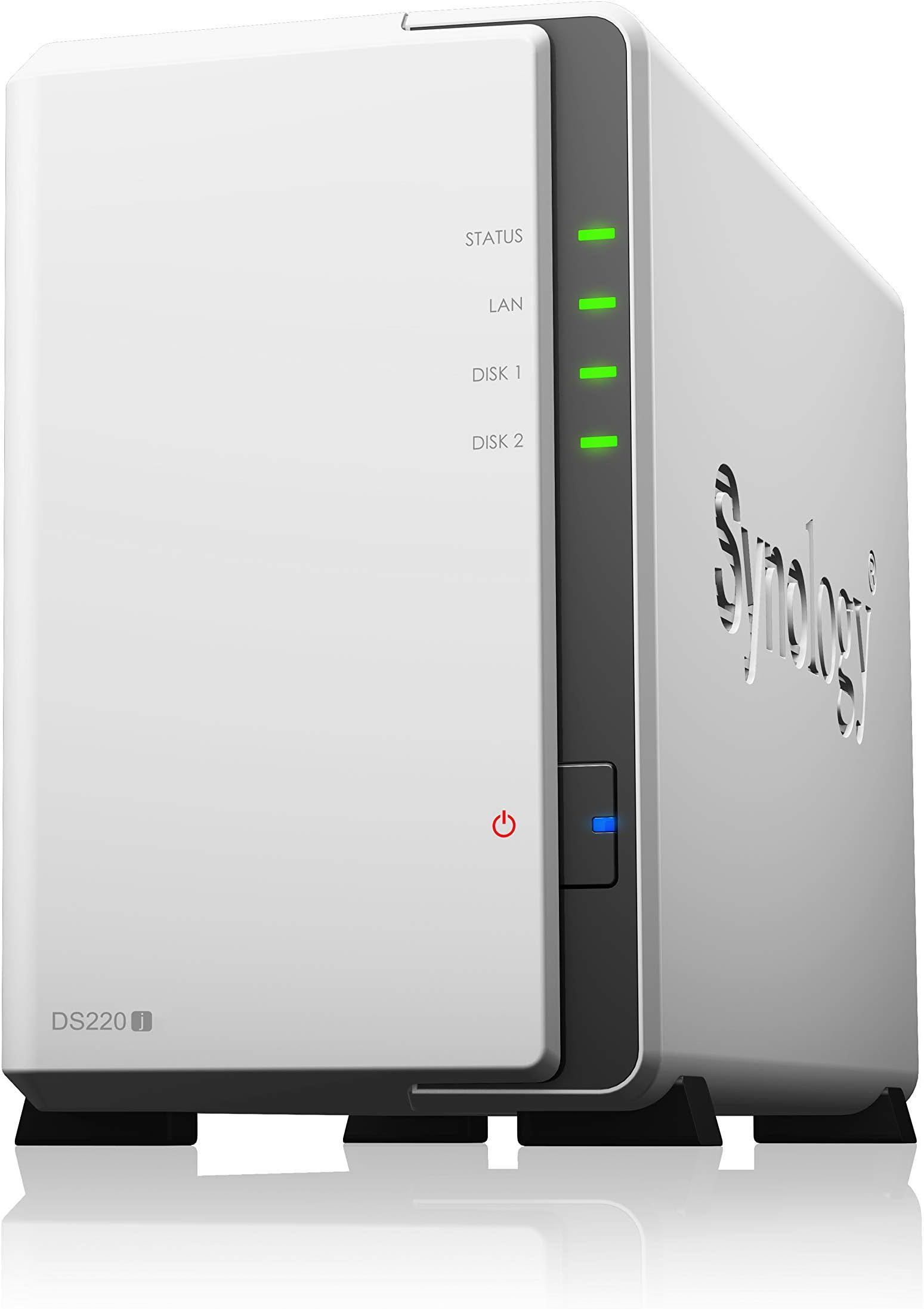

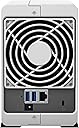


🚀 Elevate your data game with Synology DS220j — your secure, smart, and sleek private cloud hub!
The Synology DS220j is a compact, budget-friendly NAS featuring a 1.4 GHz quad-core processor and 2GB RAM, designed for home and small office users. It offers robust built-in security, supports large HDDs with RAID mirroring, and provides seamless private cloud access through an intuitive interface and mobile apps. Ideal for professionals seeking reliable, centralized data storage with remote accessibility and strong data protection.


| ASIN | B0855LMP81 |
| Best Sellers Rank | #174 in Network Attached Storage (NAS) Enclosures |
| Brand | Synology |
| Color | Enclosure |
| Compatible Devices | Server |
| Customer Reviews | 4.5 out of 5 stars 3,341 Reviews |
| Enclosure Material | Metal |
| Global Trade Identification Number | 00846504003440, 04711174723447 |
| Is Assembly Required | No |
| Item Weight | 1.94 Pounds |
| Manufacturer | Synology |
| Material | Metal |
| Mfr Part Number | DS220j |
| Model Number | DS220j |
| Mounting Type | Tabletop |
| Size | Enclosure |
| UPC | 846504003440 |
| Unit Count | 1.0 Count |
M**N
Sort of on the fence about this one...it's a NAS
I wanted to utilize a couple of my large HDD as a NAS (again). The older model that I was using wouldn't accept the size drives I wanted to upgrade to and did not want to continue with drives located inside PC, dealing with the various backups, mirroring, and so forth. Nothing in particular critical or sensitive being stored, just wanted easy access from any device in the house. This unit was highly suggested by various sources and reviewed high so figured it would be a shoe in. I am FAR from some super IT pro, but certainly know enough to be dangerous (to myself) and have dealt with various NAS/FreeNAS/sharing units and setups over the years. This unit didn't seem super intuitive to me insofar as setup. First off, make sure your drives are empty or that there is nothing on them you want to keep. The moment you put them inside the unit it is going to format them. It claims some hot swap ability and that it will auto rebuild the RAID/mirror that it boots to on default. It hasn't been my experience but to be fair I basically had to get on and search every single area of settings to see what I was and was not doing (and am getting ahead of myself) The unit goes through a setup wizard, makes you choose a strong password, asks a couple of questions and you are off. Access to it requires that you map a network drive. Clicking on the icon that shows in "network" just takes you to setup page. On default the unit will make you pick a "strong" password and will refuse anything it deems to weak. I utilize an easy password within my LAN (not the log in) that all the shared media folders utilize. I went through the settings and changed what needed to be done in order for it to allow me to set the password I wanted. Setting no password will not work with Windows (as it wants the password). After I got that set and what I thought was fixed...I kept having issues with the NAS logging me out. Right in the middle of access it would be asking me to re-enter credentials that were already saved within Windows. I had to do delete that profile entirely, set it back up again, and finally got that issue resolved. After that I had an issue where once one user was connected others could not connect, would show a "forbidden" message. Finally after several days of asking around, reading each individual setting, changing power settings and Wake On LAN settings I got everything working the way I intended in the first place. As I mention earlier in the review once you put a drive in, even if it's already formatted to the type this unit wants, it formats it. It's default setup is a mirror so one of the drives is being actively written to and then copied to the other. This sounds all fine and secure....well... When I put my first two 4TB drives in the unit erased them, bye bye movie collection. Fine, had it backed up properly. I let the unit do it's format and seemingly am ready to go. The unit is making hella noise and come to find that one of the drives is on it's way out, must have bumped it too hard. The information was already written back to the drives. I take out the bad drive, install a backup and exactly same model drive I had on hand expecting it to mirror, like it said. Nope. Had to rebuild the data a THIRD time. So here, to me, is the catch. Supposedly it's "mirroring" your data. Supposedly it will auto rebuild a swapped disk. It does so in it's little proprietary Linux style format. Nothing other than devices like this can read it. It's worthless to a Windows computer outside this housing....and it DIDN'T auto rebuild. You get this warm and fuzzy thinking you are buying a unit that is backing up and mirroring your data and in reality you are trapping information in a format that won't mean squat to anything else. IF a disk fails it is IMPERATIVE that you back that data up as a precaution before inserting the new disk it's (supposed to) rebuild for you. Well, what if you don't HAVE space anywhere else, because this was supposed to BE your "safe backup"? IMO it's a cool little unit. I would suggest setting it up as one "striped" drive, because the mirror is a lie like the pie. It works well for simple sharing after you bust your rump to get that functionality as a true LAN and not tied up in all the cloud BS it will try to get you to use. For the price it's ok. There aren't a whole lot of compelling items that compete for what this is. It's workable. Most folks are just "going cloud" and letting it do what it wants. Edit - 2025 Just wanted to say that after many years with the above setup just being static, I upgraded it again with larger HDD and also did a firmware update. It was a game changer. All of the settings that seemed to make no sense were made far easier in the UI and it works as I always hoped it was supposed to.
J**R
Overall a great product to backup your personal data
I have the Synology NAS now for about 3 months. It works well for me. Below I listed some pros and cons for Synology from my personal experience. Pros: - Hard drive installation was easy and straight forward. - Initial software setup was easy. - The Synology website has a lot of information on how to setup your synology. So if you do not know to exactly set things up, just google it and you will find the Synology website with information on it. - Helped me a lot and great work to set this information up and to keep it up to date!! - Great mobile phone app support. You can find a lot of mobile phone apps from Synology which work well together with your device. I for example use DS File to upload the pictures on my phone to the Synology NAS. - You have software apps for Synology for a lot of things (more than I need), which is great! - Great support for Timemachine (MacOS) to backup on the Synology hard drive. Works really well despite a hiccup. One time I needed to kill the time machine user on the Synology device since it had 2 sessions at the same time and couldn't do a backup. Worked fine after killing those sessions from my Synology. - Great build in functionality to make your Synology secure (2 factor authentication, encryption, etc.). - You can access your files from the outside world if you want to. Cons: - The indexing of video and photo files is starting right away when you copy it on the NAS. When you copy large amount of photos/videos on it, it will take most of the CPU time. It takes than minutes to log into you Synology drive, but you can pause the indexing for some time. I really hoped that was a support for scheduled indexing (index between like midnight to 6am), but couldn't find it so far. That is probably my biggest complaint. - Antivirus: Not a bit deal in my mind since the info that gets in the NAS was already virus checked in my computer, but you should know that it's not working very well for the following reasons. The antivirus program from Synology does not always work well. I had to install the first virus definition by hand the first time since the antivirus software never finished updating (found that solution on the website and piecing things from other users together). Now its updating just fine most of the time. The scan (according to the antivirus logs) takes from like 2-16 hours for me with my data just being like 400GB (no idea what the virus scanner is actually doing), but it doesn't matter to me when it is done. General caution: - If you never worked with a NAS before I strongly recommend you read up on good practices how to make it as secure as possible. I believe Synology provides that information as well. - Installing this device and setting it up the way I wanted to took me some time. So expect to spend some hours to set it up before considering making it accessible from outside your home network. All in all a great product. The few things I do not like are small compared to the functionality provided by Synology. I think they did a great job with this device!
R**Z
220J and 420J Very Fast, Easy Setup, Reliable and Quiet
Since Amazon groups the 220J and the 420J together I cannot review the 420j separately so I am revising my 220J review to include the 420J. I got the 420j 15 months after the 220j and as expected the 420j is also excellent. I actually got a great bargain on the 420j from the Amazon Warehouse for a returned items whose package indistinguishable from new. I use the Synology 220J and 420j in a very simple way, to set it as the destination for the download of torrent files, backups, and for storing other large files I don't want to use up space on my solid-state drive. The PC is a Windows 10 and wired to a 1G LAN. Both NAS's are cabled directly to the 1G port of a Netgear r6700V3 router. AS long as I used wired (not wireless) the connection to both NAS is very fast even approaching the data limit of the 1G Ethernet interface. See the attached graph showing a speed test to both NASs from my laptop to each of the Synology units. Very fast indeed at the max capability of the 1Gb network. THE GOOD: -- EASY TO INSTALL: Doing very little more than installing the hard drives, letting the units run their initial installation, and then setting up a shared folder, and was quickly able to see the NAS's from both of my Windows 10 laptops. Very little to do to start using the NAS. -- FAST TORRENT SAVES: Saving torrent files over an ethernet cabled connection the speed was as fast as the torrent downloads themselves. Very pleased. -- GOOD STREAMING: I was able to play a 4K video from the 220J over the 1G LAN to an NVIDIA Shield with excellent results. No pausing or jerkiness. The 220j and the 1G LAN were not at all stressed by this. -- GOOD SUPPORT: I was impressed with the tech support. They were always available and reasonably knowledgeable but were unable to offer a reason for the slow torrents. -- QUIET: The fan in both units is surprisingly quiet and with adjustable speed. -- FAST FILE TRANSFER: When I copy a file from the PC (where Ive saved a torrented file) to the file it's very fast. I see speeds of 115 MBps on a 1G LAN. See the attached speed test for both units. -- VERY RELIABLE: Over 15 months of use the 220j NAS has been available 100% of the time, connecting to the network and operating over its web-based interface. I've had the 420j for only a week but I expect the same remarkable reliability from it. -- CAREFUL WITH DRIVE SELECTION: I only say this because I initially installed some good value Hitachi 4TB drives that turned out to be noisy as heck. They made a loud thumping sound as the heads moved, so much so I had to change the location of the 220j to another room where I would not hear it. -- QUIET HARD DRIVES: For the 420J I used 4ea Seagate Barracuda 4TB drives and I don't hear them at all. In fact, the fan is louder than any noise the drives make. The Bad: Not a thing. CONCLUSION: Both the 420j and the 220j do a lot of things and is probably much more sophisticated than I need and for the simple task of saving files from my PC over a LAN, but it's a great easy to setup and a supremely reliable solution.
A**R
What do you really need?
I really went back and forth when purchasing this unit. By the way, I haven't received it yet. But...I have been using a DS216J for quite a few years now, maybe 8 yrs, possibly even 10 yrs. So, this unit, the DS220j was about $170, and the DS218+ was $299. The DS220j has fixed memory and it can't be expanded while the plus series and the DS218play can have the memory expanded. It really bothers me that Synology doesn't make it expandable on all their platforms. For Christs sake, it's 2021! Anyway, I digress Synology tech support is average at best. They're friendly, but you never get anything solved on the first call, and I guess it's probably the norm for tech support, but they cant' help with anything that isn't already documented. Well, I've been a computer professional for 23 years and have a pretty good grasp of how to use google, and can figure things out on my own fairly well, so nothing irks me more than when I am working with a problem, or a bug, and there is no resolution on line in google, and I have some tech support person asking me basic questions and clearly doesn't know their sh** and is reading from a book. Come on Synology, endeavor to be better! I bought the DS220j though after much deliberation. First, I do like the UI. It's fairly intuitive and easy to use. There is a lot offered in the DSM package plus all of the add ons. And my DS216j has been a solid performer! I did knock it off of a shelf and in doing so I destroyed the disks. Luckily, I had backups scheduled and was able to restore from my Amazon cloud storage. Which by the way, I'm not exactly happy that Synology no longer supports Amazon cloud storage and instead now forces you to Amazon S3 or others. I was getting 5TB of storage for about $80 a year and now all the available options are much higher. I went with Synology C2 storage, but even that is $60 for 1 TB. As for the speed and lack of expandable volatile memory, I use my NAS as, well, a NAS! Oh, and NVR too! But I'm not using it for the host of other applications it can run. It's not my domain server, I'm not running a web service off of it, or a database server, or media center, etc. I store my files on it. A centralized storage location for my home. I have 27 years of digital pictures (older ones scanned in of course), I have about 500 cd's worth of mp3's on it, I store video from my go pro and from all of the movies of my daughters childhood that I digitized, I store my documents on it, and with the NVR I store up to 500 GB of video from my security cameras. Sometimes it's a little slow when I use the UI, but it's never horrible and honestly, I am in the UI probably less than 2 hours a week total. There's' another reason why I don't use my NAS for all the other things, and that's security! My NAS is on a VLAN and 2 firewalls (my cable modems firewall, and another router and firewall on the VLAN). When you start opening ports for remote access, web servers, media servers, etc., you start making it more and more susceptible to intrusions. So, this is my NAS, my network attached storage system, and it's there for me to consolidate all my documents, past, present, and future. If I want to the other functions, I buy a pi4 or something similar and run things in dockers on isolated VLANS over VPN, etc. I do think that I'll get one more Synology NAS in the next couple of years, probably a 4 bay + model, and for that one I might expose it more and use it for different functions. My elderly mother is getting the DS216j that I'm replacing with this DS220j, and I will be running the NVR at her home with a security system, and will likely add the DS4##+ later and use it as the backup location for my home NAS and my mothers and eliminate the $60 yearly fee for limited storage. I'll likely locate that NAS at my sisters so that all of the NAS's in my landscape are geographically distributed to prevent loss from a single event. And for all of you that have never had a NAS and are considering adding one, isn't that kind of the purpose of a NAS? Centralize all of your data, back it up often and remotely, so that you don't lose all your family photos, videos, documents, etc in a fire, or a tornado, or a hurricane, or a flood, etc. Seriously, I have never understood why you would want to run all those other services on your NAS. It's capably, but there are other and better platforms for running other services. Including running things in a cloud environment and letting a dedicated team manage infrastructure and security for you. So, buy this NAS. It's a good price, and it works exceedingly well as a NAS! Don't worry about the lack of memory and just don't use it for all of those other things. Let it do one thing, really really well!
M**N
Reliable
I bought this synology NAS drive to replace a synology drive I had installed fifteen years ago. I use the drive as a central data repository for my home network, storing photos, music and laptop backups. My old one proved very reliable but I figured the disc drive, running 24/7 were getting to the end of their life. In fact, about five years ago I bought another manufacturers NAS drive to use. But I found it unreliable, repeatedly going off line and not being accessible when I needed it. This would be corrected by powering down the NAS and restarting it, which typically took ten minutes. Meanwhile my synology NAS just kept going alongside it. This new NAS seemed so unreliable in comparison I never took the original synology NAS out of service and they ran side by side for five years while I recovered from the financial outlay. I bought this new synology NAS six months ago and set it up. I took down my interim and unreliable NAS but kept my old synology NAS running alongside this one. I was impressed that the synology shell on my laptop found both NAS. I found the graphic interface to be familiar and as intuitive as ever. I was able to do a NAS to NAS transfer of all my photos fast. I had a cleaned up music collection on a USB drive and was able to plug that into the rear of the new NAS for a fast transfer. And it was easy to setup automatic backups for my laptop. And most important, the NAS appears as reliably available as my original one. After about two months I finally retired the 15 year old NAS and just have this one on my network. The interim third party one I had tried would have hung at least three times in that two month period. This new synology NAS, not once, showing equal accessibility as it’s one and a half decades old brother. I’m six months in now and have no issues with this product, my experience with this has been excellent. Occasionally Windows explorer will show a mapped folder on the drive as inaccessible, but as soon as I click on the folder it becomes accessible and opens. I think this might be a quirk of Windows. I will update my review in 2038, when this one turns 15.
Z**.
This is a great little NAS!
This is a great little NAS! I went looking for a 2 bay NAS unit after my most recent update on Unraid for my main Tower server Time Machine stopped working. Whatever I did, I could never get it to work. After asking on the forums, they said it's a common issue. I took out 2 5TB empty drives (bought in 2014!) that weren't being used for anything and planned to use them here. I eventually settled on the DS220j unit over the DS220+. I couldn't justify spending the extra money for features I didn't need since I still had my server for everything else. The one feature I liked on the + was USB flash drive button copy and front input, but couldn't justify spending the money just for that. When I got it, assembly was super easy. The case didn't have any screws in it yet, so you just pulled it apart and the drives to the bays went right in. Used the supplied screws to secure them in their bays, close it up and you're off and running. Setup was super easy. The installation automatically sets you up for their SHR Raid. You do have the option to change that if you want later if you want but I left in that cause I figured why not. It set you up with default share folders, which I didn't like the names of. I wanted to delete/rename some of them and had to disable some of the default apps to do so. Wished they'd give you the option if you rename it it'd update in those apps also. I just left them disabled since I don't need em anyway. First thing to do was setup Time Machine. Digging around found instructions and that was fairly easy to setup. Created 2 users, was able to set size limits in their profiles. Backed up both Macs to the one folder and has been working great since. Next I setup a Plex server to test out. Direct Play worked fine streaming the movie from my server, but Transcoding forget about it. If all your clients in your home can Direct Play and that's all you care about, you can prob get away with it. But if you want Transcoding and more features, get the + or one of the other '20 models with more drive bays. You'll thank me later. The next thing I did was buy a USB extension cable and got USB Copy going. I needed to buy the exFAT Access app to unlock that but once I did it worked great. Set it up so if I plug it in, it'll automatically copy the drive when I do and eject when it's done. The cable works great to give me front port access too. Haven't done much else besides those 3 things, but there's a lot more you can. So if you're looking for a simple file sharing 2 bay NAS this is it! If you want to do more things like install Docker suppoort, Transcoding Plex (please get more then 2 bays!) and other things look at the other '20 Synology models. But if what I described here is all you need, go for it!
T**E
It'll take a while to set up, but worth it
Three things are important to me for a NAS device; 1. How long to set up. I purchased this device plus a 16Tb drive (IronWolf Pro). It will take about 10 hours to configure that drive, during which it will be noisy - it's chuntering a lot while it sorts the drive out. It does it by volume, so once a volume is verified, you can write data to it while the unit is still sorting itself out. 2. Speed. Yes, it's fast. I don't think I'd try video editing straight off the drive, but data transfer is fast. Copied a 4Tb external drive in about 4 hours. 3. Network connectivity. This is where Synology shines. You can access it from your home, or remotely. Super easy to set up. Why did I buy this? I have a Raspberry Pi based time machine at home for two Macs, and a third PC backing up to the same disk. That works, as long as the power doesn't go out (if it does, I need to run a disk check before I get the drive back). I also have client websites, which I back up to AWS S3... but the costs on that were growing, and when I did a recovery exercise... it was painful. Very painful. (and I'm AWS certified). I was going to build a second backup device based on a Raspberry Pi and a 4Tb disk... but once I priced it out, at the moment Pi's are a similar cost to the Synology - so why put all that manual labour in? I did add a larger drive than initially planned. I've retired the other Pi, and my plan is to use the Synology to backup my clients websites to my office, and delete the S3 backups when they contractually age out. That will make the Synology pay for itself in about 3 months. Footnote: As I said in the first section, it's noisy while setting up. Once it's happy, however, it's very quiet (and I can have the fan on the lowest setting). I only hear it when data is being written, and apart from Time Machine, that will normally be in the early hours when I'm not there. Recommendation: If you buy this, don't cheap out and buy (or reuse) bog standard drives. Put enterprise level drives in it (certified by Synology). You'll thank me later, when you don't lose any data (been there, seen that, fixed that, all in the past...)
K**D
Cost-effective, powerful and features-rich
I have always relied on cloud storage. But the problem with Google Drive and Dropbox is that I don't have the features for my use case. I want a storage space that is highly accessible and can allow me to stream my media content in my home theater setup. This was the answer to my needs. The system is compact and well built. Doesn't take up space. It is quiet. The Synology DSM operating system is just awesome. Easy to set up and has a ton of applications and features. I can also link my folders to a cloud service for extra redundancy in case there's a hardware failure or unexpected loss (fire or something). If you have a simple use case like I did (file sharing, backup, media streaming), my advice to you is: 1) Get this system, 2) don't cheap out on your selection of hard drives. I picked Seagate IronWolf hard drive. It is pricey but it is quiet and has been reliable thus far (bought it 14 months ago and it is still going strong). If you plan to store this little guy inside a closed area like a cabinet, I suggest you get a cooling fan to keep it cool which will extend its life and save you the money and hassle of having to replace this machine prematurely. I use AC Infinity AIRPLATE S5 which is absolutely great. Also if you are planning to put this on your local network, you need to consider the security aspect of protecting your files. You don't want to expose your files to viruses and hackers on the internet. I bought a cheap firewall appliance and installed pfsense on it. I have the NAS machine protected with firewall rules and an antivirus system. My firewall rules are setup to have the NAS accessible only by my secure network. Wifi guests and IoT devices cannot communicate with NAS. And NAS is only accessible from outside through the VPN service set up on the pfsense system. You can plan your own setup as it fits your needs. But the most important thing is don't underestimate the security threats out there.
TrustPilot
4天前
1 个月前