
下载应用程序







🚀 Elevate your home network to pro-level speed, security & smart control—because buffering is so last decade.
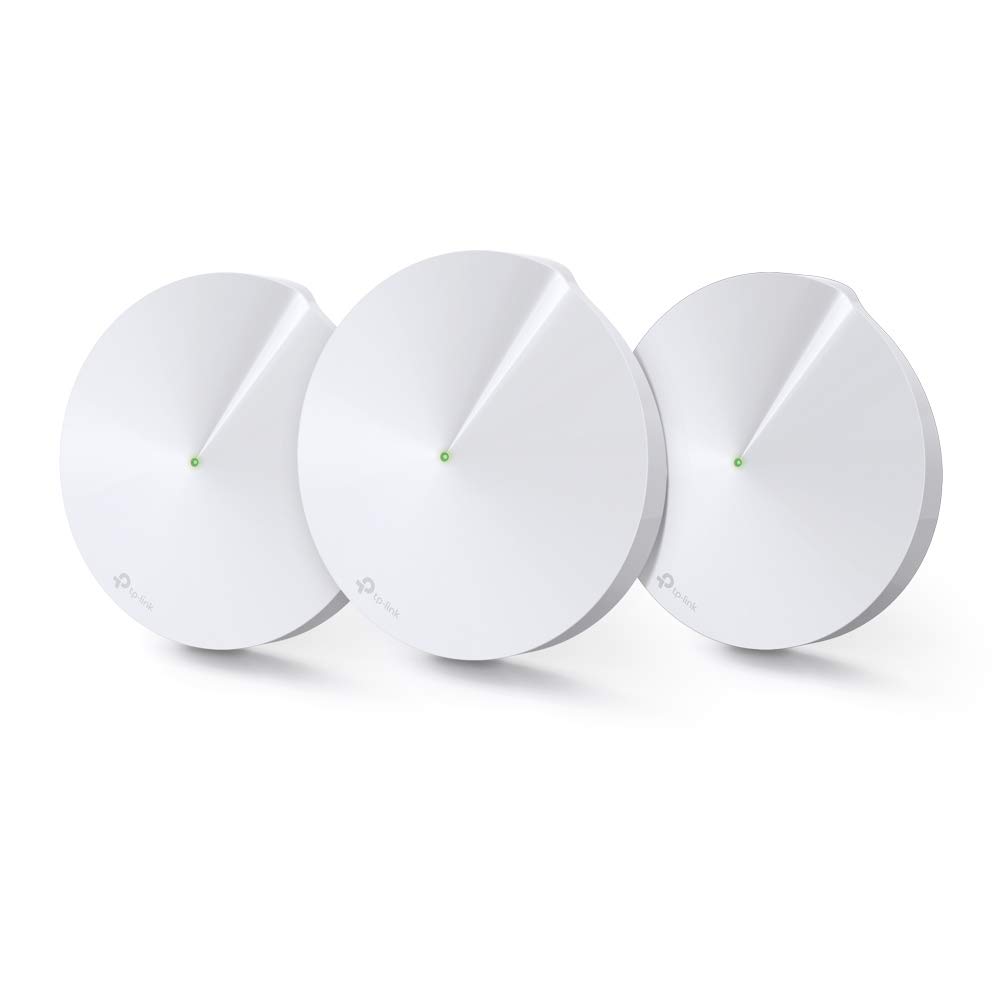
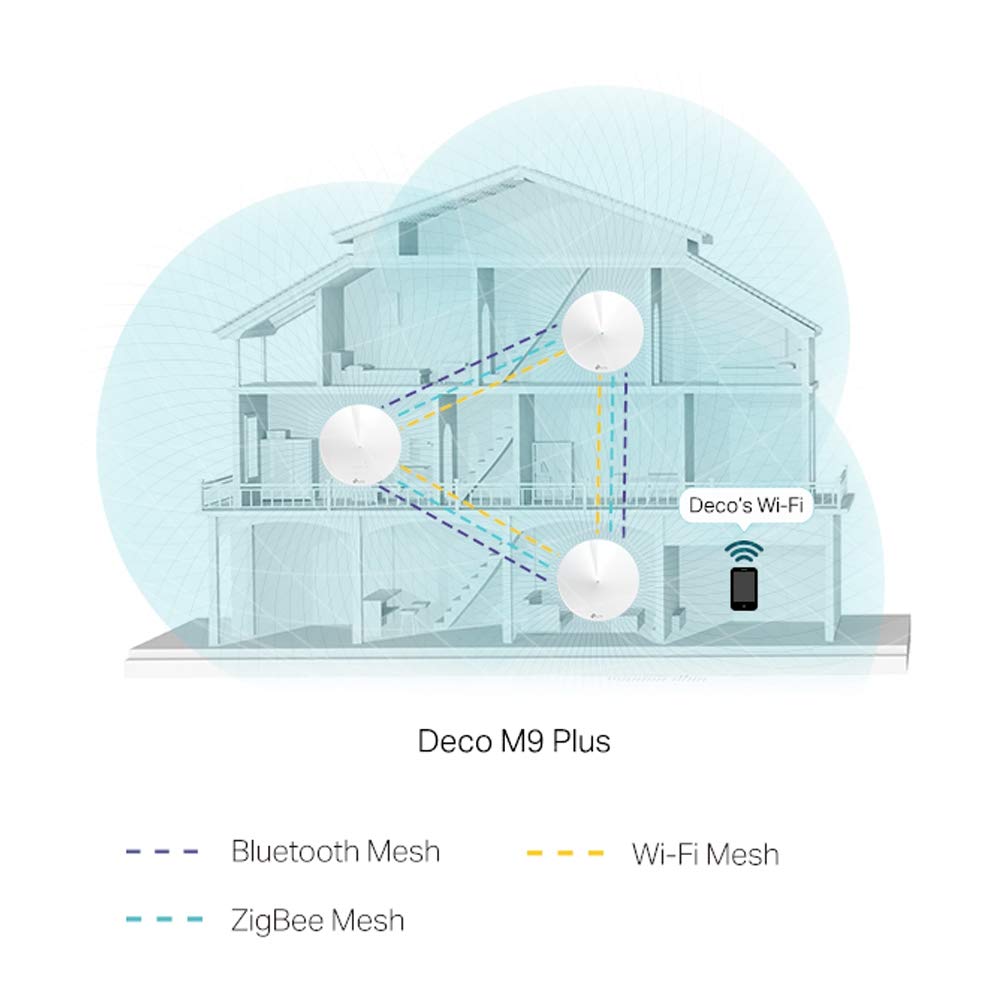
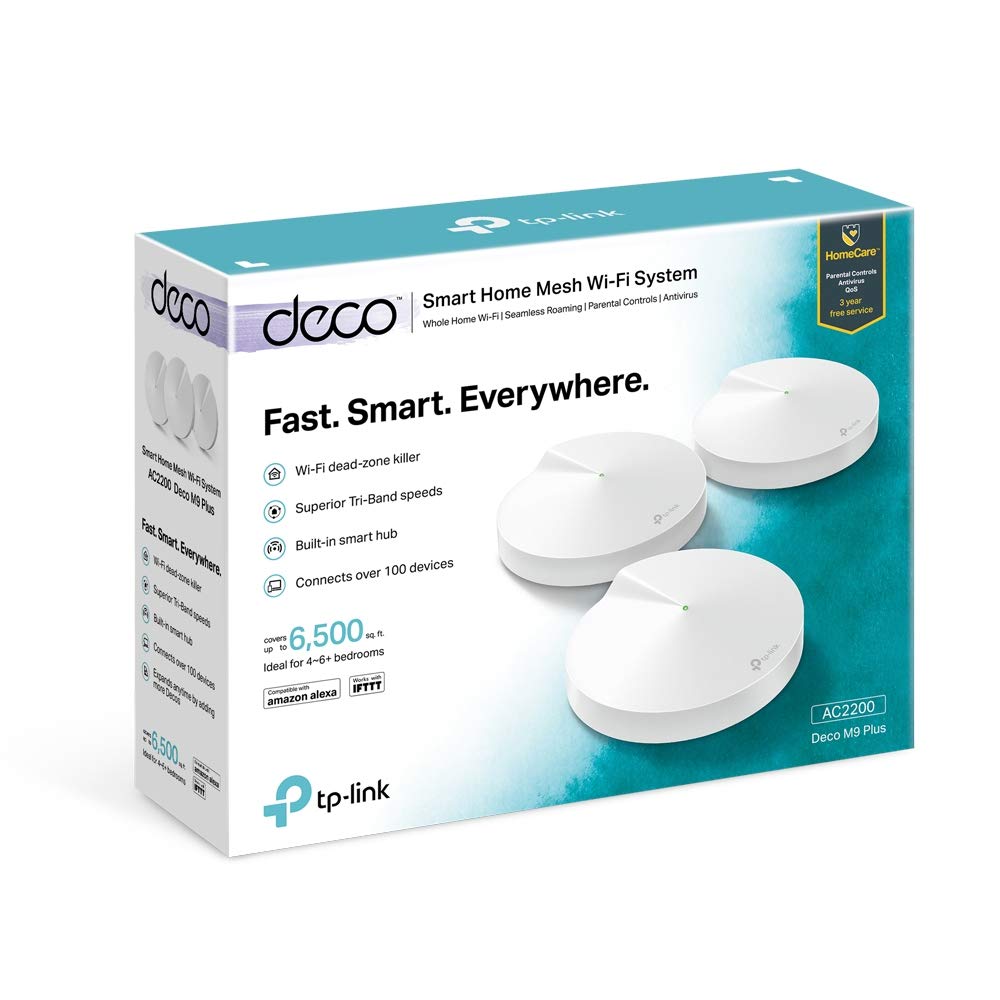
The TP-Link Deco M9 Plus (3-Pack) is a premium tri-band mesh WiFi system delivering up to 6500 sq ft of seamless coverage. It doubles as a smart home hub compatible with ZigBee and Bluetooth devices, eliminating the need for extra hubs. Featuring robust HomeCare security with antivirus, parental controls, and QoS for 3 years, it ensures a safe and optimized network. Easy setup and management via the Deco app, plus Alexa voice control and smart shortcuts, make it ideal for tech-savvy professionals seeking reliable, high-speed connectivity throughout their home.


| ASIN | B07WRDR22H |
| Antenna Location | Home |
| Best Sellers Rank | 59,773 in Computers & Accessories ( See Top 100 in Computers & Accessories ) 152 in Whole Home & Mesh Wi-Fi Systems |
| Box Contents | 1 RJ45 Ethernet Cable, 3 Deco units, 3 Power Adapters |
| Brand | TP-Link |
| Brand Name | TP-Link |
| Colour | Black |
| Compatible Devices | Laptop, Personal Computer, Smart Television, Smartphone, Tablet |
| Compatible devices | Laptop, Personal Computer, Smart Television, Smartphone, Tablet |
| Connectivity Technology | Wi-Fi |
| Control Method | App |
| Controller Type | App Control |
| Coverage | Up to 6500 sq ft |
| Customer Reviews | 4.5 out of 5 stars 984 Reviews |
| Data Transfer Rate | 1000 Megabits Per Second |
| Frequency | 5 GHz |
| Frequency Band Class | Tri-Band |
| Frequency band class | Tri-Band |
| Is Modem Compatible | No |
| Item Dimensions L x W x H | 14.4L x 14.4W x 4.6H centimetres |
| Item height | 4.6 centimetres |
| LAN Port Bandwidth | 1000 megabits_per_second |
| Manufacturer | TP-Link |
| Maximum Upstream Data Transfer Rate | 1000 Megabits Per Second |
| Model Name | Deco M9 Plus(3-Pack) |
| Model Number | Deco M9 Plus(3-Pack) |
| Model name | Deco M9 Plus(3-Pack) |
| Number of Ports | 2 |
| Operating System | Linux |
| Other Special Features of the Product | Alexa Compatible, Parental Control, QoS |
| Product Warranty | 3-Year Manufacturer Warranty |
| Security Protocol | WPS |
| Special feature | Alexa Compatible, Parental Control, QoS |
| Unit Count | 1.00 count |
| Wireless Compability | 802.11ac |
| Wireless communication standard | 802.11ac |
J**S
Virgin WiFi transformed
I purchased the Deco M9 with 3 units in box. Live in large old house 4600 sq ft with solid brick walls over 3 floors. Virgin Media Dud3 on ground floor living room. Could not stream in upstairs rooms where speed through 3 walls was 2 to 5 Mb/sec. Dropouts were frequent. Slowest recorded speed on uppermost floor (where I have not put Deco disc) is now 240 Mb/sec. I set up Deco as router and put Virgin Hub3 as modem only, which is the default recommended setup. Setup quick and easy if right sequence is followed, so for benefit of those who may do it in future........... 1. MOST importantly, do the pinhole reset on your Virgin Hub3 by 20 sec+ press on pin hole button just below lowermost ethernet port on back of Hub. This resulted in an improvement of my router speed tested with laptop connected to lowest ethernet port on Hub. It will restart as router with WiFi as default from Virgin. 2. Connect to Hub interface by typing address 192.168.0.1 in browser. Use password (8 digits) on bottom of hub. This is not the same as your WiFi password. Select 'Modem Mode' and tick modem mode box and accept. Note if you do not have a computer to connect by ethernet to the hub then you would have to pinhole reset to return to Router mode with WiFi from hub. Allow the Hub to reboot into modem mode.....it is complete when only magenta light is showing at base. Any other ethernet cables you have connected to hub will now not be getting any signal as it has lost it's router function. Only the lowermost ethernet port will be active in Modem mode. I confirmed that modem mode was active by getting full advertised speed of 547 Mb/sec with laptop connected via ethernet cable. 4. Kill power and reboot Hub3 again...it will go into modem mode with the magenta light on. 5. Kill power on Hub.....begin TpLink sequence 6. Make sure Deco app is installed on your phone and you have registered an account. Connect Deco disk to be used as router to lowest ethernet port on hub by Cat6 ethernet cable or better. I did not use the bundled cable with the deco set because no markings on it so was not sure of performance. Got 5 Cat7 cables for around £10 on Prime. Connect power source to Deco and plug in. At this point Hub 3 is still OFF with no power. 7. Follow steps on Deco app on your phone until blue flashing light appears on your Deco. The Deco app will then find the Deco disk. AT THIS POINT POWER UP HUB3 and let it go into modem mode. It is very important to have deco connected to Hub and in blue flashing mode when you power up the Hub3. 8. Hub 3 will start in Modem mode and Deco will get internet signal from Hub modem and create WiFi network. At this point you are invited to name your network and create password. If you intend to use same credentials as your original Virgin WiFi network it would be best to delete it from your phone so that the TpLink app can establish the connection for you as a new network . All your other devices with the saved credentials will connect automatically as before. 9. Take your other 2 Deco disks to their desired locations and follow steps for adding a new Deco until they show green lights. I followed the above steps and got it to work first time. The extra reboot of the Hub in Modem mode and making sure Deco is powered up, connected and waiting before you start up the Hub are very important. Hopefully you will have no problems and enjoy benefits of great WiFi signal throughout your home. EDIT: 3 weeks on. Stable as ever. No reset needed. Photo is of Speedtest run during daytime in room most distant from Hub3. Previously no signal there, now 250+ MB/sec. Fantastic bit of kit. JAN 2023. Now 3+ years on and still excellent. Absolutely no WiFi issues in this house where we were struggling previously. 200 Mb / sec or better in every room.
S**E
Fantastic range, speed and bandwidth from a 'whole house' Deco M9 Plus Mesh WiFi system
Here is an update on my previous review. I gave the Deco M9 Plus Mesh WiFi 5 stars... and now that I have been using it for a while, I must tell you how wonderful this product is. If I could, I'd give it six stars! I have now stopped using powerline networking through the house, as the three Decos give me the full speed of the Virgin router throughout the house. My main computer (as far from the router as it can be still gets fill speed. I have never seen anything like it! Don't think about Devolo Magic 2 or any of that stuff - just go straight for the Deco M9 Plus. You will be delighted with the performance and the quality of the system, the app, and the way the product is presented. They are well worth the price. Here's my previous review... The TP-LINK Deco M9 Plus (3 Pack) is currently expensive, but I needed something to eliminate the very slow and intermittent wifi I was getting from a combination of our Virgin Media Router and a Powerline 1200 device with Wifi from Devolo. Firstly, when you open the box you realise that this is a very high quality piece of kit. The three Deco devices are actually quite heavy, and the way they and the cables/power supplies are packed is exemplary. The nice thing is that installation is all driven by the TP-LINK DECO app downloadable from the App Store in my case (iOS). The app is excellent. It has a lot of functionality beyond what you need to install the devices. The installation was simple (step-driven on the app) and the three Decos were soon working as a mesh with one password. and one user ID - no more having to login to the hotspot in your vicinity. Once I had the devices installed, I did a speed test using the button in the app to initiate it, which uses OOKLA, and the devices were picking up the full speed of the router. This is incredible as I have just replaced my Devolo Powerline network devices that were losing lots of bandwidth (350mbps in, 25Mbps to each device!). The TP-Link M9 Plus devices are very fast - faster than I am now getting with TP-Link 2000 Powerline devices (which do however install without fuss). So basically I am utterly delighted with the performance and ease of use of the DecoM9 PLus devices. I think they are worth the money. Note that the M9 Plus devices are the fastest - don't go for M5 or P7 devices. An unless you have a smaller house, get the M9 Plus three pack for maximum coverage. Dead spots in the house were everywhere - and now we have none. If you want the best whole house Wifi coverage at high speed, I can confirm that the TP-LINK Deco M9 Plus three pack is worth the money. You can also buy holder separately for £28 that allow them to be neatly hung over the power supply plug on the socket. Lastly, the quality of the TP-LINK Deco App is top notch, and you will be very pleasantly surprised how it can operate electric plus smart devices that turn standard lamps on and off. I have several by TP-LINK, and they work well. So well done TP-LINK. You are my new IoT/WiFi/PLN supplier of choice.
A**M
Amazing wifi range
We purchased the Deco M9 to hopefully solve our wifi issue in our 19th century four story home. In short, it did everything we hoped and more. Our virgin media router is in the basement of the house so we struggle to get speeds of more than a few mbps on the top floor of the house. That’s assuming we can get a connection at all, which is rare. The 1st floor wasn’t too bad, but speeds could be hit and miss, while the ground floor and basement were fine. Trying to get a connection in the garden was also problematic. We have the set of 3 Deco M9’s. The main one is connected to the router in the basement, another is on the ground floor and the 3rd is on the top floor (nothing on the 1st floor). In short, we now have a very strong wifi signal in every corner or the house with speeds well over 100mbps wherever we are, even in parts of the garden. I have my PS4 connected to the top floor deco via ethernet and have never had a drop out on fifa or COD. I even downloaded one of the ridiculous 20gb COD patches in around 18mins. Before the Deco M9, the PS4 couldn’t even connect to the internet on the top floor. We love the single wifi connection as opposed to the previous separate 2.4 & 5ghz networks and setup was a breeze. Only issue we’ve had is some of our smart devices (bulbs etc) won’t connect to the deco network, but I haven’t tried connecting them recently, so i’ll look at trying again soon. When you have over 30 smart devices in your home, it gets a bit laborious changing them all over in one go. So, to sum up. Although it’s expensive, it’s well worth the money as it gives you amazing speeds and coverage with an easy install. I wish we’d purchased it sooner.
E**N
Very good indeed!
I don't normally write reviews but I've been really impressed with this so far. It's been in for about a week and so far no issues. I live in a 3 bed brick built house with an extension to the rear. We spend most of out time in the family room at the back of the house where the WiFi router is placed, and have always had massive issues getting Internet throughout the house due to the make up and lay out of the property. I changed my provider from sky to virgin and knew that virgin don't provide boosters etc and that I was going to have issues. Also, a lot of reviews have said that they had problems getting the system to work with their virgin router but having read up, I still thought this was the best system for the money. The system arrived and I put aside 2 hours to set it up guessing that I was going to run into some issues on the way. I need not have worried. I uploaded the app on my phone, put on my Bluetooth and commenced the set up process which was seamless. After I worked out that I had to keep the Internet ethernet plugged into my router with an ethernet between my router to my mesh WiFi, my first disc was up and running within a couple of minutes. No Messing with router settings or anything. Literally plug and play. The app asked if I wanted to install another unit which again was installed in a coupe of minutes and the same for the 3rd and final disc. The system was set up in around 15 minutes from opening the box to being online. No issues. No dramas and totally straight forward. Previously, when I walked into the kitchen from the family room, my signal disappeared altogether. Now I have full bars in every room. My only gripe is that whilst I'm getting roughly 300mb in the family room on the mesh wifi. When I walk into the kitchen or front livingroom, it drops to between 100-150mb, so it's not maintaining the speed fully from the router. That being said, it's a hell of a lot better than it was before. I'm also getting around 100mb upstairs and into the garden where's there's no mesh discs, so again pretty pleased with that. The reason for only 4 starts? As mentioned, it doesn't maintain speed throughout the whole house, albeit, it maintained excellent signal strength which provides more than enough bandwidth for phones, tv's, alexas, playstations etc etc to work seamlessly. The other reason I gave 4 stars is because the plugs are massive and I couldn't get it plugged in in the kitchen because it was hitting the worktop upstand! Im still thinking about getting an additional point for the upstairs. But in reality, I don't actually need one as I'm getting plenty of speed throughout the whole house. I'm summary. I highly recommend this system. It has transformed the Internet signal throughout my property both internally and externally and was well worth the money.
D**N
Great for use as Access Points -Deco M9 Plus
I have one unit plugged into my Vodafone router and I’m using the other two M9 Plus units as APs throughout my house. The two remote APs are Ethernet connected via a switch (I have cabling to some rooms). I have rock-solid Wi-Fi connection everywhere, and any devices that you move around the house (laptops, phones) automatically connect seamlessly to the Deco providing the strongest signal. Speed is fast everywhere and the signal is even strong enough to give Wi-Fi connection to my PodPoint EV car charger outside the house. Each Deco has two Ethernet ports, very useful. It would have been great to use the Decos in router mode, but my Vodafone router does not have a modem only mode so this was not possible (you can’t just turn off Wi-Fi on the Vodafone router). There are probably cheaper solutions for what I am using the units for, but I’m happy with what I have. Very simple to set up and Deco manuals and guides are clear. It would be great if IT experts could give guidance on how to replace existing broadband routers (Sky, Vodafone, etc.) with modems, so that Deco router mode could be used. Personally, I have no idea which modem would work and what modem settings are needed. Vodafone’s helpline kindly provided the user and password details needed, but that’s as far as I got! Final point - in AP mode there is a Guest network option, and you can choose whether to isolate Guest from the main network or not (it’s not really Guest if you don’t!). Personally, my kids & their friends are on Guest, and I can choose whether to let them access printers etc. on the main network or not. Guest can be easily turn on/off in the Deco app.
P**R
Rock solid wi-fi gamechanger
Very easy to set up - the app guides you straight though the process. I have a 500Mbps fibre connection, but the ISP supplied router is in one corner of the house, and the signal upstairs where I work in the other corner of the house was very weak and unreliable. Put one unit beside the ISP modem, one directly above it in the main bedroom upstairs, and the third in my office room. Getting a 190Mbps connection up here now, where I was getting about 15Mbsp, and absolutely no dropouts. I have two AppleTVs that are acting a Homekit hubs, and under the ISP router, I was constantly getting notifications that they were dropping offline and back on again - 3 or 4 an hour. I haven't had a singe one since I set up the mesh network. Currently have 26 wi-fi devices running on the network without issue. I'm WFH, and was finding on my old network that when taking calls on my phone via MS Teams, the connection was very unstable - even in the room that had the router. I'd be dropped, or it would say that there was not enough bandwidth to support video. I was also constantly getting dropped from my company's VPN. None of these issues are happening any more with the Deco mesh. I turned off the wi-fi signal on my ISP router (connected via ethernet) before setting up the Deco mesh. Then I set up the mesh SSID with the same name and password as my ISP router's one had. All devices automatically connected to the mesh network without issue, so I didn't have to manually connect any of them. These units have really made a massive difference to my wi-fi network and my ability to work from home without connectivity issues.
S**D
Gamechanger
Every now and again you buy a product that's a genuine 5 star gamechanger. This is one of those products. I've installed at my workplace; similar to a large house, we had issues getting Wifi throughout the building. Blackspots and dropouts were common. We tried numerous routers and extenders, with only ever modest success. Some were hard to install, some not compatible, most unreliable ..... these completely break the mould. It's just so easy to install. Download the app, which is so amazingly well developed and easy to follow, and it walks you through set up in minutes. It literally is an idiots guide. It really is as simple as turning off your modem, plugging in an ethernet cable, and turning back on, whilst clicking a few boxes on the app. We now have superfast WiFi in every inch of our workplace. Previously we had 2-15 mbps, with frequent freezes and dropouts, we now have 150 mbps everywhere, and no dropouts. We're finally getting the internet speeds we are paying for and need for our work. Since setting up we have not had a single connection or strength issue. The controllability on the app is awesome too. You can control which devices can and cannot connect, set bandwidth/prioritise devices, control how long devices can connect for, prioritise online activity eg. gaming over streaming, there's antivirus, smart applications .... you have ultimate control. Now ordering for my home too! This has seriously revolutionised our Wifi network. It aint cheap, but it's worth every penny.
M**1
Does not deliver what is promised
I had high hopes for the Deco M9 plus. I was replacing an aging wifi networked based on Apple Airport Extreme (which is giving me messages that it is failing) and 2 x Apple Airport Express. Set up was reasonably easy. i got the main Deco working in a jiffy. The second and third ones were more tricky as they could not see the main Deco - although they are using ethernet backhaul. Configured them close to the main deco then installed them with the ethernet backhaul and all was working. Wifi speeds within 3m of the main Deco were perfect. The slave Deco units were working but with very variable results - The deco app would say 100MB from my virgin router but a computer connected to the Deco would give way less 20-30MB/sec. In addition the bedroom is next door to the main Deco and the Samsung Smart TV and Nebula Sound Bar (FTV) were very unstable, updated the firmware in both - still no joy. Reset both to factory defaults and started again - no joy - still poor wifi and unstable. I measured the distance and it is 4m (12ft) from the main Deco. The TP web site is hopelessly out of date and shows different screenshots than the one on the current app. I was going to call but the web support can cost several pounds per minute! Decided to submit a query via web - filled in all the details on the site and shazam the site did not accept the fault report - the web page essentially crashed. Did it again - and got a mail 24 hours later advising me to do live chat. Did that and spent hours trying to make it work. Basically the tech support did not know that their app was different from his support script. He did not know that you can no-longer tell which Deco a particular device is connected to. The diagnostics on the app may have been better at some time but that functionality has been removed (according to him). Tried it all once more with feeling - no joy. The main Deco works well the satellite Decos are working but iffy. Certain devices even close to the main Deco do not connect in a stable manner. Took it all out and returned. Put in the apple kit and got everything back working - very disappointing. Still looking for a solution as good or better than the Apple kit that is failing....
TrustPilot
2 个月前
5天前