
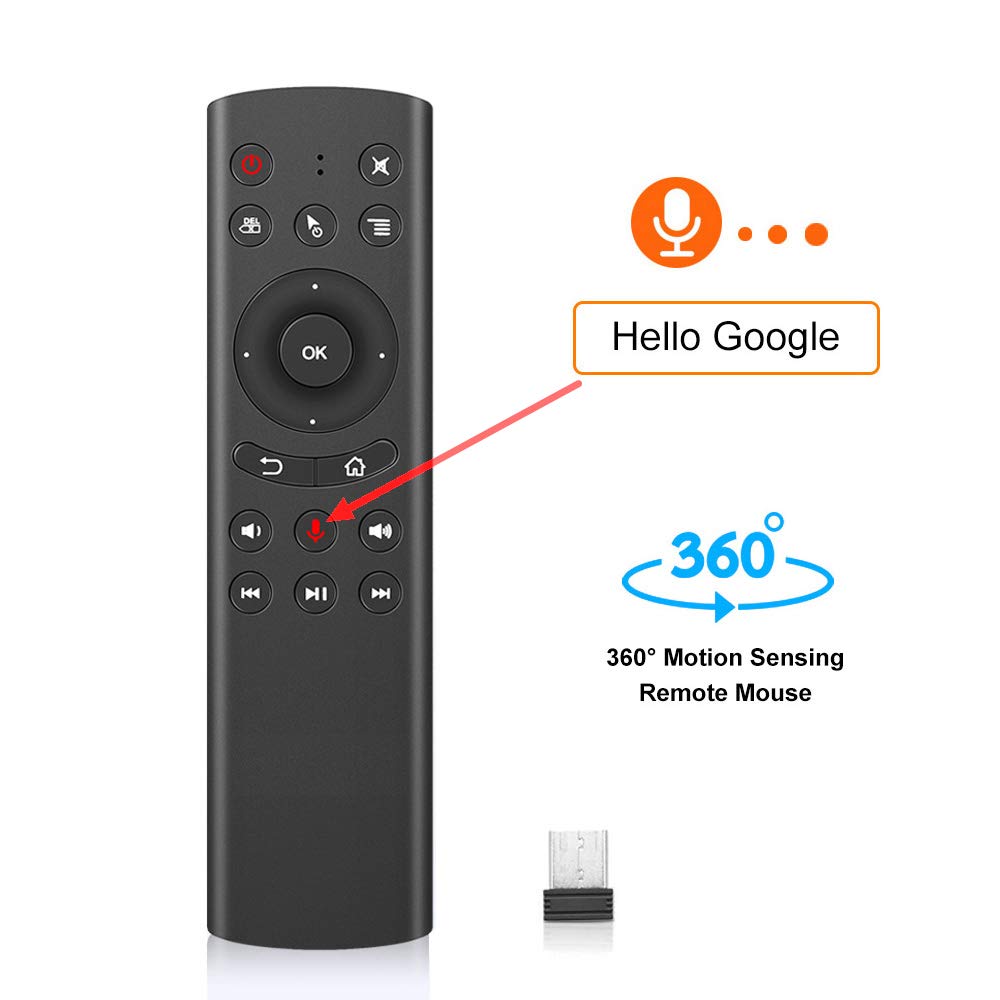


🎯 Command your entertainment with a wave and a word—remote control, redefined.
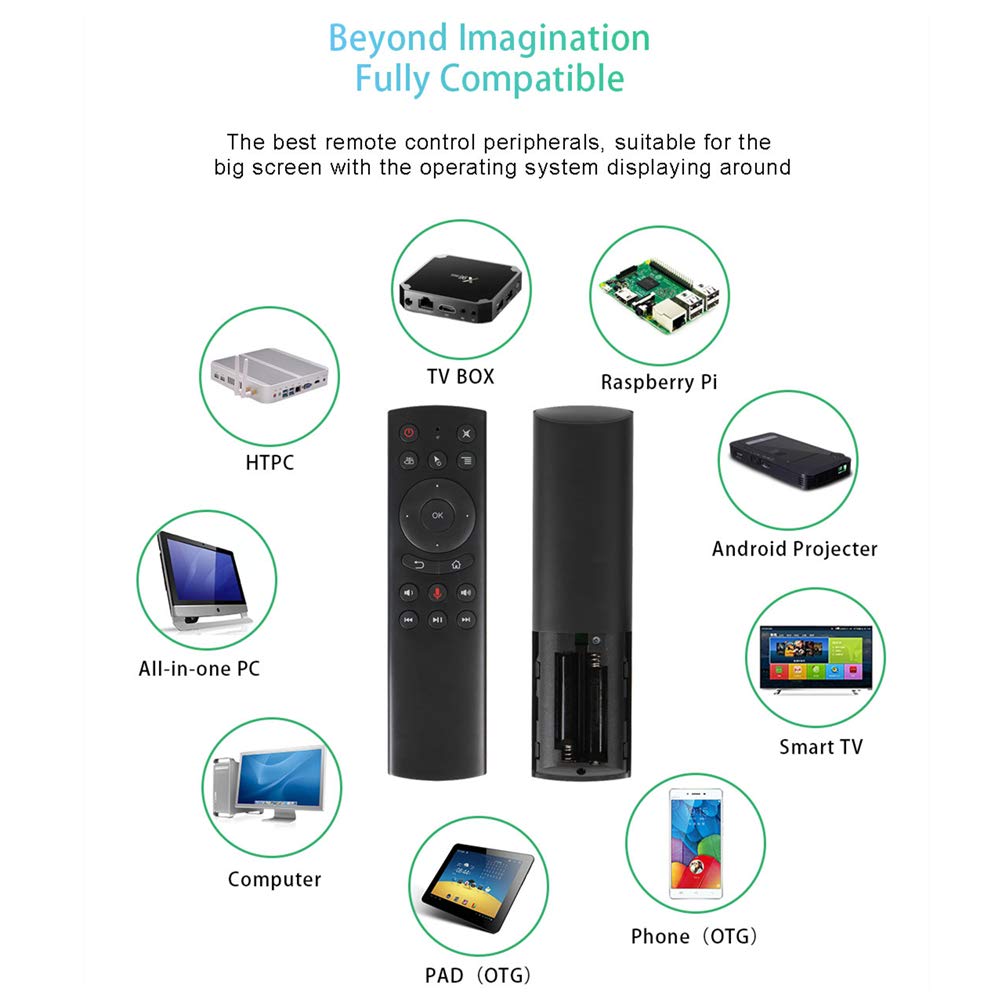
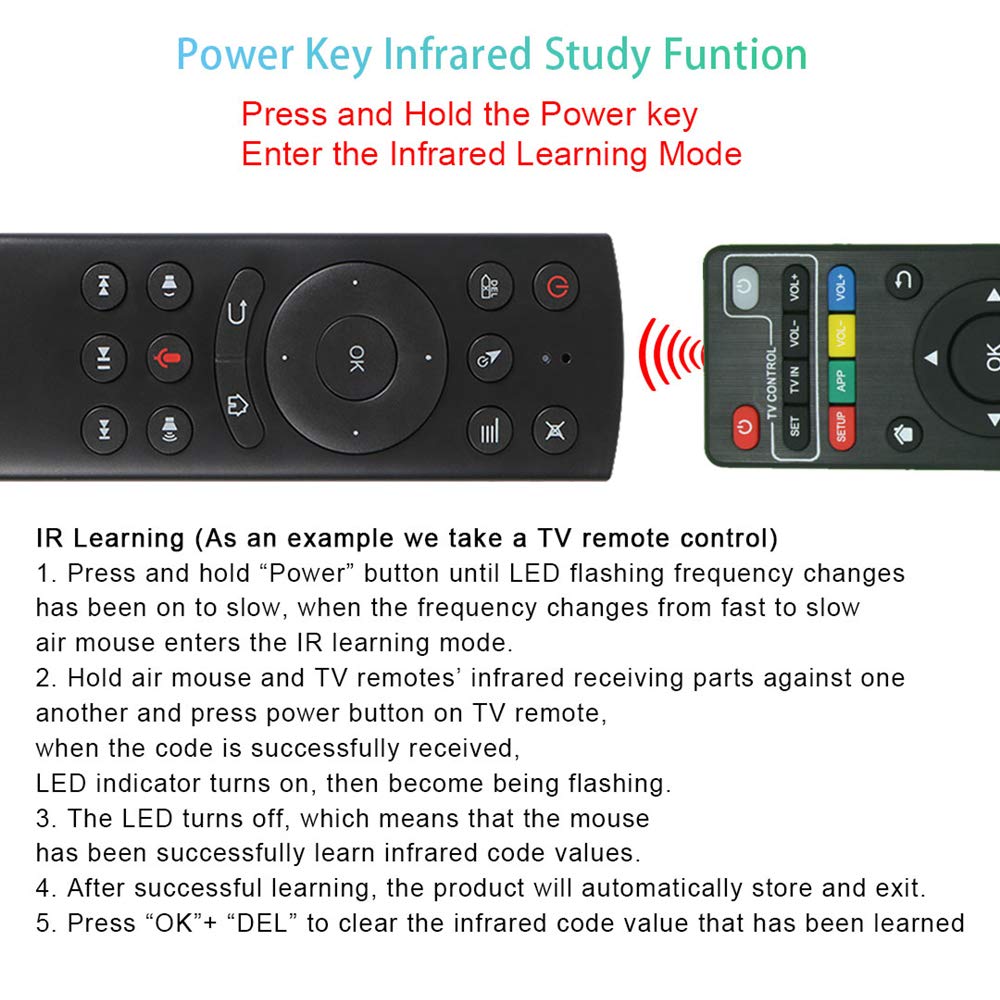
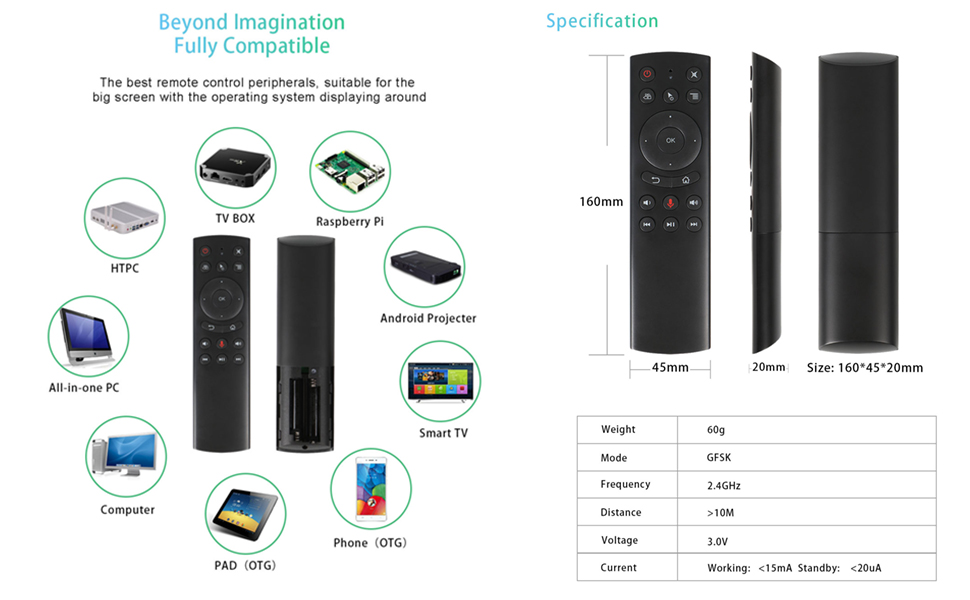
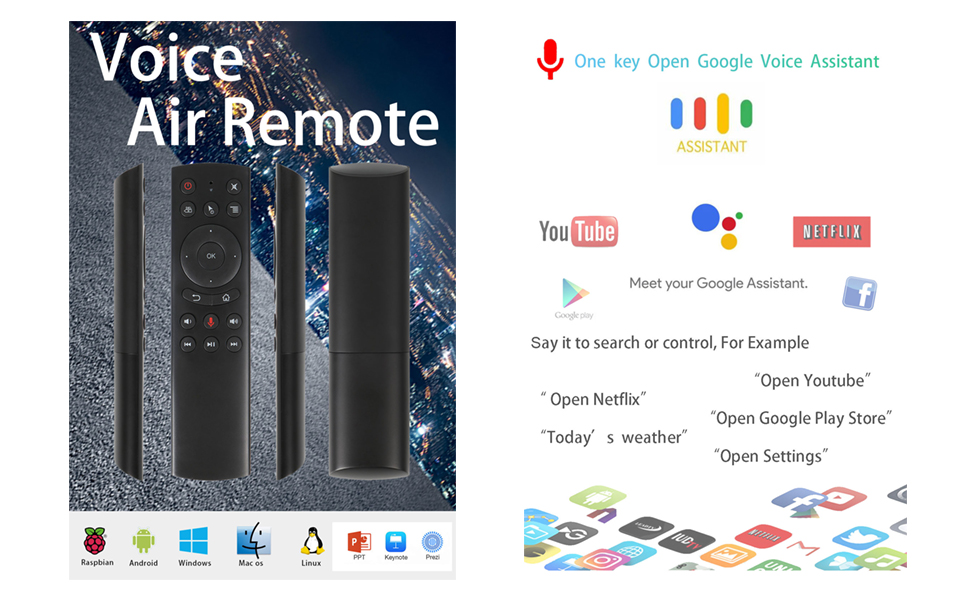
The G20S Voice Remote Control combines advanced 2.4GHz wireless technology with a high-fidelity microphone and 6-axis gyroscope for air mouse functionality. Featuring IR learning to replace old remotes, it supports a wide range of devices including Nvidia Shield (pre-2019), Smart TVs, Android TV boxes, PCs, and projectors. With a reliable 10-meter range and plug-and-play USB receiver, it offers a seamless, intuitive control experience designed for modern home entertainment setups.



| ASIN | B07RFN8Z47 |
| Additional Features | Rechargeable, Voice Search |
| Battery Type | Lithium |
| Best Sellers Rank | #29,034 in Electronics ( See Top 100 in Electronics ) #1,482 in Remote Controls (Electronics) |
| Brand | Dupad story |
| Button Quantity | 18 |
| Color | G20S Voice |
| Compatible Devices | Television |
| Connectivity Technology | Radio Frequency |
| Controller Type | Voice Control, Button Control |
| Customer Reviews | 4.0 out of 5 stars 1,192 Reviews |
| Item Dimensions L x W x H | 1.69"W |
| Item Height | 20 millimeters |
| Item Weight | 60 Grams |
| Manufacturer | Dupad story |
| Max Number of Supported Devices | 1 |
| Maximum Number of Supported Devices | 1 |
| Maximum Range | 32.8 Feet |
| Model Name | G20S |
| Model Number | G20S |
| Number of Batteries | 2 AAA batteries required. |
| Special Feature | Rechargeable, Voice Search |
| UPC | 650985808957 |
R**.
Great remote for home automation!
I bought this remote for home automation with Home Assistant, and it's almost perfect! The remote itself is great. Buttons have a good feel and click. Backlight is good, and so far battery life is surprisingly good. I'm not using any of the IR features. The RF signal to my Home Assistant server is super reliable and fast. It would be great to have the backlight turn on when picking up or moving the remote. But, the whole point of having this remote is to use it without looking at the buttons. So, over time it probably won't matter. Media controls are good, although the Mute buttons is supposed to be in between the Volume Up/Down! No problem... just reassign the button functions! It's been easy to map automations and scripts to buttons, and reconfigure the remote based on the activity.
S**H
Great replacement controller for an android box
Used this to replace my Mi Box 4 controller that mysteriously went missing. I still haven't found the Mi Box remote. Maybe it slipped into an alternate dimension or turned into an autobot and walked away or something. Anyway, it works great and even works as a gyro air mouse. My only minor complain about this thing is that the air mouse is turned on and off with the press of the mouse button. I'd much rather the remote function as an air mouse while HOLDING the mouse activation button rather than toggling on and off. It would make the remote much, much easier to use as a mouse. It does use a USB dongle, which is nice because it registers as a USB mouse/keyboard and virtually any device you connect it to will be able to work with it if it works with a mouse/keyboard. No complaints, super happy.
M**R
Versatile remote for Android TV streaming boxes; your results otherwise not guaranteed.
A web search for the Google reference design G20 remote (built to spec by Ohsung Electronics in Korea) will turn up a link to this device. This is NOT the Google reference design, and is not even styled or labelled like it. For a look at the real Ohsung G20, refer to what Rocktek bundles with their G2 streaming box. It is, however, very compatible (in Bluetooth mode) with various Android TV and Google TV devices. It is also (to my knowledge) the only device having "air mouse" capabilities which runs on replaceable batteries. It pairs easily with ATV devices and all of the basic functions work fine once you get used to the non-standard button labels. I think that most of the negative reviews here stem from people trying to use this with other AV devices which are connected by the USB wireless dongle. Compatibility and function seem to vary greatly and I would not recommend a random buyer to invest in this device for that purpose.
K**J
PERFECT out of the box for Samsung S9+ Phone
Building a Media Jukebox with a dedicated Samsung S9+ Phone connected to my TV. Wasn’t sure what to expect so with this remote based in the mixed reviews and I’ve gotten used to having to tweak things to get them to work. This remote works flawlessly out of the box! I’m still beside myself and elated about that. Air Mouse works perfectly, all buttons do what they should do, simply amazing. Even the Power button turns off the S9+ out the gate, just wow. Easily customizable using Key Mapper App. Can assign triggers no problem. Using the USB dongle, feels like an Amazon FireTV remote in terms of responsiveness after sitting a while, there is no delay coming out of sleep. I don’t have a need for infrared programming on my tv so I can’t comment on that. Size and feel wise is great, very comfortable in the hand. The only down side is that the bottom corners have kind of a sharp edge which doesn’t feel the best, not a show stopper but rather a shame being so close to perfect. I used some black flocking paper on this area and now it is perfect. A+ for sure. I thought the blue backlight would bug me as I’m not a fan of leds in a dark room but so far so good and you can always turn it off. I may buy a second one!
T**E
‘Ok’ Button doesn’t work; Cursor mode is choppy
Using remote via USB dongle: ‘ok’ button does not work unless cursor mode is selected; all other buttons work without cursor mode. Cursor mode is choppy moving the cursor, making it extremely hard to click on what a person wants to select. Returning as defective for a replacement; will update if problems are corrected. UPDATE. Received replacement: plugged in USB dongle and tested; remote does nothing but flash the red indicator light rapidly; none of the buttons cause interaction on computer. Reviewed instruction sheet: nothing about rapid flash of indicator (only slow flash to indicate low battery power below 2v). Checked battery voltage: 1.47vdc and 1.48vdc (2.95vdc total voltage), batteries are good. Followed instruction to hold [power] and [delete] buttons for 5 seconds to factory reset: the indicator light never flashes as it says in the instructions to indicate reset [indicator light illuminates solid for as long as both buttons are pressed, only backlight turns off after 5 seconds]. Tested both original and replacement remotes on a second computer: no change to results. Sending both back and will go with a different brand.
N**E
He who has few expectations is easily pleased
I bought this remote to work with an OSMC media station on a Raspberry Pi - in case anyone else is in a similar situation, I figure I should leave a review. This remote mostly works as expected out-of-the-box, however, the ok button does not work in non-mouse mode - and as a controller for Kodi, that's kind of a big deal. You *can* get it working (I found a github issue opened reporting a similar issue that walked me through the necessary config file change to remap the key to the enter button) but it's not ideal and requires some technical know-how beyond pairing the remote or using the OSMC key remapper plugin (which I tried - it did not work). THAT BEING SAID Now that I have the remote up and running, it performs well in my usage so far. It's cheap, it controls my media, volume, etc. with no issues, and has otherwise performed reliably and without issue. If you're technically inclined enough to set up an OSMC server and read a few github discussions, this remote should suit just fine - if you're just looking for a plug-and-play bluetooth remote, look elsewhere.
M**K
First impression very good
So this review is a first impression review. I’ll update as I use it more often. Also, please note that I am an Amazon Vine Voice reviewer but this item is not a Vine item and I paid for it myself. So I got this remote because I acquired an ultra short throw projector with an absolutely junk remote. I was looking for a quality BT remote with mouse function. So, this fit the bill. Here are some things to note: It has IR, and BT with USB, but those aren’t necessary if your device has BT built in like my projector. I used BT without usb and it was easy as can be to connect to my projector with just BT. The mouse function is top of this world! I has used another remote where the cursor slowly moves as you push the arrow keys. How annoying! Not this gem. Here, you simply move your hand with the remote and the mouse cursor follows! Give that engineer a cookie! Where has this thing been my whole life? I’m still working on what it does and doesn’t do, but it seems to work well and is backlit! You can actually see the buttons in the dark. Overall, so far this thing is a huge win. Great price without a doubt. I haven’t tried voice and some other things, but for what I wanted this for, top notch! I hope this review was helpful!
W**K
Does not work with Android TV/NVidia Shield TV well at all
Press one button and the receiver registers 3-4 presses. Makes it useless for navigating a movie or selecting one in the first place. Very frustrating. I will say though, it is able to program very easy, so it was able to control the power to my TV via IR (So I have to give it +1 star for doing that well. I had to return it because I was ready to pitch it through the TV a bunch of times because of the frustrating inability to navigate menus with it.



