We remain fully operational. Our teams are working around the clock to ensure your deliveries continue safely.

下载应用程序





Buy anything from 5,000+ international stores. One checkout price. No surprise fees. Join 2M+ shoppers on Desertcart.
Desertcart purchases this item on your behalf and handles shipping, customs, and support to SINGAPORE.
⌨️📶 Elevate your desk game with sleek wireless precision!
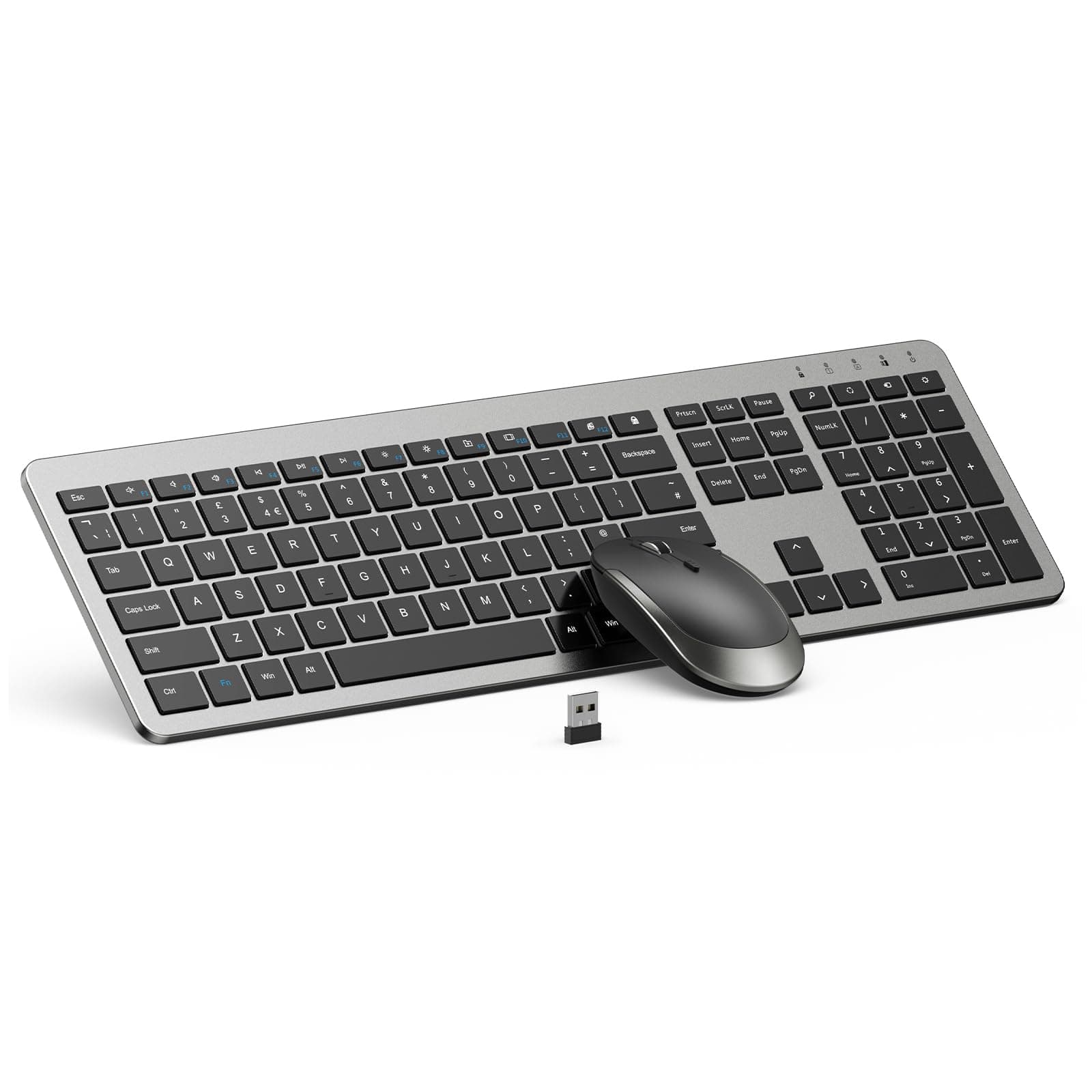
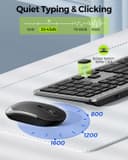
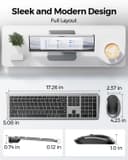
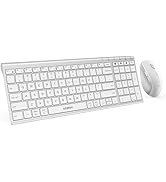
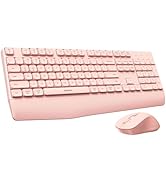
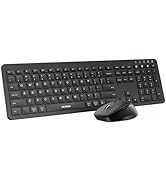
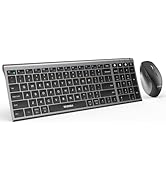
This Wireless Keyboard and Mouse Combo offers a full-size 104-key layout including a numeric keypad, paired with a responsive optical mouse featuring adjustable DPI settings (800-1600). Both devices connect seamlessly via a single 2.4GHz USB receiver, providing a stable wireless range up to 33 feet. Designed with a modern white and silver matte finish, the combo delivers quieter operation and smart power-saving sleep mode to maximize battery life. Compatible with USB-enabled Windows systems, it’s backed by a 2-year warranty for reliable performance.





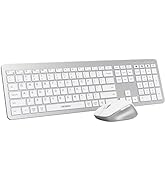
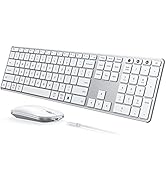
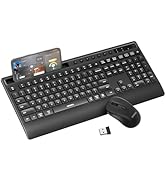


| ASIN | B07SQP1GHC |
| Antenna Location | Office |
| Are Batteries Required | Yes |
| Best Sellers Rank | #56 in Computer Keyboard & Mouse Combos |
| Brand | seenda |
| Color | Black & Grey |
| Compatible Devices | Personal Computer |
| Connectivity Technology | Radio Frequency, Usb |
| Customer Reviews | 4.2 4.2 out of 5 stars (10,142) |
| Hand Orientation | Ambidextrous |
| Keyboard Description | Gaming |
| Keyboard Layout | QWERTY |
| Manufacturer | seenda |
| Movement Detection | Optical |
| Number of Keys | 102 |
| Operating System | Windows 7 |
| Other Special Features of the Product | Numeric Keypad |
| Power Source | AAA batteries are required to operate this keyboard and mouse |
| Unit Count | 1 Count |
| Warranty Description | 24-month money back or free replacement for this keyboard & mouse |
M**Z
Great keyboard and mouse combo!
This is the keyboard and mouse that should have come with my Dell All-in-One desktop, not the cheap plastic one. The white and silver finish on this one matches the desktop perfectly. Connection is easy and strong through the USB antenna. It looks far more expensive too. Very pleased with this purchase!
S**A
Lasted one month
Literally died after a month. Changed the batteries and it would just lag or randomly type extra letters or numbers. Seems the keys or something is lagging. Sucks it’s a nice keyboard! ***UPDATED REVIEW 03/01/2026*** Reached out to the vendor and they replaced it instantly! They were super quick with responding and resolving this issue for me so for that I’ll give it 5 stars. I’ll be getting a new one soon. Fingers crossed this one lasts longer! If not, at least the vendor is great with their customer service.
C**N
I hate this keyboard
Why do I hate this keyboard? Let me count the ways... Well, there are only 2, and both sort of about the same thing, but nevertheless they really do add up to a very low opinion. The main one, and this could apply to virtually every keyboard out there, but I truly hate the 'function lock' feature on keyboards. There should be a way to set the function lock one way, and require a password or 2 factor auth to change it. I've never in my 40 years of keyboarding ever had a need for the function lock. I want function keys to perform one way and one way only, and for the life of me can't think of any need for them doing something else. To me this is like the keyboard speaking english in one mode and spanish in another. No, please don't be bilingual. Ugh! What makes the function lock on this keyboard the worst ever though is that it seems to constantly be toggled between function lock and not, and I never know which state it's in. I don't know if this is because I'm actually accidentally hitting the function lock or if it just toggles on its own. If it's me then I'm still blaming the keyboard because there must be something wrong with the layout as I've never had this much of a problem with other keyboards/have successfully taught my fingers to steer clear. The other thing wrong with this keyboard is there's actually a function toggle key, that works like a shift key such that if the function lock is on, you can use the toggle key to get it to speak english. Dumb. If there was no function lock there'd be no need for this key. I've never had a keyboard with this additional key on it and I just don't like it! The extra key essentially moves the Windows key out of alignment and now when I want the Alt key, half the time I end up hitting the Windows key, which does not equate. All I can say is if you hate function locking as much as I do stay away from this baby.
L**N
Stylish, Quiet, and Reliable
This white and silver keyboard/mouse combo is for anyone who loves clean design and smooth performance. The setup was instant, the keys are quiet, and the mouse glides effortlessly. I use it daily for admin tasks and creative work. The sleep mode helps save battery, and the full-size layout keeps everything efficient. The mouse is a bit small, but overall, it’s a beautiful and functional upgrade to my remote setup.
T**R
Faulty at first - but made it right!
Update: Although the original keyboard didn't last long, I am very happy with the customer service provided. They reached out after my initial review and sent me a replacement keyboard/mouse. I offered to show them a video of the non-working keyboard and they had already sent the replacement without it. Thank you so much! I really loved the look, feel and functionality of this product. However, I purchased it on August 2nd and the keyboard completely stopped working September 23rd. It will no longer connect to the USB/computer, despite me following all user manual and website troubleshooting steps. It's really frustrating that I had the product for less than two months before it gave out. I had a friend in IT try to help as well, to no avail. I have reached out to the company in hopes they will either help fix the one I have or replace it.
J**3
So good I bought a second one for work !
I liked the first that I use at home so much that I ordered a second one to use at work. It looks amazing. It appears to be much more expensive than it's price. It is so easy to set up. Just plug the dongle into the computer, turn the keyboard on and you are good to go. The keys have a beautiful, soft feel to them and they are whisper quiet. It also comes with a soft clear cover that you can put on the keys to protect them. A very nice touch. The mouse is also very nice. It is a bit flat, but comfortable in the hand, a very smooth feel to it and it looks great. I highly recommend this keyboard.
H**D
Worked great… Until it didn’t
I bought this keyboard/mouse combo because it looked sleek, the reviews were decent, and I just needed something simple for my desk setup. At first, everything worked fine. The mouse still works perfectly, actually. The keyboard, however, apparently decided it had completed its life’s purpose and retired early. The keyboard stopped working when I switched to a new laptop. I spent a ridiculous amount of time troubleshooting: new batteries, restarting the computer, reinstalling drivers, unplugging and replugging the USB receiver, attempting every pairing trick known to humanity, and even performing what can only be described as electronic CPR. Nothing. The mouse happily continues on, while the keyboard sits there looking pretty and contributing absolutely nothing to society. To be clear, the keyboard powers on. The lights come on. It just refuses to type…which is kind of the one job a keyboard has. If you enjoy troubleshooting gadgets for an hour only to end up exactly where you started, this might be the product for you. If you’re looking for something reliable that will continue working when you change computers, you may want to keep scrolling. One star because the mouse works and the keyboard now functions as a very modern desk decoration. Edit: I am upgrading this review to 3 stars because the seller could reach out to me and refund the purchase price. So two extra stars for great customer service!
R**O
Good product
R**S
Good
M**T
Really functional :)
A**E
As I shared to the seller, in the 40 years I've used computers I've never had a mouse wired or wireless die. Not pleased that an exchange was not offered. Feels great to waste $80 just like that. I've since found a replacement for half the cost and love it!! Wireless Keyboard and Mouse by MOOJAY. Yay!
TrustPilot
4天前
1 个月前