We remain fully operational. Our teams are working around the clock to ensure your deliveries continue safely.

下载应用程序


🚀 Upgrade to the SSD that keeps you ahead of the pack!
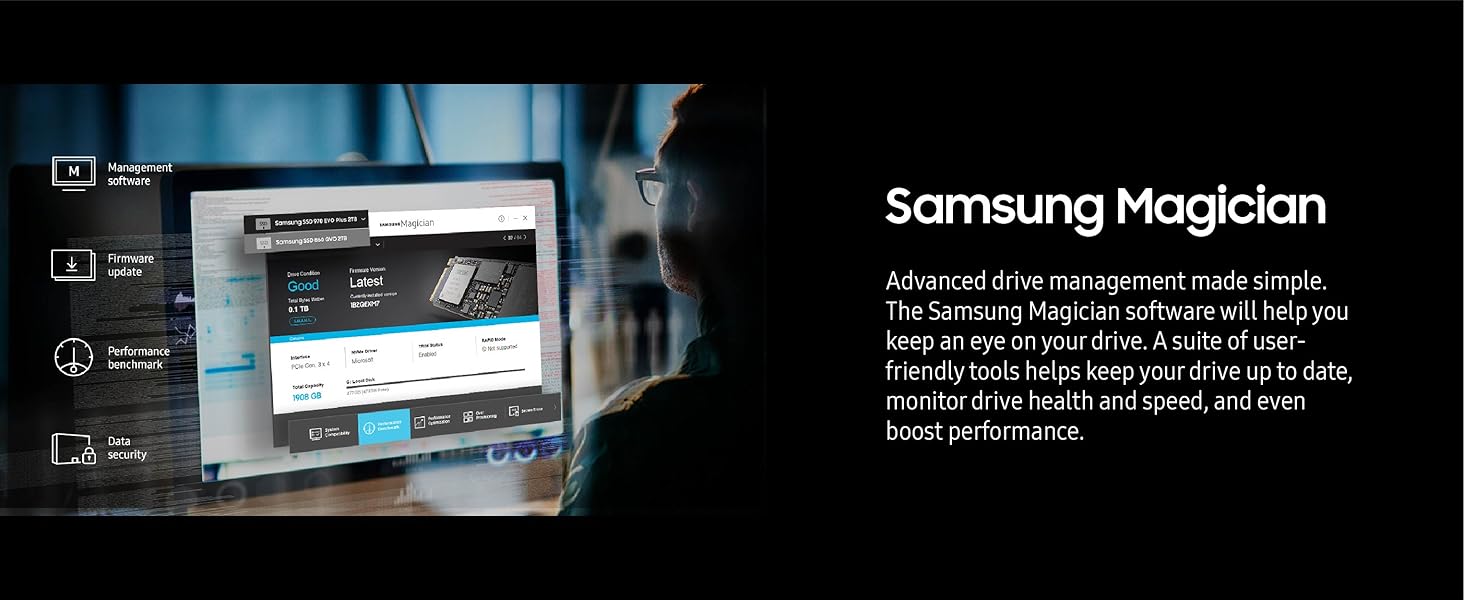
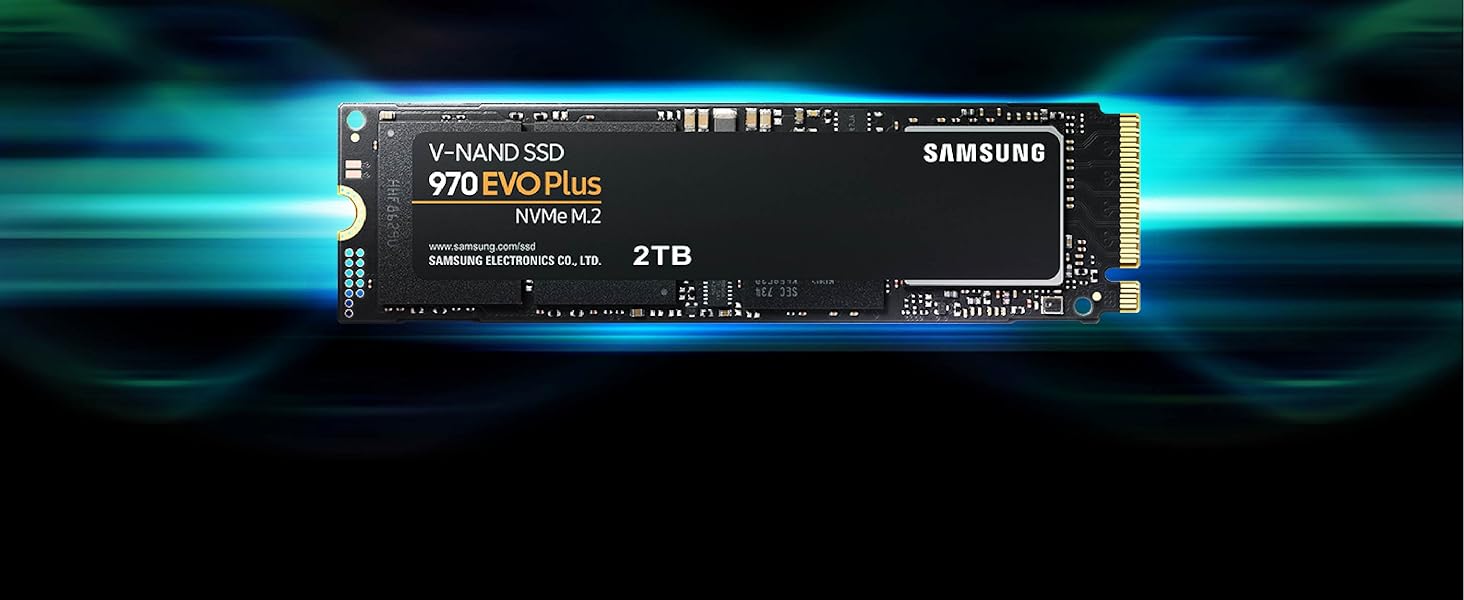
The Samsung 970 EVO Plus 1TB NVMe M.2 SSD delivers industry-leading PCIe Gen 3.0 speeds up to 3500 MB/s read and 3300 MB/s write, powered by advanced V-NAND technology. Designed for gamers and professionals, it features dynamic thermal control to maintain peak performance and a 5-year warranty ensuring durability up to 600 TBW. Backed by Samsung Magician software, it offers easy drive management and security, making it the ultimate storage upgrade for high-demand computing.






| ASIN | B07MFZY2F2 |
| Additional Features | Backward Compatible |
| Best Sellers Rank | #50 in Internal Solid State Drives |
| Brand | Samsung |
| Built-In Media | SSD |
| Cache Memory Installed Size | 1 GB |
| Color | Black |
| Compatible Devices | Desktop |
| Connectivity Technology | NVMe |
| Customer Package Type | FFP |
| Customer Reviews | 4.8 4.8 out of 5 stars (60,487) |
| Data Transfer Rate | 1 Megabits Per Second |
| Digital Storage Capacity | 1 TB |
| Form Factor | M.2 (2280) |
| Global Trade Identification Number | 00887276303758 |
| Hard Disk Description | Solid State Hard Drive |
| Hard Disk Form Factor | 2.5 Inches |
| Hard Disk Interface | NVMe |
| Hard-Drive Size | 1 TB |
| Hardware Connectivity | PCI Express x4 |
| Installation Type | Internal Hard Drive |
| Item Dimensions L x W x Thickness | 3.16"L x 0.87"W x 0.09"Th |
| Item Type Name | SSD |
| Item Weight | 0.02 Pounds |
| Manufacturer | Samsung |
| Media Speed | 3300 megabits_per_second |
| Model Name | SAMMZV7S1T0B |
| Model Number | MZ-V7S1T0B/AM |
| Number of Items | 1 |
| Read Speed | 3500 Megabytes Per Second |
| Specific Uses For Product | Gaming |
| UPC | 887276303758 |
| Unit Count | 1.0 Count |
| Warranty Description | 5 year manufacturer |
T**S
Excellent SSD Upgrade
Purchased the Samsung 970 EVO Plus SSD 2TB NVMe M.2 for my mid 2015 MacBook Pro (Excellent computers that many people still use and love). For some time Apple played evil by not permitting SSD upgrade other than from one company, which made prices expensive. I used a Sintech adapted (about $12) for the installation. Installation was very easy. It is quite fast and works very well. I am very happy. Installation/Migration recommendations: First, check out the Apple Support Boot to Recovery Options. There are a few way to reload or migrate files after purchasing the SSD upgrade. 1) Not recommended. Cloning the SD with specific cloning apps. I do not recommend. Too much hassle. 2) Mot recommended. Attempting to use an external USB enclosure for the new SSD and using the migration process through Disk tools (reboot to recovery). You will need to format the SSD, load system, and then start migration. Unfortunately, the disk or enclosure will likely not be recognized. You may very well get frustrated. 3) Best method. Create and use and external USB Boot drive. It will take a bit to load the files on the the USB thumb drive, but it is very worth it. This process will work. Make sure you do a little homework on how to make a boot drive and for migration. Then shut down the computer and install the new adapter with the Samsung SSD "internally." Then restart with the external Boot Drive that you just made, and make you way to Disk tools (pretty clear cut). The drive will now appear. Format the SSD and load system. You can now migrate files using either the Time Machine back-up that you should have made, or place the new SSD in the external enclosure and use the Migration tool. I chose to remove the SSD, place it in my external USB/SSD enclosure, and then use the Migration tool. To do that I restarted in Recover Mode (Not the external boot drive) again made my way to Migration. It took a while to migrate all of the data (over night for 900 GB) but it worked very well. You will need to log in to a few apps. You may also need to take care of any cloud services that will re-sync. DropBox may to a a bit of attention. I did not include all of the steps. Do a bit of homework. It is not that hard. But follow the steps. * Be patient and do the migration right. This SSD is very good and will work.
Q**.
The Unkillable King of PCIe 3.0
The Samsung 970 EVO Plus 2TB remains the undisputed champion of the PCIe 3.0 era, striking a near-perfect balance between price, performance, and rock-solid reliability that few modern drives can match. While it technically lags behind the newer, flashier Gen 4 drives like the 980 Pro in raw synthetic benchmarks, you would be hard-pressed to notice the difference in real-world tasks like gaming or booting Windows; it still feels snappy and responsive. Its write speeds are impressive, fueled by a generous SLC cache that handles bursty workloads with ease, though heavy power users moving hundreds of gigabytes at once might notice a slowdown if they exhaust it. The only real chink in its armor is its tendency to run toasty under load, so ensuring you have decent airflow or a motherboard heatsink is a smart move to prevent thermal throttling. Ultimately, if you don't have a Gen 4 compatible motherboard or simply want the most reliable "bang for your buck" storage upgrade without paying the "latest and greatest" tax, this drive is still an outstanding choice.
B**S
Rock solid drive and still a great choice
With Micron shifting hard toward AI, this might end up being one of the better price to performance options going forward, but we will see how things shake out. Either way, this drive has been great. It is fast, super reliable, and has given me zero issues. Installation was painless and it has been rock solid in daily use. Here is hoping supply and pricing stabilize, because this is still an easy drive to recommend.
B**A
Looks Like New and Performs Like a Beast
I actually bought this SSD by mistake because I thought it was brand new, but it turned out to be an excellent surprise. It arrived looking like new, and when I checked the power-on hours it basically had none. Performance has been fantastic so far: fast, stable, and it doesn’t run hot. I’m using it to store and run my virtual machines and it absolutely flies. Extremely happy with this purchase.
K**L
Blazing Fast NVMe Drive – Perfect as Extra Cache
The Samsung 970 EVO Plus 500GB NVMe SSD (MZ-V7S500B/AM) has been an excellent upgrade for my system. I use it as extra cache with PrimoCache, and the performance difference is night and day. Transferring large files is effortless — I can move 20GB files between drives in under 30 seconds, which is seriously impressive. The drive is powered by V-NAND technology and a solid NVMe interface, which ensures top-tier speed and reliability. Installation was simple, and Samsung’s Magician software makes it easy to monitor drive health and update firmware. Even under heavy workloads, it stays cool and stable. ✅ Pros: Blazing fast NVMe speeds for file transfers and caching Works seamlessly as PrimoCache storage 500GB capacity is perfect for system cache or high-speed storage Backed by Samsung reliability and software support Consistently stable and cool under load ❌ Cons: 500GB fills up quickly if used as a primary storage drive Pricier than SATA SSDs (but the speed is unmatched) 💡 Tips: Perfect for cache acceleration with tools like PrimoCache. Pair it with a larger HDD to balance capacity and speed. Update firmware via Samsung Magician for best performance. Make sure your motherboard supports NVMe M.2 before buying. Bottom Line: The Samsung 970 EVO Plus 500GB is a lightning-fast, reliable NVMe SSD that excels as a caching drive or high-speed storage solution. For anyone working with large files, gaming, or boosting system responsiveness, this drive is a rock-solid investment.
R**N
Kaliteli hızlı kargo
W**N
منتج كويس
B**N
Works fantastic in my new pc. Great price too. Seems fast
E**L
No hay punto de comparación entre las unidades SATA (sin importar si es disco duro o SSD) y estos nuevos m.2 NVMe, la diferencia se nota bastante, tengo mi sistema operativo instalado en este Samsung 970 EVO Plus y arranca en cuestión de segundos, lo único que lo limita es la pantalla de inicio de sesión de Windows. De igual manera, los programas que más utilizo en mi día a día están instalados en esta unidad y los abre demasiado rápido, no se tarda prácticamente nada. Si tú actualmente cuentas con SSD conectado por SATA, quizá dudes un poco en comprar estas nuevas unidades, pero en realidad considero que sí valen la pena ya que van a acelerar por completo el rendimiento de tu equipo (dejo una imagen adjunta comparando la velocidad de un SSD Kingston con este nuevo m.2).
B**G
Samsung has always produced great products and their NVME SSDs are top of the line. I upgraded from the Samsung 860 EVO SATA, and though from SSD to SSD, I still can see a performance boost. Initially, i was concerned the m.2 SSD was heating up to around 50 deg C seen in the Samsung Magician App due to insufficient airflow being so close to the motherboard, which got me worried about the heat affecting the lifespan of the product. But after a week, it has settled down to around 38 Deg C, which I am still not sure of the reason. But overall, great product, great price from Amazon, and great performance!
TrustPilot
1天前
2 周前