Desertcart purchases this item on your behalf and handles shipping, customs, and support to SINGAPORE.
🚀 Upgrade your vintage iMac like a pro—speed, silence, and storage unleashed!
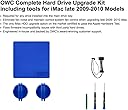
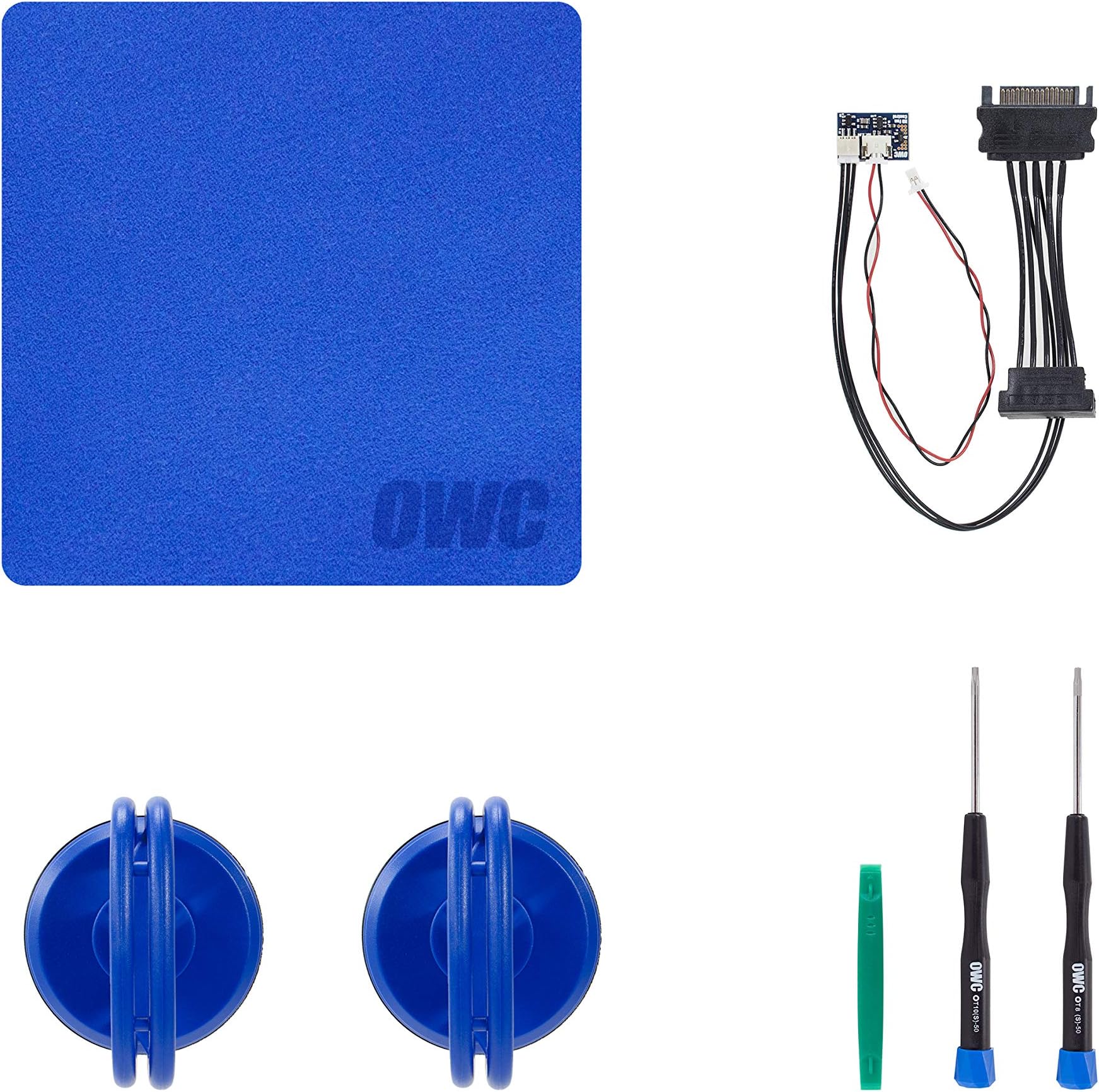
The OWC DIY Bundle Complete Hard Drive Upgrade Kit is a precision-engineered solution for Apple iMac 2009-2010 models, providing all necessary cables and tools to install any SATA hard drive or SSD. Featuring the exclusive in-line digital thermal sensor cable, it maintains silent fan control and full Apple Hardware Test compatibility without software hacks. This kit empowers professionals and enthusiasts to dramatically boost their iMac’s storage capacity and performance with confidence and ease.
| ASIN | B01LZV3YNJ |
| Best Sellers Rank | 158,813 in Computers & Accessories ( See Top 100 in Computers & Accessories ) 17,591 in Components & Replacement Parts |
| Brand | OWC |
| Cable Type | SATA |
| Cable type | SATA |
| Colour | Black, Blue, Red |
| Compatible Devices | Apple iMac 2009-2010 |
| Compatible Phone Models | No Compatible Phone Models |
| Compatible devices | Apple iMac 2009-2010 |
| Compatible phone models | No Compatible Phone Models |
| Connector Gender | Male-to-Male |
| Connector Type | sata |
| Connector type | sata |
| Country Of Origin | China |
| Customer Package Type | Padded envelope or coiled in protective tubing |
| Customer Reviews | 4.6 out of 5 stars 211 Reviews |
| EU Spare Part Availability Duration | 1 Years |
| Global Trade Identification Number | 00812437021257 |
| Indoor Outdoor Usage | Indoor |
| Item Shape | Round |
| Item Weight | 10 Grams |
| Manufacturer | OWC |
| Manufacturer Part Number | OWCDIYIMACHDD09 |
| Model Name | DIYIMACHDD09 |
| Model Number | OWCDIYIMACHDD09 |
| Number of Items | 6 |
| Number of Pins | 4 |
| Other Special Features of the Product | Magnetic |
| Outer Material | Glass |
| Recommended Uses For Product | Upgrading and installing hard drives in Apple iMac 2009-2010 models |
| Special feature | Magnetic |
| Specification Met | RoHS |
| UPC | 812437021257 |
| Unit Count | 1.0 count |
S**S
Perfect Kit for upgrading a 2009 iMac to SSD
I used this to install an SSD into my late 2009 iMac. I couldn't decide whether to bother with this cable or not as it was almost as expensive as the drive and - some people were advising that it's not needed and could be managed with an app. By the time I'd added up the cost of the suckers, the screwdrivers and the rest of the bits in the kit which I would have needed to buy anyway, the cable itself didn't seem so expensive so I decided to go for it. I also didn't want to risk not getting it and having to install it later and open up the computer again. I did have a look around online and this seems to be the only cable available. Anyway, with the help of the OWC YouTube video I opened up the iMac and it was really easy to install. This kit contains everything you need except a 2.5inch to 3.5inch drive mount converter (I got the Sabrent one from Amazon which fitted perfectly), and the drive itself (I got the Crucial drive from Amazon). Instructions on the video were clear and easy to follow and the kit made it all really easy. My iMac is now running way better and faster than before. Highly recommended.
J**G
Replacement of Hard disk without totally removing the Display Screen
I used the OWC in-Line Digital Thermal Sensor HDD Upgrade Cable whilst upgrading to a SSD (Crucial 1TB) without any problems with the cable at all. I followed the OWC video until after I disconnected the first connector. I could see that there was enough space to replace the original hard disk without removing the screen totally. I had my Mid 2010 iMac on its back, top facing me on a soft cloth and I lifted the screen and used two thin plywood strips in about 150mm long and 15mm wide, which I had handy by chance, to support it. This placed no stress on any of the remaining cables still connected to the screen and gave enough space to complete the upgrade. There may be a good reason to totally remove the display screen but by using the plywood strips it reduced the chances of me damaging the other connectors. I think now with the strips ready the upgrade would take about 20 minutes to complete.
T**Y
It works
The items work in my Imac of late 2009. A little bit expensive.
T**H
Essential kit to upgrade to ssd.
Bought this as part of kit to switch hdd to sdd in iMac 2009 21inch. Instructions on YouTube. Took about 45mins.
K**S
Works a treat
dows what it says
A**R
Worth price
Made a scary task straight forward.
A**Y
Does the Job
Does what it says, and with ease.
J**L
Quality
First Class
J**O
Works
Does what it's supposed to do.
G**L
Great for a 2009 iMac
I had a Late-2009 iMac sitting around not doing anything, so I decided to upgrade it with an SSD, and this kit helped a lot. I really just needed the sensor, but it was just a few dollars more for the entire kit, so it made sense to get the full thing. Not much to say about this; the suctions cups worked well, the screwdrivers were exactly what I needed, and installing the sensor was a piece of cake. Another great product from OWC.
U**T
Très bien
Installé dans un iMac 11.2 de 2010. Fonctionne parfaitement. Vous en avez besoin si vous installez sur votre Mac un disque dur qui ne provient pas d'Apple. Mais si vous restez avec OSX, vous pouvez économiser de l'argent et utiliser un logiciel de contrôle des ventilateurs. J'ai fait ça pendant longtemps sans aucun problème. Mais si vous souhaitez installer Linux sur votre Mac, ce câble est absolument nécessaire. Fonctionne parfaitement sous les deux systèmes.
L**O
Veramente eccellente, solo che...
Il tutto funziona alla perfezione e ti permette di fare un lavoro bello pulito. L'unica cosa il prezzo leggermente alto, giustificato però dalla qualità.
J**.
Great product
I found the installation pretty easy, but I work on PCs and servers all the time so I am used to ripping computer equipment apart. There are plenty of videos on youtube that can assist. I believe OWC has a video that helps you go through the process. So a few years ago, like 8, I replaced the HDD on my late 2009 iMac with a 1TB model. If you are looking at this kit you know that only specific model HDD will control the fans on the iMAC. If you don't get a specific model and don't purchase the thermal sensor from OWC you fans will run at full blast 24x7. Back then I purchased the HDD model that was compatible with the iMAC to avoid having the fans run at full blast. I recently moved and the HDD finally failed so I decided to upgrade to a SSD so I purchased this kit along with NewerTech AdaptaDrive 2.5" to 3.5" Drive Converter Bracket and I had the SSD installed in well under 20 min. The NewerTech AdaptaDrive 2.5" to 3.5" Drive Converter Bracket is not needed and you could just use a 2.5 to 3.5 adapter, but the iMAC bracket might not fit right and I think the cables might be too short without that adapter. I purchased it because OWC uses that adapter in the kit they sell on their website so I figured it would make the install easier and quicker. Didn't bother trying with a regular adapter so I am not sure if it would have worked or not. Needless to say this kit works great and comes with all of the tools you need to get the job done. I spent $115 between this kit, the HDD adapter and a 480 GB SSD. Can't really complain considering my iMAC from 2009 runs quicker than some of the PCs at my job that are only 5 years old. As a tip, use a set of tweezers to hold the screws when putting the screws back in that mount the LCD screen to the frame; those magnets are pretty strong.
Trustpilot
2 weeks ago
1 month ago