⚡ Power your Pi Zero with lightning-fast touch and vivid clarity!
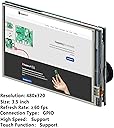
The iUniker 3.5 Inch Touchscreen is a high-speed, compact display tailored exclusively for Raspberry Pi Zero, Zero W, and Zero W 2 models. Featuring a sharp 480x320 resolution and a smooth 60+ FPS refresh rate, it delivers responsive touch performance via a dedicated GPIO interface. Its portable size and custom circuit board design make it the go-to monitor for professional makers and developers seeking seamless integration and vibrant visuals.
| ASIN | B07H8ZY89H |
| Best Sellers Rank | #2,221 in Computer Monitors #2,612 in Single Board Computers (Computers & Accessories) |
| Brand | iUniker |
| Color | 480x320 TouchScreen |
| Customer Reviews | 3.1 3.1 out of 5 stars (227) |
| Date First Available | October 10, 2017 |
| Is Discontinued By Manufacturer | No |
| Item Dimensions LxWxH | 3.94 x 1.97 x 1.18 inches |
| Item Weight | 2.12 ounces |
| Manufacturer | iUniker |
| Max Screen Resolution | 480x320 Pixels |
| Product Dimensions | 3.94 x 1.97 x 1.18 inches |
| Screen Resolution | 480 x 320 |
| Standing screen display size | 3.5 Inches |
K**R
Great Item, needs better documentation
works great, especially for the price. Takes a little experience to actually know how to install the drivers, look for them on the companies github, the linked ones are out-dated for the latest versions of PI OS.
"**"
Piece of Junk
2nd One I purchased. First one cracked while trying to push in the pins... This one the doesn't get recognized. Soldering and unsoldering... 🙄
R**.
I love IUniker!!
The screen looks and works great! I also received the best customer service I've ever gotten through Amazon from IUniker. I was having issues with the screen due to my headers not being 100% soldered to my raspberry pi. In testing and trying things I swapped some of the connections and ended up destroying the driver board. I guess I probably gave a pin 5v that I mistakenly shouldn't have. I reached out to the seller asking if they sell replacement driver boards and expected to be told I damaged the item and that i have to purchase another screen. The representative asked me for a picture of the board and was able to tell me exactly which chip needed replaced although unfortunately it was too small of component for me to solder. I asked if I could purchase just the driver board and the representative sent me an entire new driver board for free. Seriously the best customer service I've ever gotten through a company on Amazon. I will absolutely be purchasing from IUniker again and letting everyone know what a great and helpful company they are! I truly can't say enough great things about them. Top notch Customer Service! Thank you again IUniker!
P**Y
Somewhat decent display, poor instructions.
The display is okay for the money. A few stray pixels. There is only documented support for RPiOS and retropi. The instructions aren't very helpful. There is a link to instructions on the item description on Amazon and a url printed on the item packaging, both have different instructions and neither worked for me. I've tried a few distros and was able to find success by copying the contents from the "old" text file on their github and pasting into the config file.
J**E
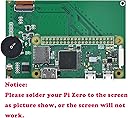
Practice Your Soldering before attempting install!
Make sure to practice soldering a GPIO board before you solder this to your pi. I highly recommend cutting the pins to a shorter length to lie flatter with the the pies motherboard as I did get the screen working but absolutely destroyed my pi near the end.
Z**N
Not working at all
I have tried 2 of these trying to get it to work with my raspberry pi zero and neither one ended up working. The first one never turned on and the second one the screen turned on but no proper display. I checked the voltages to make sure they weren't fried and they both seemed to be good on that end, just fault equipment. DO NOT BUY
C**R
Crisp, clear and high resolution for it's size.
A little bit of a pain to solder on, but that's life with most of these things. :) Do wish someone made a little case for it. Otherwise it's really nice. The touchscreen works well, screen is really crisp & bright. Having something that's 'high' resolution for the Pi zero that's small really helps for making things easy to read with lots of info. Most of the other toy screens out there have 1980's style 320x240 resolution which is largely useless. This screen is nice 640x480 and really easy to read. The hardest time I had quite frankly was getting all the rotation stuff figured out. The video was easy, the touch part was a little tricky.
A**R
Works great, eh colors. (updated)
Works well and looks kind of cool with the small pi zero in the back. My only disappointment is that the colors arent too great. Whole screen has a yellow cast to it that throws colors way off. Other than that it works. (UPDATE) Purchased a second 2.8 screen from the same company and it ended up having the same issue! I did some angry searching and found some help. sudo raspi-gpio set 8 a2 sudo raspi-gpio set 7 a2 Boom.... and that will fix the color issue, if you you have it. You'll have to put those in a start up command or script as it will reset every time you reboot. 3 stars cause of incomplete documentation and this resetting color bug. I shouldn't have had to go through all that searching.
Trustpilot
4 days ago
2 weeks ago