


🚀 Upgrade your workflow and game library with speed and space that keeps you ahead.
The Intel 660p Series 512GB M.2 2280 NVMe SSD combines affordable high-capacity QLC 3D NAND storage with PCIe 3.0 x4 interface delivering up to 1500 MB/s read and 1000 MB/s write speeds. Its compact M.2 form factor ensures broad compatibility with laptops and desktops, making it an ideal choice for professionals and gamers seeking fast load times and ample storage without breaking the bank.
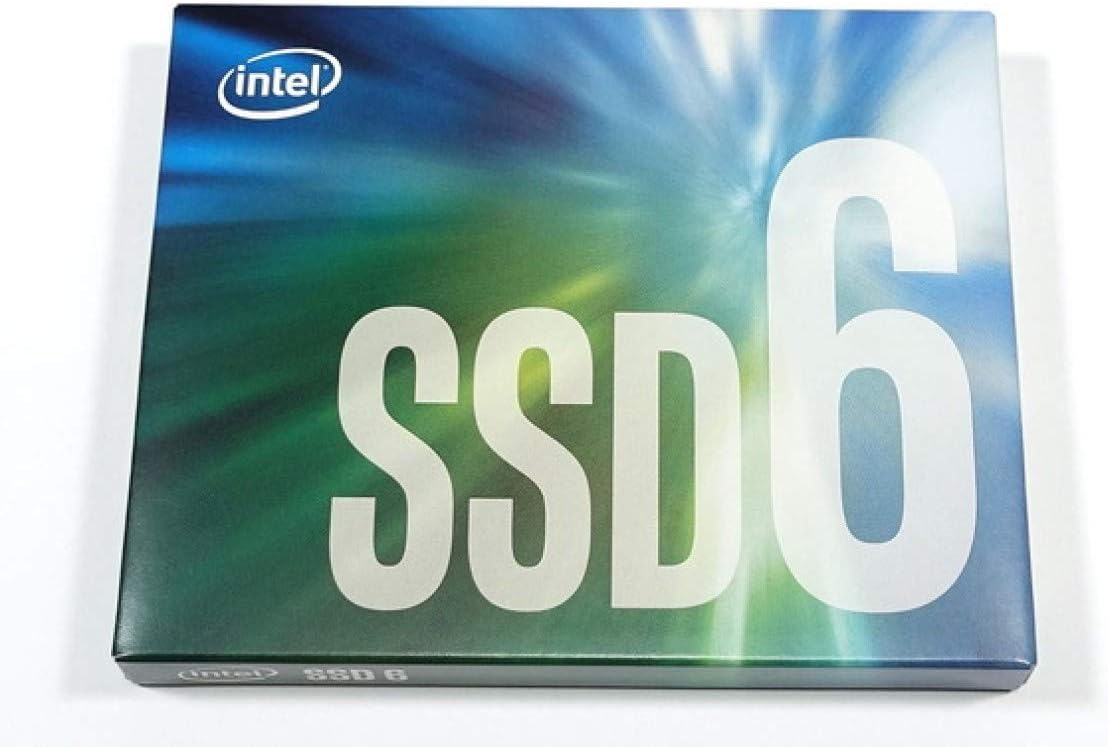


| ASIN | B07GBKQ9ST |
| Additional Features | Portable |
| Best Sellers Rank | #211 in Internal Solid State Drives |
| Brand | Intel |
| Built-In Media | SSD, Warranty |
| Cache Memory Installed Size | 1 |
| Compatible Devices | This drive is compatible with servers and arrays that accept M.2 2280 PCIe drives |
| Connectivity Technology | SATA |
| Customer Package Type | Standard Packaging |
| Customer Reviews | 4.8 out of 5 stars 2,756 Reviews |
| Data Transfer Rate | 3938 gigabits_per_second |
| Digital Storage Capacity | 512 GB |
| Enclosure Material | NAND flash memory |
| Form Factor | M.2 2280 |
| Global Trade Identification Number | 00735858381079, 05032037131575 |
| Hard Disk Description | Solid State Drive |
| Hard Disk Form Factor | 3.15 inches |
| Hard Disk Interface | PCIE x 4 |
| Hard Disk Rotational Speed | 1 |
| Hard-Drive Size | 512 GB |
| Hardware Connectivity | Solid State Drive |
| Hardware Platform | PC, laptop |
| Installation Type | Internal Hard Drive |
| Item Type Name | Intel SSD 660p Series (512GB, M.2 80mm PCIe 3.0 x4, 3D2, QLC) |
| Item Weight | 1.6 ounces |
| Manufacturer | D&H |
| Media Speed | 1000 megabits_per_second |
| Mfr Part Number | 978349 |
| Model Name | 660p Series |
| Model Number | SSDPEKNW512G8XT |
| Number of Items | 1 |
| Read Speed | 1500 megabytes_per_second |
| Special Feature | Portable |
| Specific Uses For Product | personal, gaming, business |
| UPC | 735858381079 |
| Warranty Description | 5 years |
T**D
Best bang for your buck
Prior to this SSD drive, I had a SanDisk 960 GB SATA SSD M.2 drive. I am transferring files at ~200-400 MB/s with that drive, but this Intel M.2 NVMe SSD blows it out of the water. I would personally say this is in between the speeds of SATA SSDs and high-end NVMe SSDs since I was getting benchmark speeds of ~ 1.4 GB/s. It was super easy to install on Windows 10 Pro 64 bit OS on an Alienware 17 R3 laptop, and I plan on transferring this drive to a new laptop in the future once the 9th gen Intel processors release to retain data. Keep in mind that this isn't a glorified Samsung Pro series NVMe SSD, but it definitely raises brows amongst the tech community in terms of value and performance. At a rated 200 TB TBW, this NVMe drive will go a long way. Let's say I transferred 10GB of data daily... That means I would be writing 3.65 TB of files a year making this theoretically capable of lasting about 55 years. Realistically, I plan to replace this drive after 5 years of use due to the exponential advancement in tech... In the meantime, this is the best deal you can get from a reliable company in regards to speed, reliability, endurance, and value. Overall, this makes a perfect storage drive for content creators, gamers, or tech enthusiasts looking for value and performance.
K**O
A great replacement for the cheap HDD in your Gaming Laptop
So I had this SSD for about 2 months now, and I can tell you this... Once you switch from an HDD to an SSD, there's no turning back. This SSD isn't the fastest or most reliable, but if you're looking for something to replace a laptop HDD or just want fast "cheap" storage, this is the best bang for the buck (unless you wait for the 2TB one to drop in price). This suited my needs of just replacing the HDD in my laptop and making it feel tons faster. The difference is insane, as I just wait 5-10 seconds for my PC to boot, rather than the 5-10 minutes it used to take to have Steam, Discord and the other applications ready to be used. For gaming, its great. Games are notably faster in load times, such as Final Fantasy taking less time to load worlds and such. I use to have issues where my HDD would be capped out in how fast it can work, now the SSD barely gets to 30% usage when installing games. However, I do have to say to not install this on any PC, because it depends on your CPU to make the most of it. Since I have a laptop i5, it's not the smartest choice as my CPU at times can't keep up with the speeds. Other than that, its a solid SSD.
J**E
Great For Storage. Not the fastest, but still reasonably fast
This drive is outstanding for general everyday use. I use it to store my Steam library, movie collection, photos, and a lot of archival backups and that sort of thing so it has worked great for me for the past 3 months. I bought this drive because my new laptop doesn't have slot for big 2.5" mechanical drives and instead only has 2 NVMe slots. I chose a fast SLC NVMe SSD (Samsung 970 Evo) as my primary boot drive to get stupid-fast speeds for my operating system + apps and then chose this Intel 660p SSD as my storage drive where I keep the rest of my bigger files that don't necessarily need to be accessed ludicrously-fast. Don't get me wrong, this is still a very speedy drive and it's served me very well and I have no complaints, but remember that you're buying this to get a huge amount of storage at a really good price (for NVMe SSDs anyways). Other 2TB NVMe SSDs can be twice as expensive. The value is the amount of storage, not the performance or longevity. That's the benefit of this drive. You will get pretty good read and write speeds, especially with relatively smaller files (a couple GB) but once the SLC cache fills up performance will dip substantially (see screenshots). Writing files that are several hundred MB or a couple GB usually goes very fast, but bigger files will slow down after the initial burst. This drive can be great, but just consider how you'll be using this. You can probably use it as your boot drive and install Windows just fine, but that's not the ideal use case of this drive in my opinion.
C**1
Intel 660p 2TB is the best value for the money period.
NVMe SSD drives are finally coming down near SATA SSD prices and this unit is a beast for the cost and performance. While not as fast as offerings from Samsung, the 660p drive's QLC NAND flash makes up much of the difference by having an additional 240GB SLC cache in front. This cache is a revolving buffer that writes in background to the QLC. Once filled however, you may find files in the 10s or 100s of GBs may slow down at some point but, that's a lot of fast NAND to fill up for the average user. Power users pushing very large video or audio files for editing however may not be as satisfied as they can conceivably run past that cache size and begin writing directly to the QLC NAND. At that point, writes become slower than even the worst SATA SSD's on the market due to QLC's very poor write performance. Drive lifetime is another consideration. From longest to shortest TBW: SLC > MLC > TLC > QLC. QLC's total TBW (Terabytes Written) is about a quarter of MLC I believe, meaning you are sacrificing longevity for cost however even at 400TBW, this will last an average user 3-5 years and those who don't game much or edit media will see longer times. This number however is for the QLC memory only while the SLC will have a longer lifespan. Some percentage of users don't even fill up the 240GB of SLC giving them exceptional value with a drive of this design. In summary, for most users who want fast load times for video games or even just getting into Windows or Linux in seconds, this drive is fast enough that you won't notice the difference between this and a higher performance NVMe SSD. Power users needing the higher initial and sustained throughput of something like Samsung's EVO PRO line may not be as happy with the performance of these QLC drives and should probably stick with TLC/SLC drives. EDIT: Update 1 year later - With the drive a little over half full, I've used only 13.7 TBW out of 400. I do a ton of gaming on this machine and expected a much higher number. Also, I did finally fun into an issue with the front side SLC cache filling up during a large copy from my RAID but using Intel's SSD Toolbox I was able to clear the cache with a single click and bring performance right back up to full speed maxing out my RAID's read speed at about 420 MB/s. Pros: Price/MB Front-end SLC cache makes it a good performer Cons: Shorter lifespan than other NAND technologies (low TBW) Once exceeding SLC cache, drive can be VERY slow - NOTE: use the Intel SSD Toolbox to clear this periodically and you'll be fine.
B**N
Great bang for buck; small simultaneous read/write issues.
I'm putting this review in the spirit of NVMe drives. I don't have any issues with this drive vs. what I expected of it. Works great; highest temp I have seen under heavy operation is 60C. However; if you have a write operation; read tends to get blocked. I can't unpack a 10GB gz tarball while listening to music on the same drive without experiencing (~20 sec) buffering. And that is after I left 500GiB unallocated space as suggested in the comments to give space for caching. From what I understand; this is not a real NVMe drive; but a more superpowered SSD sort of deal; but I am more software rather than hardware person so i dont know how useful or true that statement is. Excellent choice for home folder drive; but I suggest a better performing NVMe for an OS partition. Extreme bang for your buck; I got this when it was on prime and 185$. I would say you should go for better options for 250$; as you can find similar 1TB NVMe's around the same price point; but better performance. I would really rate this 10/10 and would buy it again (like 2 times) for the same price. Excellent drive for data storage. Not as fast as advertised though, and has the simultaneous read/write issues; so takes off a star since this is in the nvme department. EDIT: Just thought to mention that I use encryption; and read was not an mp3 but a minimally compressed flac file. So in general; higher load than what average users would expect out of these operations.
K**S
Legit, cost per megabyte is low compared to other options.
Not the fastest but great for storage! I have many years of photos stored on this drive that were once on a very old spinner.
S**R
Outstanding value for the use case of a storage READ drive
I bought the 2TB model. The installation was simple; just make sure your board has the right M-Key M2 slot. I just turned off the computer, put this drive in, booted up, and went to the computer management portion in Windows to partition and format it. It was a very easy and fast process. It should be noted this drive uses QLC memory, which is the worst and cheapest. If you are doing a database workload or will utilize heavy writes, like writing 200GB+ files regularly, you won't be happy. If you plan to use this as a drive to store applications such as games, you'll be quite happy. This drive has a decently sized SLC cache, so as long as the file writes don't get large and frequent, it'll make the drive overall fast enough; by that I mean 2GB/s or very close to it. If the writes are large and frequent, this drive will be slow. If that is your workload...pay for it with an appropriate drive. My use case is a drive to store all of my games. With many being over 50GB now, you need a big drive if you have lots of games like I do. For this purpose, the drive is outstanding in terms of value. It delivers great performance in the use case of reading all those textures and feeding the RAM and CPU. If you want to use this as a boot drive, you can. It will work well in this case, but there are better options if you want outstanding performance. Still, this is a big upgrade if you're using a magnetic disk or old SSD. As to the durability of QLC, if your use case is application storage, this really shouldn't be anything to worry about. Unless you're doing very high write workloads, the SSD will last a long time. I have a 10 year old Intel SSD, and the Intel tool says it is only 10% through it's life, and I used that as an OS drive for many many years.
Q**L
Very happy with this 660p
I bought this to replace a smaller evo m.2 that housed my OS. I downloaded the Intel Data Migration Tool off of the Intel site and it was great. Fastest, easiest, cleanest transfer I've ever done. Plus the software is free as long as you have an Intel drive. If you're worried about the performance of the drive compared to other ssd's, don't. It is just as fast as my evo was and because of the extra space, my system is speeding along. I used my second M.2 slot on my MoBo and the whole transfer of my boot drive and files around 220GB barely took 2 minutes. The longest part of switching drives, was turning off my pc to install and uninstall ssd's. After I used my pc all day for some work, I transferred all 92GB fallout 4 to it from a much slower sata drive in 2 minutes, watched the read and write speeds and the 660p wasn't breaking a sweat, just waiting for the poor sata SSD to read the files. So I played Fallout 4 for an hour just so I could give the "for gaming" 5 stars. I forsee no issues with the drive and I will give an update later on down the road as to longevity. I also recommend getting the Intel SSD toolbox to keep the drive trimmed and firmware updated, it's another free program on the Intel site. TLDR; Get the drive it's fast and big, use free Intel Data Migration Tool to upgrade to this huge M.2.
C**G
Preis/Leistung TOP! Nur bestimmte Szenarien Ideal.
Diese Platte habe ich mir für meine Spiele gegönnt besser gesagt zwei davon. Warum zwei? Ich betreibe die zwei SSDs im Raid0 Verbund und komme so auf 3225 MB/s Lesen und 2797MB/s Schreiben. Zum Vergleich, meine Samsung EVO 860 schafft 543MB/s. Das kann sich sehen lassen. Jedoch ist diese SSD definitiv nicht für Leute die sehr viel Daten Traffic auf der Platte verursachen, da die Garantie bereits bei 200TB bei der 1TB Platte erlischt. Daher verwende ich diese ausschließlich für Games. Die hat man länger drauf und muss überwiegend nur Lesen und das zügig. Das Laden der Games ist unglaublich schnell!! Fazit Preis/Leistung ist Top! Jedoch ist die Platte nicht für Jeden geeignet. Für Games hingegen ist sie Perfekt, am besten in einem Raid0 Verbund.
P**C
It's a good drive for its price
One of the cheaper drives on its market. Not a speed demon by any means, but definitely decent given its price tag. I decided to buy it to use in my Synology NAS as an M.2 read cache (which is probably a bad idea given that this flash type wears out faster and is rated for less writes than others) but no other SSD could beat the price at the time of my purchase. Overall the NVMe SSD is functioning well and caching stuff properly without any hiccups
S**C
2tb and initially very slow in late 2013 MacBook.
I replaced my original 512Gb samsung SSD drive in my old MacBook late 15 inch pro retina. Restore of mac was through a mojave bootable usb (formatting the new drive as AFPS). Used paragon disk manager for the windows bootcamp side and it loaded back fine after creating an initial new bootcamp and restoring onto there. My previous disk was 512gb but the restore from time machine has take-over nearly 900gb on the new drive! bizzare, but presume I had a lot on icloud that can now fit on! The lane width via system report showed as 1. Therefore speeds were half the speed of original drive at 370MBs for read and 380 for write. The whole laptop was sluggish and unresponsive. After nearly a week of trying to get firmware updates I gave up (Instructions from Intel website don't work on Mojave) . So I prepped Amazon for a return of the drive. Just in case I reseated the drive and it failed completely coming up with ? in a box. I tried several other reseats with the same result and was convinced I had killed the MacBook! I put the original disk in and all ok and booted! I could get by! The old ssd showed width of 4 and I had a working laptop. I then did a final full reseat of the new drive including reseat in adaptor, ensuring all the way in until it clicked in the long sintech adaptor (had to be brutal btw). I rebooted and It went black for a about 3 minutes and I made a coffee. It eventually started to boot. Was it my imagination or was it fast again? System Report showed a width of x4. I ran speed checks. Read 1400MBs and Write 1200MBs. Very responsive! Eats slightly more battery than before, but very marginally as the battery is rather old and worn out showing as poor anyway. No sleep issues and performed several reboots without issue. I am now very very happy.
J**C
Installé dans un boitier externe, fonctionne très bien
Installé dans un ORICO NVME M.2, fonctionne très bien pour des transferts rapides de fichiers volumineux.
Y**U
Intelの64層QLC製品です。読み書き時は熱いですが、安定して動作しています。
名前はソリダイムに変わりましたが、Intel 660pだったときに購入しました。 QLCのキャッシュレスSSDであり、読み書き時は結構発熱します。 結構大きめのヒートシンクをつけてノートパソコンに搭載していますが、QLC初期の製品ともあってどうしても70度以上まで発熱します。 サーマルスロットリングだってしちゃいます。 それでも、3000時間使って問題が一切ないのは素晴らしいの一言ですし、当時2TBの容量で片面実装なのはこの製品くらいしかわかりませんでした。 そりゃ最新のNVMeSSDには敵いませんし、体感でわずかながら遅く感じますけれど、実使用においては問題ありません。 今はNANDが安くなっているのか、値段も容量も速度もかなりの選択肢があり、あえてこの製品を選ぶ必要はないと思います。 今更ながらになりますが、この製品を買ってよかったと感じます。
Trustpilot
1 day ago
1 month ago