Desertcart purchases this item on your behalf and handles shipping, customs, and support to SINGAPORE.
๐ฅ Liquid Metal Mastery: Cool smarter, game harder!
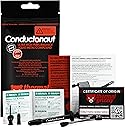
Thermal Grizzly Conductonaut is a premium 1-gram liquid metal thermal paste engineered in Germany, boasting an exceptional 82 W/mK thermal conductivity. Celebrated with the European Hardware Award, itโs the go-to choice for professional PC builders and gamers seeking maximum heat dissipation across CPUs, GPUs, and consoles. Its electrically conductive formula demands careful application on copper or nickel surfaces only, delivering unmatched cooling performance that unlocks higher overclocking potential and sustained peak performance.


| ASIN | B01A9KIGSI |
| Best Sellers Rank | #57 in Silicon Grease |
| Brand | Thermal Grizzly |
| Brand Name | Thermal Grizzly |
| Cooler Heatsink Compatibility | Non-aluminum heatsinks |
| Customer Reviews | 4.7 out of 5 stars 6,539 Reviews |
| Global Trade Identification Number | 00753677507449 |
| Included Components | Thermal paste |
| Item Dimensions L x W x H | 0.04"L x 0.04"W x 0.04"H |
| Item Highlight | Liquid Metal for PS5, CPU, GPU, Xbox, Game Consoles Best for Overclocking Premium Materials - Made in Germany |
| Item Type Name | CPU-Cooler |
| Item Weight | 2 g |
| Manufacturer | Thermal Grizzly |
| Model | TG-C-001-R |
| Number of Items | 1 |
| Number of Packs | 1 |
| Part Number | ConductonauTG |
| Product Dimensions | 0.04"L x 0.04"W x 0.04"H |
| UPC | 753677507449 |
| Unit Count | 1 Count |
| Warranty Description | Manufacturer Warranty |
V**S
Great thermal conductivity - Highly recommend with Ryzen for max PBO settings
Ok let me first say that before using this product, my prior experience with thermal paste was watching my friend apply it on my cpu for me, when he was helping me with my first pc build. I confidently bought this product after watching a couple of the more popular videos reviewing the conductonaut and how to use it. The great thing about this is that it comes with a precision metal nozzle you can use to gently squeeze out the smallest amount needed to then, spread it with the provided cotton swab. just keep at it until you see the thinnest glimmering coat covering the surface of the cpu. Try to look at it from different angles to make sure there isn't any extra puddling up for you to siphon back into the syringe, because the mounted pressure of the cooler could push the extra pooled, and conductive, liquid metal onto your other components. I tried it on my R7 2700x, Not only did it reduce temps by an average of 6 C, but it allowed me to also tweak pbo settings to max! with sustaining 4.2-4.3ghz on multicore loads (4.1-.125 all core loads). due to the high thermal conductivity of conductonaut allowing the liquid cooled cpu to immediately drop 10-15 C after spikes (with regular thermal paste, the cpu would only get to cool ~4-8 c between core spikes at lower pbo settings) -Make sure you don't use aluminum base heatsinks. a tricky one for some bight be the hyper 212 evo, don't try it. the copper pipes don't completely cover the base and there is space for the liquid metal to make contact with the aluminum and cause all kinds of problems you don't want. After using it on my ryzen cpu, and watching a another video on using conductonaut with a GPU, I decided to try it on my gygabyte gtx 1080 windforce edition. I don't have a memory of what the temps where, since the gpu already ran pretty cool but.. I can say this, after using liquid metal, I was able to go from +75 mhz to +115 mhz core clock boost (using MSI Afterburner) and only got stopped due to thermal and power limits. the memory clock stayed at +700 mhz boost in both configurations. I ordered another set after "accidentally" emptying it onto my floor after "testing" the resistances on the syringe plunger (don't worry, no pc components were within any range of being in danger :). I ordered a 3800x during the amazing cyber monday deal, so I am excited to liquid cool that cpu using conductonaut. Recommend for anyone that understands building a pc is basically like adult legos, just follow the instructions, don't step on the pieces, and you'll be fine ;)
D**D
Not for the faint of heart
For context, I upgraded my TIM (thermal interface material) to this from generic BB thermal paste. As I have a Threadripper 1950x and a non full coverage waterblock AIO (Corsair Platinum H150i with the TR4 bracket adapter), I decided it was worth it to use this very scary TIM. Scary primarily for two reasons: 1. Liquid metal is highly conductive, so any contact with your motherboard or contacts will undoubtedly cause damage 2. As the name suggests, liquid metal behaves like a liquid, meaning it rolls and moves quickly, rather than working like a paste that stays in place. A few things I would suggest when applying this: 1. Start very small. As the instructions tell you, the size of a pinhead is a lot, as itโs meant to be spread thinly across the IHS (internal heat spreader) of your CPU or coldplate of your AIO. Put the tiniest amount on the included q tips or your own, not directly onto the surface youโre applying it to. You can even spread it onto your q tip with your finger to ensure it doesnโt ball up. This stuff will stain your hands and anything else itโs spread on, so be aware. 2. Press hard onto your surface. I used a lot of pressure on my coldplate when applying this, which allows the liquid metal to turn into more of a thin paint layer rather than a ball that rolls around. I did this far away from any electronics with exposed PCBs, before I had even installed anything. Full coverage matters! 3. After I was done applying, I actually applied a small layer of clear nail polish around the edges of my IHS. This allows for slight error, as excess liquid metal has a bit of a barrier between my liquid metal and motherboard. All in all, I would recommend this product as long as you know what youโre doing. Look up AHOC applying liquid metal if you want video instructions, he is quite informative. If you want tons of performance, this is the way to go, but be very aware of your components. Take your time. This product is slightly more expensive than I think I should be, and the applicator plunger could be better designed, but other than that I have no complaints.
M**F
works well, fairly priced, but not for everyone
To get one thung out of the way, LM is *NOT* a silver bullet that will solve your cooling woes in most cases. Realistically, outside of some specific edge cases Iโll get imto later you can expect a small reduction in average temperatures (in my experience usually somewhere in the realm of 2-7C on GPUs. I donโt use it on CPUs because it stains the IHS and makes it look ugly) and a slightly larger but still small decrease in hotspot temperatures. There are some exceptions to this ruler, however: 1) AMD Rx 6000 series reference coolers if you, like me, were unfortunate enough to think that replacing the carbon thermal pad the GPU core comes with out of the factory with ordinary paste would help, then this is a solid solution to the absurd temperature problems youโre probably dealing with right now. Seriously, I went from 87C edge 115C juntion temp on my Rx 6800 with Kryonaut paste to maxing out in the mid 80โC on junction temp after using LM - and thatโs with a vastly higher power limit to boot. 2) Very high thermal density chips if you have a component that outputs a LOT of heat in a very small area then it can be very hard to adequately transfer that heat away. LM can help woth this over regular paste. A good example would be something like a delidded Ryzen 7 5800x. A chip like this would benefit from liquid metal, although unless delidded the IHS will prove to be a limiting factor. 3) Very high power consumption I have an RTX 2080 ti that pulls up to 850w when under load. Paste works, but goodness me does it sometimes struggle when power consumption stays high instead of spiking. LM helps a lot here. For pretty much every other possible use case itโs simply not worth it. Although more thermally conductive than paste, donโt be fooled by the w/mk figure on various paste. The way this is calculated makes it extremely manipulatable, and in fact Thermal Grizzly has made statements about this. They themselves manipulate this number on their products, although in fairness to them all of their competitors do too, so at least theyโre honest about it. Aside from that, there are some pretty serious downsides too: 1) Electrically conductive if this stuff gets on running SMDs then you can say goodbye to whatever that component the SMD is on. 2) Corrosive LM alloys contains lots of gallium, which will eat away at some metals, notably alluminum and tin. what this means is that if you use this on an alluminum cooler, the gallium will alloy itself to the cooler and destroy the structure of the cooler. Not great. Also, if a little bit lands on a PCB and manages to not short something out, you can bet money that itโll eat its way through a solder joint and once again, bye bye component. 3) Staining This will stain copper and nickle. Not a deal breaker, just ugly. Also, copper in particular is a pain to clean off, as the LM will bond to it leaving small bumps. These can be scraped off, but itโs time consuming and not much fun. 4) Expensive This is probably the most obvious one. If you donโt need LM for your usecase, you can spend less money and probably get more paste at the same time. Personally Iโm partial to Thermal Grizzly Aeronaut, but just about any well known paste will do you just fine. I believe many of Noctuaโs pastes are usually quite well priced. In conclusion, if you know you need LM then you probably already know all of this and are going to get it anyway. If you donโt, then you should probably just get some Kryonaut or whatever and call it a day.
N**A
Buy. Buy now.
Shipping and delivery was very fast. The product itself is outstanding. I used it on my de-lidded Intel i7-6700k as a replacement for the stock thermal paste that was only a year old and it resembled dried clay when being removed. My 6700k is being cooled by an EVGA CLC 280 and is overclocked to 4.4GHz. I have four Noctua NF-A14s on the radiator at a mere 650-700rpm each. I don't need all four, but due to my radiator being my only intake, I wanted fans on both sides to pull air through the radiator and into the case more efficiently and retain more static pressure to push air onto my motherboard and GPU (My overclocked GPU temps don't go past 72C.) Playing Call of Duty: WWII maxed out at 1080p with the original thermal paste resulted in a max package temperature of about 63C. After the Conductonaut the temperatures don't exceed 43C after hours of playing. The 43C is actually a spike, it is typically around 39C-41C in games. Synthetic loads (Prime 95) dropped from 70C to 54C. Seriously. It literally dropped my temps down nearly 20C across the board. My idle temperatures used to be about 5C-8C above the ambient air in my room, now it is down to only 1C-2C more across all cores (some cores report being as low as 15C). I didn't re-seal the IHS to the board and it is only being held together by the retention arm of the motherboard to minimize space between the die and IHS. I cannot recommend this product enough, and I can't recommend de-lidding enough, but be sure to get a de-lid tool from Rocket-Cool or eBay to make this as easy and clean as possible.. Even if your temperatures aren't terrible, it gives you a ton of headroom for overclocking and also gives you the benefit of being able to turn fan speeds and thus noise down dramatically.
M**D
Excellent results with a 8700K delid. Temps dropped ~20c under prime95 load.
I have experience with liquid metal paste from a number of years ago. I thought I would give conductonaut a try with my delided 8700K and I was not disappointed. With a solid 5ghz overclock the temps dropped ~20c as others have reported. I'm using a custom EK waterblock loop which is the only way to go if you are going to push the limits on a cpu like the 8700K. At 5 ghz the cpu bounces around 60c in prime95 with AVX instructions off and at 5.2 ghz with the cache memory at 5 ghz and AVX instructions off in prime95 the temps bounce around 70c. These were multi hour runs with prime95. With AVX instructions on, I drop the cpu multiplier by 2 at 5.2 ghz. I'm using a ASUS Maximus X Formula motherboard and 3200mhz G. Skill 14 CAS timing ram. This stuff works, however I would primarily recommend it for use between the cpu silicon and IHS in a delid setup. I'm sticking with non metal paste between the IHS and CPU cooler block. The above numbers only used the conductonaut for the delid, I used another brand of paste between the cpu waterblock and the IHS. I have the Thermal Grizzly non metal paste on order so I can replace the other brand... if that tells you anything. I like this enough to go with Thermal Grizzly over my other stand by paste that is non metal. Do your research and understand what you are getting when you order the conductonaut. YouTube is a good place to start to see how to apply this and what to expect.
D**E
BE CAREFUL WHAT YOU APPLY TO
This is awesome. If you handy enough to De-lid your CPU's IHS and apply this underneath holycrap day and night improvement. But if you're applying on top of your IHS and to the CPU cooler than make sure it's not Aluminium IT WILL CAUSE SMOKE AND SOME CASES A SMALL FIRE (which is kinda cool) . But make sure it's Nickel plated Copper THE IHS for most intel cpus are Nickel plated, can't speak for AMD but they look like they have nickel too. This gets you a decent performance improvement in terms of thermal. Better than most dell and hp stock thermal paste but Thermal paste will always be better unless you're applying to the cpu DIE itself underneath the IHS. I say thermal paste but look up the best thermal paste and apply that especially if you're using a stock cooler i think it's currently Thermal Grizzly Kryonaut Thermal Paste. Anyway if you use copper you'll be fine expect some tarnish and corrosion otherwise nickel is the way to go.
J**R
Only use this stuff if you actually know what you are doing
Got it for a good price here on amazon. Was my first time using liqued metal and this stuff came highly recomended by a number of people. Iโm currently using this on the dyes of two GTX 1080โs in SLI (with nickle plated copper water blocks) and on the IHS of an i7-6900k. The thermals on the GPUโs are absolutely amazing. I have not seen the gpu temps go above 35c while OC testing with unigine heaven (delta is 22c). The 1080โs are running @ 2100Mhz core, 5400mhz memory, using 1/2โID PETG (the GPUโs are in series), 1xD5 pump @4800rpm, 1x560mm + 1x280mm rads in push/pull (fan speed 1200rpm). The CPU thermals are not as great, but still adequate. The 6900k reaches 68c in Prime95 26.6 running 1344 FFT size for an hour (delta is 22c). The 6900k is soldered, so delidding was not needed. The cpu is OCโd to 4.4Ghz @ 1.290v. The loop consists of a nickle plated copper block, 1/2โ ID PETG, 1xD5 pump @4800rpm, 1x480mm rad in push/pull (fan speed 1600rpm). Iโll admit this stuff is more difficult to work with. It does not like to spread at first, and you just have to keep at it until the surface will behin to โwetโ. You have to use it on both surfaces that will be in contacting as well, because it does not โflowโ like normsl paste. You also need to pay special attention to not get it on anything except the dye, IHS, or block surface sine it is a conductive material. I used thick electrical tape to cover the small diodes next to the dye on the CPUโs. I origionally was going to use kapton tape, but felt the heavy electrical tape would hold up better over time. Also note that this stuff should never come in contact with aluminum (it contains gallium, which destroys aluminum). Cleanup is a bit more tedious, but not bad. Wipe up what you can with an absorbent cloth (toilet paper works), then procede to lean the surface like you would for any other paste. In general, you should not go near this stuff unless you know what youโre doing, because itโs too easy to destroy your hardware otherwise. A $1000+ cpu and $1300+ in GPUโs, plus a $600+ Mobo can be destroyed in the blink of an eye due to one drop of this stuff being where it shouldnโt be. Everything said, Iโm content with the results. The CPU would likely run cooler if it was delided. I think Intel did a crappy job with their IHS soldering. If you are using an unsoldered cpu, definately delid, the results should be great. I donโt recommend delidding a soldered IHS, because itโs EXTREMELY time and labor intensive to do properly, and has a much higher risk of damaging your cpu.
C**1
Cooled my Razer Blade Pro almost too well...!
I ordered this over a year ago when I bought a used Razer Blade Pro 2018. This laptop is notorious for running at its thermal throttling point basically any time it's running anything remotely intensive. I put Kryonaut on it when I got it, but it still hit 90C on the GPU and throttled. I finally decided to take the risk and apply the liquid metal Conductonaut paste. I already knew how to disassemble the laptop so getting to the heatsink was no problem. Cleaned the old paste with acetone and a paper towel, then used the included alcohol wipes to further clean the surfaces of any remaining paste, leaving them with a nice shine. Applying this paste is very different from conventional paste. Using the micro tip, the liquid metal comes out and forms a blob. You kind of have to press the liquid metal into the surface for it to start to take hold, but once it starts the rest can be brushed into a thin, shiny metal layer that evenly covers the die. I then put more on the mating copper heatsink surface. This took more force to get it worked in, but it left a nice shiny layer where I wanted it. I gently set the heatsink back in place and tightened the screws. Booted up the laptop after reassembly and fired up Overwatch. I was surprised that the GPU didn't immediately spike to 90C, instead hovering around 80-85C. Not a great temp but if it's not throttling I'll at least see a performance boost. Then I fired up Destiny 2. I started getting massive frame drops in between smooth 120fps gameplay. Turns out that by cooling the parts well, they'll try to throttle up and draw too much power, causing the power supply to reset and the laptop to drop into battery mode. This cycle repeats and causes lag spikes. Note that this is NOT the paste's fault! It works so well that it uncovers another flaw with this laptop's design. The laptop almost seemed to rely on thermal throttling to keep power draw under the power supply's limit. Fortunately, I knew about Intel XTU and MSI Afterburner. I was able to undervolt the CPU and GPU and turn down the CPU maximum and boost power until I no longer saw the battery mode drops. The result? Laptop runs cooler, quieter, and faster than it used to. I love the design of this laptop outside of its major power and thermal flaws, so I'm happy to have both at least sort of under control now.
M**A
Impressive
Juste be carefull when apply, with copper just put some back on it After one month After the first coat because the copper will dry out the metal
A**Z
Recomendable
Excelente
Z**N
High risk high reward
Noticed a 10c+ difference under load in a gaming laptop.
M**8
Good product
Good product
P**S
The best heat conductor if you take care in application
I used Thermal Grizzly's compounds on my delidded Core i7 3770K and used Conductonaut under the IHS, and then used Kryonaut between the IHS and Corsair H80i v2 cooler. It dropped the max temps by 20 degrees, just as I had read online. I thought reviewers on YouTube and whatnot were exaggerating, however having set it up myself, Thermal Grizzly's thermal compounds are legit. The 20 degree drop in temperatures allowed for further overclocking of the CPU, as well as reduced fan speeds. So less noise and more performance! I feel that the reduction in noise and heat, and increase in performance justify the price for what are premium thermal compounds. Advice for application: Pressing the plunger very slowly and firmly, dispense a bead of Conductonaut the size of half a grain of rice (3mm) onto the die. Using the included black application swabs, gently rest the tip down upon the bead and sweep across the die horizontally with small brush strokes. Spread the compound evenly such that there are no streaks (thin blank areas) but also no pools of the liquid metal. Just enough to cover the surface with no streaks remaining is perfect. Using the residual liquid metal on the swab, apply it to the inside of the IHS facing the die using a swirling motion. Just enough to prime the surface is sufficient. Use only on nickel-plated, steel, or high-quality copper. Do not use on aluminum heatsinks, as it will amalgamate with the aluminum and rot out the heatsink. Take time and care in your application and you'll have great results.
Trustpilot
5 days ago
3 weeks ago