🖨️ Print smarter, save bigger—your office’s ink revolution starts here!
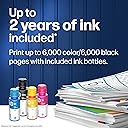
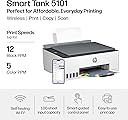
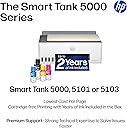
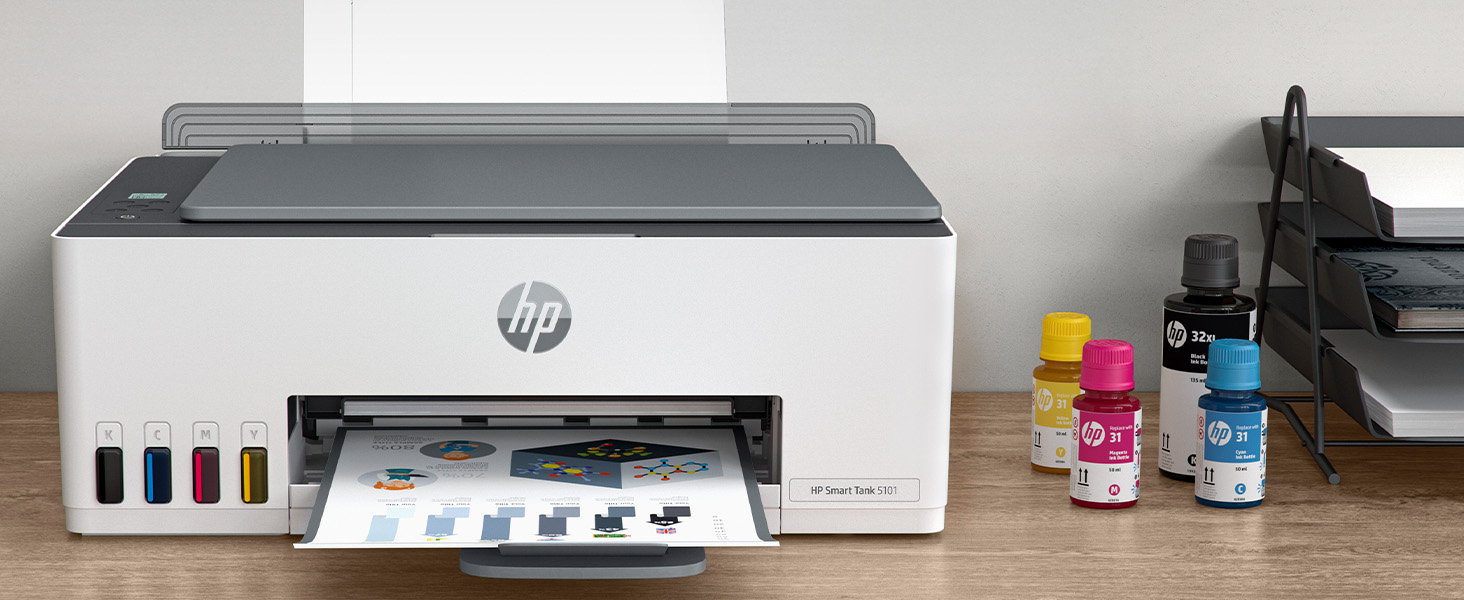
The HP Smart Tank 5101 is a high-capacity ink tank multifunction printer designed for cost-conscious professionals who demand quality and convenience. It delivers up to 12,000 black & white and 6,000 color A4 pages per ink refill, drastically reducing printing expenses. With sharp print resolutions up to 4800×1200 dpi and smudge-resistant pigment ink, it ensures vibrant, professional documents. Wireless connectivity and the HP Smart App enable seamless mobile printing, scanning, copying, and faxing. Its sleek gray design with rear paper feed fits modern workspaces while minimizing jams. Ideal for managers and creatives seeking reliable, affordable, and multifunctional printing solutions.


| 1実行あたりの最大コピー数 | 99 |
| ASIN | B0BL466Y41 |
| UPC | 196068963484 |
| USB2.0ポート数 | 1 |
| USBポート数 | 1 |
| おすすめ度 | 5つ星のうち3.8 4,701 レビュー |
| インク色 | 4色(黒・シアン・マゼンタ・イエロー) |
| カラー | グレー |
| コントローラーの種類 | Apple AirPrint, iOS |
| シリーズ番号 | 5101 |
| スキャナータイプ | フラットベッド |
| デュプレックス | 手動 |
| トレイ数 | 1 |
| ハードウェアインターフェイス | USB 2.0 |
| ブランド | HP |
| ブランド名 | HP |
| プリンタ出力 | カラー |
| プリンタ採用技術 | インクジェット |
| プロセッサ数 | 1 |
| メーカー名 | 日本HP |
| モデル名 | HP Smart Tank |
| ワット数 | 3.02 W |
| 両面印刷 | いいえ |
| 互換デバイス | Android / iOS, スマートフォン, タブレット, デスクトップパソコン, ノートパソコン |
| 保証タイプ | 限定 |
| 保証内容 | ご購入後一年間、あるいは印刷上限30000ページ、どちらか早い方が保証の対象となります。, 無償保証期間内はHPクイックエクスチェンジに対応。HPがリモートにて障害を解決できないと判断した場合、故障したプリンター本体を無償で交換します。最短翌営業日に交換品をお届けします。 |
| 初期ページの印刷時間 | 14 秒 |
| 印刷メディア | プレーン紙, 光沢のある写真用紙, 封筒 |
| 印刷技術 | インクジェット |
| 取替え可能カートリッジ | 追加インクボトルはHP純正をお買い求めください。 HP31(70ml シアン・マゼンタ・イエロー)/ HP32XL(135ml ブラック) |
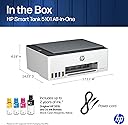
| 同梱商品 | 本体、インクボトル一式+黒ボトル1本、黒プリントヘッド、カラープリントヘッド、電源ケーブル(約1.5m)、USBケーブル(約1m)、セットアップガイド、リファレンスガイド、保証書 |
| 品目の寸法 (D x W x H) | 36.2奥行き x 43.4幅 x 15.7高さ cm |
| 商品の追加説明1 | ネットワーク対応, フチなし印刷, 詰め替え用インクタンク |
| 商品の重量 | 11.09 ポンド |
| 商品種別 | インクジェットプリンター |
| 型番 | ST 5101 AIO |
| 接続技術 | USB, Wi-Fi |
| 最大コピー解像度(カラー) | 600dpi |
| 最大コピー解像度(モノクロ) | 600dpi |
| 最大コピー速度(モノクロ) | 10 ページ/分 |
| 最大メディア(用紙)サイズ | A4 |
| 最大入力シート容量 | 100 |
| 最大印刷解像度(カラー) | 4800×1200 1インチ当たりのドット数 |
| 最大印刷解像度(モノクロ) | 1200×1200 |
| 最大印刷速度(カラー) | 5 ページ/分 |
| 最大印刷速度(モノクロ) | 12 ページ/分 |
| 特徴 | ネットワーク対応, フチなし印刷, 詰め替え用インクタンク |
| 管理方法 | アプリ |
| 紙サイズ | A4、A5、A6、B5、封筒(長形3号/長形4号)、はがき、往復はがき、10×15cm、L判、2L判など |
| 色 | グレー |
| 追加のプリンタ機能 | コピー, スキャン |
| 通信・接続インターフェース | USB, Wi-Fi |
D**D
Not quality like hp used to be - very disappointed
Poor printing quality, if your pin printing a picture, it cuts off every eighth or so picture, way too often the colors are very dark. They're not vibrant at all and then the other situation is printing from your mobile device. It cuts off about 15% of the outside of the photo. For instance, if you're printing a picture of a face, it's gonna cut off the forehead enlarge it so much that maybe even the ears will get cut off. I'm so extremely disappointed in this printer and I've always used HP from the 90s and back then those printers... they lasted. I had whichever version it was. I don't remember, but I used that daily multiple times a day bright colors it printed exactly the size I wanted it to size and the colors were wonderful. The ink containers lasted long enough and these current ones, my last three each HP's that I've had do not feed the paper right it either eats the whole bundle or it won't catch. HP has got to do better :-(
C**N
Most disappointing HP Printer i have ever owned
Dear HP, why has your printer quality dropped so much? I have Only owned HP printers for as long as i can remember, mostly having good success with them. The best printer i ever had was my first, a Deskjet from the 90's. While the color wasn't the premium level they have today (so they say), i used that thing like mad for more than 6 years. After that one, each NEW printer lasted less than the one before that. My last one was the HP ENVY 6055e (purchased in 2023). It lasted me 1 year and the #1 reason i got rid of it was same issue i'm having today with the Smart Tank. Before the 6055e was an Envy Photo 7858 (purchased in 2021); I really liked how well everything looked when printed, but i struggled to get it to print after a year. In the end i was hand feeding it every time to make it work. My brother has that printer and still hand feeds each sheet. The Smart Tank 5101 I purchased on April 14, 2025 (currently doing the review 7 months later). I got this for 2 reasons: 1) to fix the paper load issue, and 2)I was hoping to print my own designed sublimations to press on to shirts. Well, not even a year yet and by far, this is the worst HP Printer i have ever owned. I waited this long to do the review as i really wanted it to work out and at nearly $200, i had my fingers crossed. 30 minutes now trying to print TWO LABELS and the printer finally fed the label sheet, but then it spit it out with nothing on it. I'm back to trying to get this to print The gravity feed on the Smart Tank i thought would make things better, but if anything it's worse. No matter how many pages i stick in, 1, 20 or 40, it doesn't matter as majority of the time i can't get anything to print. Paper, labels, card stock, doesn't matter thick or thin, i find myself having to fight 20+ minutes to print ONE page. I've tried talking to HP reps and they explain how to do the cleaning maintenance, something i've done with these for 25+ years and to load more paper into the feed. I don't have any more that i could even load this thing with; this is just insanity. On this Smart Tank, i thought maybe it's like the others and i need to clean off the wheels. Uh, there's no easy way to clean the rollers as there are no panels on the bottom or back that come off. As a matter of fact, if you have a jam, the only way to get in is thru the front panel (and no the scanner bed does not lift open); best have some long pliers or tweezers to reach in there, especially if you have big hands They do have a display for errors and print info, but it's just symbols, no words and is on the top, in the middle of the printer. If i want to attempt to read it, i have no choice but to stand up to look directly down at it; you can't read it from any other angle. The old printers had it on the front face and had words. I can't get these labels to print. Even removed the label sheet, still nothing. Those 1-star reviews for this printer are increasing and now i know why. Holy Wait Time Batman, it finally loaded and started printing; 45 minutes to print one sheet. It's a good thing i didn't have a hammer in this room, as the ungentle persuasion was a thought for a while. The page i got to print, was not my 2 labels i needed. I just said to heck with it and printed a full sheet on glossy photo paper and it printed. I tried for a second page, just as a test and NOPE, back to the same issues as before. I give up. This was the first printer in a long time that i got Brand New, not a refurbished model and did not up for the extended warranty, which in the end is gonna cost me dearly. I have 2 HP OMEN PCs and like them both, they have worked great and are chuck full of name brand components. As for the Smart Tank if anyone else gets this, i hope you don't have the same issues because it is so frustrating.
D**L
The road runs out too fast. I did three pictures.
We love this printer. The only thing we don’t like is I did like three pictures of my great grandson Baker and now the red is all almost gone. I think I get a year or two free of ink. Please write me back thank you to let me know.
E**H
Great Value Printer for Home Use
This printer has been a great addition to my home setup. The refillable ink tank system is a huge money-saver since it comes loaded with up to 2-3 years of ink right out of the box, so I’m not constantly buying expensive cartridges. Setup was quick and guided through the HP Smart app, and the self-healing Wi-Fi has stayed reliable without any dropped connections. Print quality is crisp for text and vibrant for color photos, and I love being able to print or scan directly from my phone. A solid, low-cost, high-volume printer that’s perfect for everyday family or home office use.
Z**N
Horrible user experience
Upgraded from older HP prior version and it connected fine never had an issue. But this printer has been trash and the app is not helpful most of the time it can’t find my printer on my wireless mesh network and it disconnects and error often horrible printer and software. Edit I got it working still not preferred over the previous model but it prints and the no cartridge is great for now . Once you get it working. It took 2 months to get it working.
Trustpilot
2 months ago
1 month ago