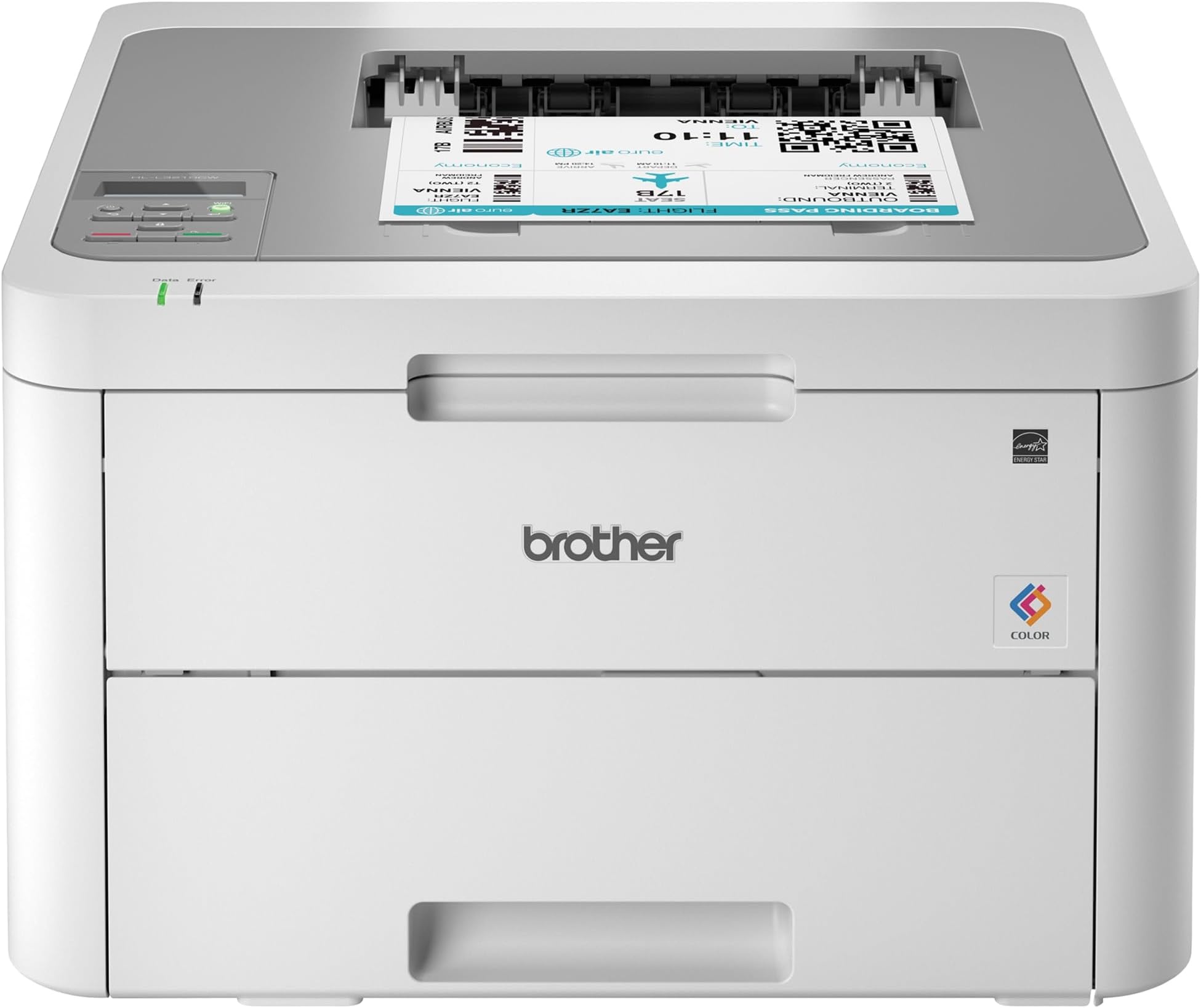
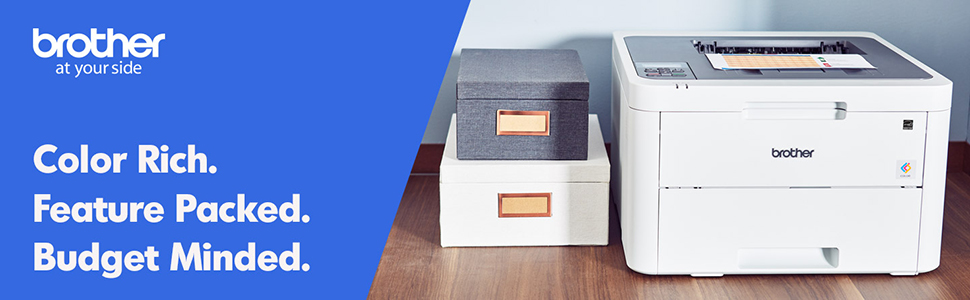
🚀 Elevate your workspace with vibrant, wireless laser printing that keeps you ahead.
The Brother HL-L3210CW is a compact digital color laser printer designed for home and small office use. It delivers fast print speeds up to 19 pages per minute with sharp 600x600 dpi resolution, supports wireless and USB connectivity, and features a 250-sheet adjustable paper tray. Its toner save mode and high-yield cartridge options make color printing affordable, while versatile media handling accommodates various paper types. Backed by a one-year limited warranty and robust build, it’s a reliable choice for professionals seeking quality and efficiency in a space-saving design.


| ASIN | B07FMS1DMX |
| Additional Printer Functions | Print Only |
| B&W Pages per Minute | 19 ppm |
| Best Sellers Rank | #85,905 in Office Products ( See Top 100 in Office Products ) #110 in Laser Computer Printers |
| Brand | Brother |
| Built-In Media | CD-ROM Includes Printer Drivers, HL-L3210CW Starter Black Toner Cartridge (1,000 pages),Starter Cyan Toner Cartridge (1,000 pages), Quick Set-Up Guide, Starter Magenta Toner Cartridge (1,000 pages)DR223CL Drum Unit Set (18,000 pgs)**, Toner Cartridges |
| Color | White/Grey |
| Color Pages per Minute | 1 ppm |
| Compatible Devices | Laptops, PC |
| Connectivity Technology | wired, wireless |
| Control Method | Voice |
| Controller Type | Amazon Alexa, Vera |
| Customer Reviews | 4.1 out of 5 stars 3,473 Reviews |
| Display Type | LED |
| Dual-sided printing | Yes |
| Duplex | Manual |
| Global Trade Identification Number | 00012502651741 |
| Hardware Interface | USB |
| Ink Color | Black |
| Item Dimensions D x W x H | 16.1"D x 18.1"W x 9.9"H |
| Item Height | 9.9 inches |
| Item Type Name | Brother HL-L3210CW Compact Wireless Digital Color Printer with Mobile Device Printing Ideal for Home and Small Office Use |
| Item Weight | 37.8 Pounds |
| Manufacturer | Brother Printer |
| Maximum Copy Resolution Black and White | 600 dpi |
| Maximum Copy Resolution Color | 600x600 dpi or higher |
| Maximum Copy Speed Black and White | 19 ppm |
| Maximum Print Resolution Black and White | 600 dpi |
| Maximum Sheet Capacity | 251 |
| Maximum print Resolution Color | 600x600 dpi or higher |
| Media Size Maximum | 8.5 x 14 inch |
| Model Name | HLL3210CW |
| Model Number | HLL3210CW |
| Model Series | HLL3210CW |
| Number of Drivers | 1 |
| Number of Trays | 1 |
| Other Special Features of the Product | Epeat Qualified |
| Output sheet capacity | 251 |
| Paper Size | 5-x-8-inch |
| Power Consumption | 390 Watts |
| Print media | Card stock, Envelopes, Glossy photo paper, Paper (plain) |
| Printer Connectivity Type | wired, wireless |
| Printer Output Type | Color |
| Printer Type | Laser |
| Printing Technology | Laser |
| Resolution | 600 x 600 dpi or higher |
| Scanner Type | Sheetfed |
| Special Feature | Epeat Qualified |
| Specific Uses For Product | Home, Office |
| Total USB 2.0 Ports | 1 |
| Total Usb Ports | 1 |
| UPC | 012502651741 |
| Unit Count | 1.0 Count |
| Warranty Description | 1 year |
| Warranty Type | Limited Warranty |
| Wattage | 365 watts |
A**.
Exactly What I Needed
This printer is truly plug and play. It took me less than a 1/2 hr to print a photo from my phone (which I’ve never done before). Installation and setup: this printer is heavy. The hardest part was getting the thing out of the box. It only had the printer itself and the power cord. If you are planning on connecting it directly to your computer, you will need to buy the cable separately. You have to take off all the blue tape and the orange protective bits, put the cartridges back in, plug it in, load paper, and then connect it to your network. It was a little tedious to use the up and down arrows to key in the network key, but it’s a one-time thing. I’ve previously only had inkjet printers, so I don’t know how it compares to other laser printers, but I’m very happy with the quality of the images. To really put it through its paces, I ran some different types of paper through it and the printing was spot on for almost all of them. I ran some labels through and it had some issues feeding some of the pages, but it did way better than any other personal printer that I’ve had. I kind of anticipated issues because the printer didn’t have a label option for paper type. All in all, I’m exceptionally pleased with this and am super grateful to have quick, reliable, quality printing.
A**R
Easy to set up and connect to my network
I found it very easy to follow the directions for removing the packing materials and installing the cartridges of toner. I also thought it was easy to get connected to my net work and had no trouble at all sending my first file to be printed. The first thing I tried to print with a color photograph. I was not aiming for high quality. I printed it on regular copy paper instead of photo paper. The picture came out good but I noticed that there were some shadows on certain portions of it that didn’t appear in the file when I looked at it on my phone. It’s quite possible that I just need to change the setting on the printer to “high-quality“. Once I have an opportunity to give that a try I will up this to a five star rating if the shadows go away.
C**K
Great so far with a small issue.
Using this to print regular letters and office graphics works well and print quality is just fine. With a little trepidation I decided to print a couple of greeting cards on standard greeting card 1/2 fold stock and to my surprise it printed just fine. Color was good paper feed (through the manual feed slot) was great with no problems as mentioned in other reviews or questions answered. The greeting card program I use set the printing options for this printer quickly and straightforwardly. I did set the paper type to thick before printing. So I decided to print the envelopes for the cards and this is where there was a little disappointment. The printing was fine and was handled OK through the manual feed just one issue....the envelope came out a bit wrinkled (only on the back side). Not enough to throw it away but it was noticeable. I didn't consider this to be a problem because I normally don't print envelopes, just write them out. Setting up the printer (drivers & wireless) you need to pay attention and follow instructions as it could be a little confusing to some. After doing this the printer worked fine with wireless printing. In closing I would recommend this printer having had brother machines in the past and found them to be well made and function properly not to mention the price was well suited to my budget.
D**N
Nice laser printer for price point, toner replacement could be better
I bought a 3210 color laser printer about 15 months ago for my home office (I'm a freelance software developer). I've never had a color laser printer and I really do like this one. It prints fast, is accurate, very rarely jams or misprints. If there's something for Brother to improve on, it is this: the toner replacement process is confusing. The printer's LCD display doesn't tell you enough. Here's an example of what happens every 3-6 months- 1- I get a message that says "No Toner" on my LCD display. 2- I open the top lid to expose the four color toner cartridges (carts) named "C", "M", "Y", and "K". 3- I remove the K cart from the printer. 4- I *VERY* carefully put the old K cart down somewhere I don't smudge any "no touch" areas of the cartridge or get toner everywhere. 5- I *VERY* carefully unwrap a new K cart, making sure I don't smudge any of the "no touch" areas of the cartridge or get toner everywhere. 6- I insert the new K cart into the printer and close the lid to test it. This gives one of two results: A) The old K cart was bad and the error resolves. I use the packaging from the cart to wrap up the old cart, write a note on it and put it aside. B) The old K cart was not bad and the error persists. I remove the new cart and repackage it as best I can, then put the old cart back in the printer. I then repeat steps 3-6 with carts C, M, and Y until I find the cart that failed. This is particularly upsetting if: The failure happens when you're not actually printing anything. You get two errors at once and spend half an hour, make a real big mess, and/or break your printer trying to figure out which cart is dead. You really want to have a full set of four sealed toner cartridges on hand if you can afford it, but Brother charges $300 - $350 for a set of genuine carts. It's not really worth buying the genuine ones. I had off-brand carts delivered today and spent $65 for a full set with an extra black cart. The cart thing isn't really that annoying, it's just a bit of a chore.
N**R
Constantly updates firmware to prevent you using 3rd party consumables
After owning this for almost 3 years, here's the verdict: Brother make a good piece of hardware it prints well. But they have mastered fleecing their customers, spreading each new surprise expense out so you get deeper in financially. The printer was great. The toner cartridges it came with weren't massive, but bigger than the "trial" ink cartridges a lot of inkjets come with. Print quality was wonderful. It just worked. But slowly, they ran out. First black, then each color in turn. A couple months apart, so I forget about the pain of buying the last one. I sprung for the high capacity genuine cartridges. First, the genuine, high-capacity magenta started leaving ghost smears. It was getting clumps of toner on the transfer roller in the cartridge. I lived with it. I finally changed all 4 cartridges. I thought I was in the clear. NOPE! Replace the waste toner box now! It costs as much as a toner cartridge from Brother, and unlike the toners, it's not as easily available on Amazon. I finally decided to risk third-party. It's not TONER, it's just the receptacle for the toner that doesn't end up on the paper. It won't affect print quality, right? Ordered a well-reviewed third-party cartridge on here. Finally got around to putting it in the printer. It printed a test page. Cool. I finally diagnosed the magenta cartridge and cleaned the roller of its clumps. Print another test page? NO! Replace the waste toner cartridge! This printer gave me ONE page before rejecting the third party part. It's not even producing the stuff the printer uses! I did some network analysis with my hardware firewall. This printer calls home at LEAST once per day to get updates. It doesn't inform you of this when you hook it up to your wi-fi. It just helps itself to the internet when you're not using it. After some research, it appears that third party stuff works for a while, then stops working. I presume most of the updates to this printer are to disable your ability to use non-genuine consumables. If I replace this waste toner box, it's probably gonna complain about the drums in another month. I'm done. No more caring about the cost I've sunk into this. I don't care that I've got 4 expensive toner cartridges with >75% remaining. Not another dime. I'm deeper into consumables than I spent for the printer. I don't have that many pages through it, even (a few hundred in 3 years). Brother, if you're reading this: get over yourselves. If I ruin my prints with third-party consumables, that's my choice. I regret every dime I spent on your products. I'm done. Your behavior is anti-consumer, and I'm sick of it. I'll go research a printer brand that doesn't combat me to force more of my money into their pockets.
W**J
Love love love 💕
Update: I have now had to replace all the toner that came in the machine, but I’m pleased as to how much I got out of them! The black went first about two weeks ago, and now I just had to buy the three colors. I’ve been through roughly 3000 prints now! I just got this printer today and I put it to the test! Setup was very easy, took maybe 15 minutes but that’s mostly because my internet is super slow. I’ve printed about 300 pages today and it is so fast!! My old HP Envy 4500 claimed to print 17ppm and this one prints 19ppm. Well I printed 48 pages on this in the same time I would have printed maybe 4-5 pages on the HP! So far it hasn’t lost WiFi connection at all and it has gone into deep sleep many times throughout the day with no problem waking up. I’ve printed from both my computer and iPhone with no problems at all. So far I am loving this printer!!! I did notice I’m the only one that has left a review for the new model so maybe they have fixed all the issues the older model was having? Thus far I have to admit that this is by far the best printer I’ve ever had! No paper jams, fast printing, and as far as quality- it’s better than the old printer but I have so far only printed out curriculum materials for school. If your on the fence I’d say get it!! It’s now a week later and I’m running low on black toner after printing close to 2000 pages! Considering the yield is 1400 pages on the toner it came with and it’s still printing that’s awesome! I did order another black but won’t replace it until it’s completely empty.
E**T
Product is worht its price you pay for it.
Worth the price you pay for it.
N**E
Love it!
I had a 10-year-old Brother color laser that finally died. I decided on this one because of the price and the wireless feature. I'm glad I chose it. The print quality is excellent! It's a bit slower than my previous printer, but it's just for home use so speed isn't really that important. The wired part of the setup was straight plug and play. The wireless part took a bit more time, but I was able to do it without calling Brother. The only glitch with the printer is the single sheet manual feeder. It's really touchy. However, everything except envelopes works just fine using the regular printer tray.
Trustpilot
1 month ago
2 weeks ago