


🚀 Elevate your home network—smart, sleek, and unstoppable.
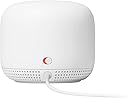
The Google Nest WiFi Point Assistant delivers expansive 1600 sq ft coverage powered by 768MB RAM and 512MB flash memory. Featuring capacitive touch control and Bluetooth 5.0, it integrates seamlessly with previous Nest WiFi devices to create a fast, reliable, and smart home network experience.








| Brand | |
| Product Dimensions | 10.21 x 10.21 x 8.71 cm; 349.27 g |
| Item model number | H2E |
| Manufacturer | |
| Series | Nest wifi point |
| Wireless Type | Bluetooth |
| Voltage | 15 Volts (DC) |
| Operating System | RouterOS |
| Are Batteries Included | No |
| Item Weight | 349 g |
| Guaranteed software updates until | unknown |
A**A
BEWARE: Stops working daily and needs a reboot
Mesh network stops working several times a day and requires a reboot (while WAN access works perfectly). This is a no go for someone who often works from home and has many Zoom calls. There are many similar complaints on Google forums, but still there is no official fix.
E**D
Solved my coverage problem and was a cinch to set up
I’m no IT professional, so I was taking a gamble as to whether adding a 3rd wifi point would solve coverage issue in my home office. Luckily it did, and it took less than 5 minutes to add it in my Google Home app and get it up and running.
H**R
Mesh Networks Rule
I have new "smart home" where a large number of different types of devices are connected via WIFI to the internet. Many of these devices (but not all use Alexa). The builders of the smart home put a single WIFI Access point in the ceiling of the main (great room) room and this was supposed to cover the whole home as well as devices located outside the home but still on the property. In most (but not all) rooms inside the home this access point is putting out 324 Mbps. In some rooms less, and outside the home (patio, sides of the home where WIFI connected plugs/switches are located), as well as WIFI connected Home Generator and Water Softener are) much less and sometimes no connection. I decided to install a Google Nest Mesh WIFI network with the router and 3 access points. Now I have 750 to 860 Mbps in EVERY room and 500 to 600 Mbps on all points on my property. This device also allowed me to set up a guest network so I can provide access to WIFI for all my guests (which is badly needed to maintain telephone reception given the block and steel used in the homes construction) without compromising my primary network password. If have a growing number of devices I would highly recommend setting up a Mesh WIFI network.
J**E
Not For Moderate or Advanced Systems
If I can give any word of advice, stay away if you have a whole interior and exterior array of smart home devices. The Google home wifi products are the least configurable technology devices I've ever seen released in recent history. Plus, they are not cheap. They are great for really simple setups, but if you have a bunch of products from different vendors trying to connect them all together across a home, then I would steer away. They consistently crash, try to force all products up to 5ghz spectrum (even though the router is aware that the devices aren't compatible), and the mesh consistently crashes. We have a lot of key home automation devices that we want to control while on travel. The Google wifi products are unreliable and cannot be trusted.
J**.
Easy install and functional
I already had the main WiFi Hub installed and added the access point to have better coverage in the living room area. The setup was a breeze and it is working as described.
Trustpilot
1 month ago
5 days ago