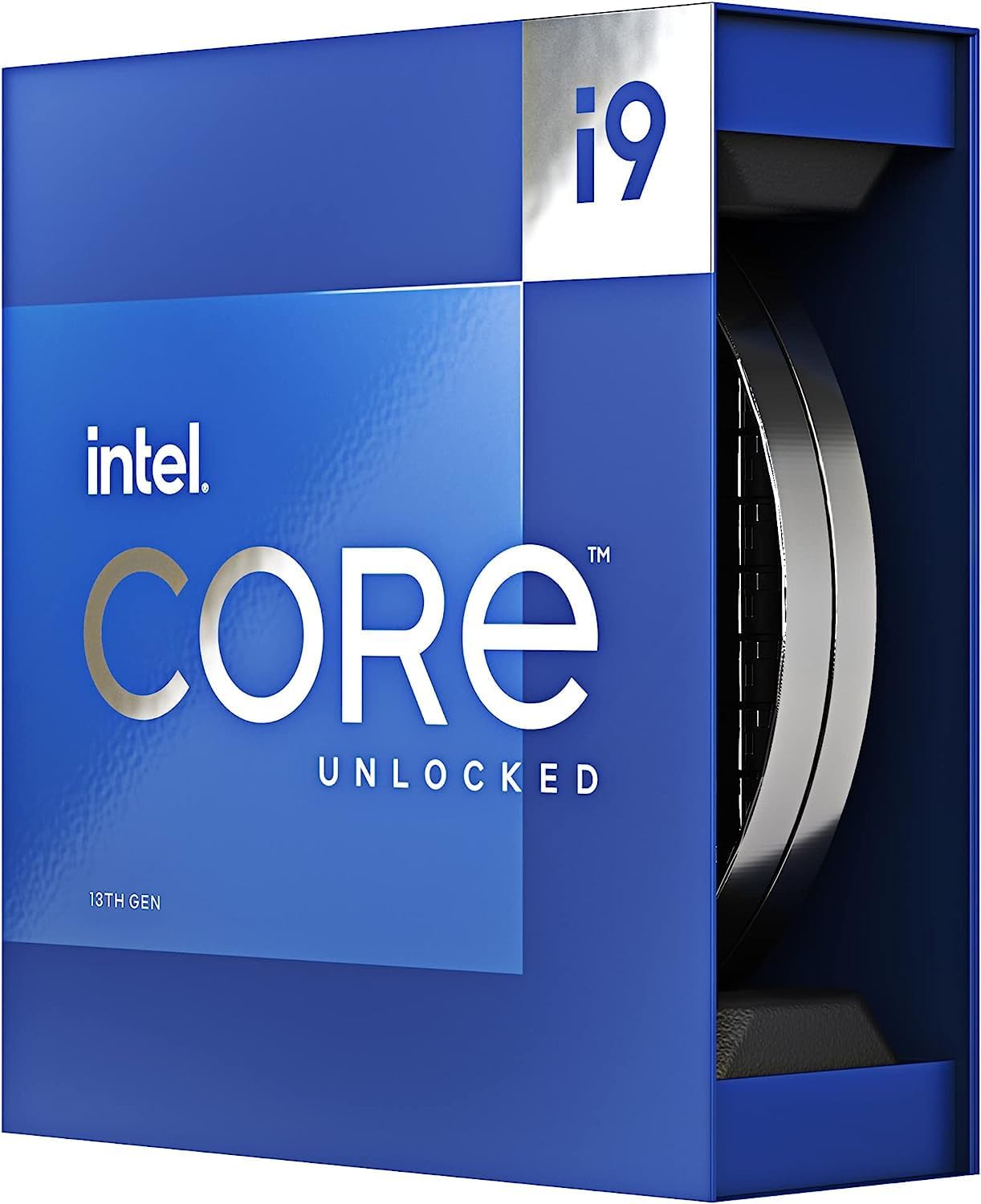
🚀 Power your ambition with Intel’s 13th Gen Core i9-13900K — where speed meets smart efficiency.
The Intel Core i9-13900K is a 13th generation Raptor Lake-S CPU featuring 24 cores (8 performance and 16 efficiency cores) and 32 threads, running at a base clock of 3.0 GHz. It supports both DDR5 and DDR4 memory types, includes 32 MB of L2 cache, and is optimized for Windows 11. Designed for high-end desktop platforms with an LGA 1700 socket and a 125W power envelope, it delivers exceptional multitasking and gaming performance for professional and enthusiast users.


| 2次キャッシュ | 32 MB |
| ASIN | B0BCF54SR1 |
| Amazon 売れ筋ランキング | パソコン・周辺機器 - 24,622位 ( パソコン・周辺機器の売れ筋ランキングを見る ) CPU - 47位 |
| CPUスピード | 3 GHz |
| CPUソケット | LGA 1700 |
| CPUメーカー | Intel |
| CPUモデル | Core i9 |
| GTIN (Global Trade Identification Number) | 00735858526616 |
| UPC | 735858526616 |
| おすすめ度 | 5つ星のうち4.4 1,967 レビュー |
| コンカレントスレッドのプロセッサ数 | 48 |
| コンピュータCPUタイプ | Core i9 |
| コンピュータCPU製造会社 | Intel |
| コンピュータCPU速度 | 3 GHz |
| ブランド | インテル |
| ブランド名 | インテル |
| プラットホーム | Mac OS X El Capitan 10.11, Windows 10, Windows 11 |
| プロセッサコア数 | 24 |
| プロセッサソケット | LGA 1700 |
| プロセッサ数 | 24 |
| メーカー名 | INTEL |
| メーカー型番 | i9-13900K |
| ワット数 | 125 W |
| 二次キャッシュ | 32 MB |
| 保証内容 | メーカー1年保証 |
| 商品の重量 | 200 グラム |
| 型番 | BX8071513900K |
| 搭載済みキャッシュメモリサイズ | 36 MB |
ま**場
まんのう工場のときにくみました
まんのう工場のときにつくりました。白いパソコンのレビュー書いてると、あざとく調べて、何使ってるか、品管の人らが言っていましたが、他人の物物色したり、アマゾンレビュー内容吹聴したり、ヤフコメ読み上げたり、まともな人たちがいるとは思いません。昨日夜見た内容を、朝、品管の人達が言ってるわけですから、血中国銀行資本の会社なのでしょうか、まともな状態にあるとはおもいません。壊れるとありますが、壊れるまで使います。
A**ー
低電圧化で運用しましょう!
オフセット -1.00、ASRock Z790 Pro RS/D4 BIOS 360mm簡易水冷設定265W制限 マルチ:40403 シングル:2285 最大温度:70度 エラー確認の為、10分間測定→エラー無し マルチ:40215 最大温度:77度 150W制限 マルチ:34265 シングル:2286 最大温度:55度 低電圧化にかかわらず、シングル性能は微動だにしませんでした。 よく爆熱と言われていますがそこは運用方法だと思います。
ス**ズ
簡易水冷以上は必須
静音CPUファン(Noctua NH-D15)を使用した運用を検討していましたが、高負荷をかけ続けると100度を超えてしまいました。簡易水冷(Celsius S36)を導入することで高くても80度を維持できるようになりました。空冷を検討している方は注意が必要です。 Geekbench 5 Score Single-Core Score: 2164 Multi-Core Score: 21335
か**ん
最高すぎる
電圧を少しいじるだけで空冷(サーマルライトの5000円位のクーラー)で余裕です。10分くらい負荷をかけても80度前後。ゲームだとほとんど熱くなりません。電圧制限をしたためにR23のベンチスコアは37000程度になりましたがゲーム使用なので影響はありません。ちなみに水冷だともう少し電圧を盛れる為40000位になるそうです。lga1700はcpuのソリ問題がありましたがソケットのネジ部分に薄いワッシャーを噛ませ、ライトと定規をあてて確認しましたが全く無問題でした。
あ**る
cpuの不具合
4ヶ月で壊れました。最初はソフトの異常終了がたまにあり変だなとは思っていましたが、PCゲームをしていたら突然ブルースクリーンが出たあとハードディスクを認識しなくなりました。試行錯誤の後調べていると、Intelの第13世代と第14世代のCoreプロセッサには不具合が発生していた情報を見つけました。現在はBIOSの更新で対処されている様ですが、知らずに使用していたので、メモリなど様々なパーツが故障し影響が出ています。 追記 先日Intel公式サポートセンターに問い合わせた所、迅速かつ非常に良い対応をして頂きました。
く**く
ずっとi9
i9シリーズが発売されてからずっとi9を購入していますが、今回はさらにすごく爆熱です。 24コア32スレッド5.8Ghz仕様で、マザーボードベンダーも電力無制限設定をデフォルトにしているので、ポン付けでは360mm簡易水冷でもベンチマークソフトなどでは秒で100℃です。 ですが、ちょっと低電圧化すれば性能を下げることなく360mm簡易水冷はもちろんのこと、ハイエンド空冷でも運用できます。 マザボベンダー各社によって設定はありますが、私はMSIなので、Lite Loadを利用しています。 これによってNoctua D-15でサイバーパンク2077などのCPUをガッツリ使うゲーム中でも、 室温27℃前後で4K 60fpsなら最大75℃ほどに抑えられます。 フルスレ使用するとさすがに低電圧化してもハイエンド空冷では厳しいと思います。 その場合はいさぎよく360mm以上の水冷が良いと思います。 ゲーム程度でしたら上記のようにすればハイエンド空冷でもいけます。 ちょっといじれば使いやすい万能超高性能CPUなのでおすすめです。
水**号
水冷クーラー装着で何もしない状態CPU温度48度程度
他の方も書かれていますが、爆速、爆熱です。 私の場合、DeepCool LT720の水冷クーラーを使っておりますが、負荷のかかる処理を行っていない状態でCPU温度48度程度です。 負荷のかかる処理にはまだ使っていないので、また報告させていただきます。
智**智
品質よし
予定より早く届いて助かりました!
A**A
Great Item
It’s working as it should be. No issues whatsoever
M**C
Faulty product
It's not Amazon's issue but the processor I bought is faulty. I'm experiencing crashes while playing games. It's so annoying and so time-consuming. I had so many stressful moments because of this.
C**L
Works Good
My old motherboard burned the i9 and I thought I was out all the cash I spent because I didn't get a warranty; but upon buying a new motherboard it still works just fine... Only thing is sometimes icons don't load now; but if that's the only negative after it should have been out of commission entirely - it's well worth that money. Plus it allows for myself to have actual sidechaining and automation clips within FL Studio 2024 + being able to use Filmora 11 without it crashing every 5 minutes (and able to export as well) is a nice touch from the old i5 I used to own. I definitely recommend this i9 to anybody who wants to take their music or editing to the next level.
R**N
Leistung pur: Intel Core i9-13900K Desktop-Prozessor im Test
Der Intel Core i9-13900K Desktop-Prozessor hat meine Erwartungen in jeder Hinsicht übertroffen und ist ein wahres Kraftpaket für anspruchsvolle Anwendungen. Als jemand, der leistungsintensive Aufgaben wie Gaming, Content Creation und komplexe Berechnungen durchführt, war ich auf der Suche nach einem Prozessor, der sowohl in puncto Geschwindigkeit als auch Vielseitigkeit Spitzenleistung bietet. Dieser Prozessor erfüllt diese Anforderungen auf beeindruckende Weise. Die Kernspezifikationen des i9-13900K sprechen für sich: Mit 24 Kernen (8 Performance-Kerne und 16 Effizienz-Kerne), einem riesigen 36 MB Cache und einer beeindruckenden Maximaltaktung von bis zu 5,8 GHz bietet er die notwendige Power, um selbst die anspruchsvollsten Aufgaben mühelos zu bewältigen. Egal ob es um High-End Gaming, 3D-Rendering oder komplexe Datenanalysen geht, dieser Prozessor liefert konstant hohe Leistung. Die Verarbeitungsgeschwindigkeit ist bemerkenswert. Multitasking wird zum Kinderspiel, da der i9-13900K problemlos mehrere Anwendungen gleichzeitig bewältigt, ohne dabei ins Stocken zu geraten. Dies ist besonders wichtig für mich, da ich häufig mehrere Programme parallel laufen lasse und dabei eine reibungslose Performance benötige. Die Effizienz des Prozessors ist ebenfalls lobenswert. Trotz seiner hohen Leistung bleibt der Energieverbrauch im Rahmen, was sowohl die Umweltbilanz verbessert als auch die Betriebskosten senkt. Dies ist ein weiterer Pluspunkt für den langfristigen Einsatz des i9-13900K. Die Kompatibilität mit aktuellen Motherboards und die Unterstützung für moderne Technologien wie PCIe 5.0 machen diesen Prozessor zukunftssicher und bieten Spielraum für zukünftige Upgrades und Erweiterungen. Zusammenfassend kann ich den Intel Core i9-13900K Desktop-Prozessor uneingeschränkt empfehlen. Er kombiniert beeindruckende Leistung, Effizienz und Zukunftssicherheit und ist ideal für Enthusiasten und Profis, die das Maximum aus ihrem Desktop-System herausholen möchten. Eine klare Kaufempfehlung für jeden, der auf der Suche nach der ultimativen Prozessorleistung ist!
N**A
It's a beast nothing much to say (updated review with the instability issues of i9-13900k & 14900k)
This processor is all-rounder for every tasks you do on PC from small to CPU intensive applications. If you are looking for vast performance with heavy production tasks this is very nice to have. Best to use with Motherboard DDR5 and PCI-E 5.0 supported motherboards. Update: Been using this processor since Oct 2023 CPUID 671 & Stepping B0, which is affected with recent instability and possibly oxidation problem, so check your CPU ID if it's same then return it and replace it. Also update your motherboard BIOS with July 0x125 microcode update and manually set voltages and CPU core clock to 5.1ghz do not go above it, disable E-cores if you only gaming & streaming; till August BIOS microcode update drops. You can see the CPUID using Aida64, CPU-Z softwares or in BIOS itself. If you are facing instability issues with games or OS crashing. I am waiting on microcode update in mid of this August 2024 to see if Intel fixes this instability issues if not then i have to RMA the CPU. Right now i have running CPU P-core @ 5.1ghz at 1.25v, E-core disabled, XMP enabled DDR5-6000mhz, using mode 7 in LLC (MSI Motherboard B760 mortar) P1 125W & P2 190W, UVP enabled -0.120mV. My CPU temps on idle remains at 32deg and during load/gaming at 72deg. Hope this helps if any of you facing issues.
Trustpilot
3 weeks ago
1 week ago