🎮 Upgrade your Switch, upgrade your play — don’t get left behind!
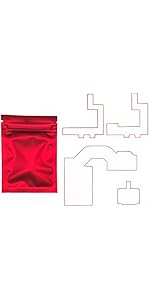
The Onyehn Console Cable is a high-quality 4-pin coaxial replacement part designed exclusively for Nintendo Switch HAC-001 and HAC-001-(01) models. It comes bundled with a professional-grade repair toolkit, enabling precise installation and firmware flashing to restore or enhance your console’s performance. Ideal for gamers who demand reliability and want to DIY their Switch maintenance with confidence.


| ASIN | B0DXZT7KZ2 |
| Best Sellers Rank | #5,293 in Video Games ( See Top 100 in Video Games ) #23 in Nintendo Switch Repair Tools & Replacement Parts |
| Brand | Onyehn |
| Brand Name | Onyehn |
| Cable Type | Coaxial |
| Compatible Devices | Nintendo Switch |
| Compatible Phone Models | Nintendo Switch (HAC-001), Nintendo Switch Endurance (HAC-001-(01)) |
| Connector Gender | Male-to-Male |
| Connector Type | 4 Pin ATX |
| Customer Reviews | 4.3 out of 5 stars 60 Reviews |
| Indoor Outdoor Usage | Indoor |
| Manufacturer | Onyehn |
| Model | 4pin atx |
| Number of Pins | 4 |
| Other Special Features of the Product | Data Transfer |
| Recommended Uses For Product | Charging and Data Transfer |
| Special Feature | Data Transfer |
| Unit Count | 1.0 Count |
C**M
Works Great!
Excellent! The quality is good, and the installation was quite easy. However, be PATIENT with yourself. Ensure you use the best flux to solder all your joints and have the best thermal paste. Please Please Please update to version 2.80. You won’t have any issues in the long run. Many people choose to keep the current firmware, but there’s a reason for the update. The firmware creator provides a detailed guide on how to install it. The function is simple and generic. Be very careful not to bend it too much, as the inner wire will break. So be very gentle as this is like surgery. I suggest cutting your metal back plate so that your chip can lay flat and won’t put pressure on your switch back cover. Guys, use anti-static tape and make sure your chip doesn’t touch any other metals in your switch but don’t cover it all as it needs to breath. This will burn your C1 chip, which was meant to break if there’s some kind of static or extra voltage. Once broken, it’s a mission to replace it without proper tools. Overall, guys! Enjoy and remember… take your time. At least 3 hours to make your switch the best thing you’ve ever had.
A**E
my advice for people installing this
worked great! installed this on my mariko switch over the course of ~3 hours. - make sure you have a 128gb+ sd card if you are going to be using emuMMC - read the ifixit guides on disassembling the switch, it will help a lot - read through the nx-modchip guide to make sure you understand everything before you start installation - for removing the ihs gently pry from each corner using the blue prying tool - get any microscope for soldering it doesnt matter if its expensive or not just any will help a lot
G**N
pi mod kit for switch- requires intricate soldering
good mod kit for nintendo switch non led model. Kit uses a pi chip to program the switch.
C**E
Unable to flash
Was not able to get it to connect to my PC so I could flash the device, returning it and going to try another one. Well I got another one and same thing it will not boot to my pc, no led flashing, holding down boot while plugging in the usb, read on some forums that it could be flashed already, but I’m not just going to install this thing and hope for the best. I’m my opinion go somewhere else to get this chip.
C**O
Exactly what you think it is!
Exactly what you think it is. It works, you need to flash the board. Also, ribbon cable quality is iffy, but overall I've had success with these and I love the fast amazon prime shipping compared to overseas china boats.
M**E
Quick and Easy Honestly Suprised
Fastest easiest modchip I’ve dealt with, make sure to put solder on the 2 pads for the resistors before install, saves a lot of time to just wipe the bead over onto the resistors, bend the 2 of the tabs at the top of the heat shield to let the wire pop out. Take a good pair of sheers to make 2 good cuts to remove the section of the backplate for the board to set in I sanded the edges as well. Full install and reassembly only took an hour. Flux is your friend for soldering the resistors.
C**N
Works perfectly
Takes some skill but 100% works for the v2
J**H
Tips For A Painless Installation
Installation went great! I installed it on a V1 switch, and they include V1 and V2 ribbon cables in the package I wanted to give some others a few tips on the install. Any bad reviews or it not working was most likely due to user error 1. Flash the board with the latest picofly firmware. Some say the board comes pre-flashed, but mine wasn't but its super easy to do, and I'd reccomend flashing it with the latest firmware anyway just to stay up to date. 2. Be careful of the two capacitors next to to APU when removing the shield. If you knock any of those capacitors off, you will lose WIFI abilities (learned the hard way unfortunately) 3. Flux is MANDATORY! Any solder work you do should always have flux, it makes the process so much better. Watch a few YouTube videos, not just one, and develop your own technique.
Trustpilot
5 days ago
2 weeks ago