Desertcart purchases this item on your behalf and handles shipping, customs, and support to SINGAPORE.
🎬 Elevate your home theater game with crystal-clear 4K visuals and immersive Dolby Atmos sound!
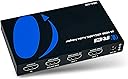
The OREI eARC 4K 60Hz Audio Extractor (HDA-929) is a cutting-edge device designed to extract high-quality Dolby Atmos and DTS audio from HDMI sources while passing through pristine 4K HDR video at 60Hz. Compatible with eARC-enabled soundbars and AV receivers, it supports HDMI 2.0 with HDCP 2.2, multiple audio channel modes, and seamless CEC control, making it an essential upgrade for any modern home theater enthusiast seeking premium audiovisual performance.


| ASIN | B0CDNYH3WN |
| Audio Output Mode | 2.0, 5.1, 7.1 |
| Brand | OREI |
| Brand Name | OREI |
| Compatible Devices | Soundbars with eARC support, AV receivers with HDMI inputs, TVs or other devices with HDMI outputs, Sonos, Bose |
| Customer Reviews | 3.9 out of 5 stars 211 Reviews |
| Included Components | HDMI Extractor |
| Interface | HDMI |
| Item Dimensions L x W | 7L x 12W centimeters |
| Item Weight | 12.73 Ounces |
| Manufacturer | OREI |
| Material Type | Copper |
| Maximum Supply Voltage | 240 Volts (DC) |
| Maximum supply voltage | 240 Volts (DC) |
| Minimum Supply Voltage | 5 Volts (DC) |
| Minimum supply voltage | 5 Volts (DC) |
| Model | HDA-929 |
| Mounting Type | Cable Mount |
| Mounting type | Cable Mount |
| Number of Channels | 2 |
| Number of Items | 1 |
| Number of Pins | 19 |
| Number of pins | 19 |
| Part Number | HDA-929 |
| UPC | 850031132542 |
| Unit Count | 1.0 Count |
| Upper Temperature Rating | 104 Degrees Fahrenheit |
| Upper temperature rating | 104 Degrees Fahrenheit |
O**O
Good audio extractor for 60fps screen
Tested with a PS5 and a 1440p 120Hz HDR VR monitor. Works well and extracts audio without issues. Good sound quality. It operates at 60Hz but doesn't support a 120Hz refresh rate at any resolution. HDR works flawlessly. No noticeable sound lag. Good product.
S**2
No judgement on the item.
I can't comment on this as it didn't do what I needed, which was to duplicate a TV's eARC so I returned it, hence the 3 stars as I couldn't really judge it's performance.
P**N
Solution parfaite pour un vieux ampli cinéma haut de gamme
"Si vous avez un excellent récepteur audio (comme un Harman Kardon ou Yamaha) qui ne supporte pas la 4K, mais que vous ne voulez pas le changer, cet extracteur est la pièce manquante. J'ai 40 ans d'expérience en électronique et j'ai tout essayé : c'est le seul boîtier qui me permet de garder mon image 4K HDR tout en envoyant un son 5.1 parfait à mon ancien ampli via le port HDMI 'Audio Out'. L'image est fluide, le son est riche et sans aucun délai (lag). L'installation est simple, robuste et le résultat vaut largement l'investissement. J'ai maintenant l'impression d'avoir un système à 10 000 $ pour une fraction du prix. Très satisfait !"
K**A
Life saver for Dolby sound
1. Been struggling for so long to get the setup working but this product resolved my issue. 2. Although its been just half an hour i have set this up but it works already and flawlessly. 3. I'll talk about my issue and how this resolved it: 3.1 I’m contacting my cpu to my 65’ sony tv, which is connected to my bose 900 dolby atmos setup, but i was only getting stereo output. 3.2 Have trued dolby access too but it gave me choppy audio output, which keeps disconnecting in between 3.3 My ps5 gives me flawless atmos setup with the tv but pc was always an issue 3.4 I connected hdmi 2.1 from my graphics card to source in the product, then bose hdmi to earc/arc on the product, then third cable to hdmi 1(can be any hdmi port) on tv 3.5 opened the dolby access app and selected home theatre, it showed ready! 3.5 keep the access app open (minimise it) and it just worked 4. product pricing is definitely overpriced but nothing to complain on functionality front 5. Couldn’t be any more happy with it 6. Definitely recommend to anyone having this issue Update after 2 months usage 1. You have to unplug your tv first, yes unplug even the wall socket, let the hdmi get reset in 2-3mins 2. Plug in all the cables, switch on tv first, than the pc 3. Open dolby access app, minimise after setting up your home theatre and it just works 4. Only issue i faced is if i leave the computer idle fir a while it automatically stops working and then i have to repeat the whole process again of setting up, it maybe specific to my setup i dont know 5. Strongly recommend for anyone looking for taking highest quality audio from their pc
E**A
Audio Passthrough
Ideal se teu TV não suporta ou não deixa passar algum tipo de formato de audio para o equipamento de som.
Trustpilot
2 weeks ago
3 days ago