Buy anything from 5,000+ international stores. One checkout price. No surprise fees. Join 2M+ shoppers on Desertcart.
Desertcart purchases this item on your behalf and handles shipping, customs, and support to SINGAPORE.
Stream Smart, Live Bold! ๐
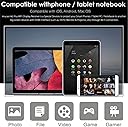
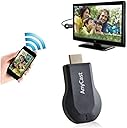
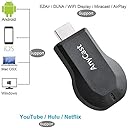
The Wireless WiFi Display Receiver M9 Plus is a compact and efficient streaming device that supports 1080P resolution and is compatible with HDMI projectors. With ultra low power consumption and a portable design, it's perfect for professionals who need to present on the go.
| ASIN | B07CCJCPKM |
| Best Sellers Rank | #397,712 in Electronics ( See Top 100 in Electronics ) #732 in Audio/Video Receivers & Amplifiers |
| Brand | Neutral products |
| Color | Black |
| Compatible Devices | Smartphone, Television |
| Connector Type | HDMI |
| Controller Type | Button Control |
| Customer Reviews | 2.8 2.8 out of 5 stars (64) |
| Form Factor | Dongle |
| Manufacturer | Neutral products |
| Mfr Part Number | M9plus |
| Model Name | M9plus |
| Model Number | M9plus |
| Other Special Features of the Product | Miracast |
| Resolution | 1080p |
| Supported Internet Services | YouTube |
| UPC | 706352576957 |
| Video Codec | MPEG-4 |
| Video Output Resolution | 1920x1080 Pixels |
K**R
It does not work
This device simply does not connect to google home, if you're wondering if you should trust me or people who claim it works fine, at the time of writing this comment, there are more 1 star reviews then any other rating, so think about that.
O**I
Good for me
Good
B**N
Doesn't work
The guides for installing this device are useless because the software loaded on is completely different than the product guides. It's simply an incomplete garbage piece of equipment that should not be purchased.
J**N
Perfect price and does what I need it to.
Easy to set up. Works great.
J**L
HOW TO CONNECT USING MAC ADDRESS
For those who are not able to connect this device directly using wifi and you require the mac address follow these steps below: Connect the device to your TV or monitor. Use a windows based wifi enabled laptop to connect to the devices SSID. Once connect to the devices SSID open Command Prompt on your laptop. Type ping 192.168.xx.x into the command prompt (x = the default ip address of the device) once you confirm successful pings Type arp -a into the command prompt the mac address is located to the right of the devices default ip address use that mac address to connect to the device on your system
D**P
I could not get it to work.
I could not get this to work. But I will keep trying. But I have hooked up many cromecast and never had any problems with them.
W**E
Sent it back
It did not take long to understand that the process to set this up, even with the instructions in front of me, was so convoluted that it made it impossible. I'm pretty tech savvy, as in I'm a systems administrator level 2 of IT tech savvy, and this thing was so complicated to set up that even I couldn't figure it out or it just would not work the way it stated it would. Either way, I sent it back and just bought a Chromecast.
C**R
Good
Good
Trustpilot
2 weeks ago
2 weeks ago