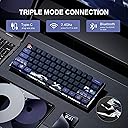
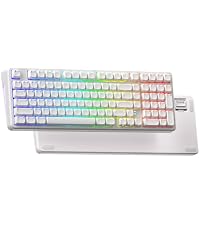
Updated review here: After a day with the keyboard, I am still enjoying it. The lack of dedicated arrow buttons makes this more challenging than I thought it would, but that is true for all HHKB/60% boards. What I;ve said below is still true, though I would caveat it as initial reactions to the board. It is very easy to get sucked into this board, especially the initial quality that comes out of the box: perfect printing on the case, keycaps are blemish-free, brand name (Gateron) switches. All good. But, there are a few thing that I have to mention that diminish the overall product for me: 1. The ",", ".", ";", and "'" keys are all flipped and incorrect. In my mind this is an inexcusable issue for a keyboard that has clearly been thought about and that is being sold into international markets. This has to be fixed with keycaps sent to those who request them. This isn't an issue with my keyboard only: you can see this in the product images on their website and the Amazon product page. 2. For this price point I was surprised that the base of the keyboard was quite hollow. No fill, or sound dampening what so ever. The battery was clearly an afterthought as it is shoved in there and does not fit properly where it's seated. Not a huge deal, but indicates a lack of forethought. To have so much thought in the PCB layer with a silicon sheet with integrated think socket cover and no case foam at all is--again for this price--a massive oversight. 3. The third realization that I came to is that the value proposition isn't quite there. For $70-ish, this keyboard should be on the lines of what its sister company (Womier) is able to provide for a bit more: metal case, major foam and acoustic treatments, etc. Again, for $70, I would have expected more throughout this keyboard. The last issue I will say is that I am disappointed that there is no software support for QMK/VIA, there own software only works for PC and not Mac. I use a Mac and I'm able to switch the command and option keys in the Mac settings, but if I wanted to change how I access the arrow keys, I am out of luck or have to use yet another program like Karabiner. Since I received it, I have added my own nano foam fill to the case layer and have changed out the Gateron Yellows to a set of EPOMAKER Flamingos the results are not only massively improved but highly cost effective for XVX/Womier to implement with no issue. --- I thought this keyboard would be a fun little keyboard that I wouldn't really use, but more look at. I found the colors and designs online to be very pretty and very well done. That said, they are. However, in person and on close inspection, this keyboard is absolutely beautiful. AND, it's a pleasure to type on. I am on a Mac, so the software doesn't work for me to reassign keys, but here's hoping that they will fix that soon. However, I have no problems with this keyboard right now. And the ability to change the "win" key to the "command" key was easy to do within Mac OS. The arrow keys are a different proposition and the only thing that I dislike. To invoke the arrows you have to hit "FN + I" which toggles the I, J, K, L keys to act as arrows. So to backtrack just a little with a cursor is tricky, and then you have to toggle the layer off with FN + I again. I hope that Karabiner for Mac will let me build a macro or shortcut, because that is going to get annoying fast.