


Desertcart purchases this item on your behalf and handles shipping, customs, and support to SINGAPORE.
🔐 Protect your screen, your eyes, and your secrets in style.
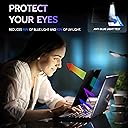
The Peslv Nano-Suction Privacy Screen is a precision-fit 13.8-inch matte filter designed exclusively for the Surface Laptop 7 (2024). Featuring cutting-edge nano-adsorption technology, it installs in one second with no residue, offering robust privacy by limiting viewing angles to front-only. Its German-imported anti-glare layer reduces 95% of reflected light, while a high-quality blue light filter blocks 92% of harmful rays, protecting your eyes during long work sessions. Durable with a 5H scratch-resistant surface and backed by a 2-year warranty, this reusable and washable privacy screen is the ultimate accessory for professionals who value security and screen clarity on the move.




| ASIN | B0DDBYSP61 |
| Best Sellers Rank | #2 in Computer Screen Protectors |
| Brand | Peslv |
| Brand Name | Peslv |
| Clarity | 10 |
| Color | black privacy for surface |
| Compatible Devices | Laptop |
| Compatible Phone Models | Surface Laptop 7th/8th 13.8" |
| Customer Reviews | 4.0 out of 5 stars 2,780 Reviews |
| Finish Type | Matte |
| Included Components | MagicSuction Surface Privacy Screen *1, Screen Cleaning Tool Kit *1, Large Size Nanofiber Cleaning Cloth *1, Product Guide *1 |
| Item Dimensions L x W | 12"L x 8.4"W |
| Item Hardness | 5H |
| Manufacturer | Peslv |
| Material | Polyethylene Terephthalate |
| Model Name | PES-KJFK-SFLAP7 13.8 |
| Model Number | PES-KJFK-SFLAP7 13.8 |
| Number of Items | 1 |
| Part Number | PES-KJFK-SFLAP7 13.8 |
| Product Dimensions | 12"L x 8.4"W |
| Screen Size | 13.8 inches |
| Screen Surface Description | Matte |
| Special Features | Anti Glare, Anti-Bubble, Blue Light Block, Privacy Filter, Scratch Resistant |
| Warranty Description | 2‑Year Store Warranty |
J**N
Duller finish but less glare
I originally wanted to protect the screen on my new lenovo thinkpad with a glass protector but they're all glossy and I wanted to keep the anti-glare finish. After some research I decided on this one. The material was thicker and stiffer than I expected, not a film but more like a sheet of hard plastic. This improves protection so I'm pleased. The sizing fit my 14" 16:10 screen perfectly, about 1 mm gap at most between edges. The finish is more matte/dull than the original anti-glare, and further reduces glare. This comes at a cost of slightly reduced text crispness. Pick one: crisp text and glossy/reflective, or softer text and low reflectivity. Screen colour remains rich and beautiful. The product claims to reduce blue light but I don't notice a difference in colour, which is perfect for me. I've attached several photos of the screen taken in a sunny indoor location with the protector attached. You can see some glare on the left side but overall it's pretty minimal for the amount of sun it's receiving. Application Directions and provided stickers for alignment were adequate. Perfect application is always a pain but it's straight-forward. I messed up the first one. I cleaned the screen thoroughly, first with a little dish soap and warm water using a microfibre cloth, then the alcohol pad. I couldn't see any dust so I started applying the screen. Of course about 2/3 of the way through there were several dust bubbles so I aborted and started with a new sheet. The second screen went on almost perfectly. Because the material is stiff it's difficult to maneuver at the end and the application sticker popped off and the last 1/8th of the screen came down before I could squeegee the bubbles. It sticks well so I couldn't lift it back up without risking damaging the finish. I managed to get all but one small bubble out which stubbornly refused to move to the edge of the screen using the squeegee. The next day I worked on it by gently rubbing in circles with my clean dry fingers and it seems to have disappeared. I did this with the screen on for a while to warm up, this might've helped. Be very careful doing this, don't apply much pressure and support the back of the screen with your hand to prevent flex. My advice for application is to place a thin piece of clean plastic (e.g. guitar pick) on the screen edge on opposite side of where you begin to apply the screen. That way if it drops suddenly, there is something to prevent it from closing too early, leaving trapped bubbles. Overall highly recommended if you want extra protection. Remember, there are drawbacks to all screen protectors, and application is finicky so be prepared to use more than one protector to get it right.
H**E
Seems pretty great for the price!
Just installed and will say I am pretty impressed with the amount of anti glare these screen protectors have while still maintaining a fairly clear and quality image. My laptop has a pretty high quality screen and the glass is really nice indoors but I find myself ducking and moving my head to see things on my screen with the glare from windows or bright lights. I primarily use this laptop to tune my car and on a sunny day, I cant see anything lol While I havent tested it in the sun, the glare is immensely reduced testing with my kitchen lights. I included a picture of the screen with font so you could see the clarity. It does give a slight haze but I'd rate the clarity 9/10 if i had to put a number on it. My ownly gripe would be that the screen protector is cut to the exact size (+1-2mm) of the display itself, not the glass so lining it up is a little tricky and I could see it being difficult for some. I'd prefer if it was +5mm oversized so it'd give some room for error but I get why they kept it so exact for various laptop fitment. The screen protector edges are also ever so slightly rough like like cutting blade was a little dull, lavong the edges with ever so slight air pockets but its really not a big deal, especially once the screen is installed. The install was fairly painless but I have quite a bit of practice installing screen protectors owning a phone repair store in the past. Just make sure the screen is lined up and you clean the screen of all debris. Then use the stickers to remove any stragglers from either the glass or even use the stickers on the sticky side of the screen protector. Overall I'm excited to see how it holds up and works in the sun. If you dont see me edit this in the next few weeks, then it's safe to say I'm happy with the quality and function. I'm interested to see if they keyboard leaves marks on the screen or not but if it does I will update! For the price, these really seem like a great deal!
J**J
Messy installation with grainy screen
This is a horrible product and I should have looked at the negative comments before purchasing. These 1 star comments should be highlighted because I now feel stuck with this product with no way to make it better unless taking it back to the Apple Store to help remove the screens. Two major problems with this product: 1) The installation is impossible. The installation instruction contains many broken English that doesn't even make sense. The film provided with the screen are highly sticky; the screen itself is heavier that it won't stay up with just the tiny stickers provided, which means I have to use one hand to hold up the screen, the other hand to peal the inside layer of the film, which then keep trying to stick it back to the laptop. By the time I "fight off" the very static film, the actual screen protector snap right onto my laptop screen, with bubbles, and there is no way to remove the bubbles even the instruction indicated otherwise. Even if I no longer want to use this product, I don't even know how to remove the screen unless I take it to the Apple Store. 2) The protector itself is not a clear screen protector. I now see grains when looking at the laptop screen rather than the super high resolution quality from Apple's Liquid Retina XDR. This is the kind of moments where I will learn my lesson and purchase these types of products directly at the Apple Store to ensure it's done correctly and satisfactory.
R**N
Best one thta I hav eworked with over the years.
Really the only one that you should buy on Amazon. Has the Best Glare Reduction. If you have a Pen Enabled Screen you should pair your pen with a metal nib so that you have a great writing experience. The Application process is as annoying as any other screen protector / glare reducer but so for is the best one yet that I have experienced. In Short, Buy This One rather than any other one.
N**I
Great screen protector. Installation takes patience.
Perfect fit for our MacBook Air 15 M2 2023. This screen protector does its job—blue-light blocking and no more glare. To my eyes, I can’t tell that any clarity is lost, though it’s a given to lose a little with the glare reduction. It looks great to me. The installation took patience (-1 star), but eventually I installed it with no bubbles remaining. After trial and error, I got the hang of it and made quick progress. This is not one of those screen protectors that will just suck down onto the screen with no bubbles like some phone protectors do. At this size (15.3 inch screen), I don’t expect any brand’s protector can do that. I worked out a process of removing trapped dust, smoothing out bubbles, and slowly laying down the film. Here are my tips: 1) I placed towels both behind the screen and over the keyboard to help brace the device. 2) I used Mac’s maintenance/service shutdown sequence to keep the Mac from restarting while I was working on the screen: Press and hold the left Option and Command keys and the right Shift key for at least 7 seconds. Keep holding them and press and hold the Power/fingerprint button for at least 7 more seconds until the screen goes black. (As long as you don’t close and open the lid or plug/unplug power, the device will stay off until you press the power button again.) 3) In addition to cleaning the screen, I used a sticker to spot clean dust from the film backing—there wasn’t much as they did a good job of the packaging. Once both screen and backing were clean, I laid the protector with the backing still on, over the screen so no additional dust would fall on it while I was prepping. 4) The size of this screen protector matches the Mac’s screen to a fraction of a millimeter. So, take care to line it up so that none of the edges overlap the lip of the computer. Then tape it down with the placement stickers to hold it in place. 5) Because the backing is to be removed by pulling a tab from the left end toward the right, the three placement stickers need to hold the screen protector steady on the left end. (I accidentally put them on the right at first, which didn’t work.) 6) I felt like I needed a sticker to remove trapped dust, so I cut the round one in half, using half to hold the right edge of the protector and the other half to remove dust. 7) I had to lift the film off the screen multiple times during the application to remove trapped dust and work out bubbles. The thick card really helped to smooth it out as long as I worked slowly. 8) I noticed a couple bubbles I had missed after I finished removing the backing film and laying down the whole protector. The front film was still on, so I pulled up its tab (at the bottom left), while prying with my fingernail to lift the corner. It didn’t take much force. I was able to lift the protector, remove dust and bubbles, and smooth it back down without damage. So, I recommend keeping the front film on (to make use of its tab) until you are satisfied with the installation. That’s it. Now that it’s installed, I cannot even tell it’s there, except for the lack of glare on the screen. If there is any issue with durability in the future, I’ll update my review. Note, despite Amazon mentioning “privacy” in the review summary, this is NOT a privacy screen.
J**N
One of the Best in My Opinion
One of the best product for uv and anti glare. No more reflection on my screen. Shinny reflection is pretty, but non reflection screen is best for computer works for me. I am watching my screen 8 hours a day on stocks. I need a screen doesn't make me tired from blue light and
A**E
Sizing is off & magnet strength is weak
The privacy screen came with all necessary accessories for installation and the privacy aspect is decent enough for my usage, but not the best. The sizing is a bit off with gaps on the side, top (where the cut out is) and bottom (worst gap by about 3/8"). The magnet aspect works but the strength of the magnet isn't the best. You can use more than two magnets that can help. One issue that arises is when closing the laptop with the privacy screen on, the screen is attracted to the speaker magnets and when opening the lid, the privacy screen disconnects from the main screen and lays on the keyboard, essentially forcing you to reinstall the screen. Lastly, the screen is a dust magnet as well. I'd consider not using the magnets and using the sticky gel if the sizing of the screen matched my device better. I waited awhile to install this, so unfortunately outside the return window. PROS • Magnetic connection • All accessories included for installation CONS • Sizing does not match 100% • Magnet strength isn't great • Screen privacy isn't the best • Screen attracts a lot of dust
M**D
Works perfectly
Easy to use, sticks to the screen
B**.
For a privacy filter its not nearly private enough
two reflective and has a very low privacy level (very wide viewing angle)
C**K
いいと思います
3枚入ってこの値段は安いと思います。 品質やサイズは問題なさそうで、わりと綺麗に貼れました。光沢画面が少し気になってましたが、あまり違和感なくアンチグレアになったのでよかったです。 15.6インチなのでホコリを入れずに貼るのは至難の業だと思います。普通に部屋で貼ったためホコリが僅かに入りましたが、大きな気泡にならず特に目立たなかったので無視しました。 ぶっちゃけ失敗しなければ3枚もいらない気はしますね...。一応家には貼れるノートPCが数台あるので使おうと思えば使えますが、まぁ貼るほどのPCじゃないし保管しておくことにします。
T**E
Good and sad!
I have 3 devices so I decided to order from this supplier - good price! The product is very nice as what we need 👍 but I have received only 2 pcs 😩 instead of 3 pcs as indicated in the description. 🥲
B**M
Tamaño exacto, buen producto
Le quedó muy bien a la pantalla de mi PC, es mate como se indica, trae aditamentos e instrucciones para que puedas instalarlo sin inconvenientes.
M**C
Bloquea visión, no tiene agarre
El imán no pega bien después de una semana de uso. Se tapa por completo la barra informativa de la mac (la que incluye menú, idioma, acceso a centro de control, reloj, wi fi, etc.
Trustpilot
1 month ago
2 months ago