Desertcart purchases this item on your behalf and handles shipping, customs, and support to SINGAPORE.
🎉 Elevate your workspace with precision, comfort, and wireless freedom!
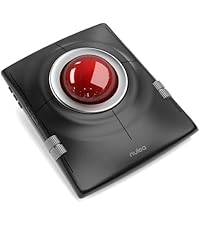
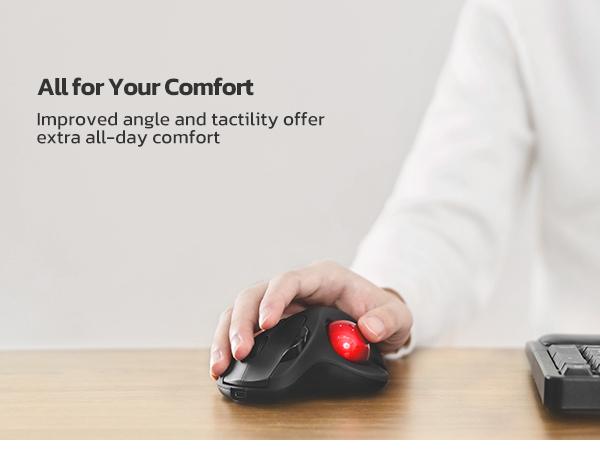
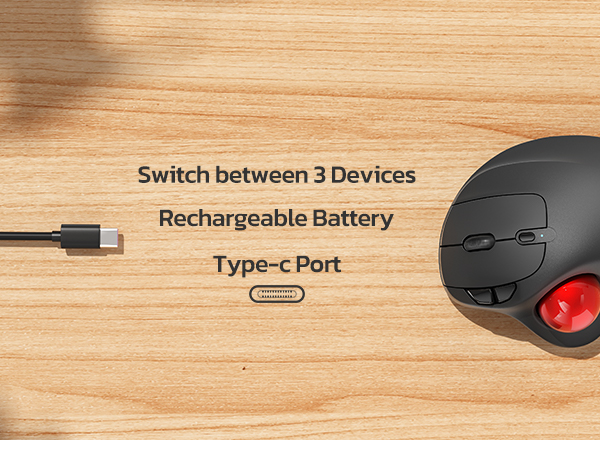
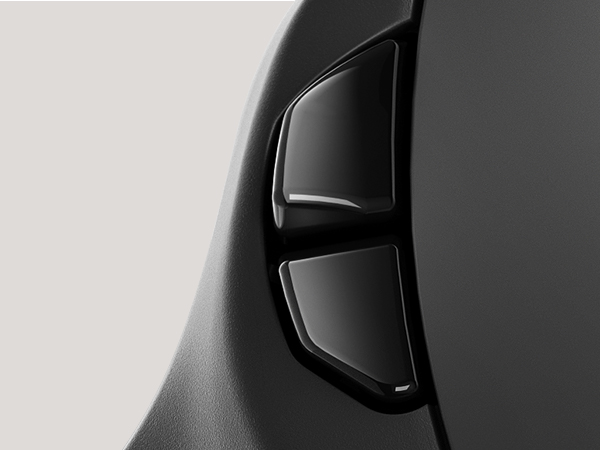
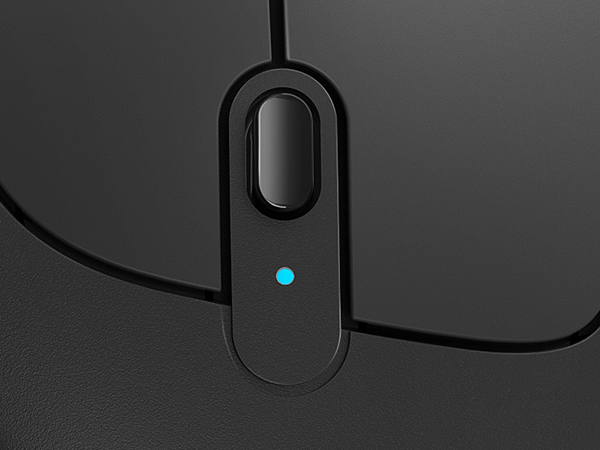
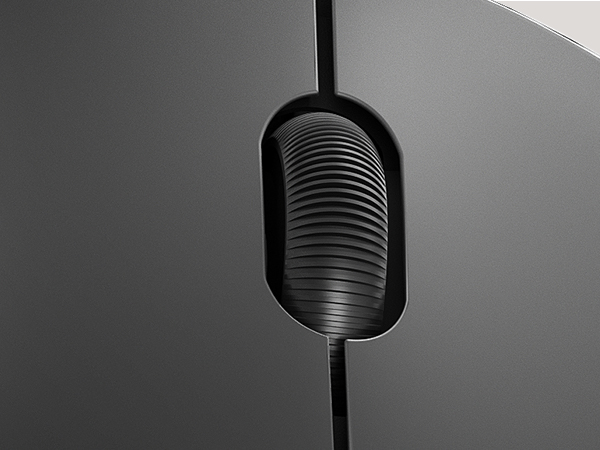
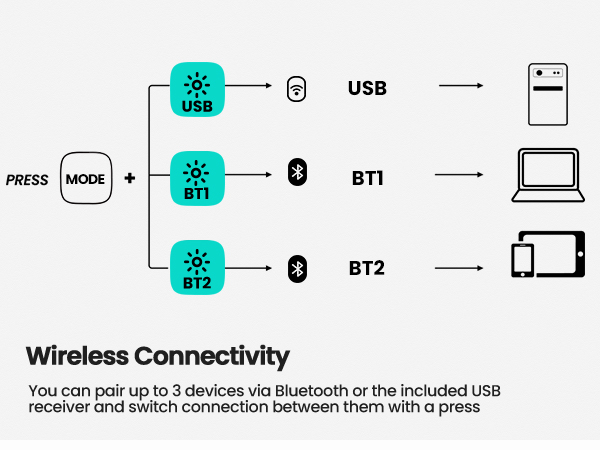
The Nulea M501 Wireless Trackball Mouse combines ergonomic design with precise adjustable DPI tracking and multi-device Bluetooth/USB connectivity. Featuring a rechargeable battery that lasts for weeks, 6 high-performance buttons, and smooth thumb control, it’s engineered for professionals seeking comfort and efficiency across PC, Mac, and laptops.


| ASIN | B09HHHDZZG |
| Additional Features | Bluetooth, Ergonomic Design, Rechargeable, Wireless |
| Antenna Location | Indoor/Outdoor |
| Are Batteries Included | No |
| Are Batteries Required | Yes |
| Best Sellers Rank | #1 in Computer Trackballs |
| Brand | Nulea |
| Button Quantity | 6 |
| Color | A-Red |
| Compatible Devices | PC, Laptop, iPad, Mac, Windows |
| Connectivity Technology | Bluetooth |
| Customer Reviews | 4.4 out of 5 stars 12,480 Reviews |
| Embellishment Feature | LED |
| Enclosure Material | Plastic Or Metal Alloy |
| Hand Orientation | Right |
| Hardware Platform | Laptop, PC |
| Item Dimensions L x W | 5.51"L x 4.37"W |
| Item Weight | 4.51 Ounces |
| Manufacturer | Nulea |
| Mfr Part Number | M501 |
| Model Name | M501 |
| Model Number | M501 |
| Movement Detection | Trackball |
| Movement Detection Technology | Trackball |
| Number of Batteries | 1 Lithium Ion batteries required. |
| Number of Buttons | 6 |
| Operating System | Windows, macOS |
| Power Source | Battery Powered |
| Range | 10.0 meters |
| Special Feature | Bluetooth, Ergonomic Design, Rechargeable, Wireless |
| Style Name | Modern |
| Unit Count | 1.0 Count |
| Warranty Description | 18 month |
T**J
Works much better than my last remote wireless mouse.
I REALLY love this mouse in spite of one little downside & one VERY annoying one. The minor annoyance to me is easily overcome. So, I overlook it because the auto sleep mode actually makes sense to me. Ever since getting this new wireless mouse, its worked a heck of a lot better I I have only charged it a couple of times since buying it. One little point to make is that I use my PC A LOT & more of my mouse than the keyboard. So, you would think that the battery would run down faster with all the use I'm getting out of it. NOT A SNOWBALLS CHANCE IN HELL! This thing just keeps on working for weeks on end like a champ & I like using the Bluetooth option over the dongle that can be found fastened to the underside of the frame of the mouse. I like it because.... 1) … when the dongle is plugged in, it takes up another slot that I could later use for something else. 2) … I have yet to see any power indicator if I use the dongle connectivity option so I would have no idea when to plug the unit in to charge it when not in use. The down side to the Bluetooth option... I can't just simply shut off my Bluetooth on my PC when switching my headphones over to my fire TV which also allows for Bluetooth headphones. The mouse will stop working obviously which is a problem because then, I have to go back to my old wireless mouse which does work on a USB dongle plug which I still have plugged in just in case but it has a lot of glitches & it doesn't always work as well to my satisfaction since its wearing out. Anyways, when it comes to the one very annoying downside that I have to live with as I constantly remind myself not to shut off the Bluetooth. Mind you, for the sake of context, I have my PC in my bedroom connected to a large screen TV that also serves my fire cube & all my different gaming systems because of my being a video game nut. I also have to have the PC connected to my TV since my eyesight has been getting poorer as I get older. So, the larger text on the big screen helps me to see better & the new mouse works like a champ! It has a built in battery which is nice unlike my old one which needed a new battery every couple of months or the mouse would glitch on me until I replaced the batter again but these days, it doesn't matter if I have an old or new battery in it. So, now its just used as a backup while this newer mouse just keeps a ticking better than a Timex watch ever did. Lastly, unlike my old remote mouse that would have the roller ball part pop out if I accidently dropped it on the floor, the ball on this one has stayed in when dropped. Its really held together nicely & for the sake of helping the Amazon AI on ticking off all the issues, yes, its comfortable & very accurate so no worries there. lastly, its totally worth the price if you are looking for a affordable wireless option.
J**R
Better then I ever imagined
I have used trackballs over conventional mouse devices for many years. As such, it seems like I need to replace them every year and a half or so to keep them working smoothly. Int he past, I have bough the big brands. When I found this I had to give it a try since the price seemed so good. I didn't have a real high expectation but I was blown away when it arrived. This seems to be more accurate and comfortable then any other I have ever owned. Plus, as a person who uses it on two computers, the ability to have it paired to both computers is a great. The free wedge that was a total surprise, makes this a game changer as far as comfort goes. I would now come back to this one even if it were twice the price of the big brands. My dream is that someone comes out with one that does both conventional and trackball built into one. Use the ball to get close and then start moving the whole device for precision once you need better resolution. Until this dream device comes out, this is by far the best out there.
B**K
Works fine and can probably be installed on any computer system.
Nice product once it's installed. I had issues but thankfully due to the different ways it can be installed I got it done. My computer has one USB port up front and in the top, and 6 in the back. I use thumbdrives for back up and I make redundant copies. I need convenient USB ports. So along with the trackbal I also ordered a USB extention with an additional 4 ports. I installed both at the same time. Mistake! The trackball worked for less than a minute then nothing. Thinking it had timed out I pressed the button(s) to wake it up. Nothing. So I took it out and went back to the old trackball. That worked, then it didn't. Hmmm. I narrowed the problem down to the USB extension and used Bluetooth for the trackball. Now everything is right. If Bluetooth didn't work it comes with a cable and that would have been Plan C. The trackball works fine. It's much like the MS TB that it replaced. Except it's rechargeable, or mine is. Note that it comes with a gift for comfort. It interfaces under the trackball and yes, it's more comfortable. The question I walways ask is "Would I buy it again?". Yes I would. It does not appear to be junk and works as it should.
B**H
Easy to set up an and use, big for small hands.
Looks and works well. Has smooth tracking. Seems well made. Easy to connect thru Bluetooth or usb cable. Size is pretty large for my hand which admittedly is pretty small, so not so portable and gives me a little hand fatigue after heavy use. Need to remember to shut off if using Bluetooth.
D**O
If you want a trackball mouse, really good option.
works well and has long lasting battery, i work with it for hours nonstop and really does ease on your hands!
S**N
Just as good as the other brand! UPDATE: Battery Life
June 22, 2025: I've been using the Logitech Trackman series since the 1990's, the M570 for the last 15 years, and decided to try something different and a little less expensive this time. Here are my initial thoughts after 2 weeks: Operation -Operation is smooth, precise, and just as good as the M570. I plugged the USB transceiver into my Windows 7 computer and it installed the driver and the mouse was working perfectly in minutes. Mechanical - Only time will tell how it holds up under normal use. The M570 buttons are it's weak point and usually start failing by not clicking or double clicking, but that usually takes years to happen. (BTW, the buttons are just micro-switches that are easily replaced for a few bucks if you have a soldering iron.) Ergonomics - It's big; slightly larger than the M570. I have a hand that is larger than most and feel like this trackball is almost too big. In all fairness, I'm sure that I'll become used to it, but after using an M570 for so long, the difference is definitely noticeable. The buttons feel "almost" the same as the M570 with the rear "right click" button being slightly less prominent. The scroll wheel detents are slightly smaller so if feels a little less "clicky", but overall, they all operate as they should. Size: Larger than Logitech Smoothness: Smooth as butter on a warm summer day Why did you pick this product vs others?: Price ***UPDATE 8/16/25: Battery Life - 10 weeks of use a few hours per day. No warning. It just quits, but you can still use it once it's plugged in & charging. The Logitech runs off of a single AA battery and lasts years before the battery dies. This one either has a smaller capacity &/or is less efficient, but can be recharged so it evens out. All other functions have been working as expected.
K**R
After a year and a half, it still works but no longer smooth
November, 2024 UPDATE: I've been using this mouse constantly since I bought it a year and a half ago and, though it still works reasonably well, it's developed a trackball stutter that I'm struggling to resolve. Like other trackballs, the ball is supported by three small balls on the interior of the mouse. I am not sure if they are just hard plastic or Teflon. After a while the interaction between the main trackball and these three support bearings starts to fade and instead of a very smooth motion, the trackball starts to stutter as you move your cursor. This results in an inability to accurately place the cursor as it's always jumping a few millimeters from where you want it to go causing you to go back and forth to dial in the location. For clicking large items on your desktop, it's not that big a deal but, when you are playing games or trying to grab edges of windows or cell edges in Excel, it's frustrating because you just can't stop the cursor where you want. I've cleaned the small bearings over and over and used a microfiber cloth on the trackball to clean it and smooth it over (trying to polish it) but, though that works for a few minutes, the stuttering movement returns quickly. I also purchased a secondary trackball which also worked for a while but also developed the stuttering problem so I think this is a problem with the small interior bearings either not spinning or just losing their smooth surface. Not sure how to resolve this other than buying another new one. Original Review: I have been a longtime user of the Logitech Trackman series of thumb-operated trackballs since they came out in 1996 (the white ones) and have been using nothing else since. Sadly, they changed from the flatter white models to the more "humped" gray models which are not as comfortable but generally just as good. The problems with those gray ones is they are somewhat slippery and, as they are angled higher, your hand wants to slide off of them (solved by adding grip tape to the top) and the trackballs eventually get sticky and jittery leading to a jerky mouse movement no matter how well you clean the trackball or the bearings inside the housing and you have to buy a new one every few years. Instead of just buying another Logitech, I decided to try this Nulea model and I'm quite impressed with it. It too is quite slippery and could use some grip tape but it's slightly flatter and more comfortable. The trackball is very smooth (at least it is now while new) and the buttons seem to be adequately stiff so you don't accidentally activate them if you rest your fingers on the buttons. Like Logitech, the buttons are a bit narrow and my right ring finger sits more to the side of the right button rather than centered on top of it so sometimes I press and nothing happens since I'm not actually on the right button. That's a muscle memory issue I have to get used to (or rotate the mouse slightly clockwise so my fingers are more centered over the buttons.) The DPI button is good for when you need fine control - just click it to get back to the minimum value and do what you need to then click it to get back to the higher value. A nice touch. The scroll wheel turns nicely and is not too clicky. The forward/back buttons are nicely positioned and work well. The description says it's not compatible with FPS gaming but I tried it with some standard games such as Far Cry, Sniper Elite, etc. and it actually works totally fine. Using the DPI button as well as the built in mouse settings in Windows or a 3rd party tool like X-Mouse Button Control allows you to speed up or slow down the mouse to dial in what you need for aiming. I have no issues with it in gaming. So, brand new out of the box, I'm very impressed with the build quality and ergonomics of this trackball. It's not perfect but nothing ever really is. For the price, this is a fantastic value. Hopefully it lasts as long as my Logitech models did.
G**G
Smooth and easy to use.
Really cool and easy to use. It has 2 Bluetooth channels that allow it to be used on 2 devices without changing settings. Track ball is very smooth and accurate. Terrific pointing device with a modest price. Highly recommended.
J**P
Great feel, control and buttons
So I've been a longtime trackball mouse user, most of the time with a Logitech Ergo M575. I decided to try the Nulea trackball mouse since it looks so similar, but everyone is different ergonomically. The first mouse I ordered didn't track properly, so returned for a full refund. But I liked the grip and feel and the buttons, so I ordered two more and they are working perfectly. The change of DPI settings is great if you like to track faster or slower on the screen. I did find that with Bluetooth, the tracking seemed to be off a bit, either too fast or too laggy. Right now, I'm using both with the 2.4GHZ setting and haven't encountered any issues. I would definitely order again.
W**Y
Comodo, aiuta ad alleviare il polso sofferente
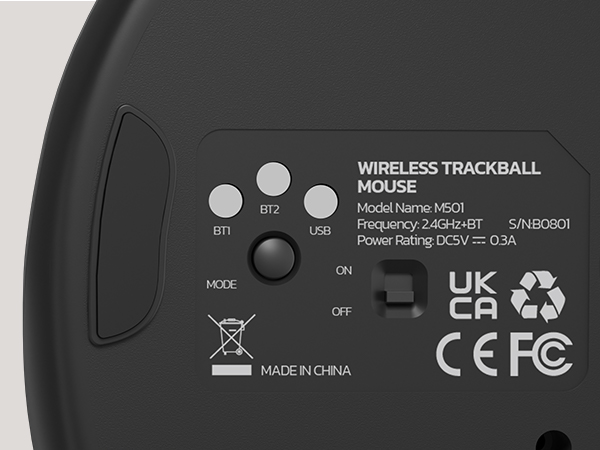
Ho provato questo mouse trackball perché da un pò di tempo soffro di dolori al polso purtroppo, e quindi ricercavo qualcosa per aiutare, ad alleviare gli sforzi a carico del polso uno dei possibili è durante il lavoro al pc, mouse e tastiera sono alcuni degli elementi che se non adeguatamente ergonomici contribuiscono a causare infiammazioni e fastidi a carico del polso e dei tendini. Per questo motivo ho voluto testare questo mouse trackball della Nulea, e da subito come lo ho preso in mano mi sono reso conto che era un prodotto ben realizzato, comodo da gestire e apparentemente robusto e ben costruito (poi il tempo ci dirà se affidabile nel tempo). La differenza d'uso tra un mouse normale e un trackball è notevole e qualche volta vi capiterà di cercare di "portarlo a spasso" :-), ma la comodità del polso e gli zero spostamenti necessari per gestire il mouse non sono da sottovalutare. Il prodotto può essere installato sia su pc Windows che su Mac. Se il pc dispone di bluetooth si può associare con semplicità cercando il dispositivo nell'elenco degli elementi individuati dal bluetooth e associarlo, altrimenti con il classico dongle usb facciamo l'associazione e selezioniamo tramite il tastino posizionato sotto il mouse, la modalità usb. Con il Mac non ho avuto necessità di fare nulla, semplicemente selezionato dall'elenco bluetooth, acceso e usato. Giusto potrebbe servirvi modificare la sensibilità se quella standard non vi andasse bene, ma vi suggerisco nel primo periodo di provare ad abituarvi con le impostazioni standard, che di solito sono più che adeguate. Il dongle usb è posizionato su un incavo del mouse stesso nel fondo del prodotto, dove trovate la scritta Nulea, potete estrarlo e collegarlo al pc se necessario. Invece per ricaricarlo, trovate una porta usb C frontalmente. Incluso anche un cavo lungo usb C - usb A per la ricarica. Il prodotto ha soddisfatto me e il mio polso :-) Se ci fossero novità aggiornerò la recensione Spero che la mia esperienza sul prodotto possa esservi stata d'aiuto, se si un UTILE sarebbe gradito :-)
D**T
Tellement plus ergonomique qu'une souris traditionelle
Depuis, je me satisfaisais de souris classiques, mais quel plaisir de revenir au trackball ! Tellement plus ergonomique : pas de mouvement du bras, réglé sur la vitesse maximum, c’est beaucoup plus rapide, précis et réactif qu’une souris. Le curseur réagit au plus petit mouvement du pouce ; je l’utilise même pour jouer aux FPS. Je prends souvent le train ou l’avion, et c’est vraiment plus pratique qu’une souris. Enfin, la possibilité de le lier à trois périphériques différents (le récepteur USB + 2 connexions Bluetooth) me permet de l’utiliser aussi bien sur mon PC de bureau que sur mes deux portables. Le fait qu’il soit sans fil et équipé d’une batterie rechargeable par USB est également un gros plus par rapport à la concurrence, qui utilise encore des piles (piles que, bien entendu, vous n’aurez pas sous la main quand elles tomberont en panne…). Si vous n’avez jamais utilisé de trackball, il vous faudra quelques heures pour vous y habituer, mais une fois acclimaté, il est difficile de revenir en arrière. Pour ma part, même si j’ai mis presque trois ans à en racheter un après que le mien est tombé en panne, je n’ai jamais pu me réhabituer aux souris et j’ai toujours regretté mon trackball.
Y**.
Parfait
Bonne prise en main, revêtement agréable. Me convient parfaitement. Sans fil et rechargeable.
R**E
Delivered prior to schedule
excellent item.
Trustpilot
3 weeks ago
2 weeks ago