


Buy anything from 5,000+ international stores. One checkout price. No surprise fees. Join 2M+ shoppers on Desertcart.
Desertcart purchases this item on your behalf and handles shipping, customs, and support to SINGAPORE.
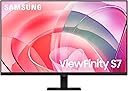
🚀 Elevate your workspace with Samsung’s 4K brilliance — see more, do more, be more.
The Samsung ViewFinity S7 is a 27-inch 4K UHD monitor featuring HDR10 for exceptional color accuracy and contrast. It offers versatile connectivity with HDMI, DisplayPort, and USB ports, plus an easy-to-adjust stand requiring no tools. TÜV-certified eye care technology minimizes strain, making it ideal for professionals seeking a premium, productivity-boosting display.


| ASIN | B0D1DZNL3H |
| Adaptive Sync | FreeSync |
| Additional Features | Built-In Speakers, Eye Care, Eye Saver Mode,Flicker free,Built in Speakers,Height Adjustable Stand,Tilt,Swivel,Pivot,Wide viewing angle, Pivot Adjustment, USB Hub |
| Aspect Ratio | 16:9 |
| Best Sellers Rank | #2,961 in Electronics ( See Top 100 in Electronics ) #124 in Computer Monitors |
| Brand | Samsung |
| Brightness | 350 Candela |
| Built-In Media | DisplayPort Cable, HDMI Cable, Power Cable, Quick setup guide, USB-C Cable |
| Color | Black |
| Color Gamut | 0.99 |
| Compatible Devices | Desktop, MAC |
| Connectivity Technology | DisplayPort, HDMI, USB Type C |
| Contrast Ratio | 1,000:1 |
| Customer Reviews | 4.2 out of 5 stars 415 Reviews |
| Display Resolution Maximum | 3840 x 2160 Pixels |
| Display Technology | LED |
| Display Type | LED |
| Hardware Connectivity | DisplayPort, HDMI, USB 3.0, USB 3.1 Type C |
| Has Color Screen | Yes |
| Image Contrast Ratio | 1,000:1 |
| Item Dimensions D x W x H | 7.1"D x 24.1"W x 18.2"H |
| Item Weight | 11 Pounds |
| Manufacturer | Samsung |
| Model Name | S70D |
| Model Number | LS27D702EANXGO |
| Mounting Type | Wall Mount |
| Native Resolution | 3840x2160 |
| Number of Component Outputs | 2 |
| Picture Quality Enhancement Technology | HDR10 |
| Power Consumption | 80 Watts |
| Refresh Rate | 60 Hz |
| Resolution | 4K UHD 2160p |
| Response Time | 5 Milliseconds |
| Screen Finish | Matte |
| Screen Size | 27 Inches |
| Screen Surface Description | Matte |
| Series Number | 70 |
| Shape | Flat |
| Specific Uses For Product | Business, Photo Editing, Video Editing |
| Total Number of HDMI Ports | 1 |
| UPC | 887276836843 |
| Unit Count | 1.0 Count |
| Viewing Angle | 178 Degrees |
| Voltage | 240 Volts |
| Warranty Description | 3 Year Manufacturer |
| Warranty Type | 3 Years Manufacturer Warranty |
J**Y
Fantastic 4K Monitor for Work and Play
I recently upgraded to the Samsung ViewFinity S7 27-inch monitor, and I’m genuinely impressed. The 4K resolution is crisp and vibrant, making both text and images look incredibly sharp. Colors feel accurate and rich, which is perfect for photo editing, design work, and even just binge-watching shows. The build quality is excellent — the stand feels solid and adjustable, and the overall design is sleek and modern. I also appreciate the minimal bezels; they give a clean look, especially if you’re using multiple monitors. Performance-wise, everything is smooth. I noticed no lag or flickering, even when multitasking with several windows open. Setup was straightforward, and it works seamlessly with my laptop and desktop. Overall, this monitor is worth every penny. Whether for professional work or just enjoying high-quality content, I’d highly recommend it.
R**R
Good buy.
Excellent quality. Great color.
D**D
Great upgrade from FHD monitor - except text, menus, windows now TINY
The main drawback I'm experiencing, and imagine most customers would also, isn't a fault of this product which would be better on other 27" 4K monitors, but nonetheless if you're considering buying it you should know this. I got this to upgrade from using a M4 Mac Mini with 3x 1920x1280 monitors; before that I had a 27" 5K Retina iMac which had a beautiful, highly-rated screen similar to what's still in their $1599 Studio Display Monitor and the transition back to FHD was too frustrating in terms of screen real estate, how much I could fit onto the monitor. I don't know if the increased PPI of the display to show more detail in playback of video was an important benefit for me of having the 5K iMac, and admittedly the 5K iMac did take some getting used to because everything was smaller than on the FHD monitors (as to be expected) - but it had incredible flexibility of resizing elements. I always had wondered why Apple went to 5K for just a 27" monitor, when there's barely any content available streaming at 4K, as far as I'm aware there isn't content available in 5K and ofc 5K is a far cry from 8K. NOW I'm pretty sure I understand why they did the 5K retina in 5K - it speaks to the drawback I'm experiencing in 4K at 27" , its because if you want to scale the resolution to make windows not appear tiny and harder to read on these high-resolution monitors compared to the FHD 1080p monitors. I can't speak to the experience with Windows, but the principle should hold, so the bottom line here is that upgrading from a 1920x1280 (or 1920x1080) monitor WILL ABSOLUTELY result in the title bars, menu bars, all icons etc being SMALLER, much smaller. On MacOS you can set the resolution to be scaled to 1080p - but then not only are you reverting to the pixel density from which you just upgraded, to me at 2x scaling everything looked too big which compromised my goal of being able to fit more on the screen. Some Reddit posts suggested that selecting the 1080p (scaled) resolution in MacOS would still allow 4K video to be displayed at the high PPI so if that's true it would be a good solution for customers who only wanted the 4K for the increased detail in video playback. I have decently-young eyes and am sitting just a few inches from the screen, so while annoying I'm going to accept the stuff being smaller because of the terrific newfound ability to fit twice as much on my 27" screen compared to the 24" screen it replaces. But if I had the money, I'd instead get the 32" size - not because 27" isn't big enough, it is, and frankly a 32" monitor would feel overwhelmingly large on my desk, but that size would allow me to use this 4K resolution without the title bar of every window being tiny. Now I will discuss elements of this monitor in the context of comparisons to other 27" 4K monitors. It is INCREDIBLY thin, and lightweight, that's a huge plus. I paid a small premium compared to the other 27" 4K monitors because at $199 to get a Samsung brand monitor seemed smart, in case there is trouble requiring warranty support. The bezel is so thin that - I kid you not - this 27" monitor's total size makes it sit side-by-side next to a NEC 24" and a HP 24" and they've all got approximately the same exterior dimensions! It's like when I upgraded iPhones recently to one with a slightly (but signifigantly) bigger screen - sitting next to the old iPhone, their exterior dimensions are very similar. I am very bothered about one thing - what's the deal with the USB-A port? It's marked as being "Superspeed" (USB3), yet its not mentioned ANYWHERE in the manual! On a Thunderbolt or USB-C monitor (or if it had a USB-B uplink port, like older monitors with built-in hubs) it would make sense to me what it does and how it works, but I'm pretty sure USB data can't be transfered over any HDMI or DP connection which leads me to assume, given its placement adjacent to the 1/8" analog headphone output, that its for USB audio. The monitor is so barebones-featurewise that all functionality is controlled by just a single button (stick) on the backside of the monitor (you must reach under, and around, which is OK except that you may not know its there) and yet they opted to have audio outputs. Perhaps this is for devices that don't have 1/8" analog audio output, or USB-A supporting audio, if you connect say a new iPad or iPhone to it and want your audio to come out of headphones/speakers, I suppose that would be very appreciated. The image is really nice. I read countless reviews complaining that each time the monitor turns on, or wakes from sleep, that it would show some stupid OSD or other unwanted functionality, but I have yet to see any behavior that bothers me. The OSD message goes away pretty quickly from a cold start. There was a complaint by someone who intended to use the monitor with two devices (such as a computer AND a video game console) always plugged in, expecting to be able to easily switch between inputs using the monitor's controls as is very easy to do on many monitors, and I agree this isn't the best model for that. It seemed inconsequential that the monitor comes with a HDMI cable included, but this is actually an important aspect because I realized quickly that all the HDMI cables I already had couldn't supply it with 4K video (FHD max). It's annoying that HDMI cables aren't labeled for which version they are, but suitably the included cable is HDMI 2.0 at least.
A**R
Returning. Multiple problems with the monitor
I bought this monitor for my Mac Mini M4 pro. It arrived with a couple of dents on the base of the stand and its frame. There were also two tiny areas of dead pixels on the screen. But worse than that, the audio never worked. I checked the HDMI connection, audio output settings of the mac, and reset the mac and monitor a few times. Nothing helped with the audio. And the last problem was that I could not adjust brightness of the monitor when HDR is off. Both in the mac and the monitor menu itself, the picture adjustment settings get disabled when HDR is off. When I turn on the HDR, the picture and the colors get distorted. Margins of icons get murky. So there is really no way to get both brightness adjustment and good picture quality at the same time. I spent a lot of time to make that I am not missing anything in the mac and monitor settings that could resolve the picture problem. It seems like there is a software issue with the monitor I’ve purchased. I am returning the monitor and will get another pricier one. This monitor was the cheapest I could find with these specs (4K, 60 Hz, 27 inches), but I guess that comes with some corners cut.
S**P
Went from 3 - 24 inch 1080p displays to two Samsung 4Ks
First thing, I can't afford a 57" monitor or a 49" monitor, so... I went with two of these Samsung 4K monitors. my total resolution with the 3 - 1920x1080p monitors was 5760x1080. With the two 4K monitors, I went to 7680x2160 and it is really nice! Pros The monitors have both HDMI and DisplayPort The resolution is perfect VESA mount capable Thin frame Cons lack of USB ports
J**L
Worth every penny
Amazing monitor!
W**K
Good--But Not Without its Warts
I received this monitor via Amazon about three weeks ago. I've been planning on a 4K UHD monitor for some time now due to vision issues, with 32" seeming to be about the right size. I was right on both accounts. The clarity of this monitor, especially compared to my former one, is nothing short of amazing, and the size means that I can get a lot of work done (text, photos, word processing) without eyestrain. For these reasons I am pleased so far with it. Physical setup consisted of putting the stand together and mounting the monitor on it. They supplied instructions but there were very few parts and how it went together was self-evident. The monitor itself is pretty much plug-and-play: set it on the stand, use the supplied USB cable to hook it up to your computer, and turn it on. Voila! Picture! Only you turn it on the first time with a button mounted on the BACK of the monitor! Odd. However the monitor is not without its issues. The one rather large fly in the ointment is that there is no software included (or even available, as a chat with a Samsung tech confirmed) to control the monitor from my computer. Instead, all monitor changes (brightness, clarity, modes, etc. etc.) are controlled from a button on the back of the unit. You put your finger up under the bottom middle of the unit, reach up in the back, and your finger contacts a mechanical button on the back of the unit maybe two inches above the bottom of the monitor. Round, with a smaller activation button in the middle. You press up, down, left or right on the outside rim of the button with your finger to access and toggle between the various modes. It works--after numerous attempts to literally feel my way around. But to me it seems to be a solution in search of a problem. It would be MUCH simpler, probably cheaper, and FAR more convenient, to merely have computer software available so that any needed changes to settings can be made from the keyboard rather than by groping around for a button you can't even see. Second fly is that the monitor had an annoying habit, just after I turned it on, of staying on for maybe 30 seconds or so, then blacking out for maybe 10 seconds before coming back on. Though not a deal-killer it WAS annoying. I text-chatted with Samsung: the tech had never heard of this issue before but had me unplug the USB cable from both ends (monitor and computer), wait 30 seconds, then plug everything back in again. It seemed to work--so far. No recurrence for the past week. Third is that whenever the monitor comes on, I get a rather large dialog box (maybe 4" x 4") urging me to register the unit. I did, the first day. But the monitor apparently doesn't know that and there is no way I can find to turn the dialogue box off--and it stays on for maybe 30 seconds, which is time I could use for actually accomplishing something, before shutting off. Again--very annoying. Finally, there is no height adjustment on the stand. The height seems to be in a good location and I don't know if I'd use a height adjustment even if it were available, but other users might. BOTTOM LINE: I was sort of nervous when seeing a 32" 4K UHD monitor for what seemed a VERY low price ($300), but as Samsung is a good name and I've always enjoyed good product support from them, I took the chance. If the only issue were visual performance and clarity, it is a great deal, and as indicated earlier I am perfectly happy with that. But the other things--well, in a nutshell, they seem very Un-Samsung-Like to say the least--almost like this particular line of monitors reflects putting a bunch of leftover parts together that they had no real use for otherwise. The picture is great, and if you can put up with the numerous inconveniences, then this monitor is a good deal. Otherwise...well, you'll have to decide for yourself if the headaches are worth it.
M**N
Great deal- nice colors and excellent picture 4k quality
Purchased when there was a price drop. Excellent deal. Fantastic colors , 4k.
C**E
Excelente para la vista
Lo que habían necesitado mis ojos mucho tiempo atrás
R**T
Excellent color/image quality and VERY reasonable price for professional artists
I work in CGI (mainly in various 3D Software & Photoshop) and bought one of these to replace my Asus ProArt monitor that died after only 2 years. I was looking for accurate color and high resolution capabilities, but at a way more reasonable price than the ProArt models run these days (especially considering the short lifespan of the aforementioned one) . I'm very pleased with this 4K monitor's clarity and color accuracy. I'm so happy with it that I ended up buying another one recently (at a local store on sale) to replace another old monitor for my workstation setup. I work remotely and need the best quality for the most reasonable price and this Samsung Viewfinity definitely fits the bill thus far!
D**N
A Very Good Quality 32" Monitor with Very Sharp, Clear & Vivid Display.
This is a vey good quality 32" monitor. The display in its screen is very sharp, clear & vivid with amazing "close to real" colors. The resolution in the screen is so high that sometimes the images/objects shown on the screen look almost like 3D. So far, this is the best monitor that I have purchased and used.
N**S
Muy buena compra!
Excelente monitor, resolución óptima para trabajar con más “espacio”, los modos de color son buenos. Puntos a mejorar, tiene un solo puerto HDMI, 2 USB y la base solo rota en horizontal a lo largo del monitor. Estaría bien más puertos y rotaciones.
C**S
Fonctionne tres bien rien a dire.
Trustpilot
3 weeks ago
3 weeks ago