Buy anything from 5,000+ international stores. One checkout price. No surprise fees. Join 2M+ shoppers on Desertcart.
Desertcart purchases this item on your behalf and handles shipping, customs, and support to SINGAPORE.
๐ Upgrade your 2012 Samsung TV to 2013 smart speed and styleโbecause your binge sessions deserve the best!
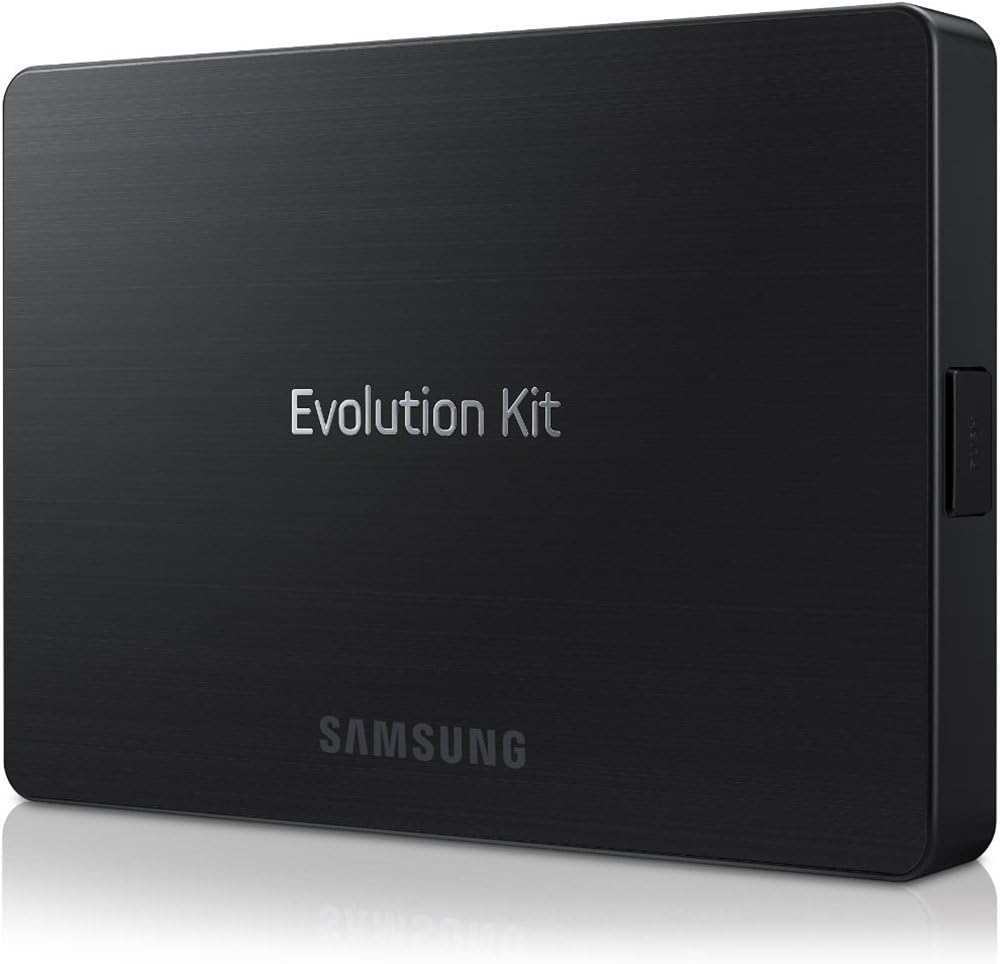
The Samsung SEK-1000/ZA 2013 Evolution Kit is a compact upgrade module that boosts your compatible 2012 Samsung Smart TVโs processing power with a 1.3GHz quad-core CPU, 500MHz GPU, and 1.5GB RAM. It enhances Smart Hub responsiveness, introduces advanced voice and gesture controls, and refreshes your TVโs interface for a faster, more intuitive experience. Installation is straightforward, taking about 15 minutes, but note some older apps may no longer be supported post-upgrade.
| ASIN | B00CILJB90 |
| Best Sellers Rank | #914,634 in Electronics ( See Top 100 in Electronics ) #1,786 in Streaming Media Players |
| Brand | Samsung |
| Color | Black |
| Compatible Devices | Television |
| Connectivity Technology | Ethernet |
| Connector Type | HDMI |
| Controller Type | Voice Control |
| Customer Reviews | 3.4 out of 5 stars 184 Reviews |
| Form Factor | TV Box |
| Global Trade Identification Number | 00652828132793 |
| Item Weight | 16 ounces |
| Manufacturer | Samsung Electronics |
| Memory Storage Capacity | 1500 GB |
| Mfr Part Number | SEK-1000/ZA |
| Model Name | SEK-1000/ZA |
| Model Number | SEK-1000/ZA |
| Other Special Features of the Product | Upgraded Smart Capabilities and Performance |
| RAM Memory Installed | 2 GB |
| Resolution | 1080p |
| Special Feature | Upgraded Smart Capabilities and Performance |
| Supported Internet Services | Amazon Instant Video, Hulu Plus, Netflix, Pandora, Vudu |
| UPC | 809394436538 804067196702 801940121769 384471225620 617407481365 688435725080 989898844425 041114305520 989898843343 041114094042 652828132793 012300077705 887276980676 |
| Unit Count | 1.0 Count |
| Video Codec | H.264, H.265/HEVC |
| Video Output Resolution | 1080p |
| Warranty Description | 1 year parts and labor |
B**S
does what is advertised
I was debating on wether to get the evolution kit or not. I'm happy to report that it was what I expected the installation was straight forward took fifteen minutes very easy it installed and updated with no problem. I did have to go to Samsung and get firmware version 1004 and install it using a thumb drive but that was easy. All is working great love the new smart hub and the new remote. I was already familiar with the remote as it's the same one I have with my new PN51F5500, so no learning curve there. The picture quality is about the same on my PN60E8000 AFTER I installed the evolution kit the only thing is the blacks seem a little better. The smart hub does load faster and all apps are working. You will have to sign in again if you have Netflix, Vudu, hbogo, hulu, and Amazon Prime, as this is a new smart hub.
R**Y
87 APPS ON 2012 Smart Hub will NOT work
IMPORTANT PRE-PURCHASE INFO: The 2013 Evolution Kit does not support 87 apps that were available through Smart Hub on 2012 Samsung TVs. The PDF at Samsung US website is on the SEK-1000 page/support/manuals/Deleted App. List (ver.1.0). [Direct link is not allowed for sites off Amazon.] "After you have installed the 2013 Evolution Kit in your 2012 TV, the listed applications will no longer be available. If you have any questions or want a refund for an app that is not supported, please call us at 1-800-SAMSUNG 1-800-726-7864 for assistance." Eighty-seven 87 are listed. While most are less-used, a few are worth noting UPFRONT: Skype, Google Maps, MLB.TV, YouTube, & Minesweeper are among the 87. A newer app version will possibly be available to download for these Apps again, but no guarantees...and perhaps needing a NEW purchase. Good video & detailed text review can be found on CNET Reviews & possibly other sites. Worth hearing the 'pros' POV. UPDATE 7-26-13---I think the folks at Samsung deserve a bit of praise. When I wrote these comments, the note about Apps not working with some 2012 TV's was buried in the Support page tab [Samsung site, NOT Amazon.com] and not on the features pages that pre-purchasers would likely look at. Samsung has corrected that oversight. The note can now be found at the bottom of the SEK-1000 'features' page tab. Further, the note is now located on the 'features' page tab of my actual 2012 TV. [Don't know about other prior models that offer Evo Kit option.] Samsung deserves credit for making this improvement...and trusting the common sense purchaser to balance improvements & drawbacks before purchase. NOW UPGRADED REVIEW TO FIVE STARS! UPDATE 9-12-13---Received and installed the Kit on 9/5/13, used now for one week. Have to say the Smart TV interface is far better than the 2012 that I was very used too; faster because of the increased cache & hardware up from dual-core to quad-core processor. The new remote that is included is more responsive & accurate than last year's. The voice and motion programs are improved. I am actually using the voice smart control, unlike the limited 2012 version. Kit installation does mean any prior pro-calibration is lost. If your technician left you with the settings and unlocked, it is easy to restore the settings. Kit new menus will take some time to learn, but they are expanded and worth the asking price. Finally, since this review is originally about lost apps, worth noting the 87 listed originally as unworkable are now down to less than 2 dozen. Presume app developers made some adjustments.
P**M
When it works, the interface is nicer and very responsive than the standard ES7500, but YMMV
Ran into a lot of problems with this install. Prior to attaching the Evolution Kit, I upgraded the TV to latest software/firmware and TV kept powering on/off, removed the dongle from Evolution Kit and TV stayed on. I was able to configure the Evolution Kit (re-attached dongle right before network config). After the installation, I used the new system for about 3-4 hours exploring and sampling many of the features. Right off the bat, Netflix, Amazon Cloud, and Amazon Stream did not work (chalked it up to Evolution Kit still updating) but really liked the new interface and the how responsive the system was. Eventually turned off the system. The next day turned on my TV, but it would turn on for about 30-45 secs and then turn off and then turn on again (it cycled like that until I removed the power cord and the Evolution Kit). After troubleshooting with Samsung support for a few hours (which include upgrading the TV again, the Evolution Kit downgraded the TV), and removing and reinstalling the Evolution Kit, they said the Evolution Kit was defective. After all that, I am able to use the Evolution Kit after the initial setup, mostly, but would have to remove and repeat the install to use if the TV had been turned off after install process. It is worth pointing out that the old UI is untouched and the TV is still usable (on the old UI) without the Evolution Kit install. I am using my TV without the Evolution Kit while I wait for the replacement. Given the other negative reviews on the Evolution Kit and my experience with it, I am a little concerned about the Evolution Kit solution. I plan to try the RMA replacement SEK-1000 to see if it was just an issue with the Evolution Kit model and my TV. Based on the (ongoing) troubles I'm having with it, I definitely would not recommend the SEK-1000.
S**K
2012 Upgrades to 2013 Model
When I bought my Samsung UN65ES8000 (65" 240 MHz TV) in the fall of 2012 at a great price, I purchased it with the full intent that I'd upgrade the UI at a point in the future. The 2012 Browser was unusable, the apps were painfully slow at times, and it wasn't the experience I believed a 21st century converged device was capable of. I purchased my Evolution Kit at $100 off as I' was monitoring the price on a daily basis and had heard the price was fluctuating. Given the original TV discounted price (thanks Amazon!) + the Evolution Kit I was going to have a 2013 model that was still less than the 2013 model! Well the UI IS fantastic, my kids (and wife) find it much easier to use. The browser is darned good, and the apps perform like a snap. In total would have given this a 5 if I didn't have so many challenges with the install... Truthfully though, most of the install issues were of my own doing. Unlike most modern PC devices, this is not plug and play. I installed before upgrading the TV software and that tangled me up more than I thought it would. Others have not had the same issues so unless you are too excited to get the new view look and feel (as was I), then you're likely not going to experience any issues. Net-Net - highly recommended if you have an upgradeable (sic) 2012 Samsung model, this is worth it. We now USE the apps so much more, browse the web, and have watched more YouTubes than we'd ever thought. Two thumbs up!
B**S
Nice upgrade
I bought this with some reservation after reading what other wrote. It was helpful to know that seating it can be difficult but persistence pays off. The first time I installed it, the TV screen appeared all garbled. I pushed it in more firmly and it worked perfectly. The upgrade gives you a new TV experience, which I think is better. The system starts up at HOME screen; there's a better LISTING GUIDE; the remote control (included) is more responsive. Although I prefer the original TV remote, which also works faster. I'm happy upgraded but it was a gift to myself not a necessity.
R**N
Was this even tested?
I bought received my Evolution kit about 2 weeks after it was released. I have used it patiently, without complaining about flaws or issues while waiting for the next software update on my TV (7500). Well, the update came and it's been about a week or so and no improvement, so here is what I've noticed. The new hub looks great, much faster and cleaner then the previous version I had. The color seems to be a lot better according to my wife. I personally didn't notice a difference, but she swears that there is better color since installing the Evo Kit. The new Remote control appears great at first, but there are times when I push the volume + or - several times and nothing happens. I hold the button down and nothing happens. I switch to the basic remote that came with the TV and it works just fine. I go back to the new remote and it works again. I'm not sure why this happens from time to time (typically about once every 2 days or so). I've checked batteries, even putting new batteries in it does not fix it, the only way it seems to fix itself is if I switch to the old remote push the volume button once, then I can go back to the new remote and it works just fine. The TV tends to freeze a lot now while using Netflix/amazon prime/hulu. I don't mean a little freeze, it freezes to the point that I can't even turn the TV off with a remote. The green light on the top of the TV shows that it's receiving a signal from the remote, but the TV itself does nothing. It typically stays like this for about 30 seconds before resetting itself (TV turns itself off then back on again). Afterwards, it works just fine. I typically experience this 1-2 times a day. Sometimes loading the web browser will produce black and white flashes on the screen in rectangular shapes with no discernible pattern, when this happens I have to completely turn the TV off and back on again. No huge issue, but when turning the TV off, it also shuts off my receiver and doesn't turn it back on again when the TV turns back on. This wouldn't be a huge issue except we have to hide the remotes since we have an 18 month old so turning the receiver back on separately means walking across the room to do so (I know, i'm lazy). The pre installed programs are not something i'm fond of. The tab that shows what "streams" are available from streaming services don't actually include Netflix/Hulu/Amazon which are the services I pay to use and I haven't been able to figure out how (if there is a way) to get it to select movies/tv shows from any of those 3 programs. Overall, the issues I've experienced since installing it outweigh the benefits I've found in having it. I'm not overly disappointed as it is a relatively new approach to TV's, but I have no intention of purchasing the next Evolution kit.
J**T
runs hot
this product runs very hot and freezes my TV where the remote losses control , to the point where i have to unplug the TV and plug it back in again or it will reboot the TV to on again , i think i will be returning it Samsung support is a joke they don't know whats wrong ,all they told me was best to unplug it from my TV, so as not to mess it up ,what kind of support is that , you think they would have a clue, go figure! , maybe the running hot part is normal, but its the TV freezing part i don't like, and it has to be turned off and on again, the TV froze 3 times on a movie i was watching, maybe its the amazon instant prime streaming, that's freezing, when watching HD 5.1 , the TV does not freeze when watching netflix hd 5.1 streaming movies, all i know is that whatever it is causing the freeze up , the evolution kit does not like it in amazon prime and it freezes the TV i like how it works when it works . but i will be returning it! i like to keep it , anyone else getting freezing ? i know its not my connection i have direct fios to the tv evolution kit 50 down and 30 up hard wired! trying to hold off long as i can to return it to see if anyone has a ideal whats going on
P**E
Great Product and Remote
I bought this not really knowing what to expect. I had seen some tutorials on YouTube so decided to bite the bullet and buy this. First of all, I love the remote that comes with this. It's a flat remote with a trackpad that makes it easy to navigate. I love that this product has now made my two TVs smart TVs. The interface is constantly being updated which is great because I'm always getting new apps on it. It's exactly what I needed. Thanks!
J**N
The cheapest way to update your TV
Excellent product and the seller was totally over the top in making sure i was happy with my purchase. The evo kit has turned my 2011 tv in to a brand new 2015. What a deal..
D**L
One Star
Does not install on my Samsung UA55ES8000
Y**L
Huge upgrade
The upgrade worked as expected there are a few minor issues but they are mostly with the apps. Samsung should force a common interface with app developers. The keyboards are all over the place, motion control does not work in most apps and a few annoyances like that. The TV guide which looks like it could be a great feature connects to set top box for Shaw Direct and controls it correctly except the channels are not current so we cant use it so we still use the guide on the set top box. There are apps that are automatically installed and you cannot uninstall. Over all if you pick it up for $150 or less it is worth the upgrade.
D**Z
Defibulator for my Samsung 7500.
Amazing!!! Upgraded tv with this unit and revitalized the smart tv aspect. Like I have a new tv...love it!
A**P
Upgrade
Easy install & excellent product
Trustpilot
3 weeks ago
3 weeks ago